
V2Box - V2ray Client


Take command of your connection with advanced support for Reality, VLESS, and Shadowsocks. A high-performance, no-registration tool designed for technical privacy and global accessibility.
Publisher
Category
UtilitiesDownloads
6M+User Rating
Total Ratings
111K+Locales
9Discover the interface used by 6M+ users.
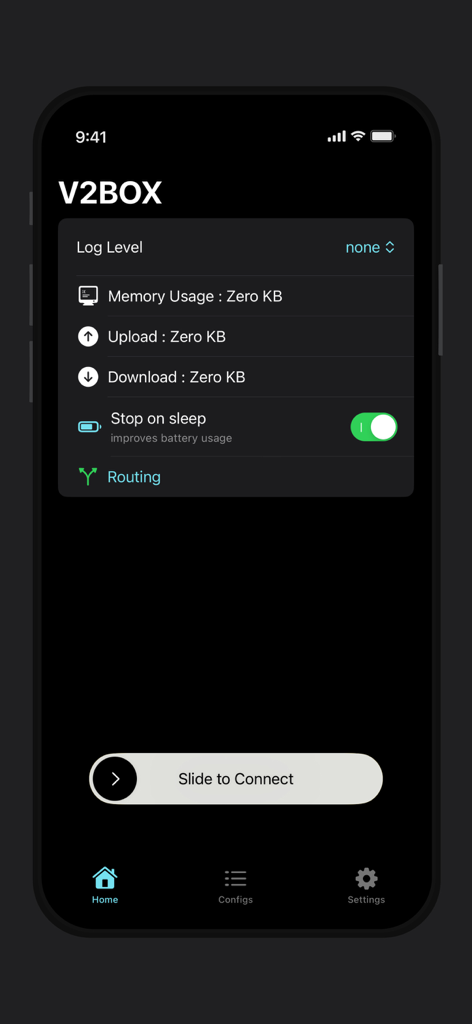
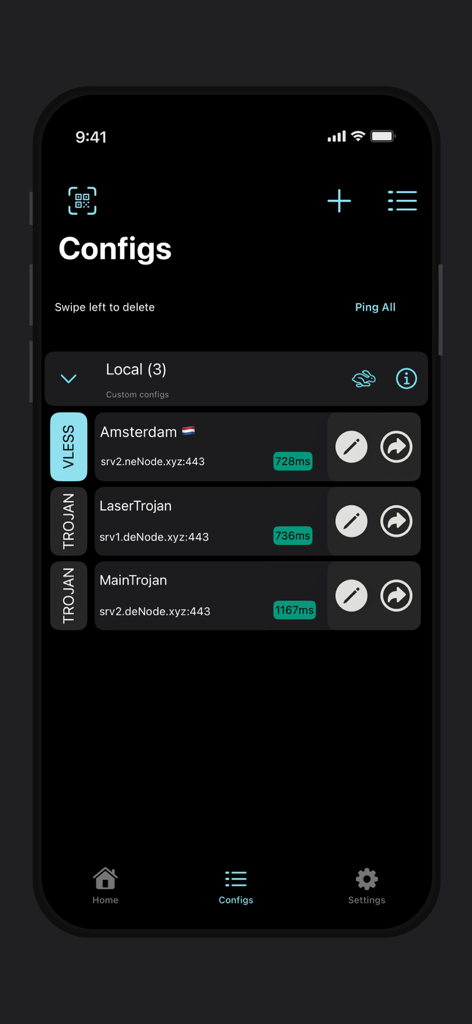
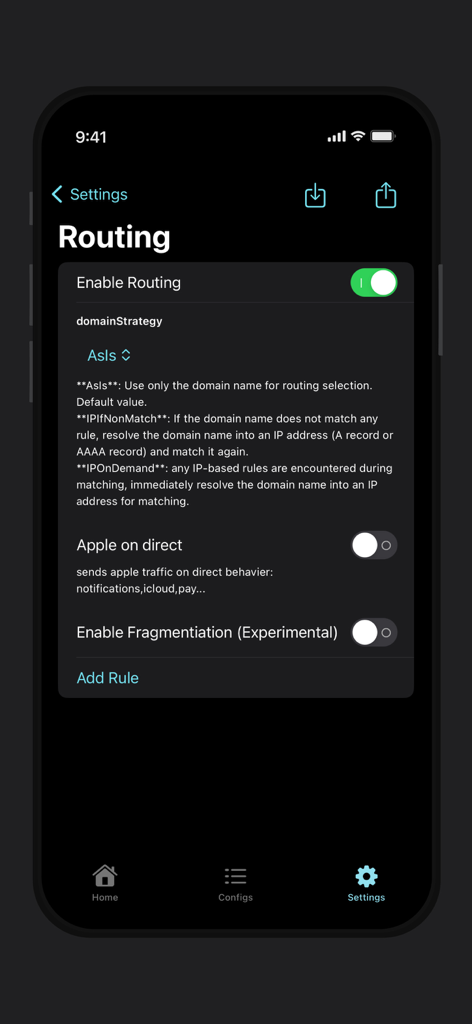
The tools that make this app stand out, trusted by 6M+ users.
Seamlessly manage custom servers including V2ray, Shadowsocks, Trojan, and SSH with a client built for those who demand total infrastructure control.
Stay invisible to Deep Packet Inspection (DPI) with integrated support for Reality and Vless protocols, ensuring your traffic remains private and undetected.
Experience unmatched speed without the overhead of traditional VPNs, all while maintaining strict privacy with no registration and no user logging.
Trusted by 6M+ people who love this app.
"As a DevOps engineer who manages several private VPS nodes, V2Box is the only client I trust on iOS. It supports the latest Reality and Vless protocols perfectly, giving me unmatched speeds and a stable connection that standard VPNs just can't provide. The clean UI and lack of registration make it a must-have for my daily workflow."
"I've tried dozens of proxy apps, but V2Box is by far the most reliable for staying connected while traveling internationally. It handles complex configurations with ease through QR imports and stays completely stealthy. I love that it doesn't log my data or require a clunky sign-up process—it just works."
Insights from user reviews.
Sentiment Score
Summary
While some users appreciate the app's ability to utilize external configurations and occasionally stable, fast connections, the overall feedback is predominantly negative. Many report significant performance issues, including frequent lagging, disconnections, and the app ceasing to function, often after updates. A major complaint is the excessive and intrusive advertising, with users noting the lack of an ad-free option. Furthermore, concerns about data privacy and specific bugs like a stuck network interface or broken Shadowsocks UDP in version 9.8.6 contribute to a poor user experience.
Common Themes
Everything you need to know about V2Box - V2ray Client.
Description
Latest Version
9.8.7
Size
123.1 MB
First Released
Apr 7, 2023
Join 6 million+ power users today. Experience unparalleled speed and stealth with support for Reality, V2Ray, and Trojan protocols—no registration, no logs, just pure performance.
Everything you need to know about V2Box - V2ray Client
V2Box supports multiple proxy protocols, including Shadowsocks, V2ray, Vmess, Trojan, SSH, and Socks. It also integrates Reality (xray), vless vision, and UTLS.
Yes, V2Box allows users to add custom proxy servers. It supports custom configurations for Shadowsocks, v2ray, trojan, vless, vmess, and SSH protocols.
No, V2Box does not save any user log information. The application adheres to a strict no-logs policy to protect user privacy.
V2Box supports AES-128-GCM, AES-192-GCM, AES-256-GCM, Chacha20-IETF, Chacha20-ietf-poly1305, and xchacha20-ietf-poly1305. These protocols ensure secure data transmission.
V2Box displays initial network usage as "Zero KB" for Memory Usage, Upload, and Download on its home screen. This indicates no active data transfer when idle.
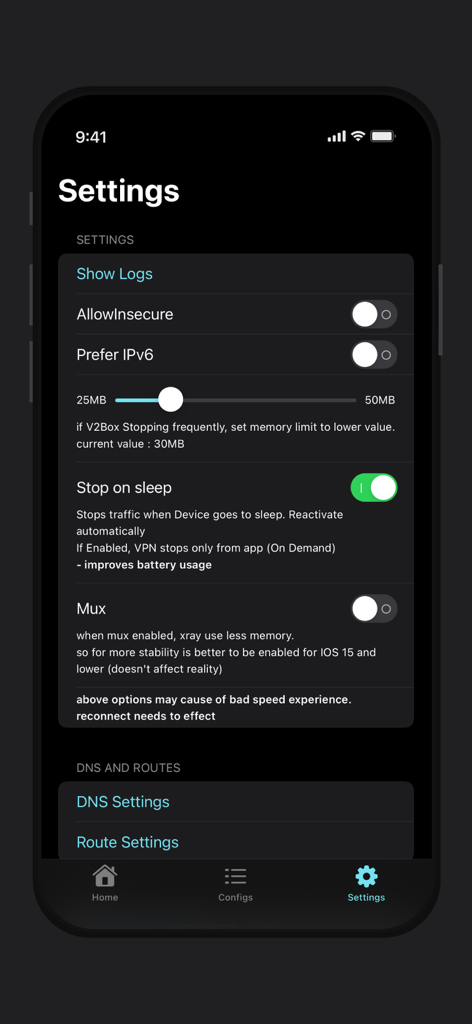
The "Stop on sleep" feature in V2Box stops traffic when the device goes to sleep. This improves battery usage and reactivates automatically or on demand.
Yes, V2Box offers advanced routing options. Users can enable routing, set domain strategies like 'Asls', and manage 'Apple on direct' traffic behavior.
V2Box allows users to manage configurations through the "Configs" tab. Here, users can view, add, edit, or delete server configurations and perform a "Ping All" test.
The Mux feature in V2Box, when enabled, reduces Xray's memory usage. It is beneficial for improving stability, especially on iOS 15 and older versions.
The privacy policy for V2Box is accessible via the link: https://hexasoftware.dev/v2box-terms/. This document outlines the application's data handling practices.
Yes, V2Box enhances Wi-Fi security. It provides protection when connected to public hotspots, safeguarding the user's network IP and ensuring privacy.
Apps with similar features and user experience
FATCAT TECH PTE. LTD.

Unicorn Soft, Inc.

SUPERNOVA NEBULA LLC

YUNFAN TECHNOLOGY CO., LIMITED

DATABRIDGES TECHNOLOGIES LTD

VIRAL TECH, INC.

SUPERNOVA NEBULA LLC

Surf Safe Network Ltd

Holistic Resilience