Keyplan 3D Lite - Home design

Keyplan 3D Lite - Home design

Download on App Store
Spark by MWM logo
Logo of Keyplan 3D Lite - Home design
Keyplan 3D Lite - Home design: Bring your renovation dreams to life

Join over 5 million DIYers using the most intuitive 3D home planner. Create floor plans, decorate in real-time, and visualize your future home on iPhone and iPad—no professional experience required.

Publisher

Quasarts LLC

Category

Productivity

Downloads

5M+

User Rating

4.5/5

Total Ratings

134K+

Locales

9

Your Vision, Visualized

Discover the interface used by 5M+ users.
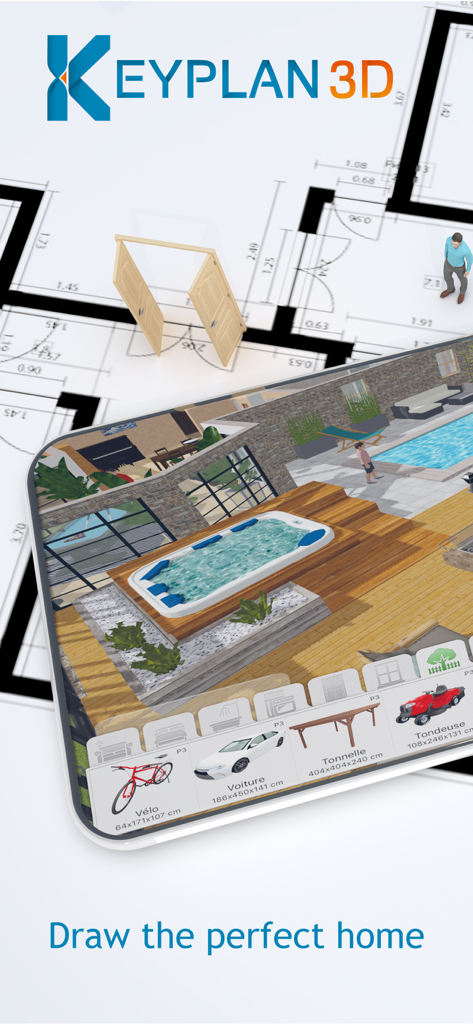
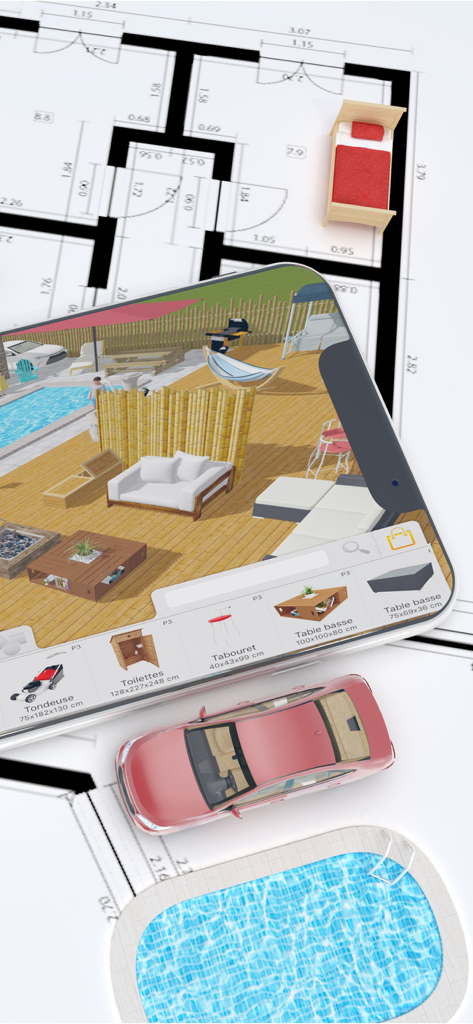
Keyplan 3D app interface showing a 3D patio design with a pool and furniture over a 2D floor plan

Keyplan 3D app interface showing a 3D patio design with a pool and furniture over a 2D floor plan

Smartphone displaying a 3D patio design over a 2D floor plan with 3D furniture models

Smartphone displaying a 3D patio design over a 2D floor plan with 3D furniture models

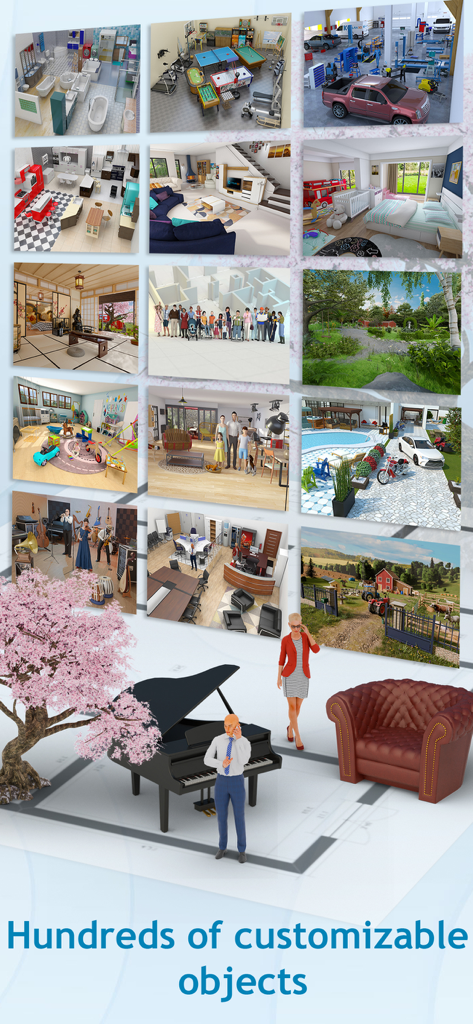
Hundreds of customizable 3D interior design objects and room templates

Hundreds of customizable 3D interior design objects and room templates

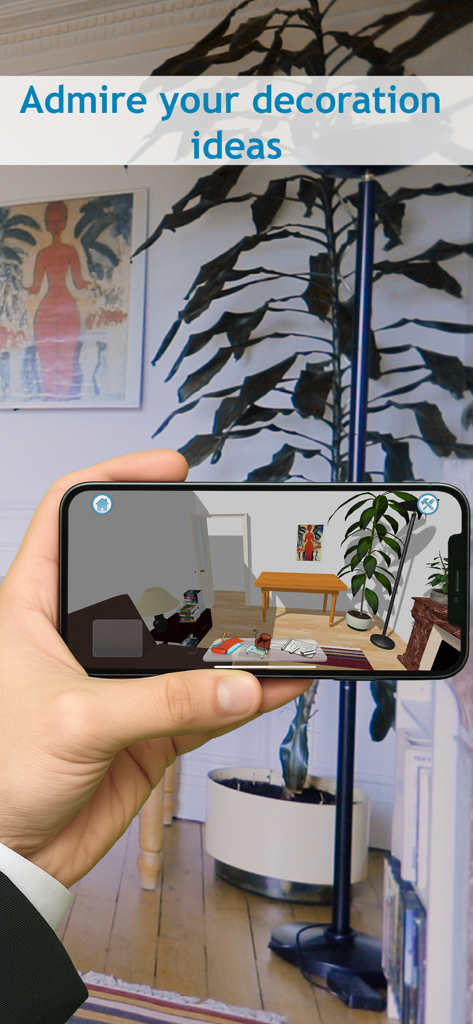
Hand holding a smartphone showing a 3D room interior design with furniture and plants

Hand holding a smartphone showing a 3D room interior design with furniture and plants

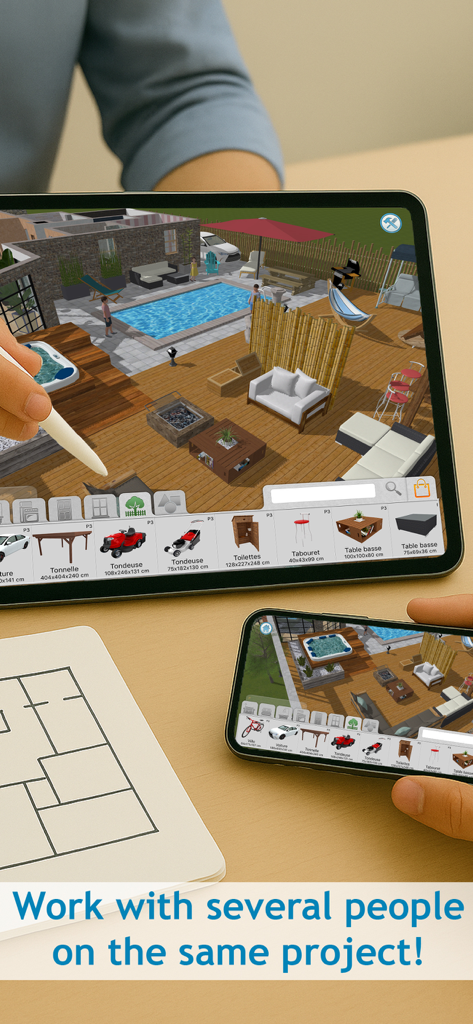
Keyplan 3D Lite app showing a 3D outdoor deck and pool design on both an iPad and iPhone.

Keyplan 3D Lite app showing a 3D outdoor deck and pool design on both an iPad and iPhone.

Design Your Dream Space with Ease

The tools that make this app stand out, trusted by 5M+ users.

✏️

Intuitive Room Builder

Create walls and rooms as easily as drawing a line. Our smart engine handles the geometry so you can focus on the layout of your perfect home.

Instant 3D Visualization

Stop guessing and start seeing. Switch instantly between 2D plans and beautiful 3D renders to experience your space in real-time without any loading screens.

🛋️

Effortless Interior Design

Furnish and decorate with over 350 free objects. Experiment with paints, textures, and furniture to create a Pinterest-worthy look before you buy a single item.

Loved by users worldwide

Trusted by 5M+ people who love this app.

"

"As a first-time homebuyer, I was struggling to visualize how our furniture would fit in a new space. Keyplan 3D turned a stressful renovation into something fun. The drag-and-drop interface is incredibly intuitive, and being able to switch from 2D to a high-quality 3D render instantly helped us make confident decisions before spending a dime on renovations."

Sarah Jenkins
"

"I use this app to quickly mock up floor plans for my real estate clients. It is the perfect balance between professional utility and ease of use. The 'child's play' philosophy is real—I can draft a complete room with windows, doors, and textures in minutes right on my iPad. It is easily the most responsive design tool I have used."

Mark Sterling

About the app

Everything you need to know about Keyplan 3D Lite - Home design.

Description

Keyplan 3D, our new home and interior designer is built on top of a unique technology unleashing features never seen before on the Appstore. It is a simple to use, useful and fun App to help you design, build, think and decorate your home or future home from the ground up. Whether you are looking to make alterations to your current home or plan on building your dream house, Keyplan 3D is there to turn this otherwise complicated process into child's play. Through our beautiful interface, designed with simplicity in mind, you can create amazing content without ever having to worry about complex menus and cryptic options. Create a wall or room by simply using our build button and our smart engine will take care of the rest. Forget about loading screens and unresponsive Apps : with Keyplan 3D you can visualise your project through our gorgeously rendered plans, which are both fully interactive and updated in real-time. Every aspect of Keyplan 3D has been designed to enable you to express your creativity like never before. Behind Keyplan 3D there is a powerful technology, allowing you to build any shape imagineable, paint, decorate and place more than 350 free unique objects. Feeling proud of your creations? Go ahead and share them with your friends and family on your favourite social media platform. Main features: - House builder : creating walls is as easy as drawing a line with a pencil. Any shape is possible with our unique 2D/3D editing features. - Interior design : Place furniture, windows, doors - edit, change, remove, in either the 2D or 3D view. - Decoration : A large selection of paints, brick, wood, ceramic, textile to be used on any object or surface. Expect new free objects on a regular basis. - Many customisation options such as wall width and height settings, inch/meter conversion. - iCloud synchronisation to enjoy your project on all your devices, iPhone and iPad. - Sharing : share 2D snapshots and 3D renders of your plan with your friends/family. Try it out and let us know what you think - we made Keyplan 3D for you and our only goal is to offer you the best experience out there. A nice video presentation: http://bit.ly/1DACRHo For more information, visit us on www.keyplan3d.com Contact us to: contact@keyplan3d.com

Latest Version

1.9.6

Size

631.7 MB

First Released

Mar 16, 2018

Ready to Design Your Dream Space?

Join 5M+ creators transforming their home visions into reality. Download Keyplan 3D Lite today and start building your future, one room at a time.

Download on App Store
FAQ

Frequently Asked Questions

Everything you need to know about Keyplan 3D Lite - Home design

What is Keyplan 3D Lite?

Keyplan 3D Lite is a home and interior designer app that helps users design, build, and decorate their current or future homes. It features a simple interface for creating detailed 2D/3D plans.

Can Keyplan 3D Lite create interior and exterior home designs?

Yes, Keyplan 3D Lite enables users to design both interior and exterior spaces. It supports placing furniture, windows, and doors inside, and creating outdoor elements like pools and gardens.

Does Keyplan 3D Lite provide 3D visualization for projects?

Yes, Keyplan 3D Lite visualizes projects through interactive and real-time 3D rendered plans. Users can interact with their designs in a gorgeously rendered 3D environment.

How many customizable objects are available in Keyplan 3D Lite?

Keyplan 3D Lite provides access to more than 350 free unique objects for decorating and furnishing designs. The app regularly adds new free objects for users.

Is it possible to share designs made with Keyplan 3D Lite?

Yes, Keyplan 3D Lite allows users to share their creations. Users can share 2D snapshots and 3D renders of their home plans with friends and family on social media platforms.

Does Keyplan 3D Lite offer iCloud synchronization for projects?

Yes, Keyplan 3D Lite includes iCloud synchronization. This feature enables users to seamlessly access and continue their design projects across all their Apple devices, including iPhone and iPad.

Can users adjust wall dimensions in Keyplan 3D Lite?

Yes, Keyplan 3D Lite provides customisation options for wall dimensions. Users can adjust wall width and height settings and convert measurements between inches and meters.