Lazy Lighting

Lazy Lighting

Download on App Store
Spark by MWM logo
Logo of Lazy Lighting

Lazy Lighting: Projection Mapping Reinvented for iPhone and iPad

Transform any surface into a digital canvas in minutes. Pro-grade warping, masking, and real-time visuals for artists, DJs, and creators—no laptop required.

Publisher

AUDITY APPS LLC

Category

Graphics & Design

Downloads

49K+

User Rating

4.0/5

Total Ratings

100

Locales

6

Visuals in Motion

Discover the interface used by 49K+ users.
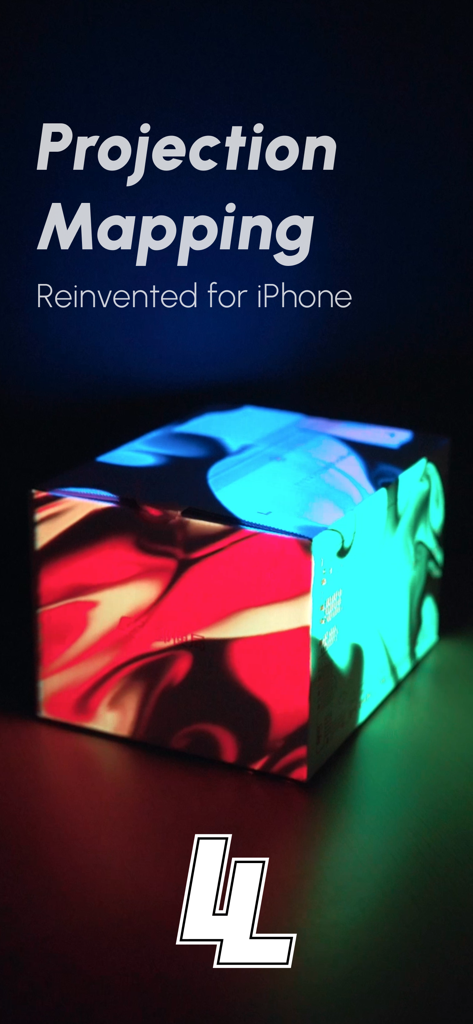
A box with colorful projected light patterns using the Lazy Lighting app

A box with colorful projected light patterns using the Lazy Lighting app

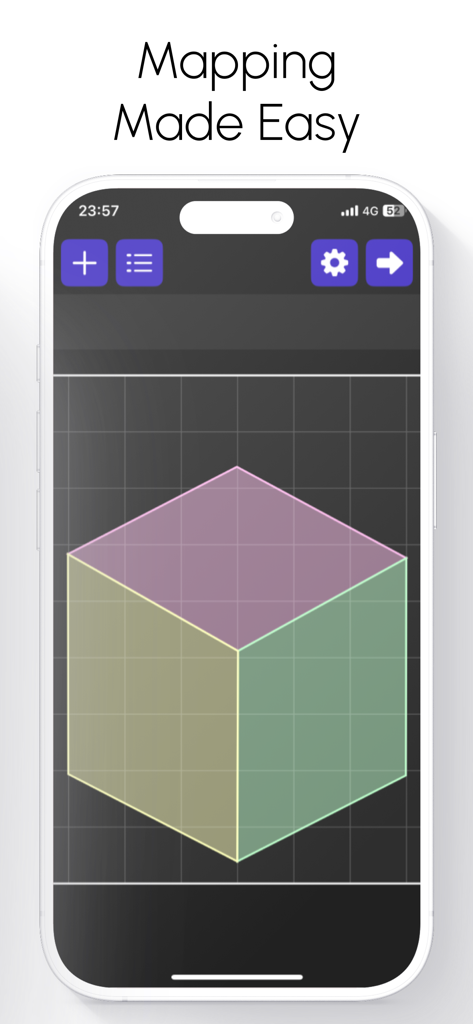
Lazy Lighting app interface on an iPhone showing a 3D cube grid for easy projection mapping

Lazy Lighting app interface on an iPhone showing a 3D cube grid for easy projection mapping

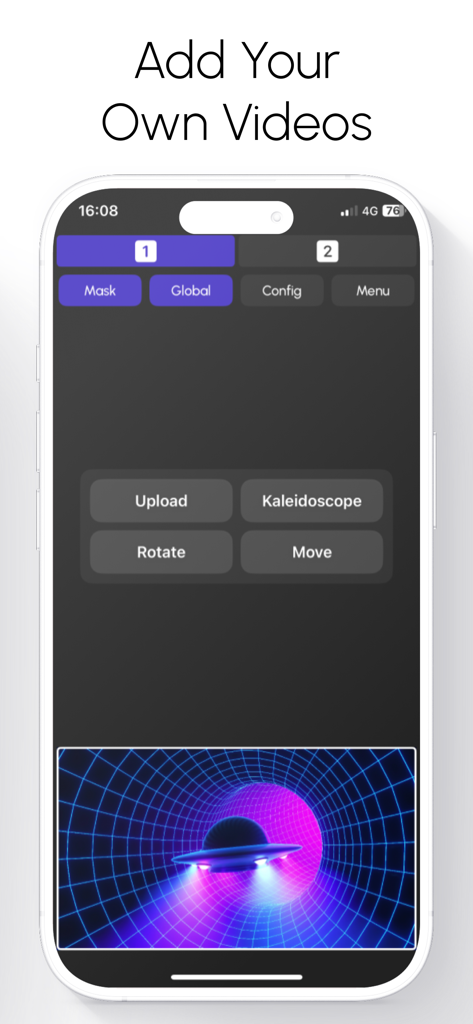
Smartphone screen showing Lazy Lighting app interface for adding and editing custom videos for projection mapping

Smartphone screen showing Lazy Lighting app interface for adding and editing custom videos for projection mapping

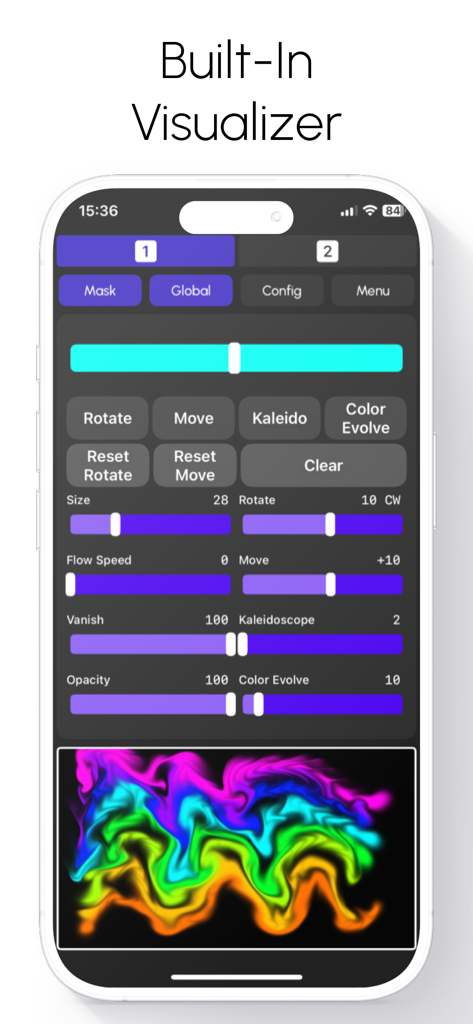
Lazy Lighting app interface showing the built-in visualizer with adjustable sliders for flow speed, kaleidoscope effects, and a colorful neon wave preview

Lazy Lighting app interface showing the built-in visualizer with adjustable sliders for flow speed, kaleidoscope effects, and a colorful neon wave preview

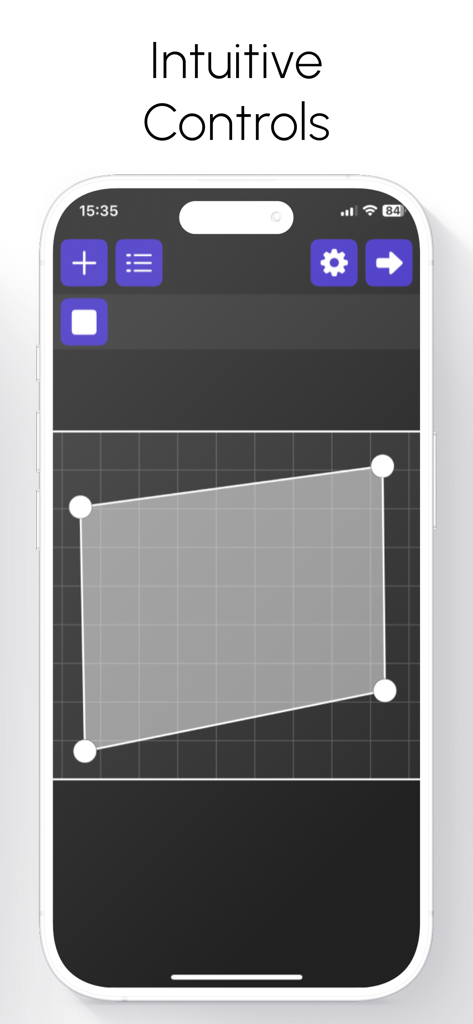
Interface of Lazy Lighting app showing intuitive projection mapping controls on an iPhone

Interface of Lazy Lighting app showing intuitive projection mapping controls on an iPhone

Professional Mapping Made Simple

The tools that make this app stand out, trusted by 49K+ users.

📐

Intuitive Touch Mapping

No more complex workflows. Use your fingers to warp, mask, and fit visuals perfectly onto irregular surfaces or objects with surgical precision.

🎛️

Live Performance Control

Mix dual channels, layer real-time effects, and crossfade like a pro. Perfect for DJs and VJs who need high-impact visuals without the technical headache.

📽️

Project Without Limits

Connect via HDMI, USB-C, or go completely wireless with AirPlay. From boutique galleries to living room parties, your creative studio now fits in your pocket.

Loved by users worldwide

Trusted by 49K+ people who love this app.

"

"Lazy Lighting is a total game-changer for my live sets. I used to carry a heavy laptop and a mess of cables just for basic visuals, but now I can map my stage graphics directly from my iPad in minutes. The touch-to-warp feature is incredibly precise, and my audience was blown away by the professional look. It has completely transformed my workflow as a touring musician."

Marcus Reed
"

"I am not a tech expert, but I wanted to do something special for my holiday displays this year. This app made projection mapping feel like a game. I was able to map animations onto my house's irregular surfaces perfectly using just my iPhone. It is so simple to use, and the real-time effects are stunning. It turned my home into a local landmark overnight!"

Sarah Jenkins

About the app

Everything you need to know about Lazy Lighting.

Description

Projection Mapping. Reinvented for iPhone and iPad. Lazy Lighting makes projection mapping simple, affordable, and accessible to everyone. No computer. No expensive software. Just your iPhone or iPad and any projector. From small portable models to professional systems. Connect directly with HDMI, USB-C, or Lightning, or go completely wireless using AirPlay. Map walls, stages, sculptures, or any surface in minutes with an intuitive, touch-based interface. Whether you’re an artist, musician, or just experimenting at home, Lighting gives you the creative freedom of full projection mapping anywhere. Map Anything, Anywhere Lazy Lighting brings powerful projection mapping tools into a portable, easy-to-use app. You can project onto irregular surfaces, objects, or multiple panels without needing a laptop or complex setup. Simply aim your projector, open the app, and start shaping your visuals. Drag corners to fit perfectly, cut out areas with masking tools, and layer effects in real time. The entire mapping process is designed around direct touch interaction. Fast, precise, and incredibly intuitive. Key Features Projection Mapping Tools – Cut, mask, and warp visuals to perfectly match any surface or object. Draw Mode – Create visuals by hand in real time using a fluid drawing engine. Video Import – Load and map your own videos directly from your device’s library. Custom Shapes – Import vector outlines or logos to map specific designs or stage elements. Dual Channels – Mix, layer, and crossfade between two independent visuals for dynamic live control. Built-In Effects – Access a library of real-time visual effects including kaleidoscopes, tunnels, color morphs, and distortions. External Display Output – Project full-resolution visuals while keeping your control interface private. Wireless and Wired Compatibility – Works with AirPlay, HDMI, USB-C, and Lightning connections. Everything runs in real time, fully optimized for Apple’s graphics hardware, ensuring smooth playback even during complex visual setups. For Every Creator and Every Setup Artists and Creators – Bring walls, canvases, and sculptures to life with moving light. Bands and Performers – Add projection to your stage show without extra hardware or setup. Installations and Galleries – Design immersive spaces that react and evolve with light. Event Organizers – Transform venues, festivals, or exhibits with dynamic mapped visuals. Home Projection – Create ambient visuals for relaxation, parties, or decoration. Holiday Displays – Design your own Halloween, Christmas, or themed light shows effortlessly. Whether you’re using a $100 portable projector or a high-end stage setup, Lazy Lighting adapts perfectly to your hardware and environment. Simple Design, Professional Results Lazy Lighting is built around real-time performance and creative flow. The interface is clean, fast, and responsive, allowing you to stay focused on your visuals instead of menus and settings. Every parameter updates instantly, giving you complete control over colors, shapes, and movement. Because all rendering happens live, no two performances are ever the same. Every show feels organic, fluid, and unique. The Future of Projection Mapping Lazy Lighting brings the art of projection mapping into the modern era. Powerful enough for professionals, yet simple enough for anyone to use. It replaces complicated desktop workflows with a touch-first design built specifically for iPhone and iPad. You can create, perform, and project anywhere: no laptop, no cables, no extra equipment. From living room experiments to professional stage productions, Lazy Lighting delivers stunning real-time visuals that anyone can create. Lazy Lighting – Projection Mapping, Live Visuals, and Real-Time Video Effects. The easiest way to project, map, and perform with any projector, anywhere. Terms of Use: https://sites.google.com/view/lazylighting-terms Privacy Policy: https://sites.google.com/view/lazylighting-privacy

Latest Version

2.6

Size

44.1 MB

First Released

Sep 21, 2025

Bring Your Vision to Light Today

Ditch the laptop and the expensive software. Join over 49,000 creators turning their iPhone or iPad into a professional projection mapping rig in minutes.

Download on App Store
FAQ

Frequently Asked Questions

Everything you need to know about Lazy Lighting

What is Lazy Lighting?

Lazy Lighting is an iPhone and iPad app that reinvents projection mapping, making it simple and accessible. It allows users to map visuals onto any surface using their device and a projector, without needing a computer.

How does Lazy Lighting connect to a projector?

Lazy Lighting connects to projectors via HDMI, USB-C, Lightning cables, or wirelessly through AirPlay. This provides flexible options for various projector setups.

Can I use my own videos with Lazy Lighting?

Yes, Lazy Lighting allows users to import and map their own videos directly from their device’s library. This feature integrates personal content into projection mapping projects.

What surfaces can Lazy Lighting project onto?

Lazy Lighting can project onto various surfaces including walls, stages, sculptures, irregular surfaces, objects, or multiple panels. It allows precise mapping for any environment.

Does Lazy Lighting offer built-in visual effects?

Yes, Lazy Lighting includes a library of built-in real-time visual effects. These effects feature kaleidoscopes, tunnels, color morphs, and distortions to enhance projections dynamically.

Can Lazy Lighting be used for live performances?

Yes, Lazy Lighting is designed for live performances. It offers real-time controls, dual channels for mixing visuals, and smooth playback optimized for Apple's graphics hardware, making it ideal for dynamic shows.

What are the key features of Lazy Lighting's mapping tools?

Lazy Lighting’s mapping tools allow users to cut, mask, and warp visuals. This enables precise adjustments to perfectly match any surface or object, guided by direct touch interaction.

Does Lazy Lighting require a laptop for projection mapping?

No, Lazy Lighting does not require a laptop for projection mapping. It allows users to perform all mapping tasks directly from their iPhone or iPad, replacing complex desktop workflows.