Microsoft Outlook

Microsoft Outlook

Download on App StoreDownload on Google Play
Spark by MWM logo
Logo of Microsoft Outlook

Microsoft Outlook: Your AI-Powered Mobile Command Center

Bring your emails, calendars, and files together in one seamless experience. Master your workflow with a focused inbox and Copilot AI tools designed to summarize threads and draft the perfect reply in seconds.

Publisher

Microsoft Corporation

Category

Productivity

Downloads

-

User Rating

4.8/5

Total Ratings

-

Locales

47

Your Command Center

Discover the interface used by users.
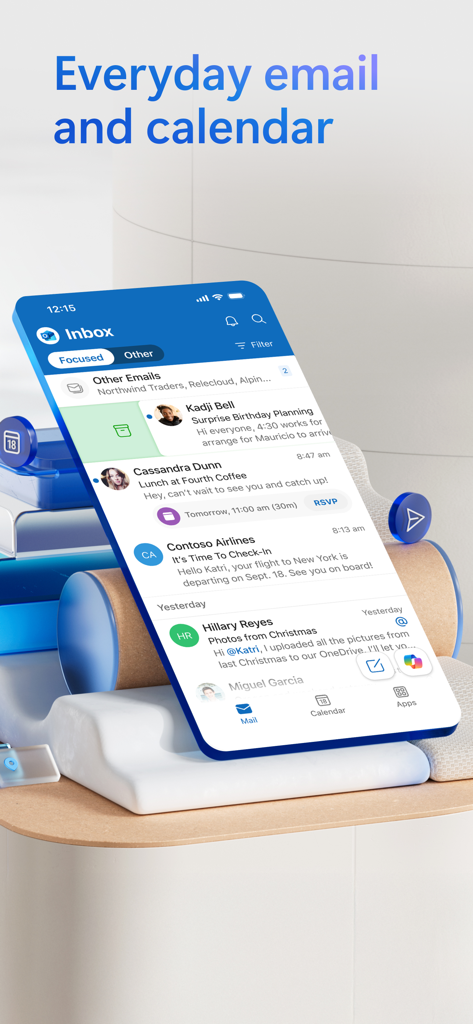
Microsoft Outlook app showing focused inbox and calendar integration on a smartphone screen

Microsoft Outlook app showing focused inbox and calendar integration on a smartphone screen

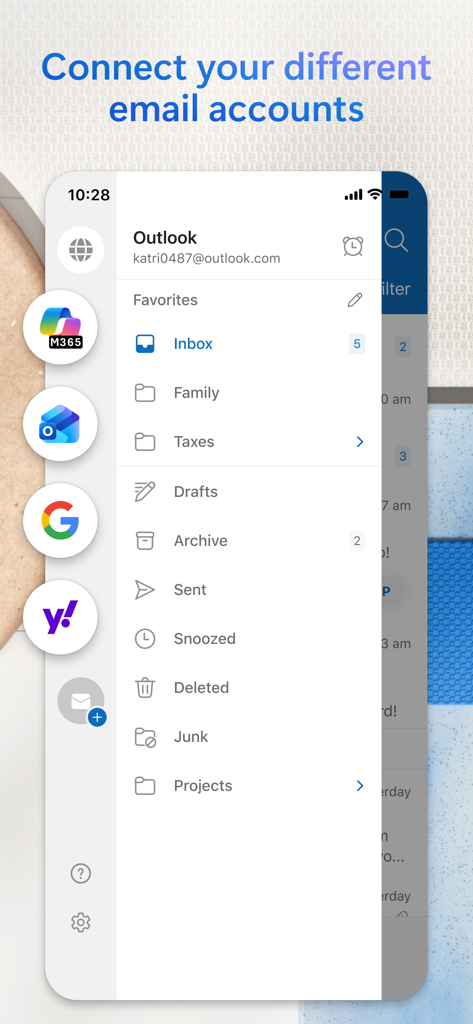
Microsoft Outlook mobile interface showing integrated email accounts including Gmail Yahoo and Microsoft 365

Microsoft Outlook mobile interface showing integrated email accounts including Gmail Yahoo and Microsoft 365

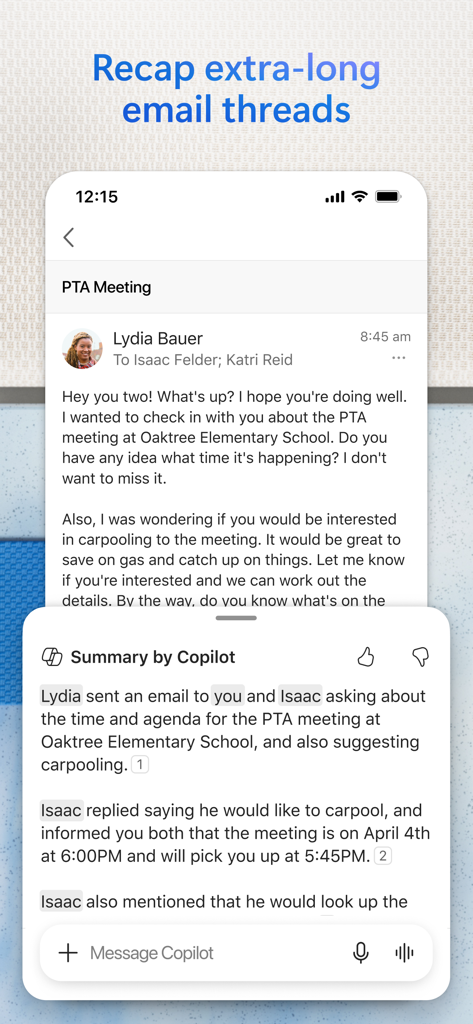
Microsoft Outlook mobile app displaying an AI-powered email thread summary by Copilot.

Microsoft Outlook mobile app displaying an AI-powered email thread summary by Copilot.

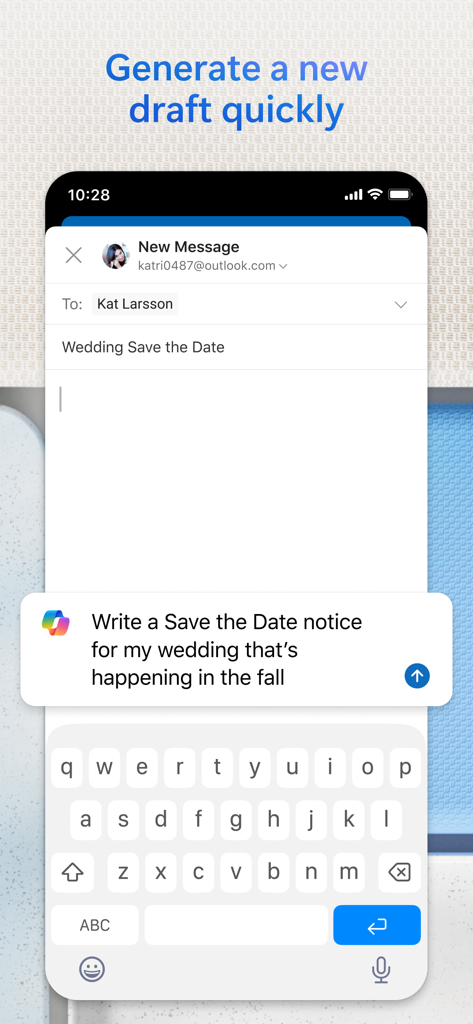
A screenshot of the Microsoft Outlook mobile app showing the AI Copilot feature generating an email draft for a wedding save the date.

A screenshot of the Microsoft Outlook mobile app showing the AI Copilot feature generating an email draft for a wedding save the date.

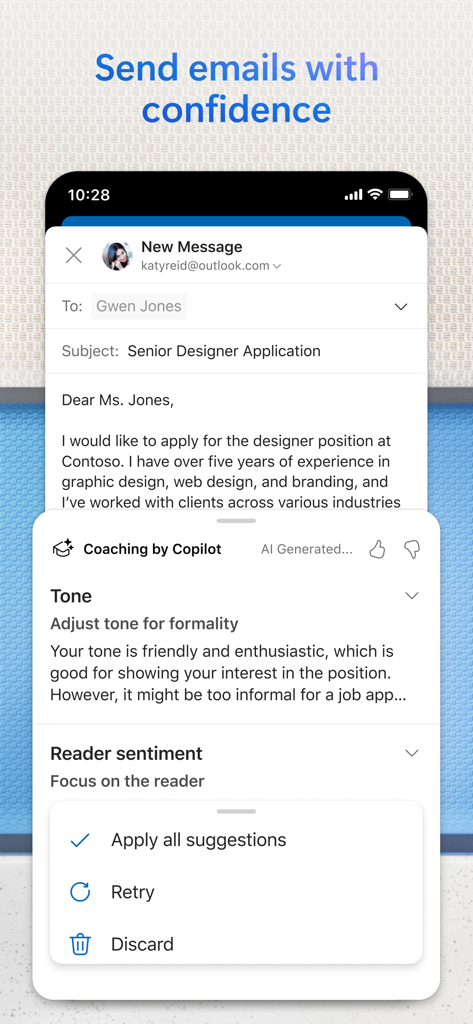
Microsoft Outlook mobile app showing AI email coaching with Copilot

Microsoft Outlook mobile app showing AI email coaching with Copilot

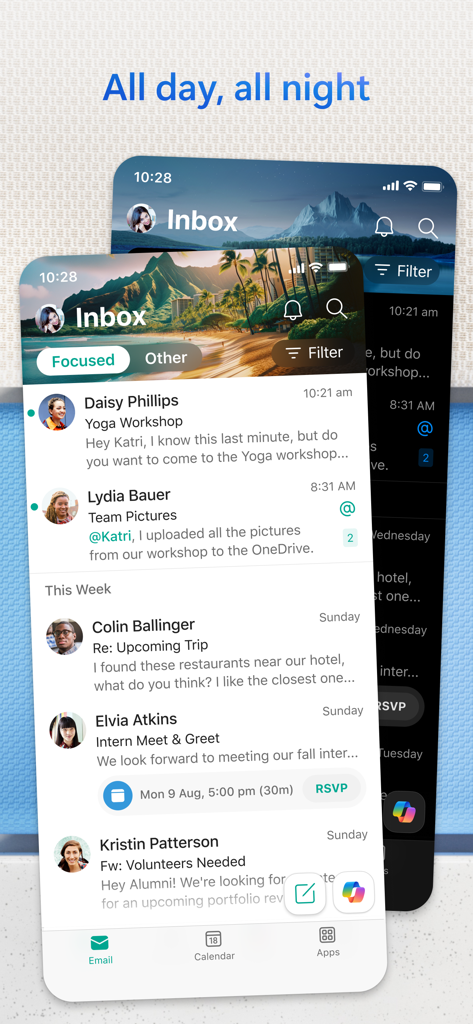
Microsoft Outlook mobile app showing the focused inbox in both light and dark modes.

Microsoft Outlook mobile app showing the focused inbox in both light and dark modes.

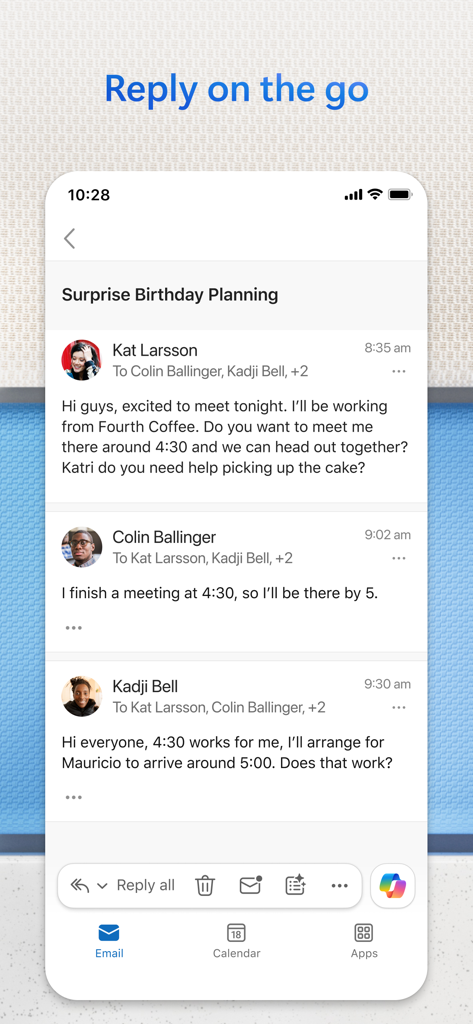
Microsoft Outlook mobile app showing an email thread and the option to reply on the go

Microsoft Outlook mobile app showing an email thread and the option to reply on the go

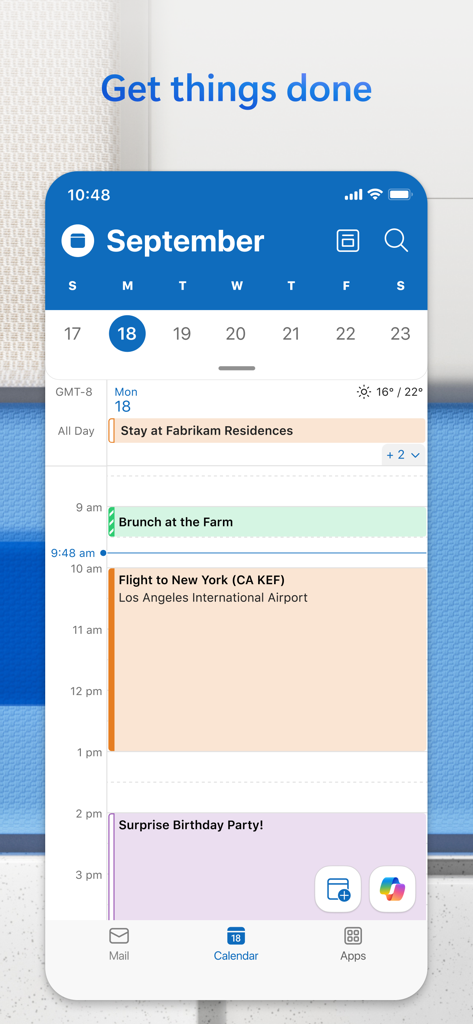
Daily calendar view in the Microsoft Outlook app showing scheduled events

Daily calendar view in the Microsoft Outlook app showing scheduled events

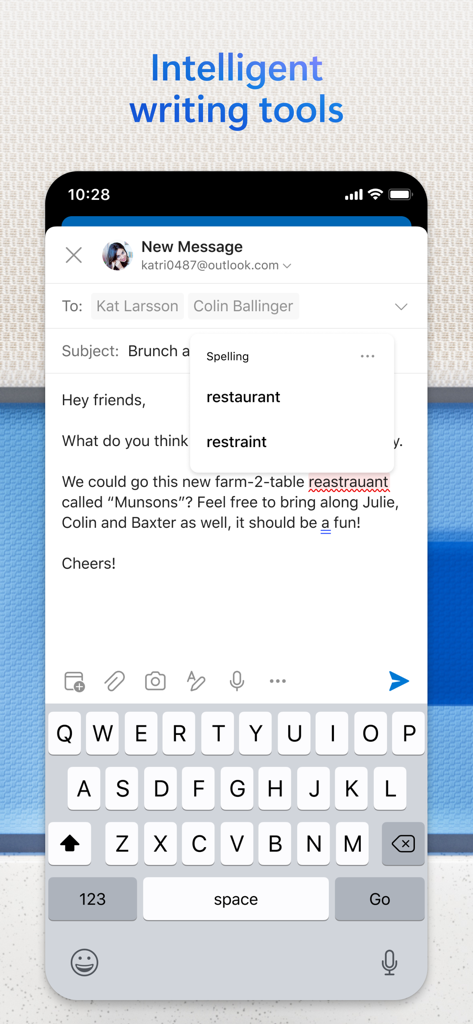
Microsoft Outlook mobile app interface showing intelligent writing tools and spelling correction suggestions during email composition

Microsoft Outlook mobile app interface showing intelligent writing tools and spelling correction suggestions during email composition

Your Professional Command Center

The tools that make this app stand out, trusted by users.

AI-Powered Inbox Intelligence

Use Copilot to summarize complex threads and draft polished replies in seconds, saving you hours of manual triaging.

📅

Smart Scheduling & Availability

Sync multiple calendars and share your meeting availability with a single tap to eliminate the back-and-forth of booking.

📎

Seamless Cloud Integration

Access and edit files from OneDrive, Dropbox, or iCloud directly within the app without the friction of downloading locally.

Loved by users worldwide

Trusted by people who love this app.

"

"Outlook has become my absolute mobile command center. The 'Summarise with Copilot' feature is a total game-changer for catching up on 50+ message threads during my commute, and the Focused Inbox ensures I actually see the high-priority requests from my stakeholders first. It is the only app that manages to make my professional and personal schedules feel unified rather than chaotic."

Marcus Chen, Senior Project Manager
"

"As a freelancer managing multiple clients, I used to juggle three different mail apps. Now, I have my Gmail, iCloud, and work accounts in one spot. The ability to share my meeting availability with a single tap has saved me hours of back-and-forth, and the AI coaching tips help me maintain a polished, professional tone even when I'm replying in a hurry between site visits."

Sarah Jenkins, Independent Consultant

About the app

Everything you need to know about Microsoft Outlook.

Description

Outlook lets you bring all your email accounts and calendars in one convenient spot. Whether it’s staying on top of your inbox or scheduling the next big thing, we make it easy to be your most productive, organised and connected self. Here's what you'll love about Outlook for iOS: - Focus on the right things with our smart inbox - we help you sort between messages you need to act on straight away and everything else. - Swipe to quickly schedule, delete and archive messages. - Share your meeting availability with just a tap and easily find times to meet with others. - Find everything you're looking for, including files, contacts, and your forthcoming trips. - View and attach any file from your email, OneDrive, Dropbox, and more, without having to download them to your phone. - Open Word, Excel, or PowerPoint attachments to edit them directly in the corresponding app and attach them back to an email. - Recap extra-long email threads in an instant with Summarise with Copilot* - Type a few words to have Copilot* jump-start your writing with an outline or draft - Before sending off your email, use Coaching with Copilot* to get tips and suggestions that help improve the overall tone, sentiment, and clarity *Microsoft 365 Personal/Family subscription or business account enabled with Copilot required to use Copilot features -- Outlook for iOS works with Microsoft Exchange, Office 365, Outlook.com (including Hotmail and MSN), Gmail, Yahoo Email, and iCloud. -- To make an in-app purchase of a Microsoft 365 Family or Personal subscription, open the app, go to Settings, and tap on Upgrade next to your Outlook.com or Hotmail.com account. Subscriptions begin at $6.99 a month in the US, and can vary by region. With a Microsoft 365 subscription, you get 1TB of storage for each user, access to all features in Word, Excel, and PowerPoint on iPad, iPhone, and iPod touch, and you can install Word, Excel, PowerPoint, Outlook and OneNote on PCs or Macs. Microsoft 365 subscriptions purchased from the app will be charged to your iTunes account and will automatically renew within 24 hours prior to the end of the current subscription period, unless auto-renewal is disabled beforehand. To manage your subscriptions or to disable auto-renewal, after purchase, go to your iTunes account settings. A subscription cannot be cancelled during the active subscription period. Any unused portion of a free trial period, if offered will be forfeited when the user purchases a subscription to that publication, where applicable. Privacy and Cookies: https://go.microsoft.com/fwlink/?LinkId=521839 Terms of Use: http://go.microsoft.com/fwlink/?LinkID=530144 Contract Summary: https://www.microsoft.com/microsoft-365/outlook/contract-summary Consumer Health Data Privacy Policy: https://go.microsoft.com/fwlink/?linkid=2259814

Latest Version

5.2552.1

Size

407.7 MB

First Released

Jan 29, 2015

Ready to Master Your Day?

Join over 280 million professionals who have turned Outlook into their mobile command center. Download now to streamline your inbox, sync your life, and experience the future of productivity with Copilot AI.

Download on App StoreDownload on Google Play
FAQ

Frequently Asked Questions

Everything you need to know about Microsoft Outlook

What is Microsoft Outlook for iOS?

Microsoft Outlook for iOS is an app that centralizes email accounts and calendars in one convenient spot. It helps users stay productive, organized, and connected.

Does Microsoft Outlook for iOS have a smart inbox?

Yes, Microsoft Outlook for iOS features a smart inbox. It helps users sort between messages requiring immediate action and other emails.

Can users manage emails with swipe gestures in Microsoft Outlook for iOS?

Yes, Microsoft Outlook for iOS allows users to quickly schedule, delete, and archive messages using intuitive swipe gestures directly from the inbox.

How do I share meeting availability in Microsoft Outlook for iOS?

Microsoft Outlook for iOS allows users to share their meeting availability with just a tap, simplifying the process of finding suitable times to meet with others.

What can I search for in Microsoft Outlook for iOS?

In Microsoft Outlook for iOS, users can find everything they are looking for, including files, contacts, and forthcoming trips, using the built-in search function.

Can Microsoft Outlook for iOS access files from cloud storage?

Yes, Microsoft Outlook for iOS allows viewing and attaching files directly from email, OneDrive, Dropbox, and more, without downloading them to the phone.

Can I edit Word, Excel, or PowerPoint attachments in Microsoft Outlook for iOS?

Yes, Microsoft Outlook for iOS allows users to open and edit Word, Excel, or PowerPoint attachments directly in their corresponding apps, then attach them back to an email.

How does Microsoft Outlook for iOS summarize email threads?

Microsoft Outlook for iOS can instantly recap extra-long email threads using the "Summarise with Copilot" feature, condensing the content for quick understanding.

Can Microsoft Outlook for iOS generate email drafts?

Yes, Microsoft Outlook for iOS's Copilot feature jump-starts writing. Users type a few words, and Copilot generates an outline or draft.

Does Microsoft Outlook for iOS offer writing assistance for emails?

Yes, Microsoft Outlook for iOS provides "Coaching with Copilot." This feature offers tips and suggestions to improve email tone, sentiment, and clarity before sending.

What are the requirements to use Copilot features in Microsoft Outlook for iOS?

To use Copilot features in Microsoft Outlook for iOS, users require a Microsoft 365 Personal/Family subscription or a business account enabled with Copilot.

Which email accounts does Microsoft Outlook for iOS support?

Microsoft Outlook for iOS supports accounts from Microsoft Exchange, Office 365, Outlook.com (Hotmail, MSN), Gmail, Yahoo Email, and iCloud.

How do I purchase a Microsoft 365 subscription within Microsoft Outlook for iOS?

To purchase a Microsoft 365 subscription in Microsoft Outlook for iOS, open the app, go to Settings, and tap "Upgrade" next to your Outlook.com or Hotmail.com account.

How much does a Microsoft 365 subscription cost through Microsoft Outlook for iOS?

Microsoft 365 subscriptions purchased via Microsoft Outlook for iOS start at $6.99 per month in the US. Pricing varies by region.

What benefits come with a Microsoft 365 subscription purchased via Microsoft Outlook for iOS?

A Microsoft 365 subscription offers 1TB storage per user, full Word, Excel, and PowerPoint access on iOS, plus installation rights for these and other apps on PCs/Macs.

How do Microsoft Outlook for iOS subscriptions renew?

Microsoft 365 subscriptions purchased through Microsoft Outlook for iOS automatically renew via your iTunes account within 24 hours before the current period ends, unless auto-renewal is disabled.

Can I cancel a Microsoft Outlook for iOS subscription mid-period?

No, a Microsoft 365 subscription purchased through Microsoft Outlook for iOS cannot be canceled during its active subscription period.

Where can I find the privacy policy for Microsoft Outlook for iOS?

The privacy policy for Microsoft Outlook for iOS is accessible via the link: https://go.microsoft.com/fwlink/?LinkId=521839.

Does Microsoft Outlook for iOS include intelligent writing tools like spell check?

Yes, Microsoft Outlook for iOS includes intelligent writing tools such as spell check, which corrects errors like misspelled words during email composition.