
MOTIV Audio



Capture uncompressed, high-resolution audio with the precision of Shure. Record, edit, and master your sound with professional-grade tools designed for podcasters, musicians, and field journalists.
Publisher
Category
MusicDownloads
1M+User Rating
Total Ratings
5K+Locales
14Discover the interface used by 1M+ users.
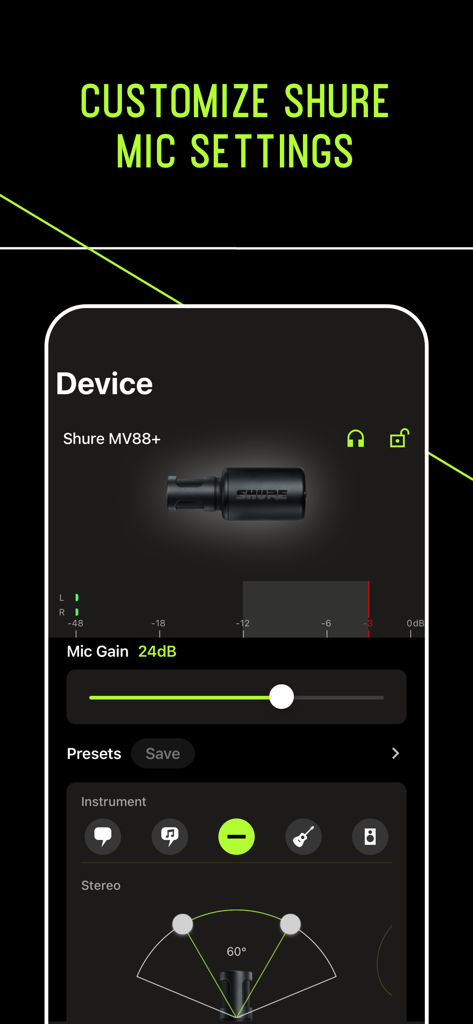
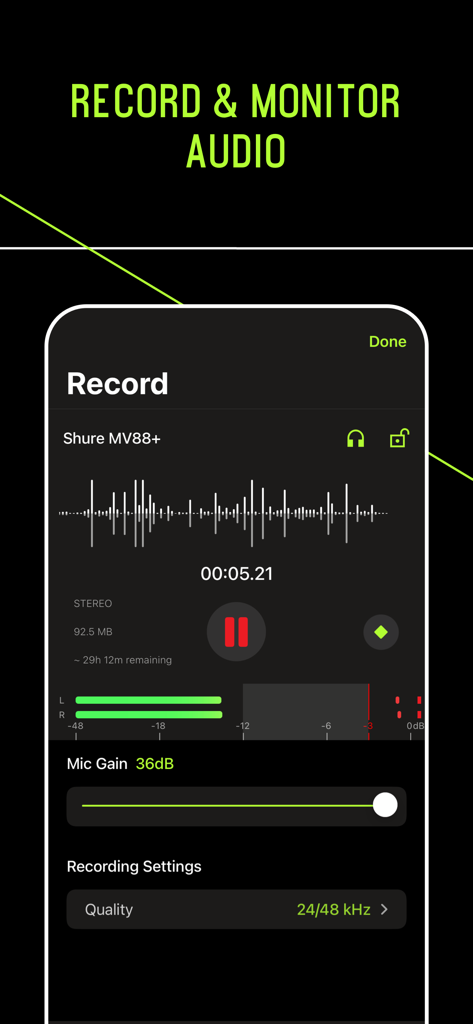
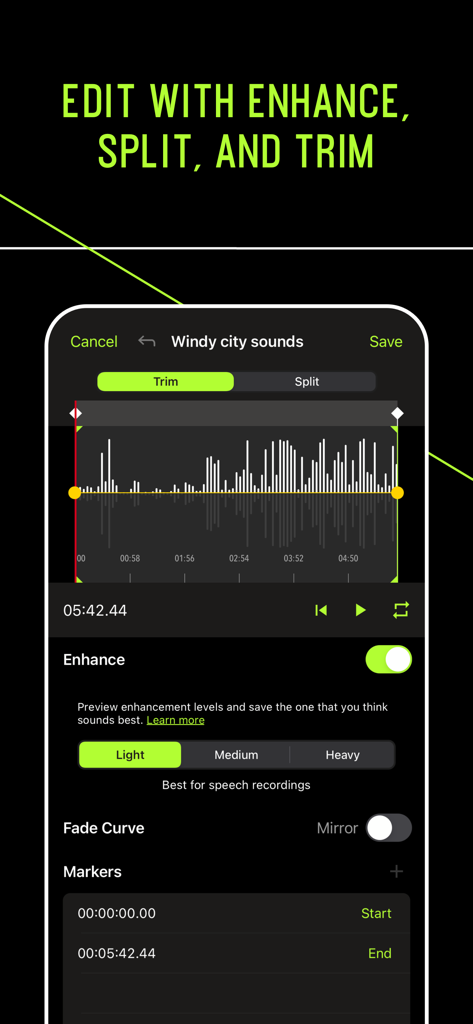
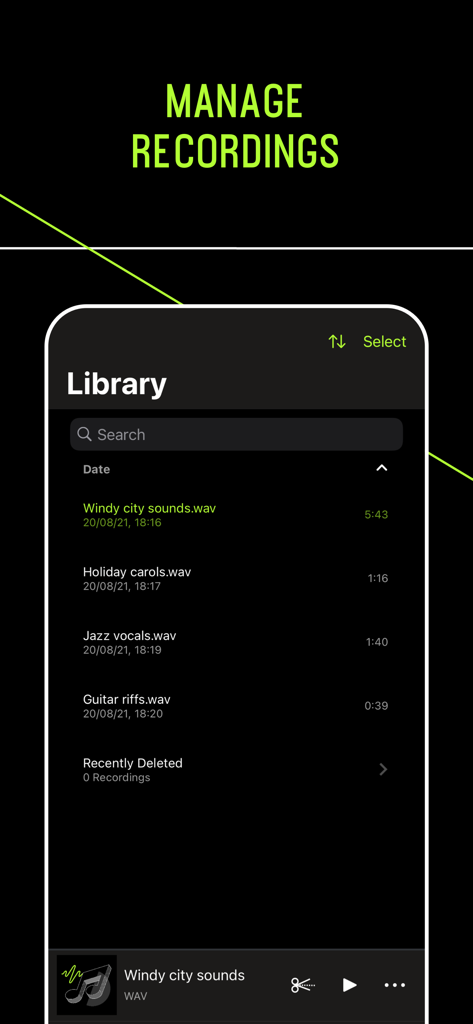
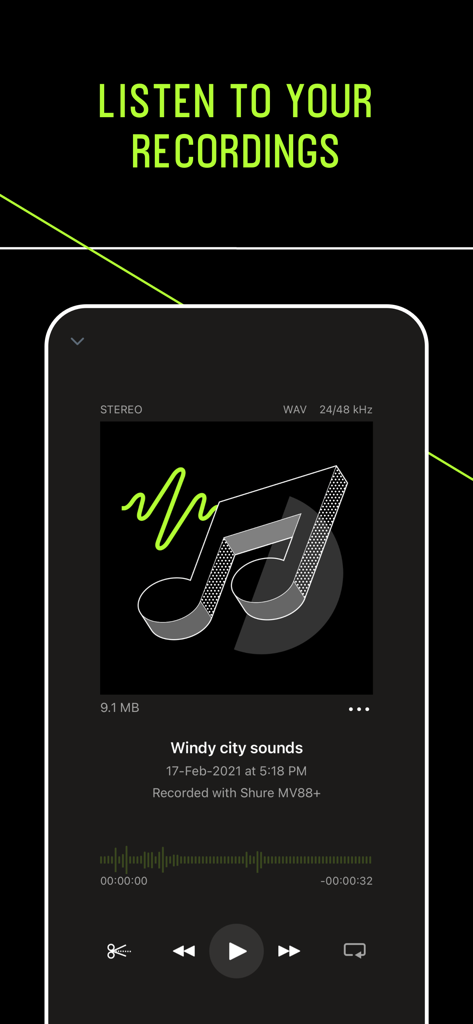
The tools that make this app stand out, trusted by 1M+ users.
Ditch the standard voice memos. Record 24-bit, uncompressed WAV files that meet the highest industry standards for professional production and crystal-clear playback.
Fine-tune your sound in real-time. Access a 5-band EQ, professional limiting, and compression presets specifically designed to optimize your Shure hardware performance.
Get polished results without a laptop. Trim, split, and add adjustable fade curves to your tracks directly within the app for an immediate, professional workflow.
Trusted by 1M+ people who love this app.
"The MOTIV Audio app has completely changed how I handle field interviews. Being able to record uncompressed WAV files and quickly trim clips right on my phone is a lifesaver. When I plug in my MV88+, the gain control and limiter ensure I get broadcast-quality audio every single time, even in noisy environments."
"As a songwriter, inspiration hits at the weirdest times. This app lets me capture studio-grade demos without hauling a laptop around. The 5-band EQ and compression settings allow me to shape my vocal sound instantly. It's the most reliable recording tool in my kit—nothing else comes close to this level of control on mobile."
Everything you need to know about MOTIV Audio.
Description
Latest Version
4.10.3
Size
100.9 MB
First Released
Apr 8, 2015
Join over 1 million creators and harness Shure’s legendary audio quality. Download MOTIV Audio to capture high-resolution, radio-ready recordings on the go.
Everything you need to know about MOTIV Audio
The MOTIV Audio app is a tool for high-quality digital recording and editing. It functions with MOTIV microphones or as a standalone app using your device's built-in microphone.
Yes, the MOTIV Audio app allows you to record high-quality uncompressed WAV audio using your device's built-in microphone.
The MOTIV Audio app provides editing features such as trim and split options. It also includes adjustable fade curves and markers to refine your recordings.
Yes, the MOTIV Audio app allows users to save recordings to compressed formats after capturing audio.
When connected to a Shure MOTIV microphone, the app enables 36 dB of adjustable gain, preset modes, custom settings, a 5-band equalizer, limiter, and compressor.
Yes, you can adjust mic gain within the MOTIV Audio app. When using a Shure MOTIV microphone, you can manage up to 36 dB of adjustable gain directly in the app's interface.
Yes, you can utilize preset modes for microphone settings in the MOTIV Audio app when a Shure MOTIV microphone is connected. The app also allows for customized settings.
Yes, the MOTIV Audio app includes a library feature where you can view, search, and manage your recorded audio files, including WAV formats.
Apps with similar features and user experience

LiveBird Technologies Private Limited

Kohei Yasui

Hieu Nguyen

Hieu Nguyen

LiveBird Technologies Private Limited

Newkline Co., Ltd.

Protection & Security App LLC

SMM service, s.r.o.
Viktor Sukhoy