
PCM Recorder Lite



Capture crystal-clear interviews, lectures, and music with lossless PCM quality up to 192kHz. The trusted tool for high-fidelity recording and precise playback control.
Publisher
Category
BusinessDownloads
2M+User Rating
Total Ratings
70K+Locales
2Discover the interface used by 2M+ users.
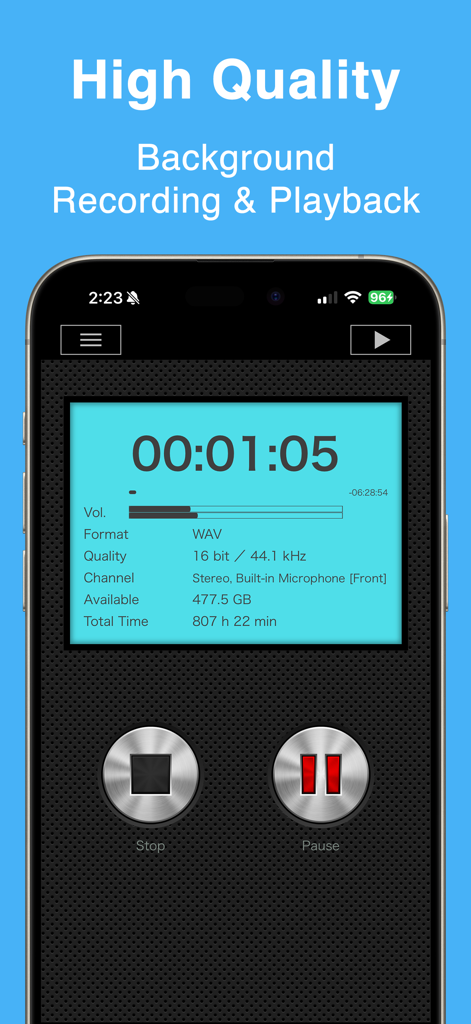
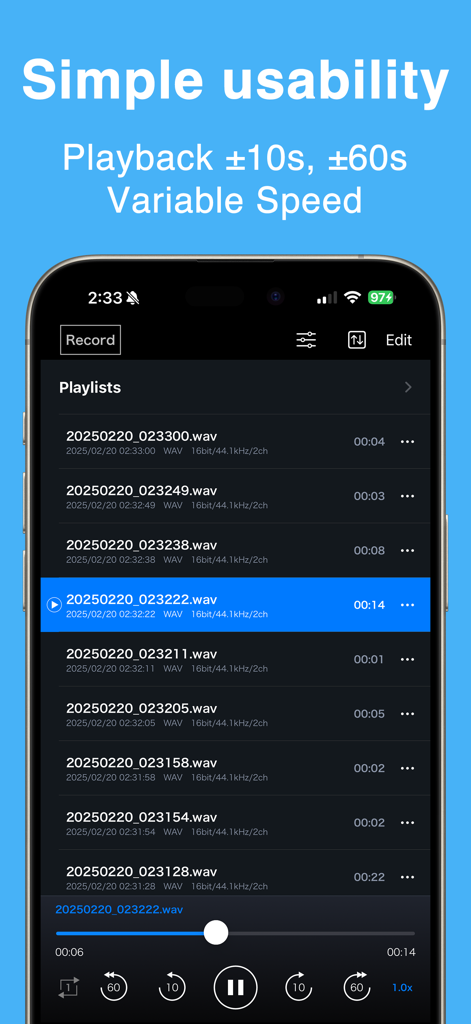
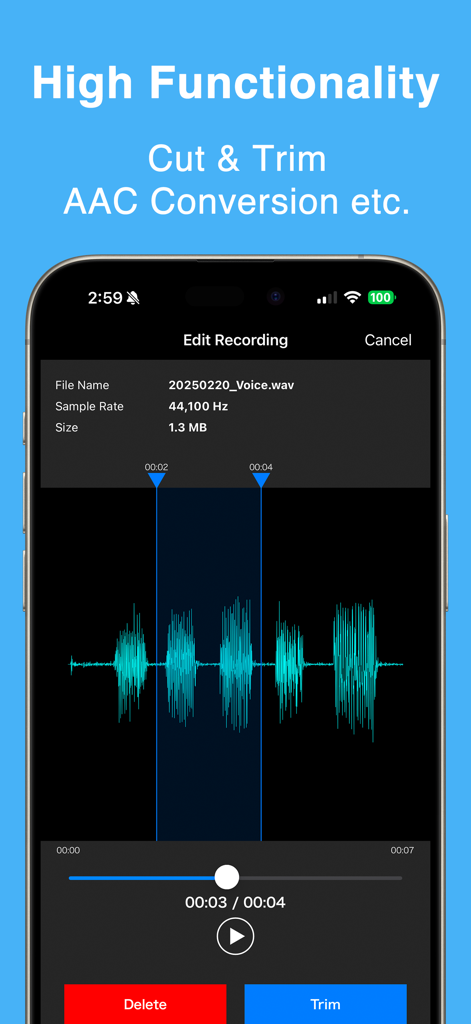
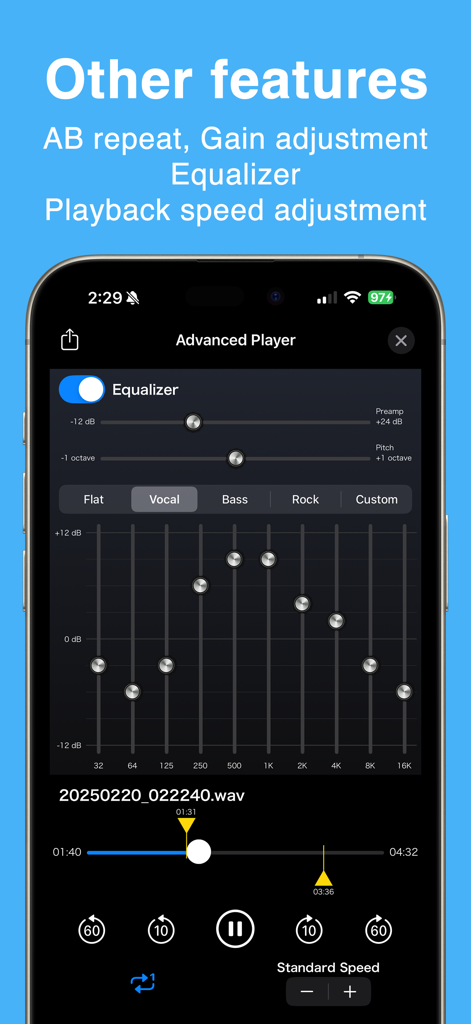
The tools that make this app stand out, trusted by 2M+ users.
Capture every nuance with high-fidelity PCM (WAV) format and sampling rates up to 192kHz—perfect for interviews, music, and legal depositions.
Save time by adjusting playback speeds from 0.5x to 2.0x. Use quick-skip buttons to navigate long lectures and find key information instantly.
Record for hours in the background without interruption. Manage files with custom playlists, easy renaming, and a safety net for deleted recordings.
Trusted by 2M+ people who love this app.
"As an investigative journalist, audio clarity is non-negotiable for my interviews. PCM Recorder Lite gives me studio-grade WAV files and the peace of mind that background recording won't fail during a crucial quote. The iTunes sync makes transferring long files to my workstation seamless."
"This app is a lifesaver for my graduate seminars. I can record the entire three-hour lecture in the background while taking digital notes, then listen back at 1.5x speed to prep for exams. The audio quality is significantly better than the standard voice memo app."
Everything you need to know about PCM Recorder Lite.
Description
Latest Version
5.5.3
Size
12.0 MB
First Released
May 26, 2011
Join over 2 million professionals and students who trust PCM Recorder Lite for lossless, high-fidelity recording that never misses a beat.
Everything you need to know about PCM Recorder Lite
PCM Recorder Lite supports recording in high-quality linear PCM (WAV) and high-compressed AAC (M4A) formats. Users can choose between these lossless and lossy compression options.
Yes, PCM Recorder Lite enables background recording. This feature allows users to capture audio continuously while operating other apps or when the device screen is off.
Yes, PCM Recorder Lite offers unlimited recording time. Individual recordings are limited to a maximum file size of 2GB, depending on available device storage.
PCM Recorder Lite provides variable playback speed options. Users can adjust the speed to 0.5x, 0.8x, 1.2x, 1.5x, or 2.0x using the player controls.
Yes, PCM Recorder Lite allows users to edit audio recordings. Features include cutting out audio data, deleting selected areas, and converting WAV files to AAC format.
Recordings from PCM Recorder Lite can be transferred to a PC. Users synchronize the app with iTunes to retrieve and manage their recorded files on a computer.
Yes, PCM Recorder Lite's Advanced Player includes an equalizer. This allows users to fine-tune audio characteristics like bass, vocal, and treble during playback.
Apps with similar features and user experience

LiveBird Technologies Private Limited

Hieu Nguyen

Shure Incorporated

Hieu Nguyen

LiveBird Technologies Private Limited

Newkline Co., Ltd.

Protection & Security App LLC

SMM service, s.r.o.
Viktor Sukhoy