Octopus for Business

Octopus for Business

Download on App Store
Spark by MWM logo
Logo of Octopus for Business

Octopus for Business: Seamlessly Manage Your Hong Kong Sales from Anywhere

Turn your mobile device into a powerful POS. Accept Octopus payments, monitor real-time transactions with Shop Owner mode, and enjoy instant 24/7 fund transfers via FPS.

Download on App Store

Publisher

OCTOPUS Cards Ltd.

Category

Finance

Downloads

160K+

User Rating

2.4/5

Total Ratings

100

Locales

3

Business Control at a Glance

Discover the interface used by 160K+ users.
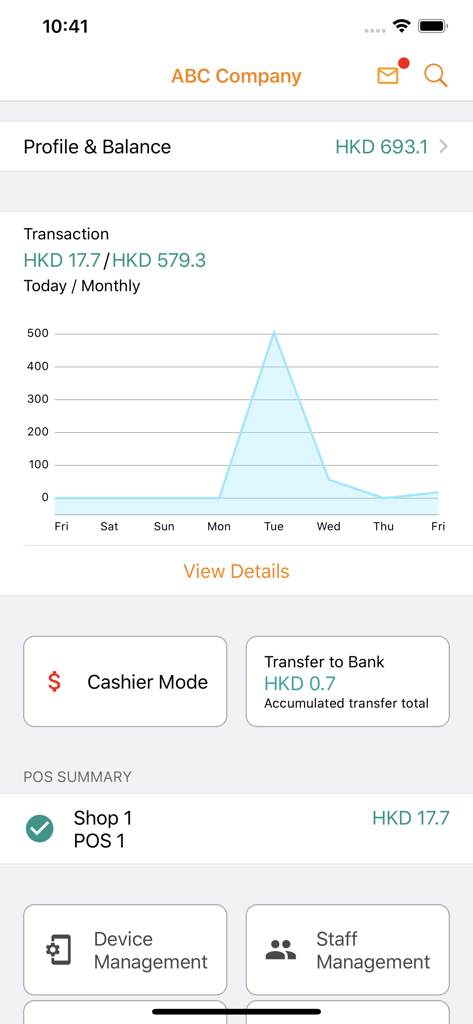
Octopus for Business app dashboard featuring transaction history graph account balance and merchant management tools

Octopus for Business app dashboard featuring transaction history graph account balance and merchant management tools

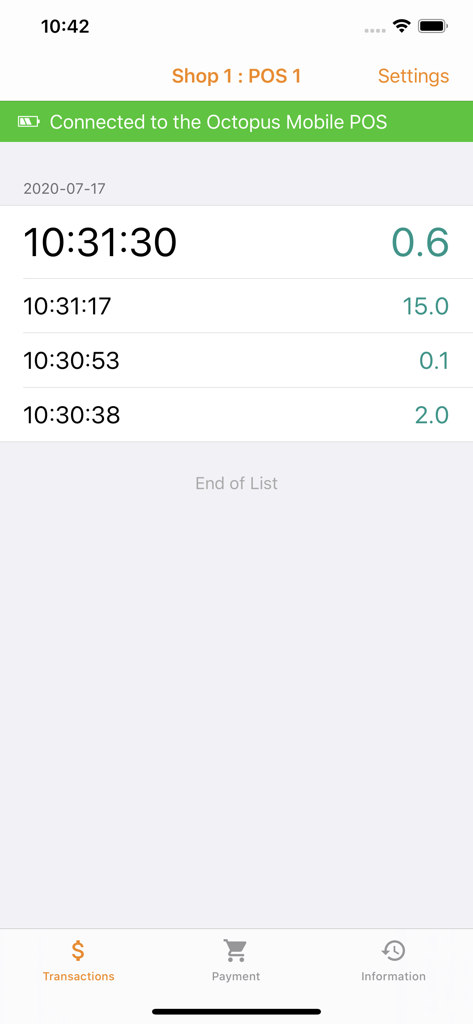
Octopus for Business app transaction history screen showing real-time payment records.

Octopus for Business app transaction history screen showing real-time payment records.

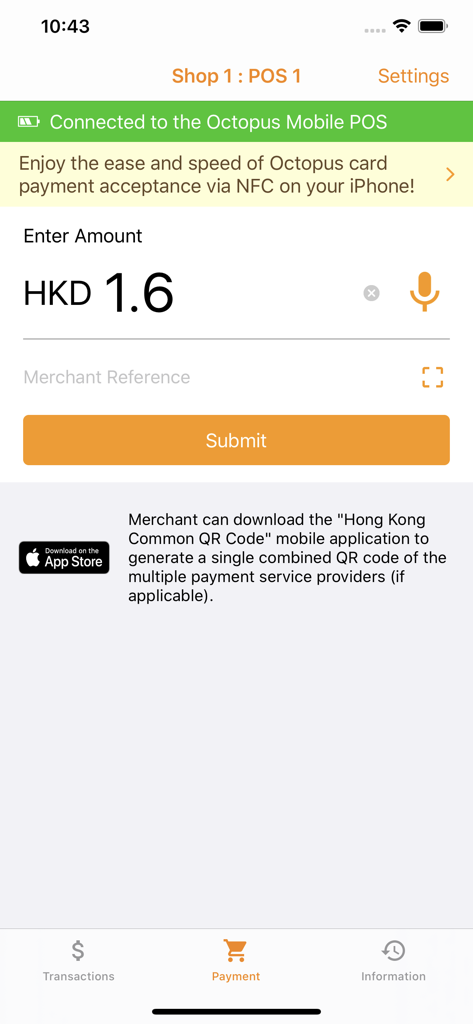
Octopus for Business app payment screen showing HKD amount input.

Octopus for Business app payment screen showing HKD amount input.

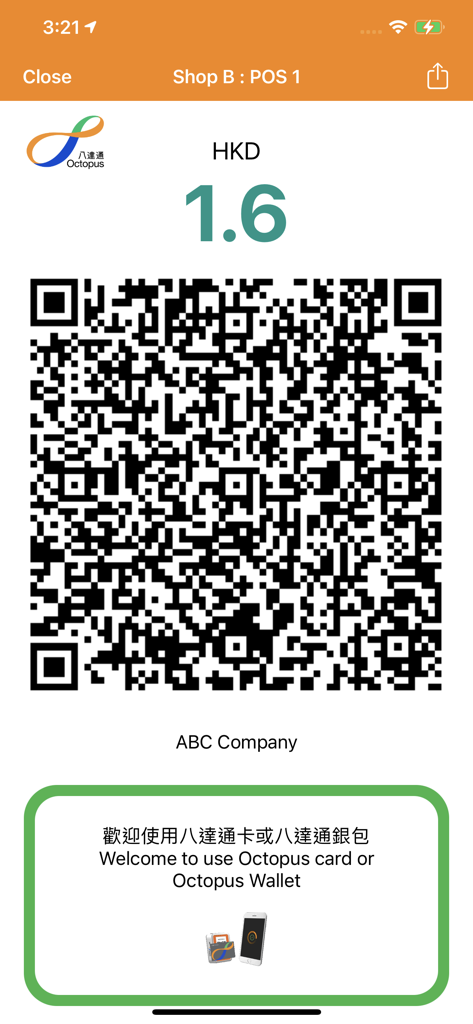
Octopus for Business app screen showing a payment QR code for a merchant transaction.

Octopus for Business app screen showing a payment QR code for a merchant transaction.

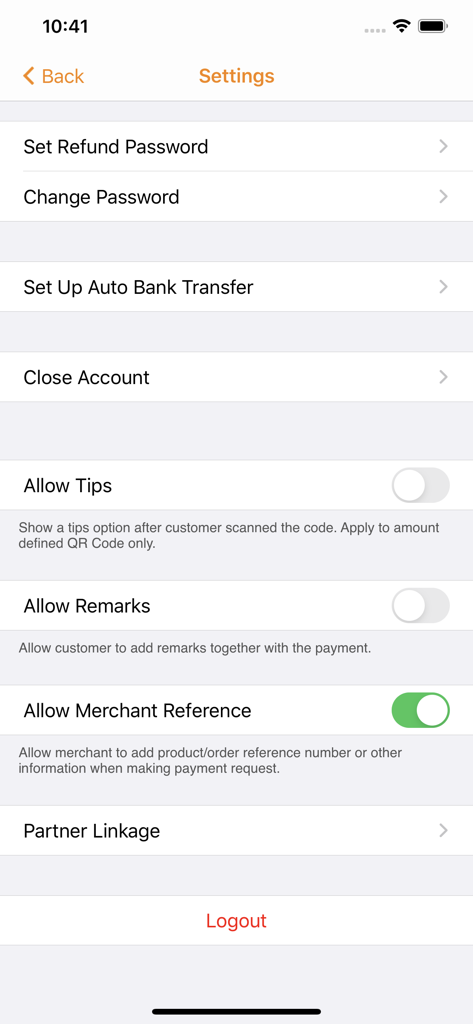
Settings screen of the Octopus for Business app showing merchant account options and payment configuration toggles

Settings screen of the Octopus for Business app showing merchant account options and payment configuration toggles

Scale Your Business Without Borders

The tools that make this app stand out, trusted by 160K+ users.

👥

Remote Managerial Control

Toggle between Shop Owner and Cashier modes to oversee your local team and monitor live transaction history from abroad.

Instant FPS Liquidity

Never wait for your money. Transfer Business Account funds to your bank 24/7 via the Faster Payment Service (FPS) integration.

📱

Mobile-Only POS System

Transform your iPhone into a powerful payment terminal. Generate QR codes and accept Octopus cards without any extra hardware.

Loved by users worldwide

Trusted by 160K+ people who love this app.

"

"Managing my Hong Kong retail shop from San Francisco has never been easier. The ability to switch between Shop Owner and Cashier modes gives me full oversight of my staff's transactions, and the instant notifications keep me updated on sales in real-time despite the 15-hour time difference."

Marcus Chen, Boutique Owner
"

"As an international consultant frequently hosting pop-up events in HK, this app is a lifesaver. I can accept Octopus payments directly on my iPhone without any extra hardware. The FPS integration is a game-changer, allowing me to transfer earnings to my bank account instantly, even on weekends."

Sarah L. Jenkins, Trade Consultant

About the app

Everything you need to know about Octopus for Business.

Description

Developed by Octopus Cards Ltd, the all-in-one Octopus App for Business allows merchants to sign up for an Octopus Business Account, and accept Octopus card and Octopus QR Code payments via their iOS mobile devices, with easy access to the following functions: Submit Business Account Application - Merchants can complete their account applications and upload the required documents via Octopus App for Business 
Receive Instant Payment Notification - Once a payment is successful, the merchant will automatically receive a notification message on their mobile devices, with an instant update of the balance in their Business Accounts Instantly Transfer Monies Received to Bank Account with "FPS" - Octopus App for Business is now connected to Faster Payment Service (FPS), enabling shop owners to instantly transfer funds in their Business Accounts to their pre-registered bank accounts on a 24/7 basis 
 Auto Bank Transfer - The shop owner can set up the “Auto Bank Transfer” to automatically transfer all the balance in the Business Account to the pre-registered bank account, on a monthly, weekly or daily basis 
Generate Octopus QR Code to Receive Payment - Merchants can generate QR Codes (with or without the transaction amount embedded) for customers to scan and pay for goods and services View Payment History - Merchants can easily check transaction records and summaries, and export reports through email 
Switch between Cashier Mode and Shop Owner Mode - Cashier Mode receives real-time notification messages and supports enquiries regarding transaction record - Shop Owner Mode supports additional features regarding management of the Business Account, including add and remove cashier, POS and shop management, transfer balance to bank account, etc. 
 
For further details of Octopus App for Business, please visit www.octopus.com.hk/en/business/octopusappforbusiness/index.html 
Licence Number: SVF0001

Latest Version

3.17.0

Size

83.6 MB

First Released

Dec 6, 2017

Empower Your Hong Kong Business from Anywhere in the World

Turn your iPhone into a powerful POS terminal. Accept Octopus payments, monitor your staff remotely, and enjoy 24/7 instant fund transfers to your bank account via FPS.

Download on App Store