PDF Maker Pro:Splitter,Merger

PDF Maker Pro:Splitter,Merger

Download on App Store
Spark by MWM logo
Logo of PDF Maker Pro:Splitter,Merger
PDF Maker Pro:Splitter,Merger β€” The Ultimate All-in-One Document Toolkit for iPhone and iPad

Stop switching between apps. Scan, merge, split, and manage your PDFs while syncing across all major cloud drives. Professional document management made simple for the mobile-first professional.

Publisher

AppDev Technolabs

Category

Business

Downloads

152K+

User Rating

3.2/5

Total Ratings

100

Locales

29

Your Mobile Office in Action

Discover the interface used by 152K+ users.
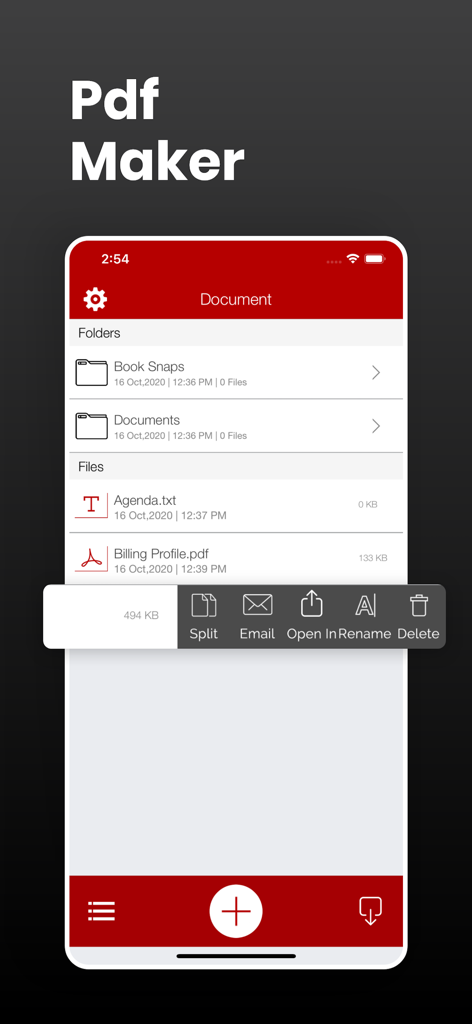
PDF Maker Pro app interface showing a list of folders and files with a functional menu for splitting, emailing, and renaming documents.

PDF Maker Pro app interface showing a list of folders and files with a functional menu for splitting, emailing, and renaming documents.

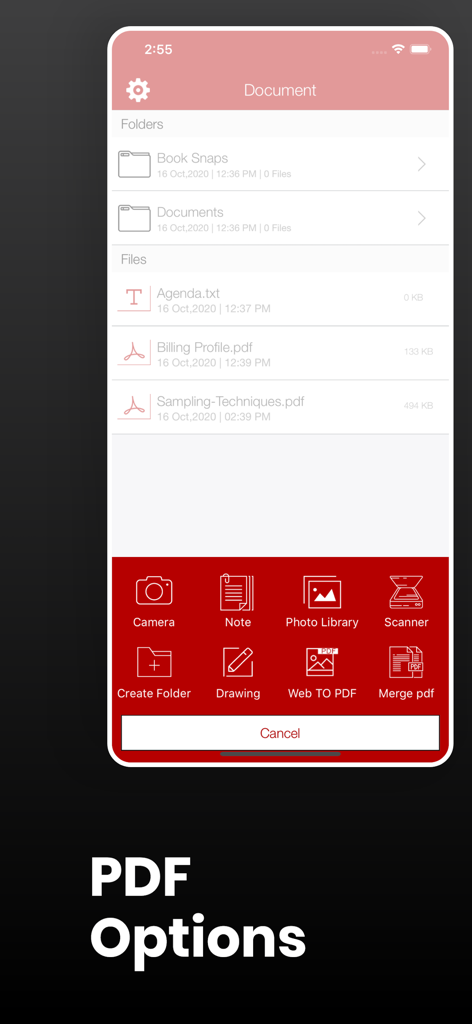
PDF Maker Pro mobile interface displaying file management and PDF creation tools

PDF Maker Pro mobile interface displaying file management and PDF creation tools

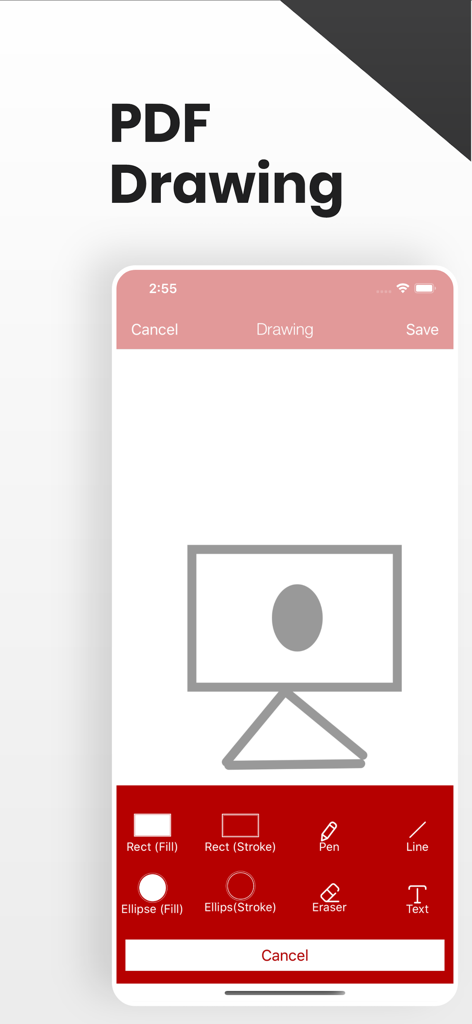
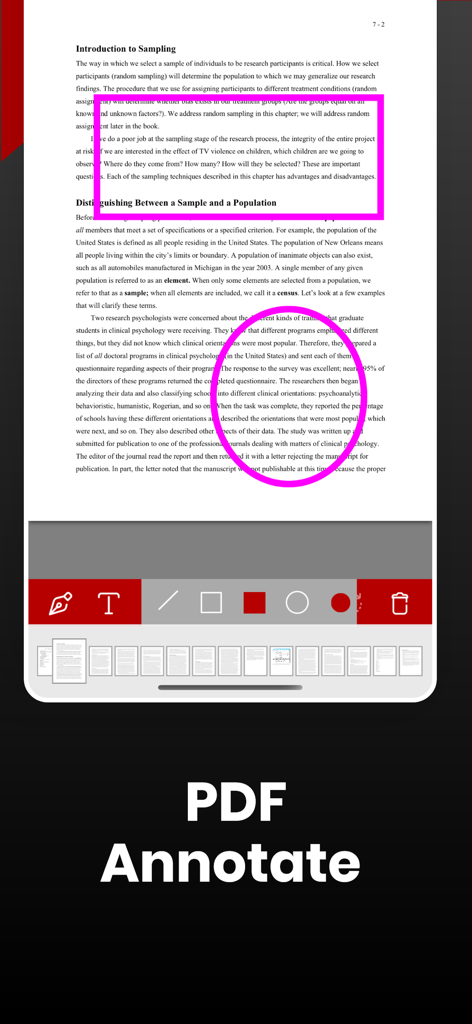
PDF Maker Pro app showing the drawing and annotation interface with various shape and pen tools

PDF Maker Pro app showing the drawing and annotation interface with various shape and pen tools

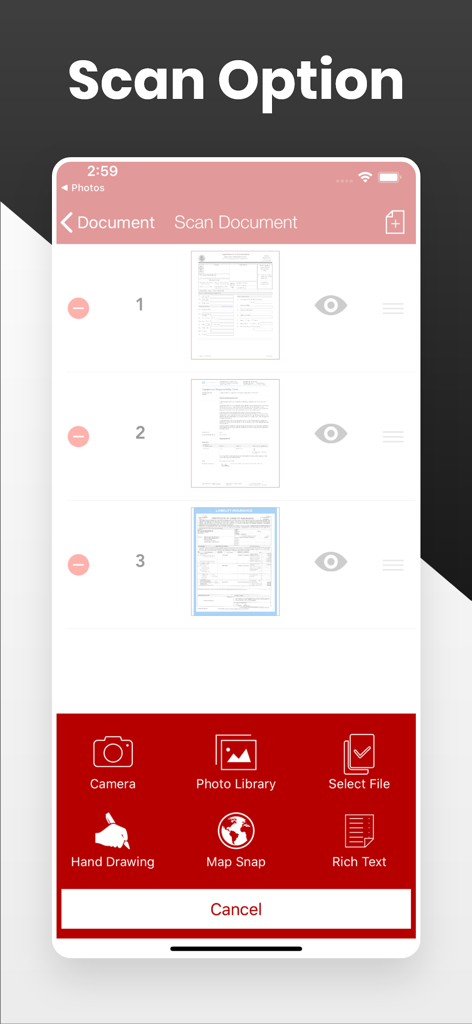
Mobile app interface of PDF Maker Pro displaying document scanning options and sources like camera, photo library, and map snap

Mobile app interface of PDF Maker Pro displaying document scanning options and sources like camera, photo library, and map snap

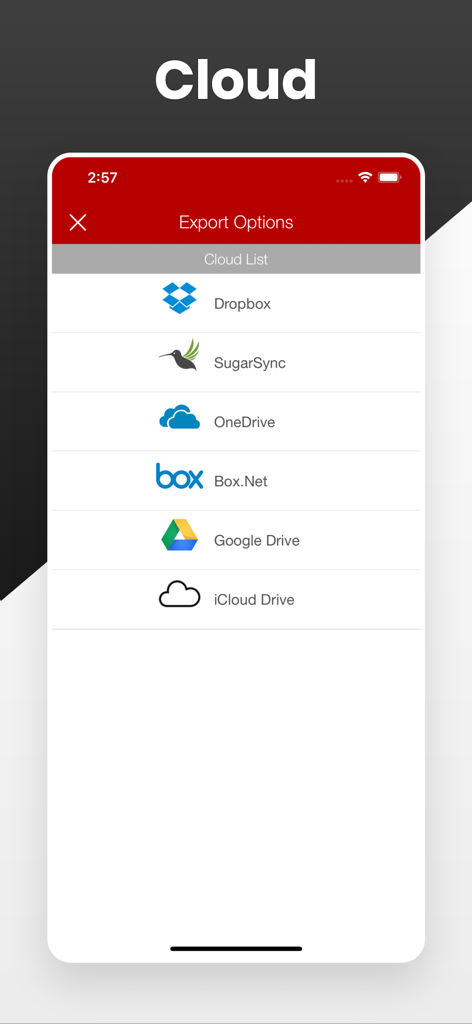
Cloud storage export options in the PDF Maker Pro app

Cloud storage export options in the PDF Maker Pro app

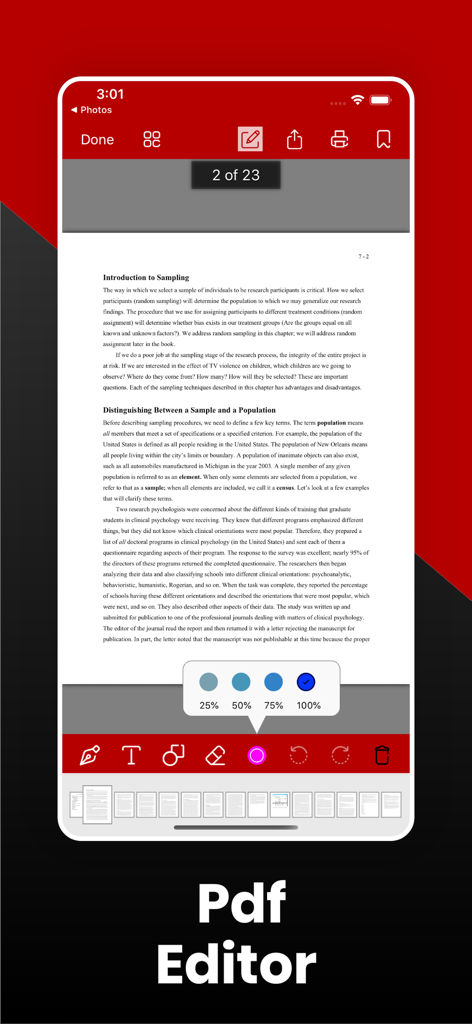
PDF Maker Pro app showing the PDF annotation feature on a document

PDF Maker Pro app showing the PDF annotation feature on a document

Mobile interface of PDF Maker Pro app showing PDF editing and annotation features

Mobile interface of PDF Maker Pro app showing PDF editing and annotation features

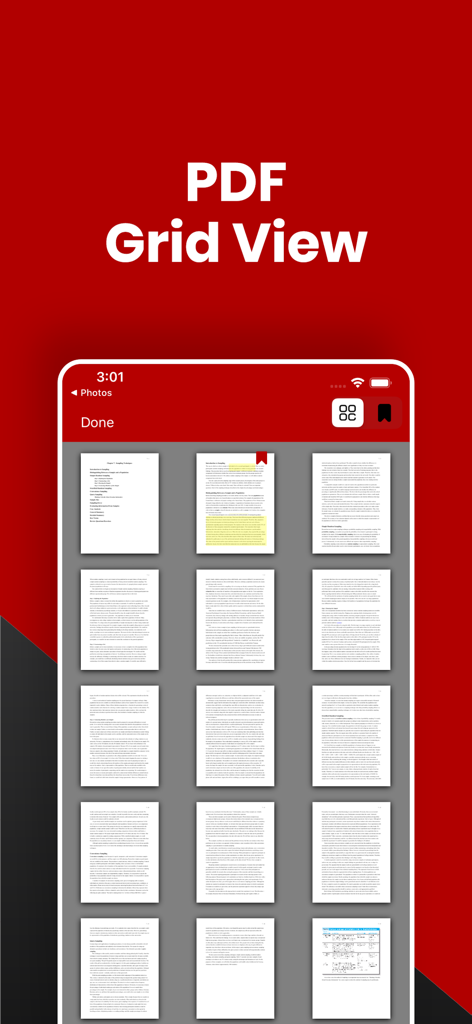
A mobile interface showing a thumbnail grid view of PDF document pages in PDF Maker Pro.

A mobile interface showing a thumbnail grid view of PDF document pages in PDF Maker Pro.

Desktop Productivity in Your Pocket

The tools that make this app stand out, trusted by 152K+ users.

πŸ“‘

Professional PDF Creation

Merge multiple documents, split large files, and convert images or web pages into high-quality PDFs in seconds, no computer required.

☁️

Unified Cloud Sync

Connect seamlessly with Google Drive, Dropbox, and Box. Access, zip, and organize your business files across all your accounts in one secure hub.

✍️

Scan & Annotate Anywhere

Transform your camera into a professional scanner. Capture documents, add drawings, and annotate files on the flyβ€”perfect for field work and signatures.

Loved by users worldwide

Trusted by 152K+ people who love this app.

"

"As a real estate agent constantly in the field, this app is a total game-changer. I can take a map snap of a property, add my drawings and notes, and convert it into a professional PDF report for my clients in seconds. The ability to merge documents and upload them directly to my company's Box account from my iPhone has saved me hours of desktop work every week."

Sarah Jenkins
"

"I've been looking for a way to manage my research papers without needing a laptop, and this is it. The web-to-PDF feature is incredibly smooth for saving articles, and being able to zip my study materials and move them between Google Drive and Dropbox makes my workflow seamless. It truly is the Swiss Army Knife of document management for any student."

Marcus Thompson

About the app

Everything you need to know about PDF Maker Pro:Splitter,Merger.

Description

PDF Maker turns your iPhone into a PDF creator it creates PDFs from images drawings, and map snap from rich text or web page it is very simple and easy to use. ●● Features ●● √ Rich Text Editor And Creator √ Web Browser √ Multiple Cloud Drive Download and Upload √ Fast, simple and easy to use √ Simple User Interface √ Pdf Scanner And Creater √ WiFI Sharing √ Great and High Quality File Management Feature √ Drawing and Save File √ Pdf Viewer √ image Viewer ●●●● File Manager ●●●● 
 ● File Management Options √ Folder Supported √ Copy √ Move √Rename √ Delete √ Zip √ unzip √ Share ●●●● Supported File Formats ●●●● √ RTF File √ Powerpoint β€¨βˆš Excel β€¨βˆš Word β€¨βˆš Keynote β€¨βˆš Numbers β€¨βˆš Pages β€¨βˆš Images β€¨βˆš Web Files β€¨βˆš Audio β€¨βˆš Video β€¨βˆš Zip Files √ Rar Files √ MP4 √ CAF √ WAVE √ M4A ●●●● PDF Creator Features ●●●● √ Images to PDF √ WebPage to PDF √ Merge PDF √ Split PDF √ PDF to Images ●●●● Supported Cloud Drives ●●●● √ Box.Net √ Dropbox √ My disk √ Sugar Sync √ Skydrive √ Webdav √ GoogleDrive √ FTP ●●●● Content Download Feature ●●●● √ iTunes β€¨βˆš Internet β€¨βˆš Email √ Web Browser β€¨βˆš From other apps ●●●● Supported Cloud drives Features ●●●● √ Upload your Files to different clouds √ Import from clouds √ Export to different Cloud drives √ Download your Files from different clouds √ Download from Web browser ●●●● Other Supported Features ●●●● √ Email multiple Files And Folders √ Download the file from iTunes β€¨βˆš Save Files and Foldes to your mac Via iTunes

Latest Version

6.1

Size

31.8 MB

First Released

Aug 17, 2015

Ready to Turn Your iPhone into a Mobile Powerhouse?

Join 152,000+ professionals and students who have ditched the desktop. Download the all-in-one toolkit to scan, merge, and manage your PDFs from anywhere.

Download on App Store