ProxMate

ProxMate

Download on App Store
Spark by MWM logo
Logo of ProxMate

ProxMate: Professional Proxmox Management in Your Pocket

The ultimate native companion for SysAdmins and Homelab enthusiasts. Monitor clusters, manage VMs/LXCs, and access consoles securely—anytime, anywhere.

Publisher

Lars Herres

Category

Developer Tools

Downloads

32K+

User Rating

4.5/5

Total Ratings

200

Locales

1

Your Cluster, Visualized

Discover the interface used by 32K+ users.
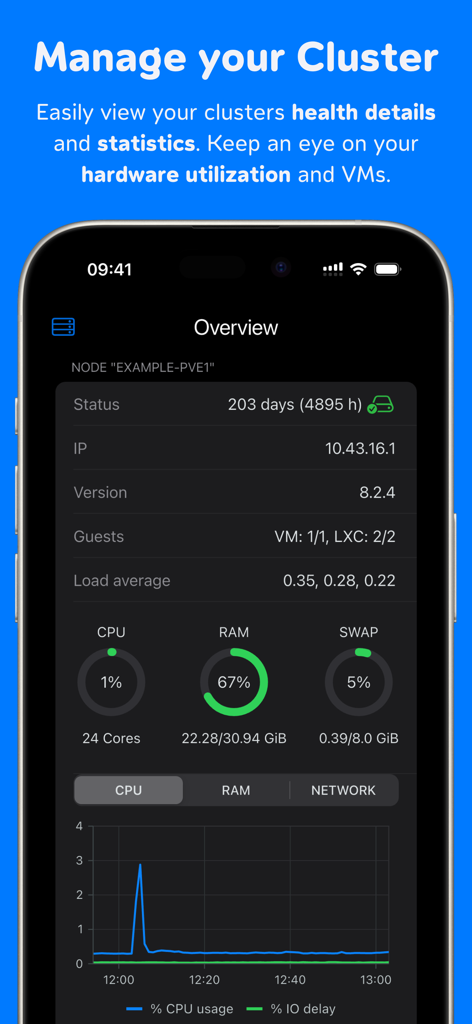
ProxMate dashboard showing Proxmox node health details and hardware utilization statistics

ProxMate dashboard showing Proxmox node health details and hardware utilization statistics

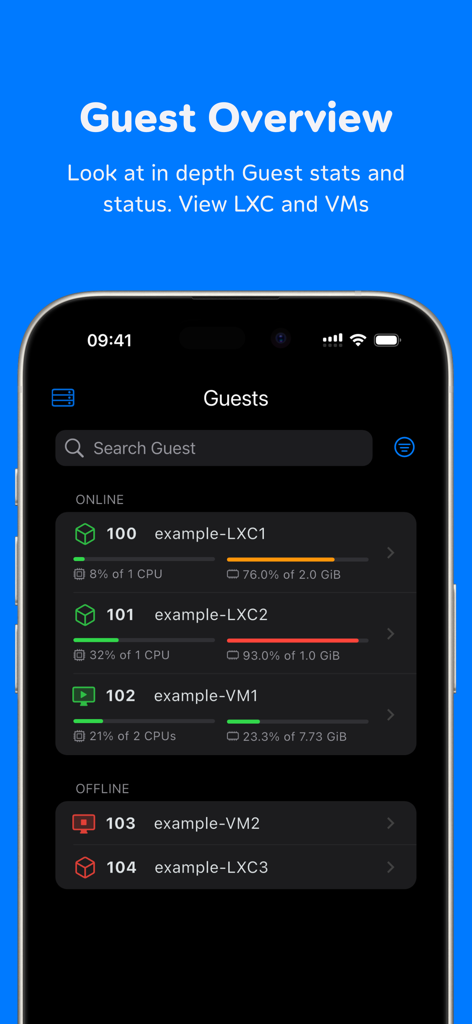
ProxMate app Guest Overview screen showing LXC and VM resource utilization

ProxMate app Guest Overview screen showing LXC and VM resource utilization

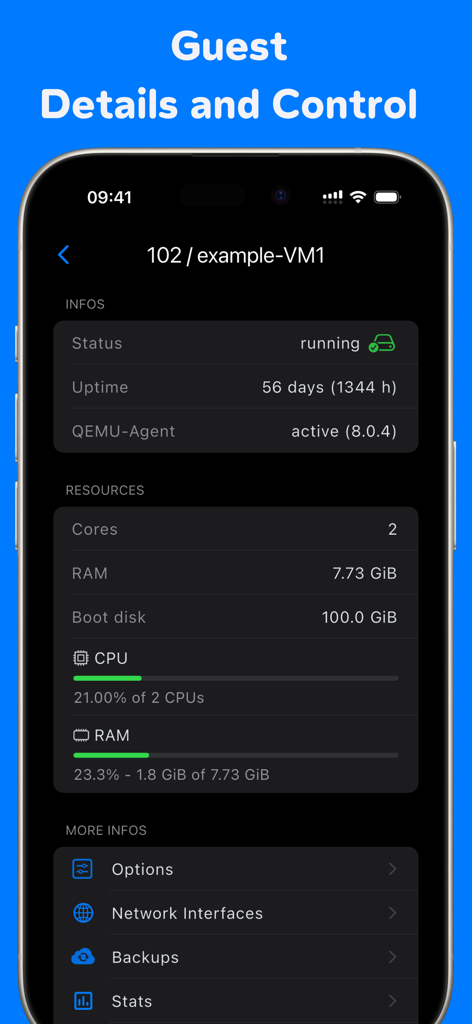
ProxMate mobile app interface showing virtual machine status uptime and resource utilization for guest servers

ProxMate mobile app interface showing virtual machine status uptime and resource utilization for guest servers

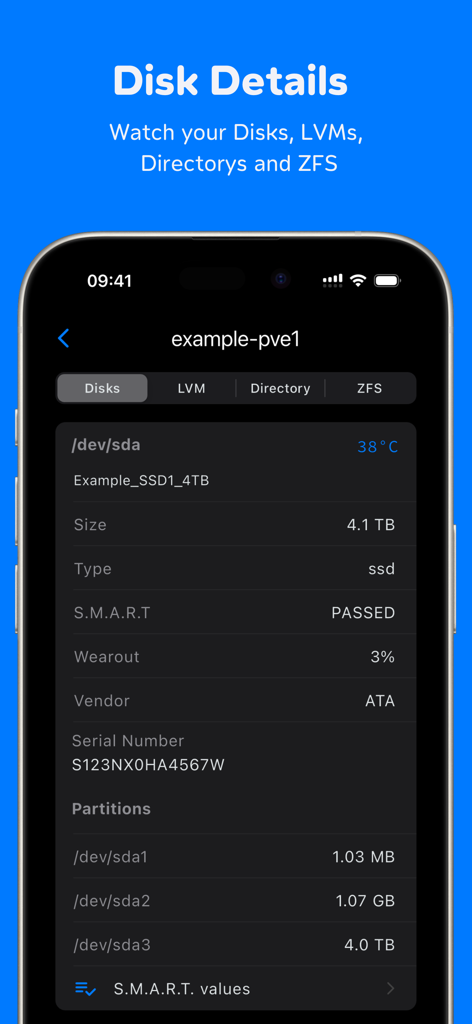
ProxMate app interface showing server disk details including SSD health, temperature, and partition information

ProxMate app interface showing server disk details including SSD health, temperature, and partition information

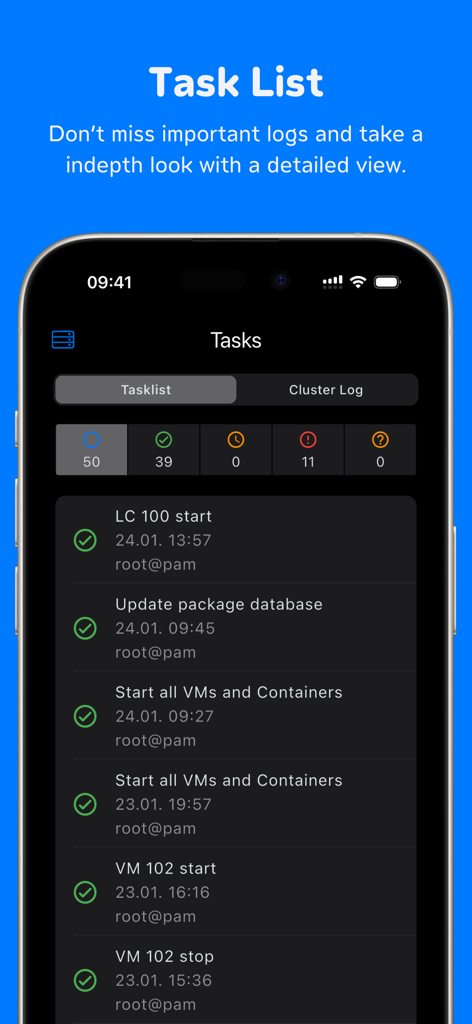
ProxMate app task list screen displaying Proxmox server logs and operation status

ProxMate app task list screen displaying Proxmox server logs and operation status

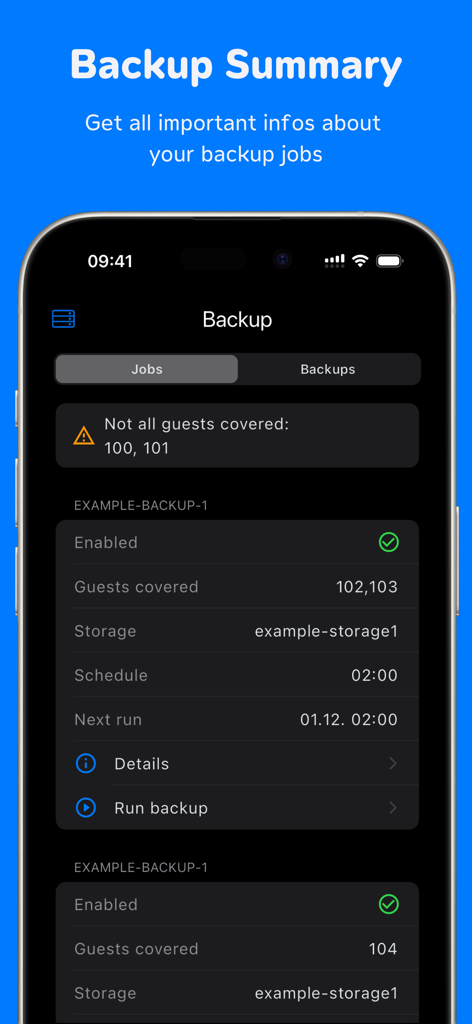
ProxMate iOS app screen showing backup summary and job details for Proxmox servers

ProxMate iOS app screen showing backup summary and job details for Proxmox servers

Total Proxmox Control, Anywhere

The tools that make this app stand out, trusted by 32K+ users.

Instant Power Management

Start, stop, or reset VMs and containers in seconds. Perfect for emergency interventions and quick fixes when you are away from your desk.

📊

Real-Time Cluster Insights

Monitor CPU, RAM, and disk utilization across your entire cluster with data-dense dashboards optimized for mobile visibility.

💻

Remote Console & Terminal

Access guest consoles via noVNC or execute node commands directly through the built-in terminal, all protected by TOTP and secure Keychain sync.

Loved by users worldwide

Trusted by 32K+ people who love this app.

"

"As a DevOps engineer who is frequently on-call, ProxMate has been a total lifesaver. Being able to access the Node Terminal and restart hung VMs directly from my iPhone without digging out my laptop is a game changer. The noVNC integration is incredibly smooth and it handles my custom reverse proxy setup perfectly."

Marcus T.
"

"Finally, a native iOS experience for my homelab! I used to struggle with the Proxmox web UI on a mobile browser, but ProxMate makes monitoring my cluster's CPU and RAM usage effortless. Setting up TOTP was simple, and the iCloud Keychain sync across my iPad and iPhone keeps everything secure and ready to go."

Sarah K.

About the app

Everything you need to know about ProxMate.

Description

With ProxMate you get a quick and easy overview of your Proxmox cluster, servers and guests. • TOTP Support • Start, stop, restart, and reset VMs/LXCs • Connect to guests through the noVNC-console • Node Terminal • Node Actions: start/stop all guests, reboot, shutdown • Monitor the utilization and details of the Proxmox cluster or server, as well as the VMs/LXCs • View disks, LVM, directories, and ZFS • List tasks and task-details • Show backup-details, start backups • Connect to Cluster/Node via reverse proxy • iCloud/Keychain Sync • Connect with custom HTTP headers Terms of Use (EULA): https://www.apple.com/legal/internet-services/itunes/dev/stdeula/ Privacy Policy: https://proxmate.app/norobots/en/app-privacy-policy.html

Latest Version

2.12.0

Size

68.0 MB

First Released

Oct 28, 2023

Take Command of Your Cluster from Anywhere

Join thousands of SysAdmins and Homelabbers. Get the ultimate native Proxmox experience with noVNC console, real-time monitoring, and total VM control on your iOS devices.

Download on App Store