Screen Recorder

Screen Recorder

Download on App Store
Spark by MWM logo
Logo of Screen Recorder

Screen Recorder: Your All-in-One Studio for Professional Content

Capture stunning 4K recordings with Face Cam reactions and built-in editing. Whether you are a gamer, creator, or educator, turn your mobile screen into viral videos instantly.

Publisher

App of the Year LLC

Category

Photo & Video

Downloads

3M+

User Rating

4.5/5

Total Ratings

101K+

Locales

19

Your Studio at a Glance

Discover the interface used by 3M+ users.
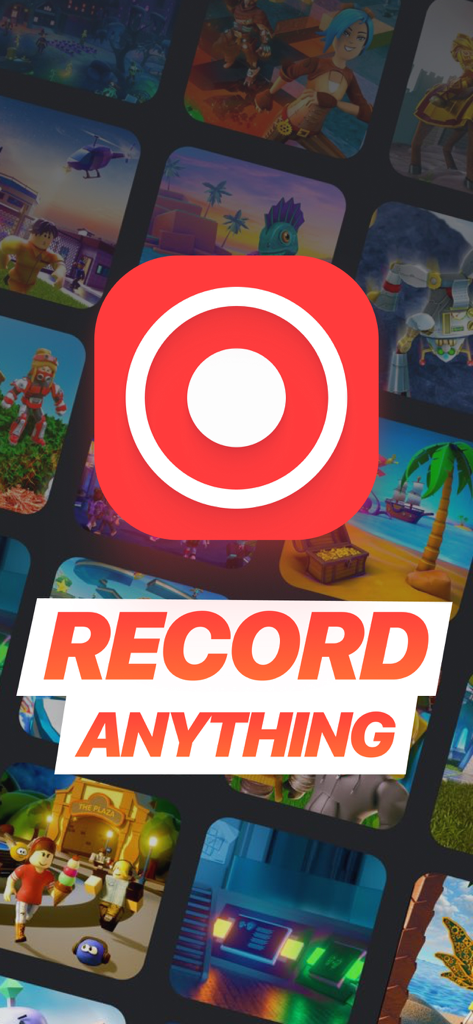
Screen Recorder app interface showing a large record button icon and the text Record Anything over a gaming background.

Screen Recorder app interface showing a large record button icon and the text Record Anything over a gaming background.

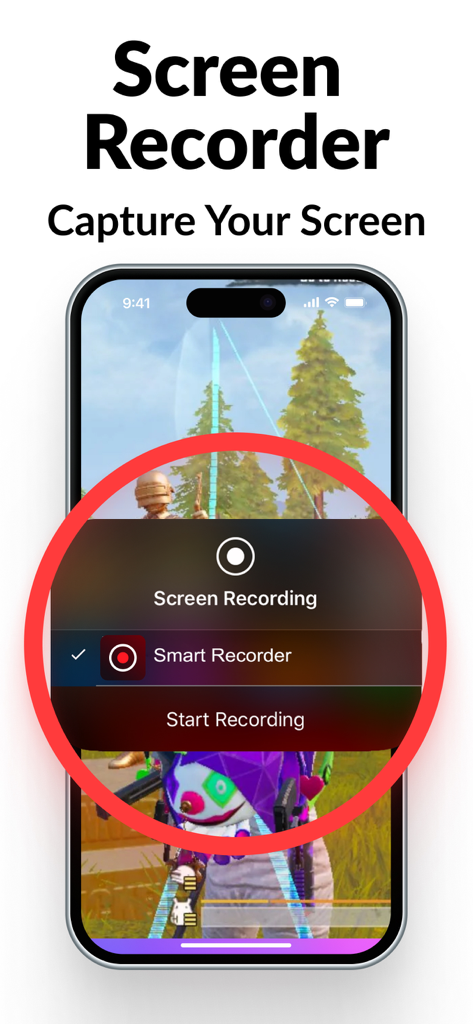
A smartphone showing the screen recording interface over a mobile game with a start recording button

A smartphone showing the screen recording interface over a mobile game with a start recording button

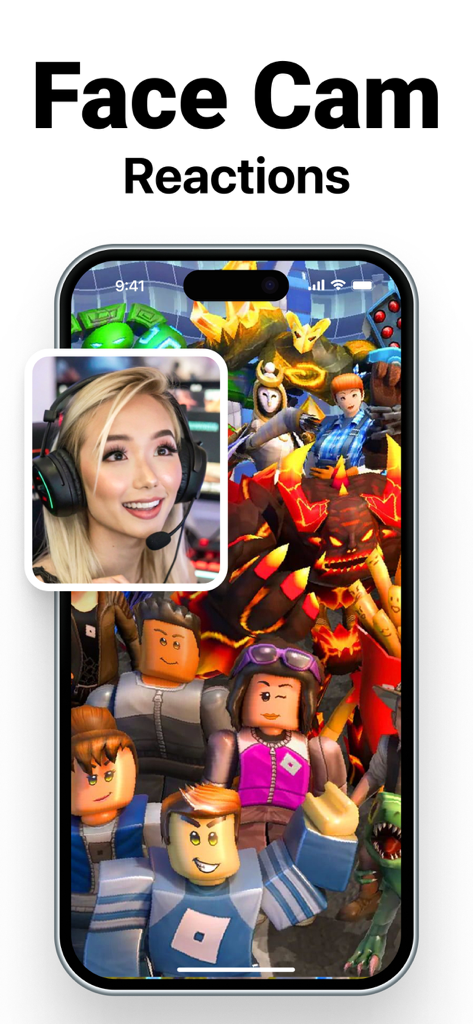
iPhone screen showing a screen recording of a mobile game with a face cam reaction overlay of a gamer girl in the corner.

iPhone screen showing a screen recording of a mobile game with a face cam reaction overlay of a gamer girl in the corner.

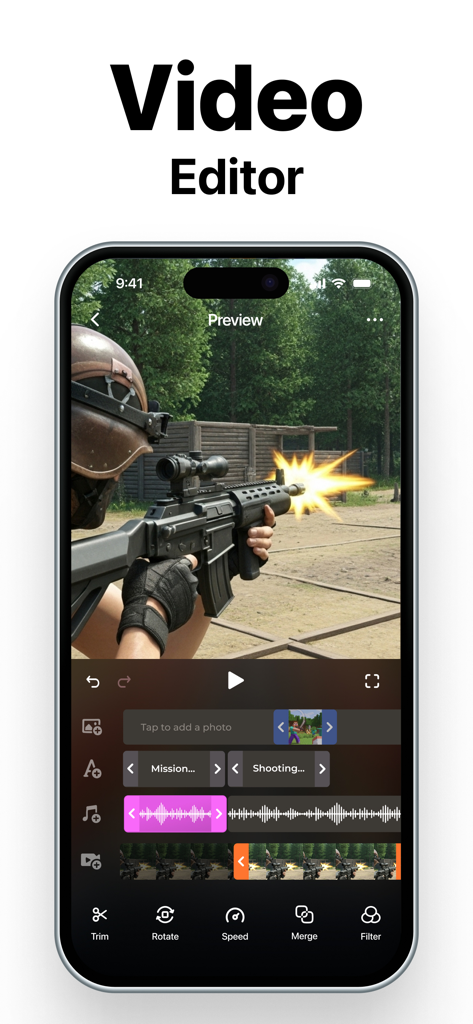
Screen Recorder app video editor interface showing a multi-track timeline for editing gameplay footage with tools like trim, rotate, and filters.

Screen Recorder app video editor interface showing a multi-track timeline for editing gameplay footage with tools like trim, rotate, and filters.

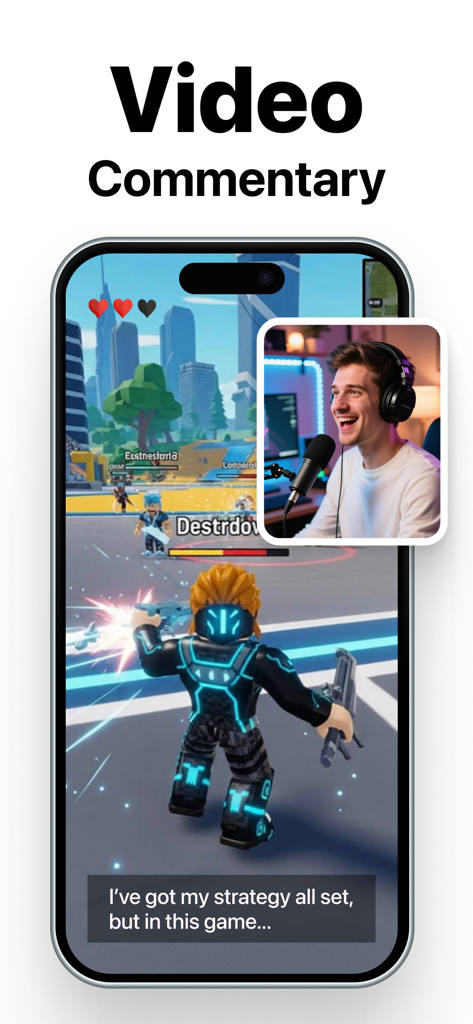
A smartphone screen recording mobile gameplay with a face cam overlay of a creator providing commentary.

A smartphone screen recording mobile gameplay with a face cam overlay of a creator providing commentary.

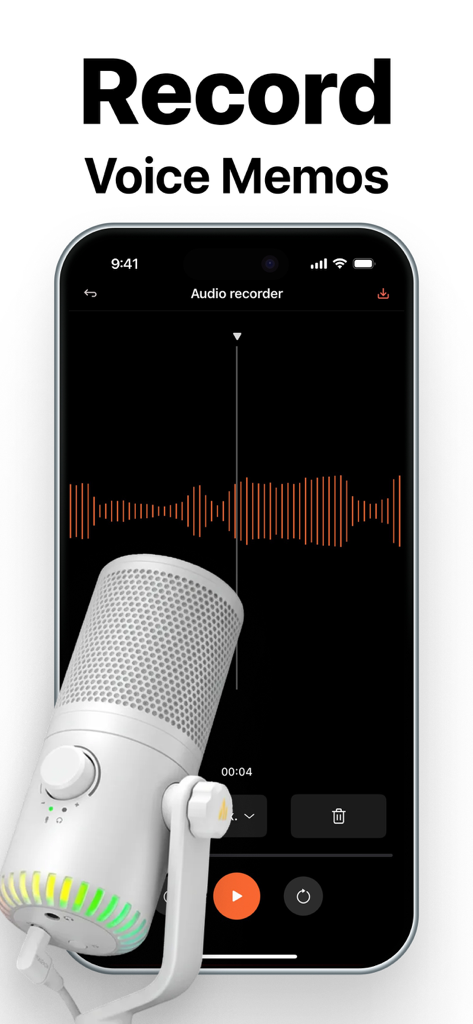
Smartphone displaying an audio recording interface with a sound waveform and a professional microphone overlay.

Smartphone displaying an audio recording interface with a sound waveform and a professional microphone overlay.

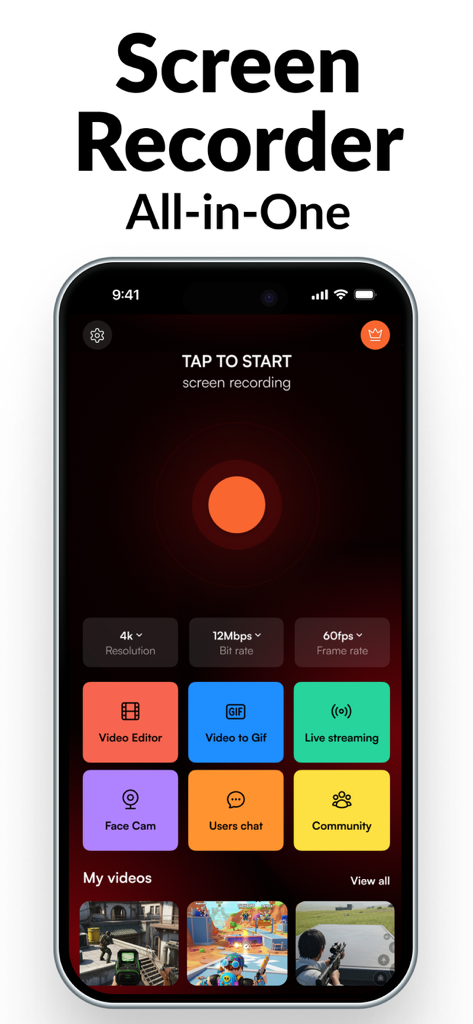
Screen Recorder app main dashboard on iPhone showing 4K resolution settings and video editing features

Screen Recorder app main dashboard on iPhone showing 4K resolution settings and video editing features

A Professional Content Studio in Your Pocket

The tools that make this app stand out, trusted by 3M+ users.

🤳

Face Cam for Instant Reactions

Level up your gaming and reaction videos. Capture your genuine expressions with a customizable overlay to build a deeper connection with your social media audience.

🎬

All-in-One Pro Editor

Stop switching between apps. Trim clips, apply cinematic filters, and adjust playback speed instantly so you can post your content while it's still trending.

💎

Stunning 4K & Dual Camera

Showcase every detail with crystal-clear 4K resolution. Use the dual-camera feature to record your product reviews and your reaction simultaneously for a pro-level vlogging experience.

Loved by users worldwide

Trusted by 3M+ people who love this app.

"

"This app is a total game-changer for my gaming channel! The Face Cam overlay looks incredibly professional, and being able to edit and export in 4K directly on my iPhone saves me hours of work. It is the absolute best tool for reaction videos and TikToks."

Jaxson R.
"

"I use this for all my professional onboarding tutorials. The audio recording is crystal clear, and the dual camera feature allows me to walk my team through new software while still maintaining a personal connection. It has completely streamlined my remote teaching workflow."

Sarah M.

About the app

Everything you need to know about Screen Recorder.

Description

Screen Recorder – Record Your Screen & Reactions Like a Pro All-in-one screen and audio recording solution built for creators, educators, gamers, and anyone who needs high-quality recordings straight from their device. Capture everything from gameplay and tutorials to Face Cam reactions and voice memos – then edit, enhance, and share effortlessly. SCREEN RECORDING - Start recording with a single tap (iOS 11 or later) - Capture apps, games, walkthroughs, and more in real-time - Customize resolution, bit rate, and frame rate for crisp, smooth results FACE CAM REACTIONS - Add FaceCam overlays to your screen recordings - Adjust size and position to fit your content - Great for reaction videos, tutorials, and gameplay DUAL CAMERA RECORDER - Record from both front and rear cameras at the same time - Apply frames to make your videos stand out - Save instantly or share with ease across your favorite platforms BUILT-IN VIDEO EDITOR - Trim, cut, crop, and rotate clips with full control - Apply transitions, filters, effects, and adjust playback speed to style your videos - Export in high-quality video formats or create GIFs for quick and easy sharing AUDIO RECORDING - Record high-quality audio on the go - Capture voiceovers, commentary, or ambient sounds - Ideal for podcasts, voice notes, or narration Whether you’re teaching, entertaining, or creating content for your followers, Screen Recorder gives you the tools to make it look and sound amazing — all from your phone or tablet. PREMIUM SUBSCRIPTION INFORMATION Unlock the full access of the app with our Premium Subscription. With this subscription, you will gain access to: - Unlimited Screen Recording in 4K: Capture your screen without limitations. - Advanced Video Editing & Face Cam: Edit your videos with ease and add a personalized face cam feature. SUBSCRIPTION OPTIONS - Weekly Subscription: Access premium features every week for only $4.99/week. - Yearly Subscription: Full access for a year with a 3-day free trial to explore premium features for $49.99/year. Cancel anytime. No hidden fees. Privacy Policy: https://appoftheyear.net/privacy-policy/ Terms of Use: https://appoftheyear.net/terms-of-use/

Latest Version

4.2.5

Size

240.2 MB

First Released

Sep 18, 2019

Ready to Record Your Masterpiece?

Join over 3 million creators and professionals. Capture 4K footage, add Face Cam reactions, and edit like a pro—all from the palm of your hand.

Download on App Store
FAQ

Frequently Asked Questions

Everything you need to know about Screen Recorder

How do I record my screen using the Screen Recorder app?

Yes, the Screen Recorder app allows screen recording. Users can start recording with a single tap on devices running iOS 11 or later, capturing apps, games, and walkthroughs.

Does the Screen Recorder app include a built-in video editor?

Yes, the Screen Recorder app features a built-in video editor. It allows users to trim, cut, crop, rotate clips, apply transitions, filters, effects, and adjust playback speed.

Can I add FaceCam reactions to my screen recordings with Screen Recorder?

Yes, Screen Recorder supports FaceCam reactions. Users can add FaceCam overlays to their screen recordings, adjusting size and position for reaction videos and tutorials.

What features does the premium subscription offer in Screen Recorder?

The Screen Recorder Premium Subscription unlocks unlimited 4K screen recording, advanced video editing capabilities, and an enhanced Face Cam feature.

What is the cost of Screen Recorder's premium subscription?

Screen Recorder offers a weekly subscription for $4.99 and a yearly subscription for $49.99. The yearly option includes a 3-day free trial.

Can Screen Recorder record from both front and rear cameras simultaneously?

Yes, Screen Recorder includes a Dual Camera Recorder. This feature allows users to record from both the front and rear cameras at the same time, applying frames to videos.

Does the Screen Recorder app have audio recording capabilities?

Yes, Screen Recorder provides high-quality audio recording. It captures voiceovers, commentary, or ambient sounds, making it suitable for podcasts, voice notes, or narration.

Is a free trial available for Screen Recorder's premium features?

Yes, Screen Recorder offers a 3-day free trial for its premium features. This trial is part of the yearly subscription option, allowing users to explore full access.