Slideshow Maker Photo Video

Slideshow Maker Photo Video

Download on App Store
Spark by MWM logo
Logo of Slideshow Maker Photo Video

Slideshow Maker Photo Video: Turn Your Precious Memories Into Stunning Movies

The easiest way to transform your camera roll into high-quality 1080p slideshows with music, transitions, and trendy filters in just a few taps. No editing skills required.

Download on App Store

Publisher

MAPLE LABS COMPANY LIMITED

Category

Photo & Video

Downloads

1M+

User Rating

4.6/5

Total Ratings

12K+

Locales

1

Memories in Motion

Discover the interface used by 1M+ users.
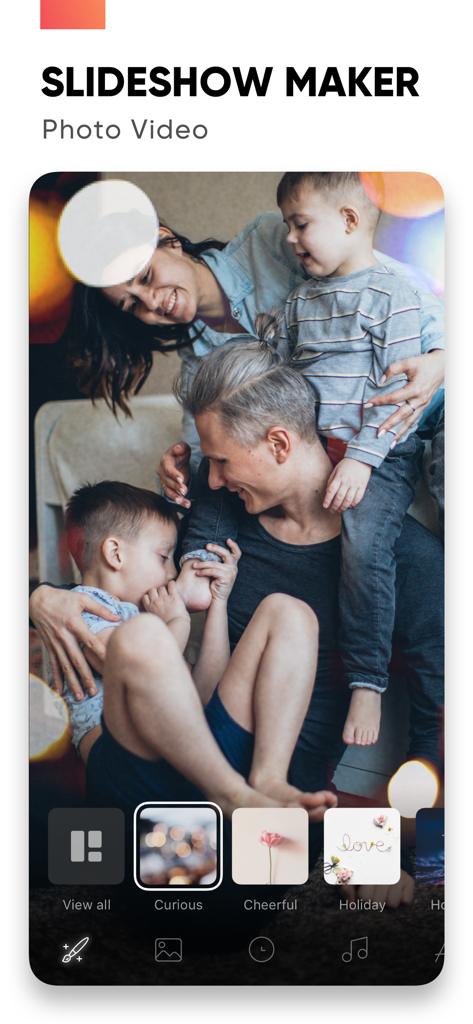
Slideshow Maker app interface featuring a family photo and different video mood themes

Slideshow Maker app interface featuring a family photo and different video mood themes

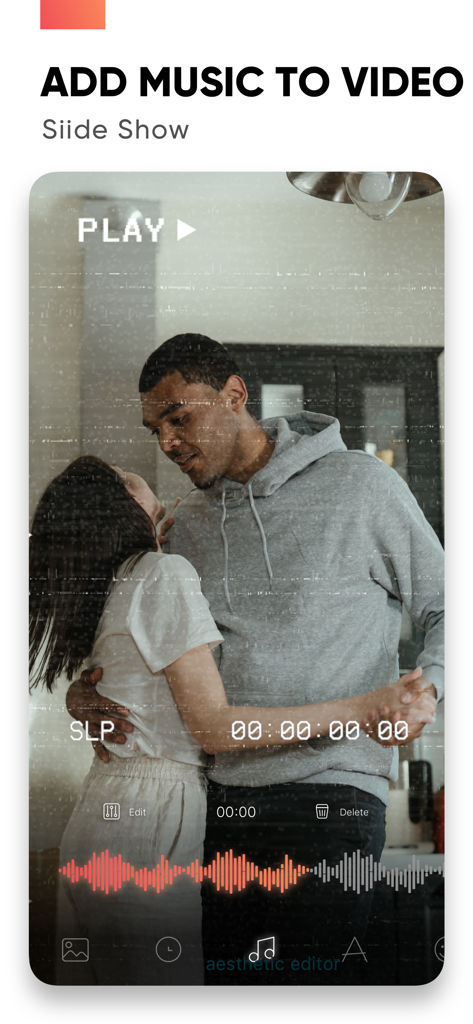
Interface of Slideshow Maker app showing a couple dancing with an audio waveform and the text add music to video

Interface of Slideshow Maker app showing a couple dancing with an audio waveform and the text add music to video

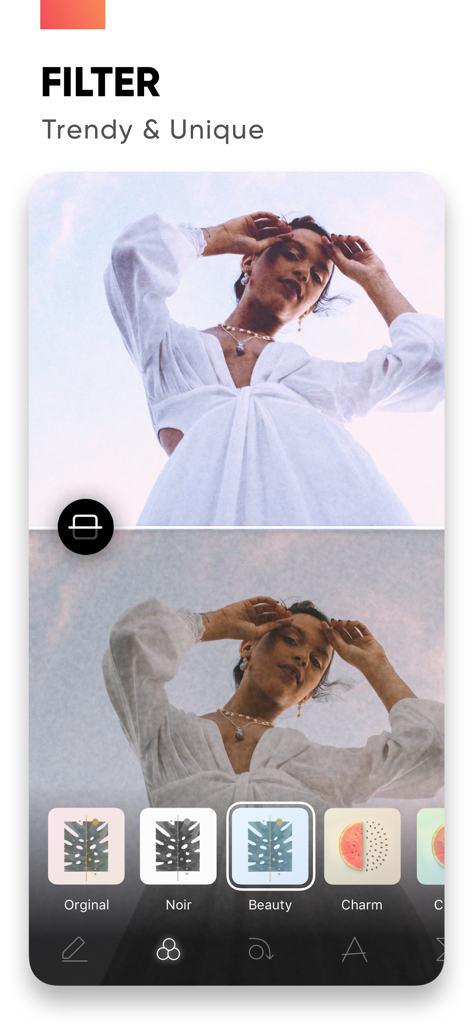
Interface of the Slideshow Maker app showing trendy photo filters like Noir and Beauty

Interface of the Slideshow Maker app showing trendy photo filters like Noir and Beauty

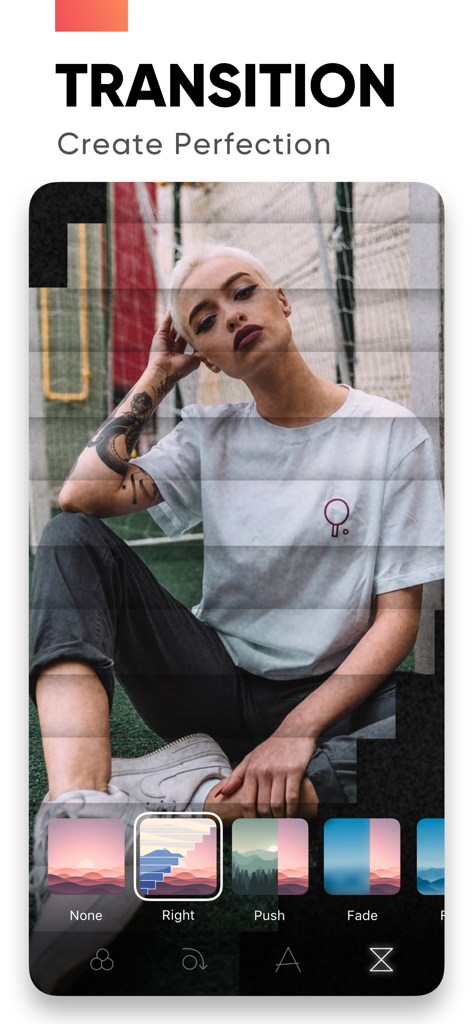
A mobile interface for the Slideshow Maker app showing various video transition effects like Right Push and Fade applied to a portrait photo.

A mobile interface for the Slideshow Maker app showing various video transition effects like Right Push and Fade applied to a portrait photo.

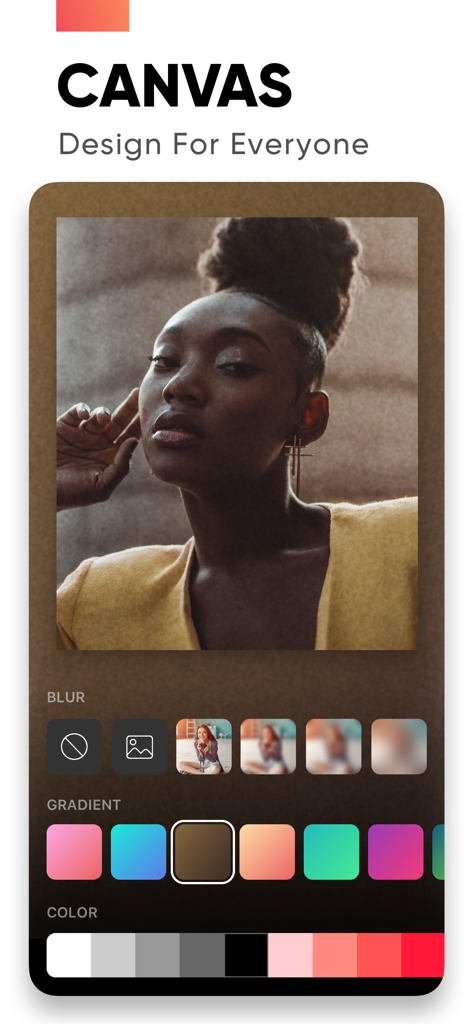
Slideshow maker app canvas feature showing photo background blur and gradient editing tools

Slideshow maker app canvas feature showing photo background blur and gradient editing tools

Turn Your Moments into Timeless Memories

The tools that make this app stand out, trusted by 1M+ users.

🎞️

Pro Results in Minutes

Easily create high-quality videos using smart mood templates designed for birthdays, family reunions, and every life milestone.

🎵

Music That Moves You

Bring your stories to life by adding your favorite songs. Use precision trim and fade tools to ensure every transition hits the right note.

📱

Share the Joy in HD

Export your masterpieces in crisp 1080p resolution and instantly post to social media or send directly to the people who matter most.

Loved by users worldwide

Trusted by 1M+ people who love this app.

"

"I had thousands of photos from my son's first year just sitting on my camera roll. This app made it so easy to turn them into a beautiful HD tribute for his first birthday party! The 'Family' mood collection and the ability to sync my own music made it feel so personal. It is a lifesaver for busy parents who want to preserve memories without spending hours on a computer."

Sarah M., Family Historian
"

"As someone who travels a lot, I wanted an app that could quickly turn my clips into high-quality reels for Instagram. This app is perfect—the transitions are trendy, the 1080p export looks crisp, and the interface is incredibly intuitive. I love that I can edit everything right from my phone while I'm still on the plane home!"

Marcus J., Content Creator

Review Analysis

Insights from user reviews.

Sentiment Score

25%
Negative

Summary

General feedback for the app is predominantly negative, with numerous users reporting critical issues such as frequent app crashes, unstable performance, and inability to export or share created videos. Many express strong dissatisfaction with the subscription model, citing unexpected charges after free trials, difficulty canceling, and a general perception of the app's pricing as a "scam." Specific bugs include a non-functional crop adjustment that reverted images to their original position as of June 27th, 2022. While some users praise the app's ease of use and its ability to create basic videos or slideshows, these positive aspects are frequently overshadowed by complaints about limited editing features, restrictive music selection, and an abundance of advertisements.

Common Themes

Video Creation Capabilities(4)
Ease of Use(3)
App Performance(2)
Music Features(2)
Free Options(2)
Photo Management(1)

About the app

Everything you need to know about Slideshow Maker Photo Video.

Description

Create slideshows with SlideShow Maker Photo Video using your own photos & videos from your camera roll and add music to your video slide show! Make your own slideshow in just a few taps choosing from a great mood collection - from happy birthday to Mother's day, celebration or family, find your own style! Add photo, video, and music to your slideshow movie creation and share it with friends and family. FEATURES: 1) Slideshow maker : - Add your photos to video - Add music to video - Add transition, overlay and trendy filter to your slideshow video - Change duration per photo 2) Powerful Photo Editor: - Edit frame rate of photos, flip and rotate photos, add filters effects per photo in your slideshow - Reorder all your photos and delete or add more photos in your video slideshow - Using the Canvas feature to enhance your photo - Unique movement effect for your video slideshow. 3) Perfect Customize Music: - Import music from the music library to make a slideshow with or use a song from your own iTunes collection (subject to iTunes terms). - Remove or cut any part of audio with precision - Adjust your audio duration for a perfect result. - Trim, fade-in, fade-out for audio, music. 4) High-quality slideshow video for sharing: - Save slideshow to your library in up to HD 1080p. - Share with your friends on Facebook, Instagram, YouTube, or other social media, and get likes from them PREMIUM SUBSCRIPTION - Subscription start from USD 2.99. - a 1-week subscription with 3 days free trial - a 1-month subscription - a 1-year subscription • Check in app for exact pricing in your region • Payment will be charged to your iTunes account at confirmation of purchase and will automatically renew (at the duration/price selected) unless auto-renew is turned off at least 24 hours before the end of the current period. • Account will be charged for renewal within 24-hours prior to the end of the current period, and identify the cost of the renewal. • Any unused portion of a free trial period, if offered, will be forfeited when the user purchases a subscription to that publication, where applicable • You can manage your subscription and/or turn off auto-renewal by going to your iTunes Account Settings, but refunds will not be given for any unused portion of the term. Terms of Service: https://www.maplelabs.co/policies/#terms Privacy: https://www.maplelabs.co/policies/#terms For complete access to all app features, you will need to allow access to the following: - Photos library – so you can pick photos to slideshow maker and save slideshow video when you finish - Music library - so you can pick favourite songs or attractive songs to slideshow maker and make slideshow lively. If you have any feedback, please send us your email to support@maplelabs.co Please leave a review on the App Store if you love using the app. We cannot wait to hear from you and we always appreciate your support.

Latest Version

6.6

Size

218.0 MB

First Released

Oct 12, 2019

Turn Your Favorite Moments into Movies

Join over 1 million memory-keepers who use our easy tools to transform camera rolls into beautiful slideshows for every birthday, holiday, and celebration.

Download on App Store