Slow Motion' Video Editor

Slow Motion' Video Editor

Download on App Store
Spark by MWM logo
Logo of Slow Motion' Video Editor
Slow Motion' Video Editor: Create Pro Sports Highlights and Action Clips

Transform your 240 FPS footage into stunning cinematic moments. The ultimate tool for athletes, GoPro creators, and vloggers to showcase every detail with precision.

Publisher

Loyal Foundry, Inc.

Category

Photo & Video

Downloads

2M+

User Rating

4.4/5

Total Ratings

47K+

Locales

1

The Power of Precision

Discover the interface used by 2M+ users.
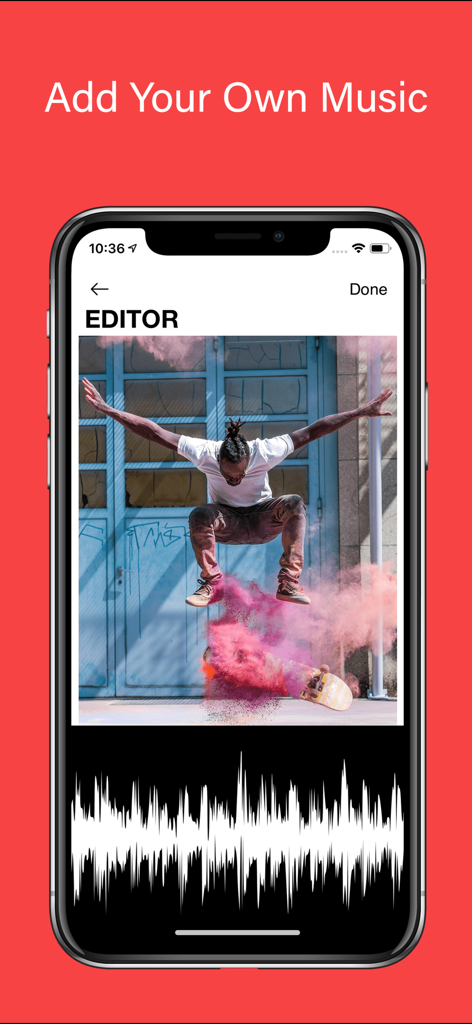
Interface showing how to add music to a skateboarding video in the Slow Motion Video Editor app

Interface showing how to add music to a skateboarding video in the Slow Motion Video Editor app

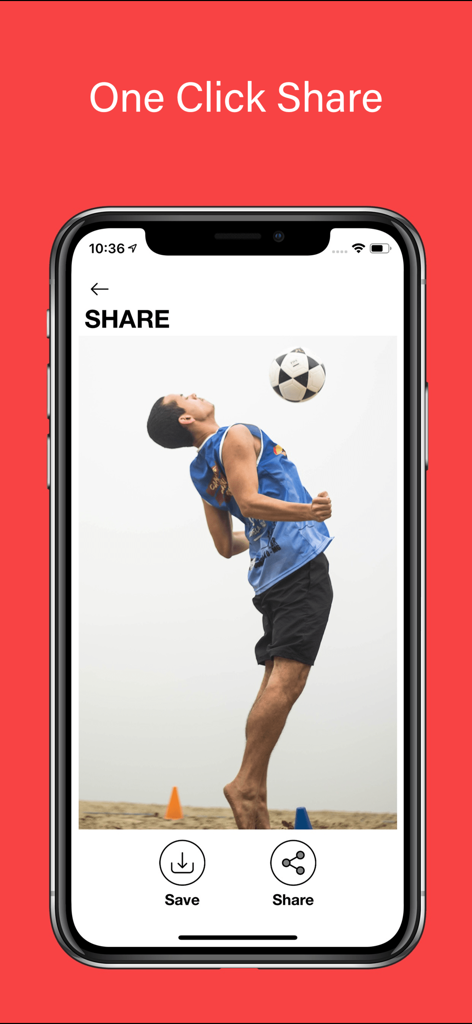
Slow Motion Video Editor interface showing the one click share feature with a soccer athlete highlight

Slow Motion Video Editor interface showing the one click share feature with a soccer athlete highlight

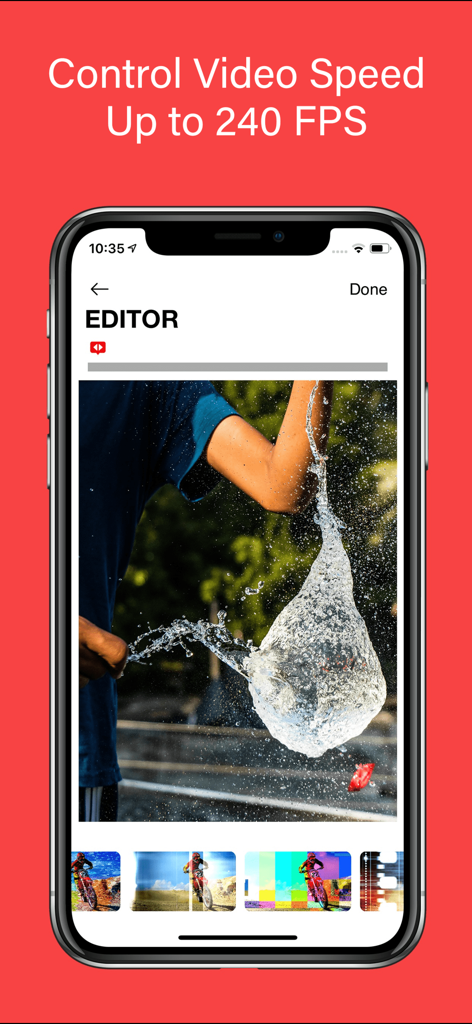
Slow Motion Video Editor app screen showing high speed video editing at 240 FPS with a water balloon burst

Slow Motion Video Editor app screen showing high speed video editing at 240 FPS with a water balloon burst

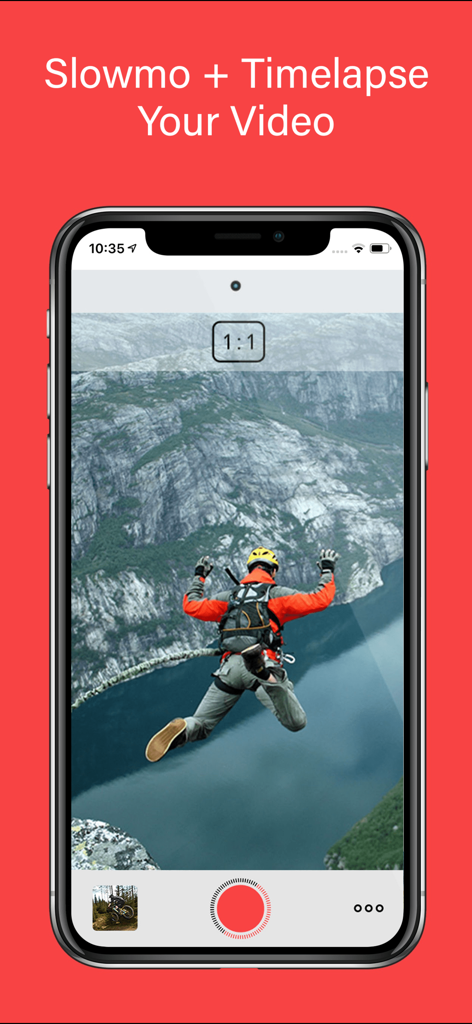
Slow Motion Video Editor mobile app interface showing a base jumping video

Slow Motion Video Editor mobile app interface showing a base jumping video

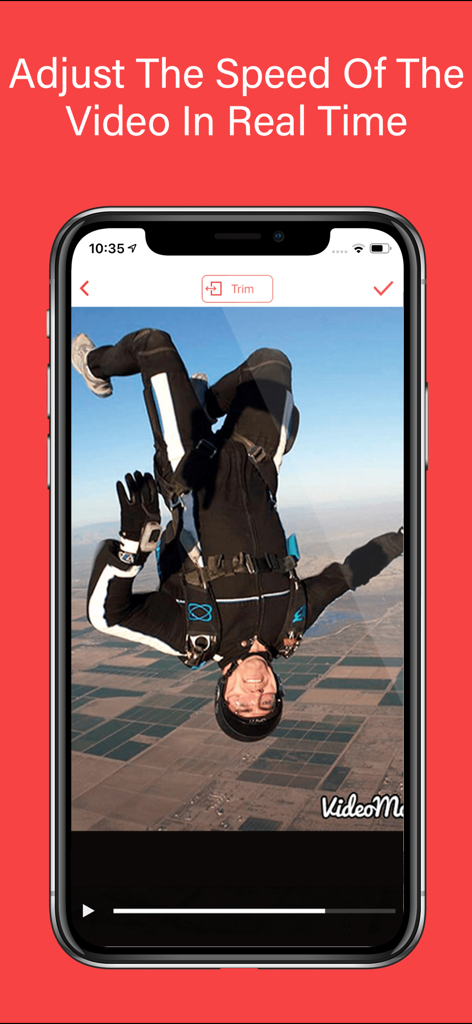
Mobile screen showing real time video speed adjustment for a skydiving video

Mobile screen showing real time video speed adjustment for a skydiving video

Turn Every Play Into a Masterpiece

The tools that make this app stand out, trusted by 2M+ users.

⏱️

Pro-Level Speed Control

Master your footage with 60 to 240 FPS support. Seamlessly transition between slow motion and regular speed to highlight the exact moment of impact.

🏆

Built for Highlight Reels

The ultimate tool for athletes. Enhance your Hudl highlights by slowing down intricate techniques to give your recruiting profile a competitive edge.

🎬

Cinematic Music & Themes

Elevate your storytelling with synchronized audio and professional themes. Create high-impact, viral-ready videos for TikTok and Instagram in seconds.

Loved by users worldwide

Trusted by 2M+ people who love this app.

"

"This app is a game-changer for my recruitment videos. I was able to take my raw game footage and slow down my footwork perfectly for my Hudl profile. The quality stays incredibly sharp even at 240 FPS, and adding hype music was so easy. It definitely helped me get noticed by college scouts this season!"

Jackson M., High School Quarterback
"

"As a GoPro user, I have tried dozens of mobile editors, but this is the only one that handles high frame rates with such precision. I use it for all my mountain biking clips to emphasize technical jumps. The interface is intuitive, and the transitions between slow-mo and regular speed are completely seamless."

Chloe V., Adventure Content Creator

About the app

Everything you need to know about Slow Motion' Video Editor.

Description

Introducing Video Editor Slow Motion, the ultimate iOS app for transforming your videos into stunning masterpieces. With its advanced features and user-friendly interface, this app empowers you to unleash your creativity and take your video editing skills to new heights. Whether you're a professional filmmaker, an aspiring vlogger, or a GoPro enthusiast, Video Editor Slow Motion is your go-to tool for creating mesmerizing slow-motion videos. With the ability to adjust the speed of your videos, Slow Motion Video Editor gives you complete control over your footage. Seamlessly apply slow motion or timelapse effects to any video, allowing you to capture every detail or compress time effortlessly. Imagine slowing down a thrilling action sequence, highlighting intricate techniques in sports footage, or creating smooth slow-motion clips for your Hudl highlights. The possibilities are endless. The app's intuitive interface and sleek design make it a breeze to navigate through its powerful features. With just a few taps, you can splice together different clips, seamlessly transitioning between slow motion and regular speed segments. The built-in HUDL integration allows sports enthusiasts to enhance their Hudl highlights with breathtaking slow-motion moments, giving their performance an extra edge. Video Editor Slow Motion supports a wide range of video formats, including GoPro footage, ensuring that your adrenaline-pumping adventures can be beautifully transformed into captivating slow-motion masterpieces. Bring out the thrilling moments of your GoPro recordings by slowing them down, revealing the intricate details of every action-packed scene. Whether you're capturing extreme sports, breathtaking landscapes, or epic adventures, Video Editor Slow Motion lets you relive those moments in all their glory. Video Editor Slow Motion goes beyond the realm of time manipulation, offering additional features to enhance your videos. You can choose from a variety of themes to give your videos a professional touch, adding a layer of visual coherence and personalization. Furthermore, you can elevate your videos by adding music, perfectly synchronized with the slow-motion sequences, to create a captivating audio-visual experience. With the flexibility to create videos ranging from 60 to 240 frames per second, Video Editor Slow Motion empowers you to experiment with different speeds, finding the perfect balance for each scene. Capture the essence of motion with stunning clarity, whether you're freezing a split-second technique or showcasing a fast-paced event. Video Editor Slow Motion' offers flexible subscription options. You can choose between the Slow Motion weekly, monthly, or yearly subscription, providing you with access to all the premium features and regular updates. By subscribing, you unlock unlimited possibilities and continuous enhancements to fuel your video editing journey. For your convenience, subscription charges will be processed through your iTunes account, ensuring a seamless and secure payment experience. You can manage your subscription at any time, giving you full control over your membership. Should you decide to cancel, simply do so at least 24 hours before the end of your current subscription period to avoid auto-renewal. To understand how your data is collected and utilized, as well as the terms of use, please refer to our comprehensive Privacy Policy and Terms of Use, available at https://www.loyal.app/privacy-policy. So what are you waiting for? Unleash your creativity and make world-class videos with Video Editor Slow Motion'. Elevate your storytelling, capture the beauty of motion, and leave your audience in awe. Download the app now and embark on a mesmerizing video editing journey like never before!

Latest Version

12.0.6

Size

115.2 MB

First Released

Apr 1, 2015

Make Every Second Count for the Highlight Reel

Join over 2 million athletes and creators. Transform your high-speed footage into stunning, professional-grade slow motion for Hudl, TikTok, or Instagram in just a few taps.

Download on App Store
FAQ

Frequently Asked Questions

Everything you need to know about Slow Motion' Video Editor

Can I add music to my videos in Slow Motion' Video Editor?

Yes, Slow Motion' Video Editor allows you to elevate your videos by adding music, perfectly synchronized with slow-motion sequences, to create a captivating audio-visual experience.

What is the maximum frame rate supported for video speed control in Slow Motion' Video Editor?

Slow Motion' Video Editor supports controlling video speed up to 240 frames per second (FPS), allowing users to experiment with different speeds for clarity and motion capture.

How do subscriptions work for Slow Motion' Video Editor?

Slow Motion' Video Editor offers flexible weekly, monthly, or yearly subscription options. These subscriptions unlock all premium features and regular updates, with charges processed through your iTunes account.

Can I cancel my Slow Motion' Video Editor subscription?

Yes, you can manage and cancel your Slow Motion' Video Editor subscription at any time. To avoid auto-renewal, cancel at least 24 hours before your current subscription period ends.

Does Slow Motion' Video Editor support GoPro footage?

Yes, Slow Motion' Video Editor supports a wide range of video formats, including GoPro footage. This ensures your adrenaline-pumping adventures transform into captivating slow-motion masterpieces.

Can I share videos directly from the Slow Motion' Video Editor app?

Yes, Slow Motion' Video Editor provides a 'One Click Share' feature, allowing users to save or share their edited videos directly from the application interface.

Can I adjust video speed in real-time within Slow Motion' Video Editor?

Yes, Slow Motion' Video Editor allows users to adjust the speed of the video in real-time, providing complete control over footage to apply slow motion or timelapse effects.

Does Slow Motion' Video Editor integrate with HUDL?

Yes, Slow Motion' Video Editor features built-in HUDL integration. This allows sports enthusiasts to enhance their Hudl highlights with breathtaking slow-motion moments, adding an extra edge to performance.