Subtitles AI: Video & Audio

Subtitles AI: Video & Audio

Download on App Store
Spark by MWM logo
Logo of Subtitles AI: Video & Audio

Subtitles AI: Video & Audio — Professional Captions and AI Transcription in Seconds

Reach a global audience and boost engagement with industry-leading accuracy. Transcribe, translate into 100+ languages, and create inclusive content for the Deaf and Hard-of-Hearing community with ease.

Publisher

Ofir Malachi

Category

Photo & Video

Downloads

116K+

User Rating

3.6/5

Total Ratings

400

Locales

23

Precision in Every Frame

Discover the interface used by 116K+ users.
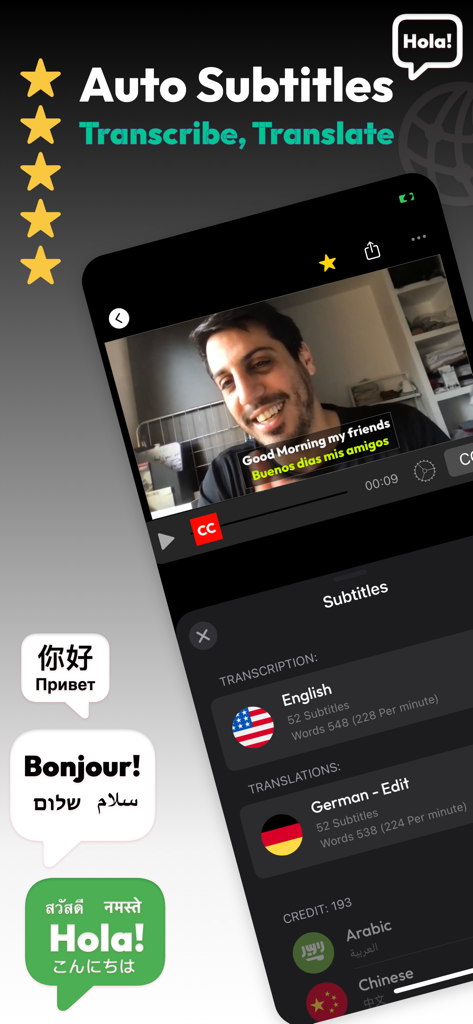
Subtitles AI app interface showing automatic transcription and translation of a video

Subtitles AI app interface showing automatic transcription and translation of a video

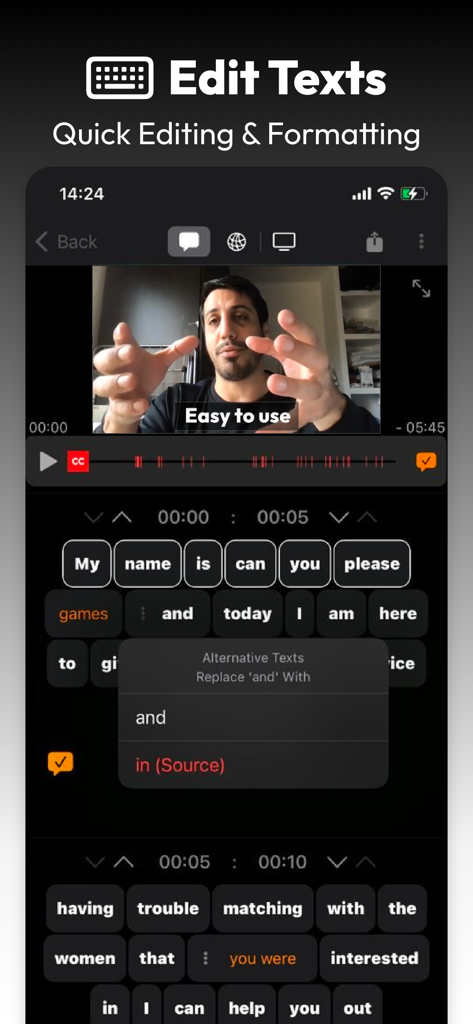
Mobile application interface showing video subtitle editing with quick text formatting and alternative text suggestions.

Mobile application interface showing video subtitle editing with quick text formatting and alternative text suggestions.

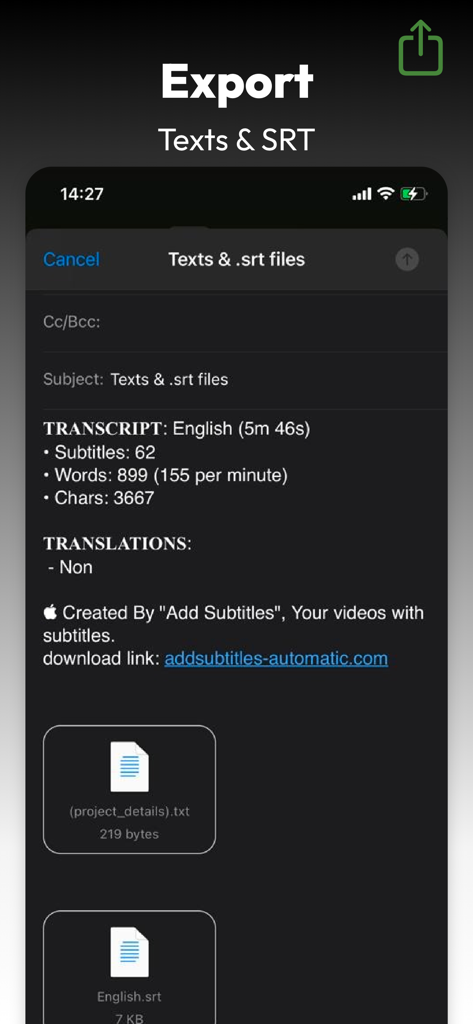
Export screen showing options for text and SRT subtitle files.

Export screen showing options for text and SRT subtitle files.

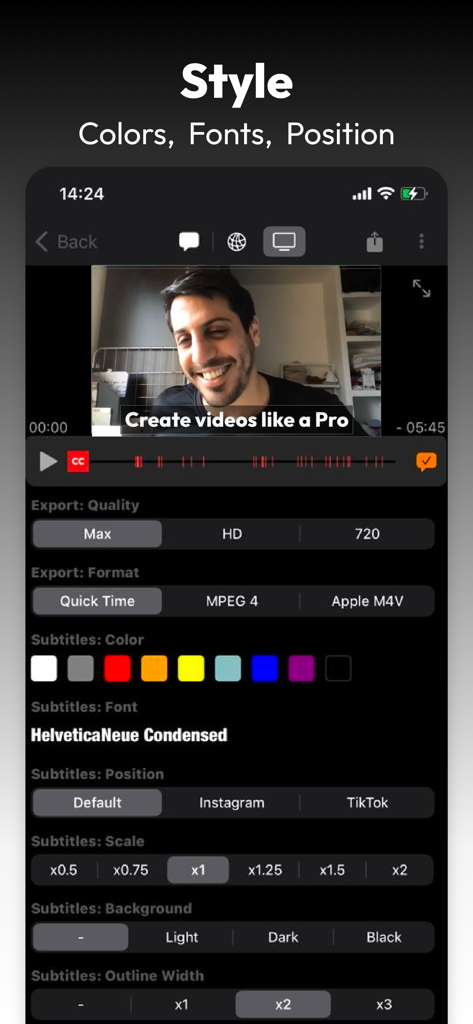
Subtitles AI app interface showing customization options for colors fonts and positions on a video

Subtitles AI app interface showing customization options for colors fonts and positions on a video

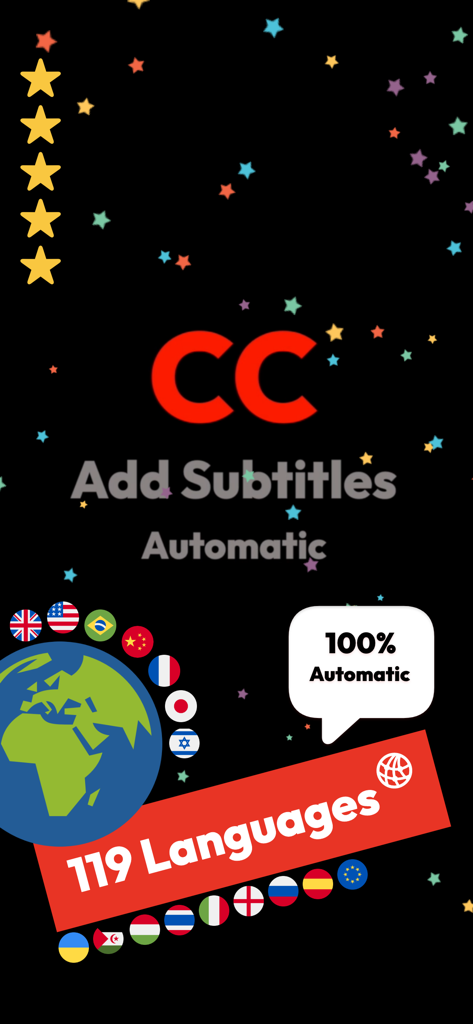
Subtitles AI app screenshot promoting automatic captions in 119 languages with a globe and international flags

Subtitles AI app screenshot promoting automatic captions in 119 languages with a globe and international flags

Engage Every Viewer, Everywhere

The tools that make this app stand out, trusted by 116K+ users.

Lightning-Fast AI Captions

Instantly turn speech into text with industry-leading accuracy. Capture the attention of the 80% of social media users who scroll on mute.

🤟

Inclusive by Design

Empower the Deaf and Hard-of-Hearing community with manual subtitle controls and frame-accurate editing that doesn't rely on audio alone.

🌍

Translate & Scale Globally

Break language barriers with support for 100+ languages and dual-subtitle exports, making your content accessible to a worldwide audience instantly.

Loved by users worldwide

Trusted by 116K+ people who love this app.

"

"As a full-time content creator, I used to spend hours manually typing captions. This app's AI transcription is a total game-changer for my Reels and TikToks. The accuracy is incredible, and being able to burn the subtitles directly into the video ensures my audience never misses a word, even on mute!"

Alex Rivera
"

"Finding a tool that actually prioritizes accessibility is rare. I love that I can create manual subtitles from scratch without needing audio. It’s perfect for making my educational videos truly inclusive for the Deaf community, and the translation feature helps me reach my international students instantly."

Sarah Jenkins

About the app

Everything you need to know about Subtitles AI: Video & Audio.

Description

Subtitles AI – Transcribe, Caption & Translate Create accurate subtitles, captions, and transcripts in seconds — or start instantly with your own subtitle files. Built for creators, professionals, and the Deaf & Hard-of-Hearing community. Subtitles AI helps you transcribe, subtitle, translate, and edit video or audio with powerful AI — or manually, your way. AI Transcription & Smart Analysis • Transcribe video and audio with industry-leading accuracy • Automatic summaries for long recordings • AI insights: key topics, keywords, and important quotes • Smart punctuation and sentence detection • Automatic language detection • Supports dozens of languages Subtitles, Captions & Translation • Create professional subtitles with precise timing • Import existing subtitle files (SRT / VTT) • Translate subtitles into 100+ languages • Display dual subtitles for bilingual videos • Perfect for social media, education, business, and accessibility Manual Subtitles (Accessibility First) • Create subtitles manually, from scratch • Designed to support the Deaf & Hard-of-Hearing community • No audio required • Free manual subtitle creation • Full control over timing and text Powerful Subtitle Editor • Edit, trim, split, merge, and reorder subtitles • Zoom and swipe for frame-accurate control • Visual warnings help clean timing issues faster • Optimized for speed and clarity Export & Video Output • Export SRT, VTT, or plain text • Burn subtitles directly into your video • Supports MP4, MOV, H.265, and more • Export up to 4K resolution • Add your logo or watermark Batch, Privacy & Control • Translate and export multiple files at once • Upload only with your permission • Clear privacy controls and consent before upload • Your content stays yours Supported Transcription Languages English, Spanish, French, German, Arabic, Hebrew, Chinese (Simplified & Traditional), Japanese, Korean, Portuguese (Brazil & Portugal), Italian, Dutch, Russian, Ukrainian, Turkish, Hindi, Vietnamese, Thai, Polish, Swedish, Greek, Hungarian — and many more. Subscription Information • Subscriptions auto-renew unless canceled at least 24 hours before the end of the current period • Manage or cancel anytime in your App Store account settings • Terms of Use: https://bit.ly/2DuOiFs • Privacy Policy: https://bit.ly/2GsI0Jn Subtitles AI — a powerful, inclusive tool for transcription, captions, translation, and accessibility. Built with care. Built for everyone. #subtitles #captions #transcription #SRT #VTT #accessibility #deaf #hardofhearing #translate

Latest Version

6.9.0

Size

31.2 MB

First Released

Apr 2, 2018

Ready to Reach Every Viewer?

Join 116,000+ creators and professionals making their videos accessible and engaging. Start transcribing with AI and export in 4K today.

Download on App Store