Textastic Code Editor

Textastic Code Editor

Download on App Store
Spark by MWM logo
Logo of Textastic Code Editor

Textastic Code Editor: Desktop-Class Development on Your iPad

The powerful, professional-grade IDE built for your mobile workflow. Support for 80+ languages, built-in SFTP/SSH terminal, and seamless Git integration for developers who don't compromise.

Publisher

Alexander Blach

Category

Developer Tools

Downloads

416K+

User Rating

4.6/5

Total Ratings

1K+

Locales

2

Desktop Power, iPad Portability

Discover the interface used by 416K+ users.
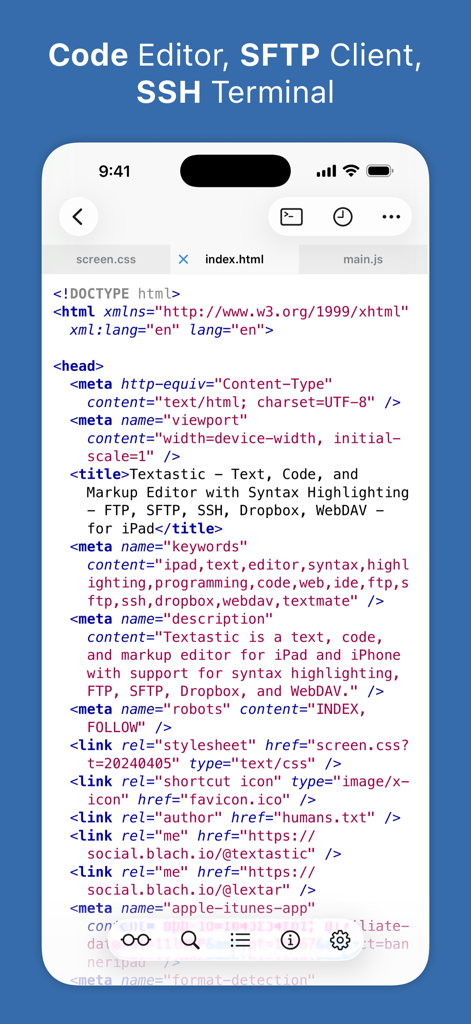
Textastic code editor app showing HTML code with syntax highlighting on iPhone

Textastic code editor app showing HTML code with syntax highlighting on iPhone

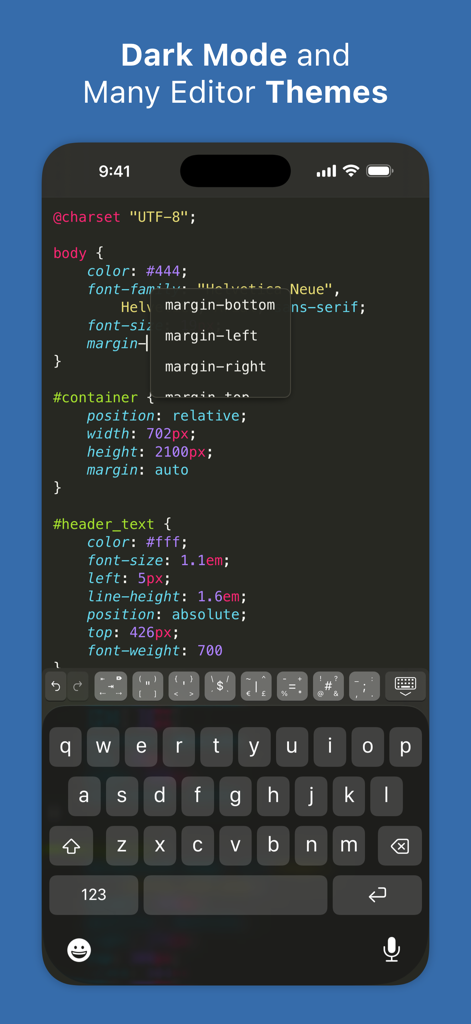
Textastic Code Editor interface on iPhone showing CSS code and autocomplete in dark mode

Textastic Code Editor interface on iPhone showing CSS code and autocomplete in dark mode

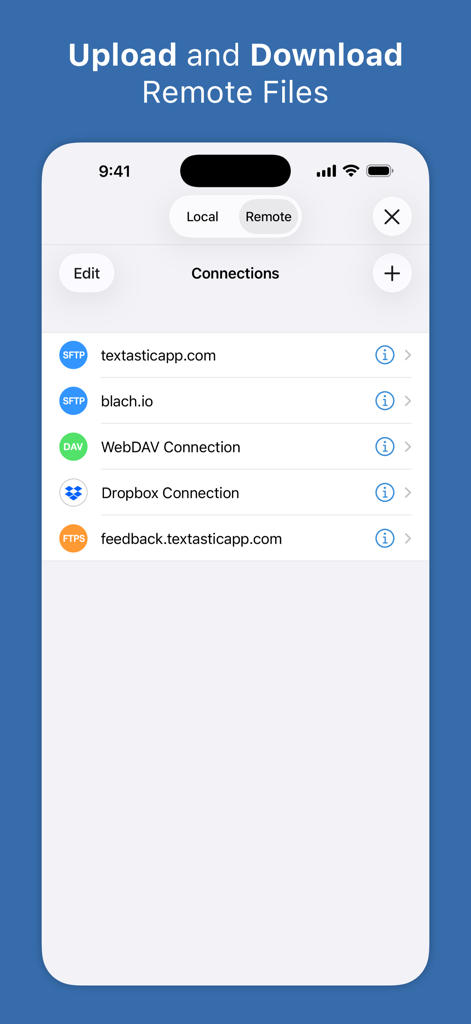
Textastic app screen showing remote server connections for SFTP WebDAV and Dropbox

Textastic app screen showing remote server connections for SFTP WebDAV and Dropbox

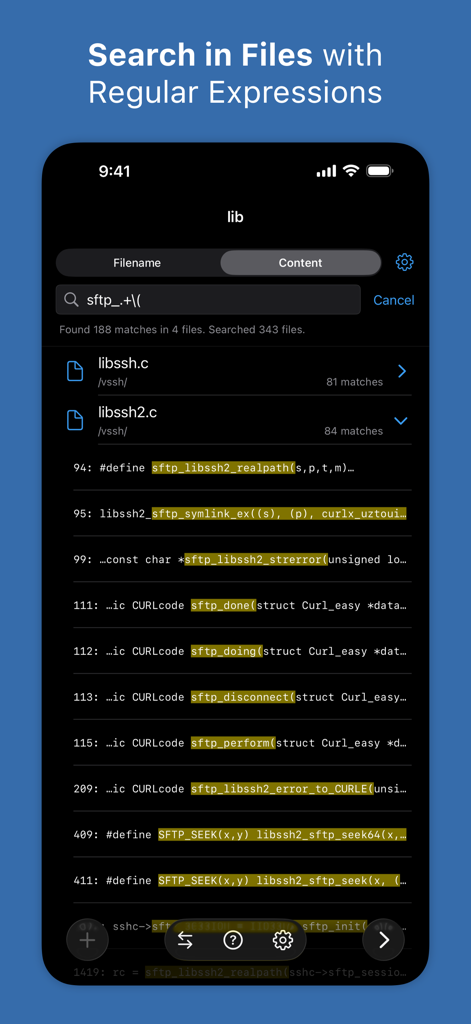
A screenshot of Textastic app showing code search results using regular expressions on an iPhone

A screenshot of Textastic app showing code search results using regular expressions on an iPhone

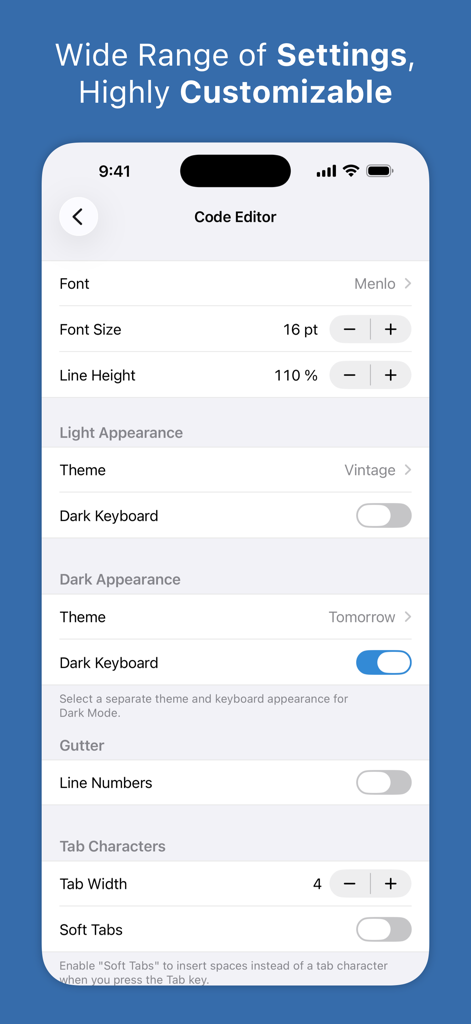
Textastic code editor settings screen showing font and theme customization options for light and dark modes

Textastic code editor settings screen showing font and theme customization options for light and dark modes

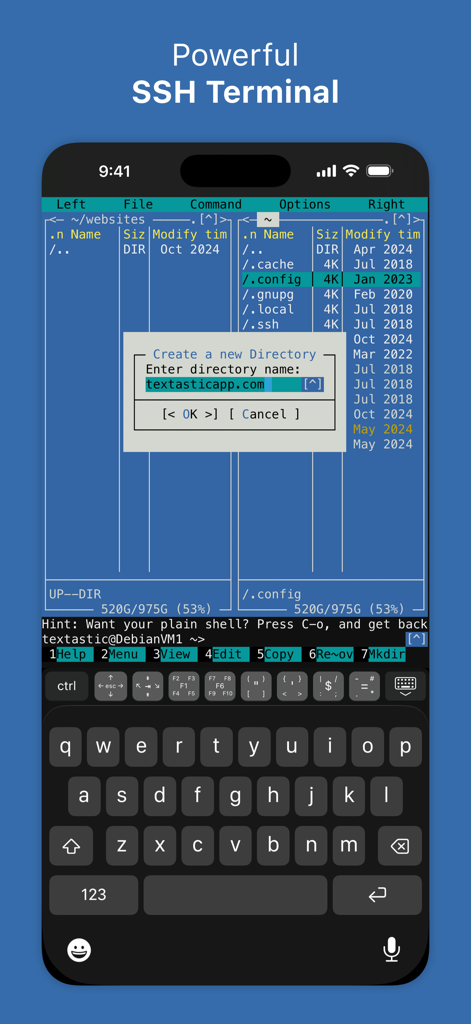
Textastic Code Editor SSH terminal on iPhone showing a command line interface with directory management

Textastic Code Editor SSH terminal on iPhone showing a command line interface with directory management

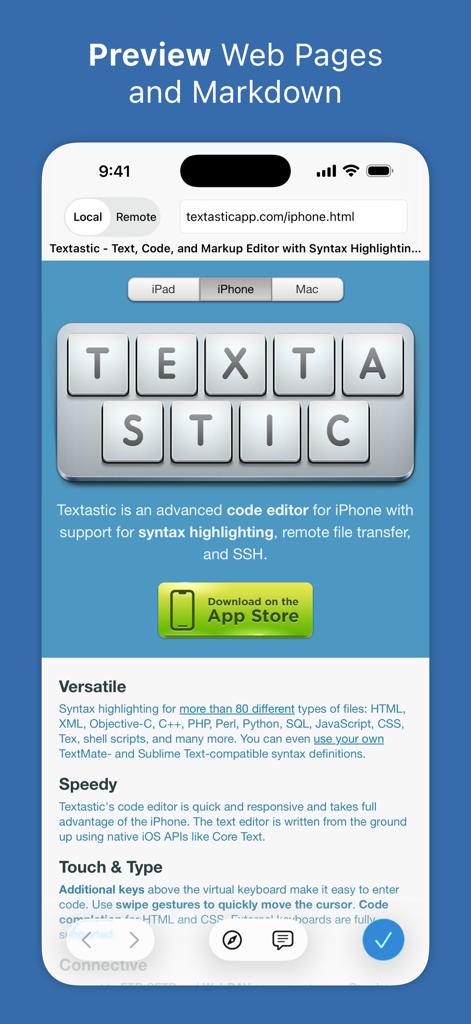
Textastic app interface showing web pages and markdown preview on an iPhone

Textastic app interface showing web pages and markdown preview on an iPhone

Desktop-Class Coding in Your Pocket

The tools that make this app stand out, trusted by 416K+ users.

🌐

Seamless Remote Access

Connect to your servers via SFTP, FTP, or WebDAV and manage files directly. Includes a built-in SSH terminal for full control on the go.

💻

Pro Syntax Highlighting

Supports over 80 programming and markup languages. Compatible with Sublime Text and TextMate themes for a familiar development environment.

🚀

Integrated Pro Workflow

Open external Git folders via Working Copy and maximize productivity with Split View, trackpad support, and custom keyboard shortcuts.

Loved by users worldwide

Trusted by 416K+ people who love this app.

"

"Textastic has completely transformed my iPad Pro into a legitimate development workstation. The integration with Working Copy for Git and the robust SFTP support means I can push code to production from a coffee shop without ever touching my laptop. It is the gold standard for mobile coding."

Jordan Miller
"

"As a DevOps engineer, being on-call used to mean carrying a heavy MacBook everywhere. Now, I can handle server emergencies directly from my iPhone or iPad. The built-in SSH terminal and the sheer variety of syntax highlighting make it an indispensable tool for any professional developer."

Sarah Chen

About the app

Everything you need to know about Textastic Code Editor.

Description

Textastic is a comprehensive and versatile text and code editor for iPad and iPhone. It supports syntax highlighting of more than 80 programming and markup languages. Connect to SFTP, FTP, and WebDAV servers or to your Dropbox account. Use the built-in SSH terminal to work directly on your server. FEATURES: • Syntax highlighting of more than 80 languages: HTML, JavaScript, CSS, C++, Swift, Objective-C, Rust, XML, Markdown, PHP, Perl, Python, Ruby, Lua, YAML, JSON, SQL, shell scripts, and many more (full list available on the website) • Compatible with Sublime Text 3 and TextMate 1 syntax definitions and themes • Code completion for HTML, CSS, JavaScript, C, Objective-C, and PHP • SFTP (SSH connection), FTP, FTPS (FTP over SSL), WebDAV and Dropbox clients • SSH terminal connections • Code formatter for HTML, CSS, JavaScript, and JSON • Git repositories from the Git client app Working Copy can be opened as external folders in Textastic • Emmet support • JavaScript console • iCloud Drive file synchronization • WebDAV server to easily transfer files from your Mac or PC over Wi-Fi. • Symbol list to quickly navigate in a file • Full support for external keyboards, trackpads, and mice • Configurable keyboard shortcuts • Displays additional keys over the virtual keyboard to make it easy to type characters often used for programming • Cursor navigation wheel for easy text selection • Easily move the cursor using swipe gestures • Split View and Slide Over multitasking on iPad • Open multiple files in tabs • Multiple Windows on iPadOS • Support for Dark Mode • Supports most encodings like UTF-8, UTF-16, and ISO-8859-1 • Supports different tab widths and soft tabs (spaces instead of tabs) • Custom fonts • Find & Replace (including regular expression search) • Find in multiple files • File information like character count and word count • Local and remote web preview for HTML and Markdown files To unlock all features, activate Textastic Pro through a yearly or monthly subscription (includes a 7-day FREE trial) or with a one-time purchase. Privacy Policy: https://www.textasticapp.com/privacy.html Terms of Use: https://www.apple.com/legal/internet-services/itunes/dev/stdeula/

Latest Version

10.8.7

Size

24.0 MB

First Released

Mar 12, 2016

Code Without Limits, Everywhere You Go

Bring your full development workflow to iPad and iPhone. Join over 400,000 professionals using the most powerful, desktop-class code editor for iOS.

Download on App Store
FAQ

Frequently Asked Questions

Everything you need to know about Textastic Code Editor

What is Textastic Code Editor?

Textastic Code Editor is a comprehensive and versatile text and code editor for iPad and iPhone. It supports syntax highlighting for over 80 programming and markup languages, remote connections, and an SSH terminal.

Does Textastic Code Editor support syntax highlighting?

Yes, Textastic Code Editor supports syntax highlighting for more than 80 programming and markup languages, including HTML, JavaScript, CSS, Swift, Python, Ruby, and many others.

Can Textastic Code Editor connect to remote servers?

Yes, Textastic Code Editor connects to SFTP, FTP, FTPS, and WebDAV servers. It also integrates with Dropbox for file access and supports SSH terminal connections.

Does Textastic Code Editor have an SSH terminal?

Yes, Textastic Code Editor includes a built-in SSH terminal. This allows users to work directly on their server from their iPad or iPhone.

What programming languages does Textastic support for syntax highlighting?

Textastic supports syntax highlighting for over 80 languages like HTML, JavaScript, CSS, C++, Swift, Objective-C, Rust, XML, Markdown, PHP, Perl, Python, Ruby, Lua, YAML, JSON, SQL, and shell scripts.

Does Textastic Code Editor offer code completion?

Yes, Textastic Code Editor provides code completion. This feature is available for HTML, CSS, JavaScript, C, Objective-C, and PHP.

Is Textastic Code Editor compatible with external keyboards and mice?

Yes, Textastic Code Editor offers full support for external keyboards, trackpads, and mice. Users can also configure keyboard shortcuts.

What are the pricing options for Textastic Code Editor?

Textastic Code Editor offers a monthly or yearly subscription, or a one-time purchase option. Each subscription includes a 7-day free trial.

Does Textastic Code Editor offer a free trial?

Yes, Textastic Code Editor provides a 7-day free trial. This trial offers full access to all features of the application.

Can Textastic Code Editor preview web pages?

Yes, Textastic Code Editor provides local and remote web previews for HTML and Markdown files. This allows users to see their changes instantly.

Does Textastic Code Editor support Dark Mode?

Yes, Textastic Code Editor supports Dark Mode. Users can also select separate themes and keyboard appearances for Dark Mode within the settings.

Where can I find the privacy policy for Textastic Code Editor?

The privacy policy for Textastic Code Editor is available at the following URL: https://www.textasticapp.com/privacy.html.

Does Textastic Code Editor allow finding and replacing text using regular expressions?

Yes, Textastic Code Editor supports finding and replacing text, including the use of regular expressions. It also allows searching across multiple files.

Can Textastic Code Editor open Git repositories?

Yes, Textastic Code Editor integrates with the Git client app Working Copy. Users can open Git repositories from Working Copy as external folders within Textastic.