Video Player - All in One

Video Player - All in One

Download on App Store
Spark by MWM logo
Logo of Video Player - All in One

Video Player - All in One: The Only Media Player Your iPhone Needs

Say goodbye to "Format Not Supported" errors. Play 4K, MKV, and AVI files seamlessly with pro-level features like multi-track audio, playback speed control, and effortless offline syncing.

Publisher

Devkrushna Infotech Private Limited

Category

Photo & Video

Downloads

2M+

User Rating

4.5/5

Total Ratings

34K+

Locales

11

Experience Total Control

Discover the interface used by 2M+ users.
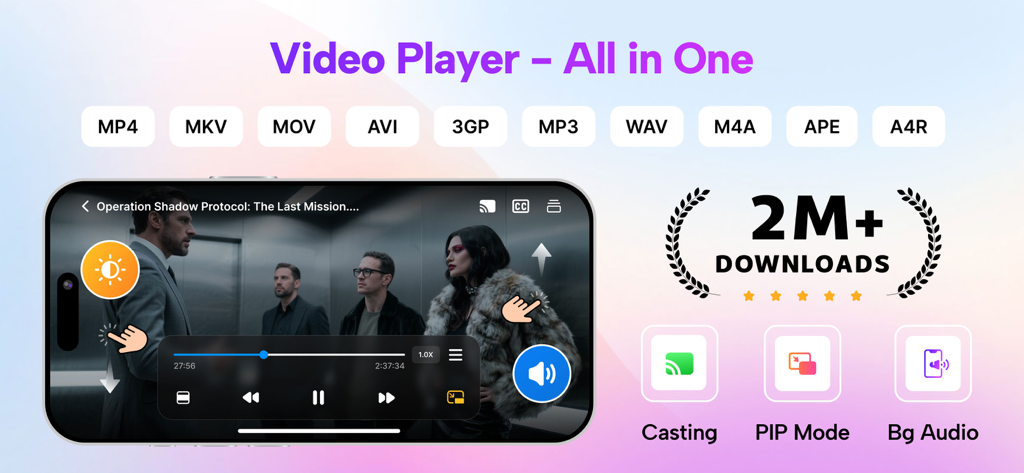
Promotional banner for Video Player All in One app displaying supported formats and features like casting and PIP mode

Promotional banner for Video Player All in One app displaying supported formats and features like casting and PIP mode

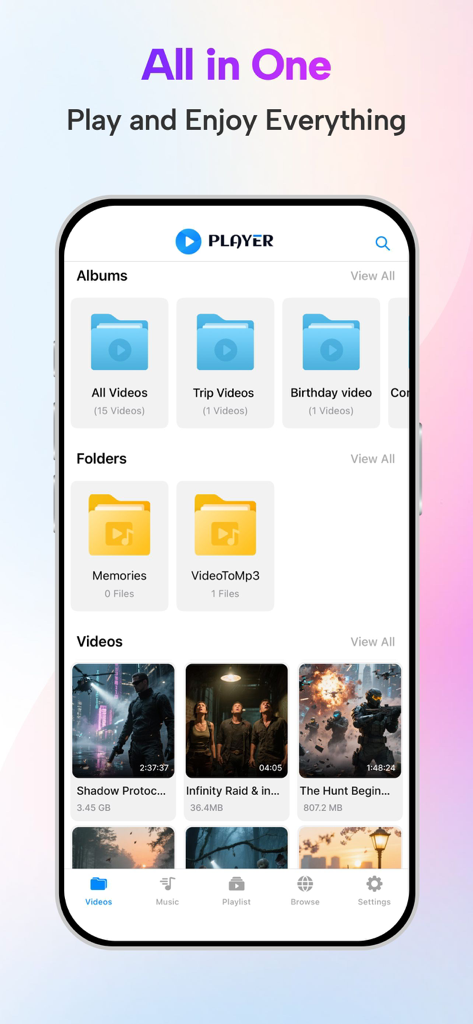
Interface of Video Player All in One app showing organized video albums and folders

Interface of Video Player All in One app showing organized video albums and folders

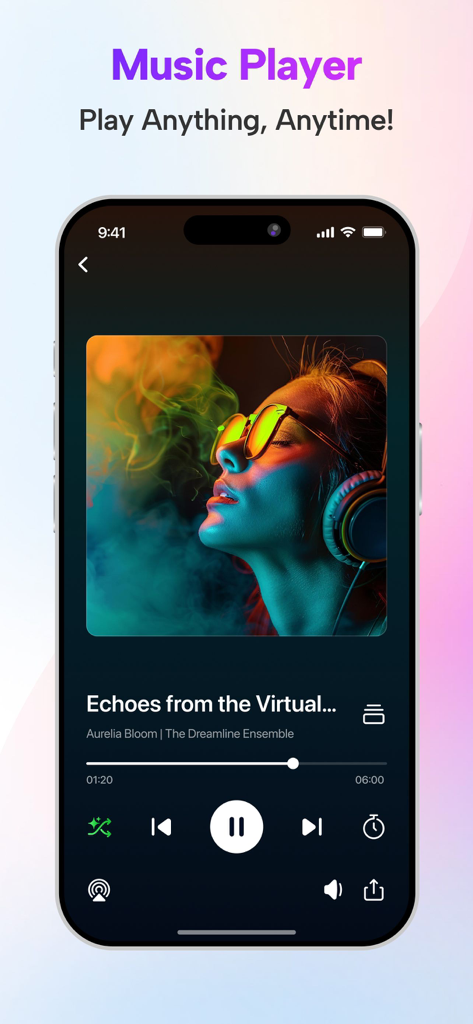
Music player interface of the Video Player app showing song details and playback controls

Music player interface of the Video Player app showing song details and playback controls

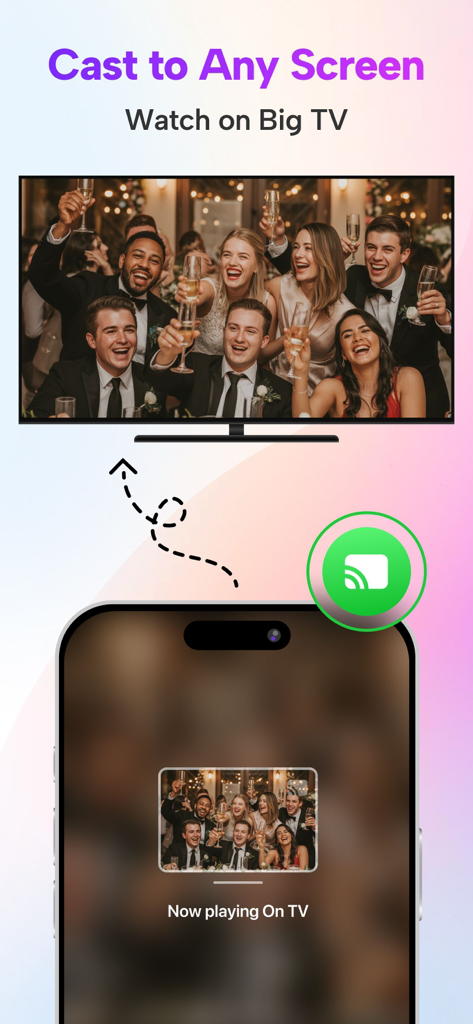
iPhone app interface demonstrating how to cast a video from a mobile phone to a large television screen

iPhone app interface demonstrating how to cast a video from a mobile phone to a large television screen

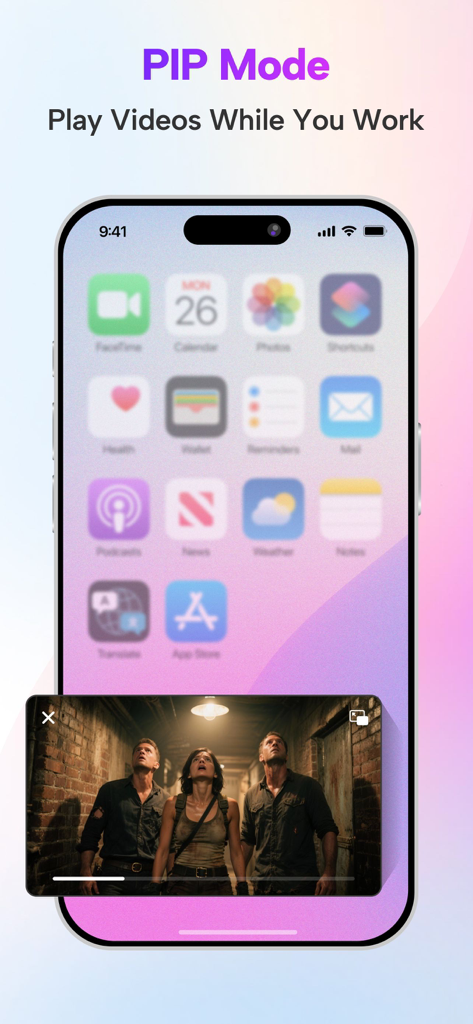
iPhone showing picture in picture mode playing a video over the home screen

iPhone showing picture in picture mode playing a video over the home screen

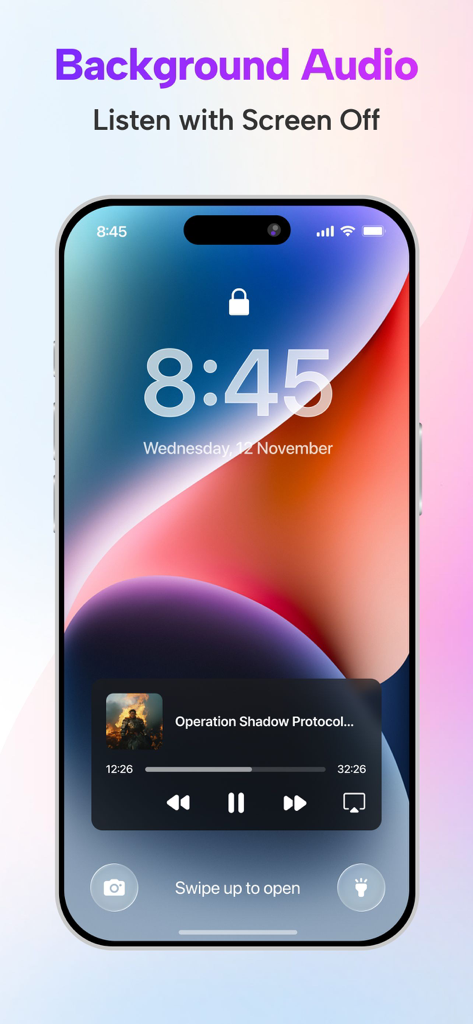
iPhone lock screen showing the background audio playback feature for the Video Player app

iPhone lock screen showing the background audio playback feature for the Video Player app

The Ultimate Hub for Your Media Collection

The tools that make this app stand out, trusted by 2M+ users.

🚀

Play Any Format in 4K

From MKV and AVI to MOV and MP4, enjoy your high-definition content in stunning 4K without the need for time-consuming file conversions.

📂

Full Offline Control

Take your library anywhere. Sync files via iCloud or iTunes and organize your movies and music into custom folders for perfect offline viewing during your commute.

🛠️

Pro-Level Customization

Tailor your experience with multi-track audio switching, variable playback speed, and precise gesture controls for brightness and volume.

Loved by users worldwide

Trusted by 2M+ people who love this app.

"

"Finally, a player that handles my 4K MKV files without stuttering. I travel constantly and being able to sync my library via iCloud and watch offline is a game changer. The playback speed control is a must-have for my tutorials."

Mark R., Digital Nomad
"

"I love international cinema, so having multi-track audio support is essential for me. This app makes it so easy to organize my films into folders and the gesture controls for brightness and volume are incredibly intuitive."

Elena S., Film Enthusiast

Review Analysis

Insights from user reviews.

Sentiment Score

16%
Negative

Summary

The app receives overwhelmingly negative feedback, largely due to an excessive and intrusive advertisement experience, with users reporting frequent, long, unclosable, and inappropriate ads that disrupt playback, even for paying subscribers. Significant functional issues include videos failing to play, lack of zoom, poor format support, and critical bugs such as audio-video sync problems and choppy Bluetooth audio, particularly noted in Tesla cars. Subtitle functionality is also a consistent pain point, with issues importing external files and displaying them correctly. Despite these numerous complaints, a small segment of users appreciate the app's core video player capabilities and its background playback feature.

Common Themes

Ads(23)
Playback & Bugs(7)
Core Player Features(7)
Subtitles(4)
Security Concerns(3)
Pricing & Subscription(2)
File Management(2)

About the app

Everything you need to know about Video Player - All in One.

Description

Video Player is support all video format 4k, HD, MKV, AVI, MOV, MP4, 3GP, MPEG and all music & audio file formats. Video Player has a media library for audio and video files, and allows to browse folders directly. It allows file synchronization with your Computer(iTunes),iCloud Drive. - Connect your device to iTunes and select your device. Select "File Sharing" on the left side menu of iTunes and look for "VideoPlayer" to transfer files. Video Player show and Play all video from Your Gallery(Photos). Features: - Supports all video format - Multi-track audio (if available multi audio in video, like english, hindi, french...) - Playback speed control - Easy screen brightness and volume control - You can take screenshot from video This is a full port of VLC media player to IOS platform. Video Player can play any video files, make playlist of your favorite videos and provide easy controllable player. Video Player Pro Subscription: - With Video Player Pro Subscription, you will have access to all premium features like create unlimited folders, manage multiple playlists, unlimited URL streaming with an Ads-Free experience. - Video Player Pro Subscription is billed monthly, six month and annually at the rate corresponding to the selected plan. - Payment will be charged to iTunes Account at confirmation of purchase. - Subscription automatically renews unless auto-renew is turned off at least 24-hours before the end of the current period. - Account will be charged for renewal within 24-hours prior to the end of the current period, and identify the cost of the renewal. - Subscriptions may be managed by the user and auto-renewal may be turned off by going to the user's Account Settings after purchase. - Any unused portion of a free trial period, if offered, will be forfeited when the user purchases a subscription to that publication, where applicable. Terms of Use :- https://www.devkrushna.com/policy/privacypolicy.html Privacy Policy :- https://www.devkrushna.com/policy/privacypolicy.html Disclaimer: video player is based on VLC for iOS Beta, and licensed under the GNU General Public License version 3 or later. GNU General Public License: http://www.gnu.org/licenses/

Latest Version

1.8.4

Size

112.0 MB

First Released

Dec 22, 2020

Ready to Play Any File, Anywhere?

Join over 2 million users who have ended the frustration of "Format Not Supported" errors. Download the VLC-powered player that handles everything from 4K MKVs to multi-track audio with ease.

Download on App Store
FAQ

Frequently Asked Questions

Everything you need to know about Video Player - All in One

What video and audio formats does the Video Player - All in One app support?

The Video Player - All in One app supports all video formats, including 4k, HD, MKV, AVI, MOV, MP4, 3GP, and MPEG, as well as all music and audio file formats.

How can users transfer files to the Video Player - All in One app?

Users can transfer files to the Video Player - All in One app via iTunes File Sharing or iCloud Drive synchronization. It also plays videos directly from the device's Photo Gallery.

Does Video Player - All in One offer playback speed control and multi-track audio?

Yes, the Video Player - All in One app offers playback speed control and supports multi-track audio, enabling selection of different audio languages if available in the video.

Can users take screenshots directly from videos in the Video Player - All in One app?

Yes, users can take screenshots directly from videos within the Video Player - All in One app. This feature is listed among its core functionalities.

What premium features are included with a Video Player Pro Subscription?

A Video Player Pro Subscription provides access to unlimited folders, multiple playlists, unlimited URL streaming, and an Ads-Free experience within the Video Player app.

What are the billing options for the Video Player Pro Subscription?

The Video Player Pro Subscription is billed monthly, six-month, or annually, corresponding to the selected plan. Payment is charged to the iTunes Account upon purchase confirmation.

Does the Video Player Pro Subscription automatically renew?

Yes, the Video Player Pro Subscription automatically renews unless auto-renew is turned off at least 24-hours before the end of the current billing period.

How do users manage their Video Player Pro Subscription and turn off auto-renewal?

Users can manage their Video Player Pro Subscription and turn off auto-renewal by accessing their Account Settings after purchase, as per standard iTunes practices.

Is Video Player - All in One based on VLC media player?

Yes, the Video Player - All in One app is a full port of VLC media player to the iOS platform, licensed under the GNU General Public License version 3 or later.

Does the Video Player - All in One app support casting to other screens?

Yes, the Video Player - All in One app supports casting. Users can 'Cast to Any Screen' to watch videos on a big TV, as shown in the app's promotional material.

Does Video Player - All in One include Picture-in-Picture (PIP) mode?

Yes, the Video Player - All in One app features Picture-in-Picture (PIP) mode, allowing users to continue playing videos while working on other tasks.

Can users listen to audio from videos in the background with the Video Player - All in One app?

Yes, the Video Player - All in One app provides a Background Audio feature. Users can listen to video audio even when the screen is off.