Video Speed Editor - VBooster

Video Speed Editor - VBooster

Download on App Store
Spark by MWM logo
Logo of Video Speed Editor - VBooster

Video Speed Editor - VBooster: Create Cinematic Speed Ramps with Precision

Take total control of your video tempo. From silky smooth slow-mo to high-energy time lapses, adjust speed in 0.1x steps while keeping your audio pitch perfect for TikTok, Reels, and Shorts.

Publisher

REAFO CO., LTD.

Category

Photo & Video

Downloads

987K+

User Rating

4.5/5

Total Ratings

5K+

Locales

12

Precision in Every Frame

Discover the interface used by 987K+ users.
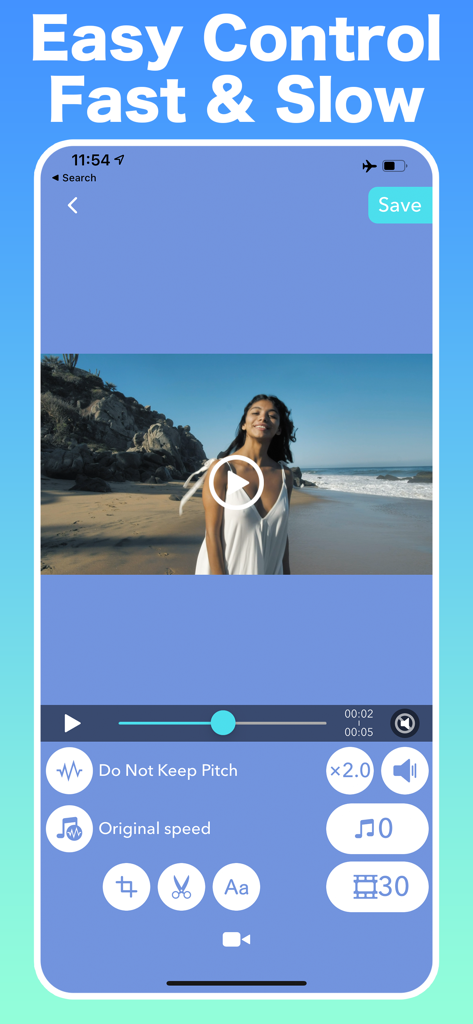
VBooster app interface showing fast and slow video speed controls

VBooster app interface showing fast and slow video speed controls

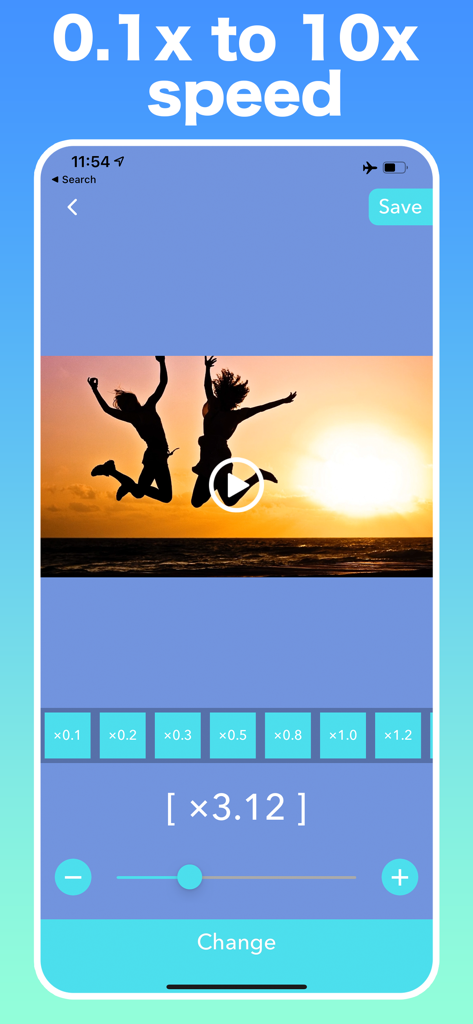
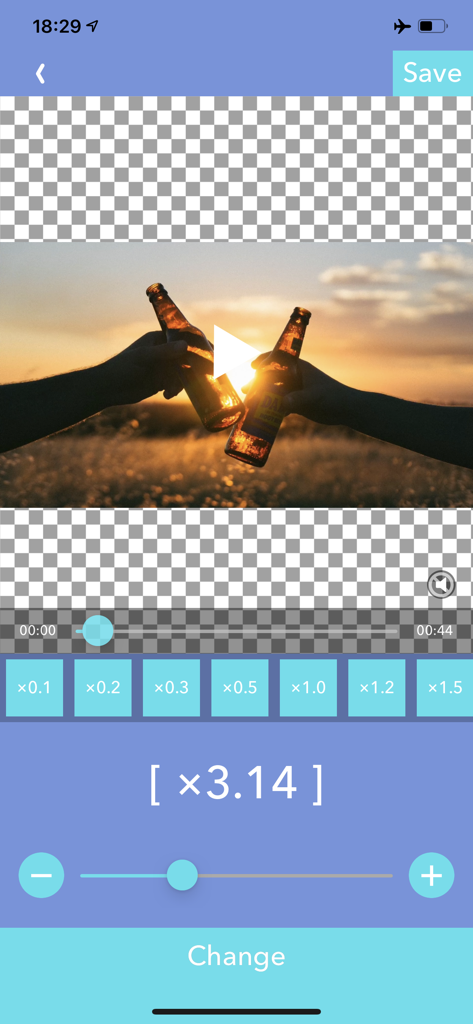
VBooster mobile app interface showing video speed adjustment slider and presets from 0.1x to 10x with a sunset video preview

VBooster mobile app interface showing video speed adjustment slider and presets from 0.1x to 10x with a sunset video preview

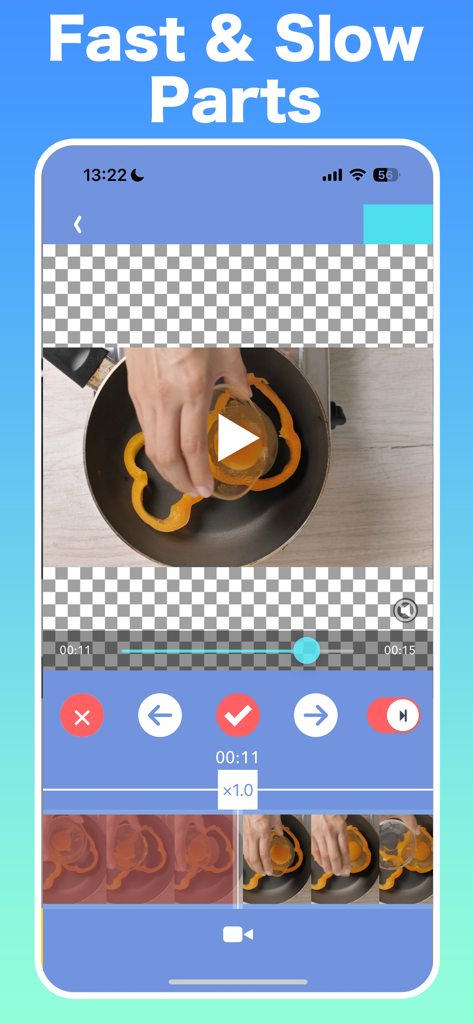
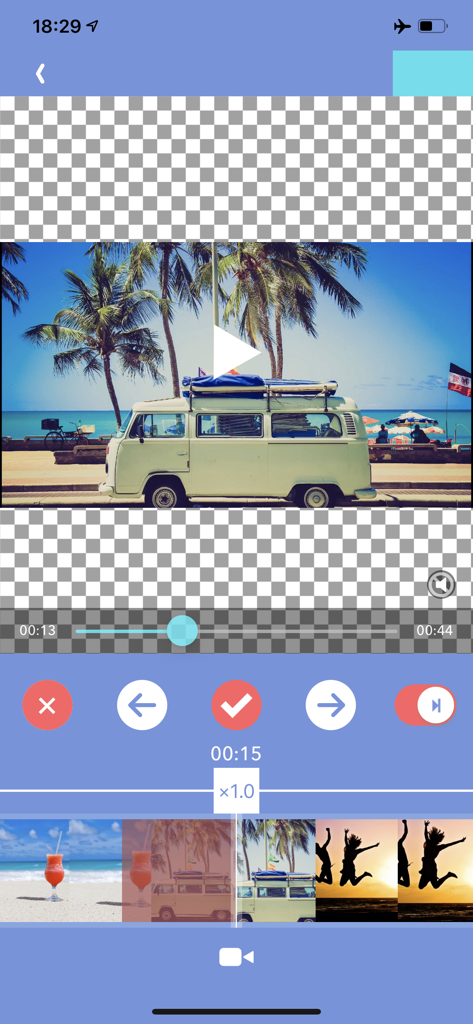
Interface of VBooster app for adjusting fast and slow video parts

Interface of VBooster app for adjusting fast and slow video parts

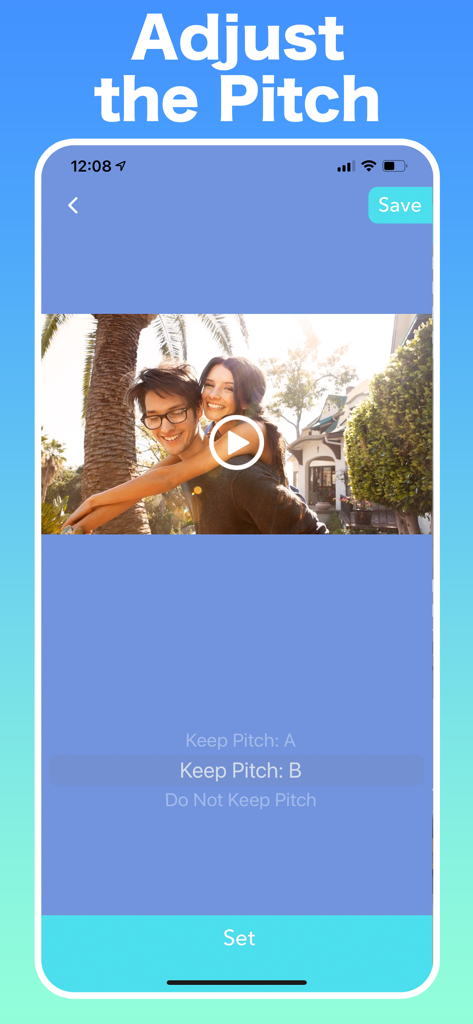
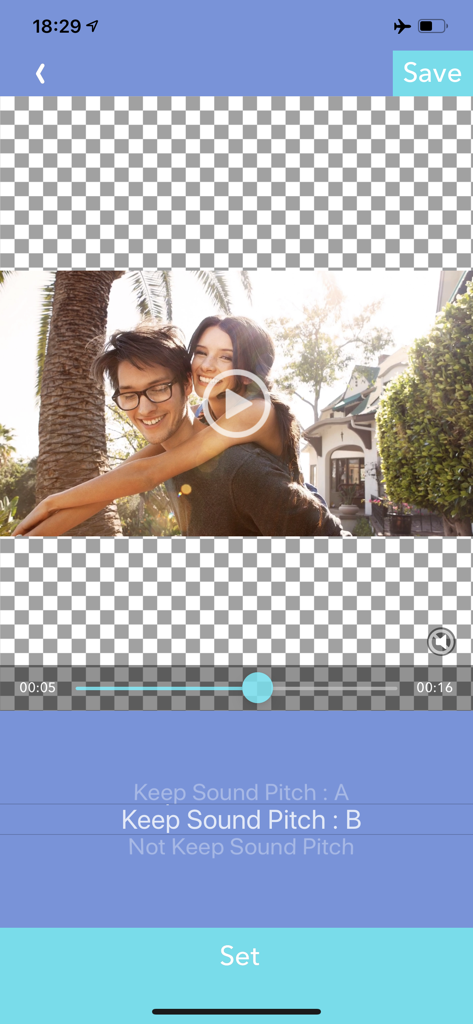
VBooster app interface showing options to adjust video audio pitch while changing playback speed

VBooster app interface showing options to adjust video audio pitch while changing playback speed

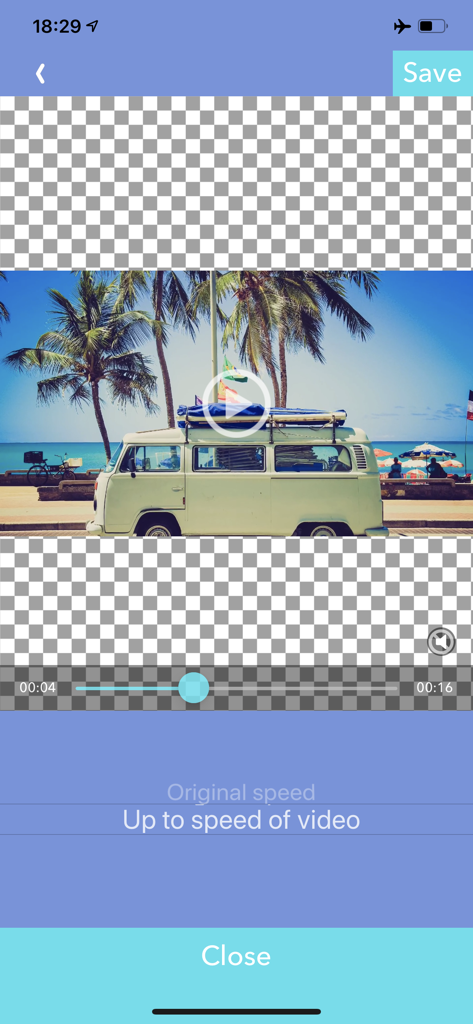
Video Speed Editor app screen for selecting music playback speed options.

Video Speed Editor app screen for selecting music playback speed options.

VBooster app interface for adjusting video sound pitch settings during speed editing

VBooster app interface for adjusting video sound pitch settings during speed editing

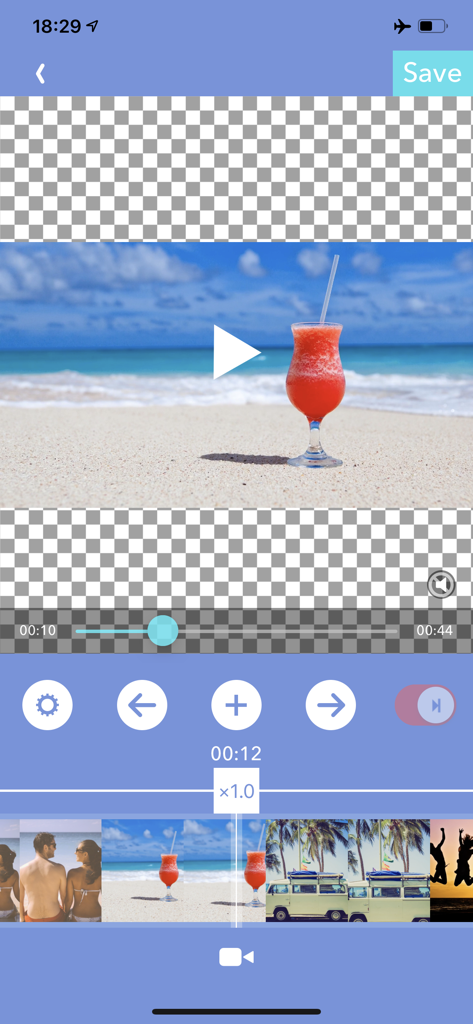
Mobile interface of VBooster video editor showing a timeline and speed adjustment controls for a beach travel video.

Mobile interface of VBooster video editor showing a timeline and speed adjustment controls for a beach travel video.

VBooster app interface for adjusting video playback speed in time range mode

VBooster app interface for adjusting video playback speed in time range mode

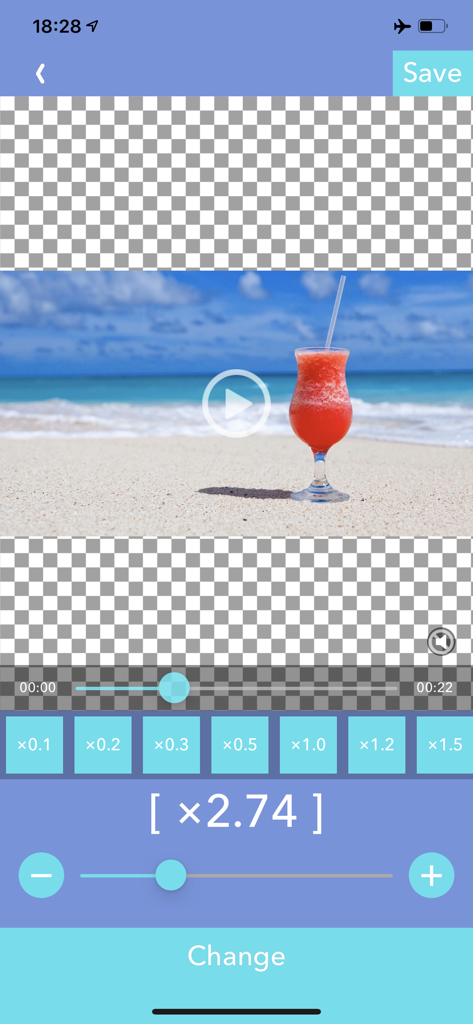
VBooster app interface showing a video being edited with a speed adjustment slider set to 3.14x

VBooster app interface showing a video being edited with a speed adjustment slider set to 3.14x

Mobile interface of the VBooster app showing precise video speed adjustment tools and a preview of a beach video.

Mobile interface of the VBooster app showing precise video speed adjustment tools and a preview of a beach video.

Master Every Second of Your Story

The tools that make this app stand out, trusted by 987K+ users.

Dynamic Speed Ramping

Use Time Range mode to highlight key moments with cinematic slow-mo or high-energy transitions within a single clip.

🎙️

Pro-Level Pitch Control

Say goodbye to 'chipmunk' voices. Speed up your tutorials or vlogs while keeping the audio natural and perfectly clear.

🎯

Frame-Perfect Precision

Dial in the exact vibe with 0.1x increments ranging from 0.1x to 10.0x for total creative control over your footage.

Loved by users worldwide

Trusted by 987K+ people who love this app.

"

"Finally, an app that lets me speed up my vlogs without making my voice sound like a chipmunk! The 'Keep Pitch' feature is a total game-changer for my Reels, and the speed ramping in Time Range mode makes my transitions look so professional."

Chloe, Lifestyle Content Creator
"

"I use VBooster for all my skate clips. The 0.1x increments give me the exact slow-mo I need to analyze every detail of a trick. It is incredibly fast, simple to use, and saves directly to my camera roll without any fuss."

Marcus, Amateur Skateboarder

About the app

Everything you need to know about Video Speed Editor - VBooster.

Description

VBooster is the app for changing playback speed and saving to your camera roll. [Simple Mode] Simple Mode is for change playback speed of entire a video easily. -- Playback speed -- You can change playback speed from x0.1 to x10.0 by 0.1 steps. -- Sound types -- You can choose 3 types of sounds. 1. Change pitch by speed 2. Keep pitch type A 3. Keep pitch type B -- Music -- You can add songs as Background music. -- Music speed -- You can choose 2 types of speed. 1. Up to a speed of the video 2. Original speed Q.Witch types are better " Keep pitch type A" or "B"? A. It depends on the sound of the video. So please try both to find the ​better one. [Time range mode] Time range mode lets you change the playback speed of time ranges you specified. --Add a new time range-- ・Seek to the time you want to start a new time range with seek bar. ・Press [+] button to start creating time range, then move to the end of the time range. ・Then, press [check mark] button to finish adding a new time range. ・After added the time range, the playback speed setting screen will be shown, and you can change the speed. --Overwrite a time range-- ・By the default, you can't specify over another time ranges. ・To overwrite another time ranges, turn off the switch that is located on the right side. --Change playback speed or delete a time range-- ・If you want to edit playback speed or delete a time range, tap the time range on the seek bar. ・Then, the edit menu will be shown. --Other settings-- ・You can set BGM/Frame rate and so on as well as Simple Mode. ・To do that, press [gear] button to open settings.

Latest Version

4.81

Size

40.0 MB

First Released

Dec 15, 2015

Ready to Master Your Tempo?

Join nearly 1 million creators using VBooster for precision speed ramping and crystal-clear audio. Download now to start crafting your next viral moment.

Download on App Store