Voice Recorder & Audio Editor

Voice Recorder & Audio Editor

Download on App Store
Spark by MWM logo
Logo of Voice Recorder & Audio Editor
Voice Recorder & Audio Editor: Your All-in-One AI Audio Powerhouse

The most trusted tool to record calls, transcribe meetings, and generate instant AI summaries. Transform your recordings into professional content with secure, on-device privacy.

Publisher

TapMedia Ltd

Category

Utilities

Downloads

10M+

User Rating

4.7/5

Total Ratings

642K+

Locales

29

Sound in Sight

Discover the interface used by 10M+ users.
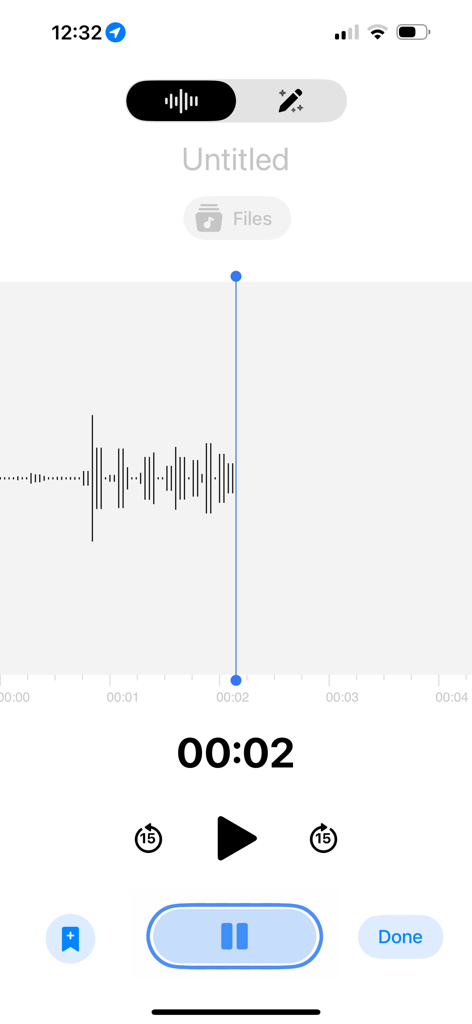
Voice Recorder app interface showing an active audio recording with a waveform and playback controls

Voice Recorder app interface showing an active audio recording with a waveform and playback controls

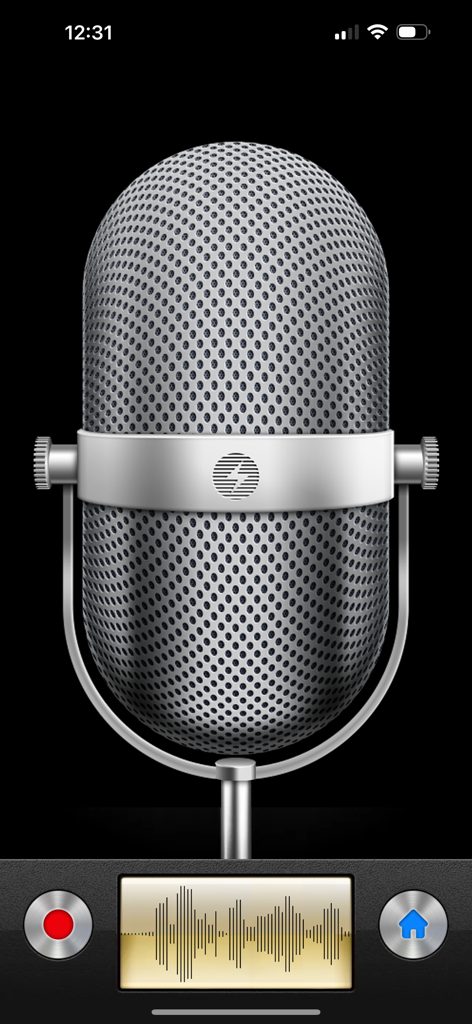
Main recording screen of the Voice Recorder and Audio Editor app featuring a vintage silver microphone and a live audio waveform display.

Main recording screen of the Voice Recorder and Audio Editor app featuring a vintage silver microphone and a live audio waveform display.

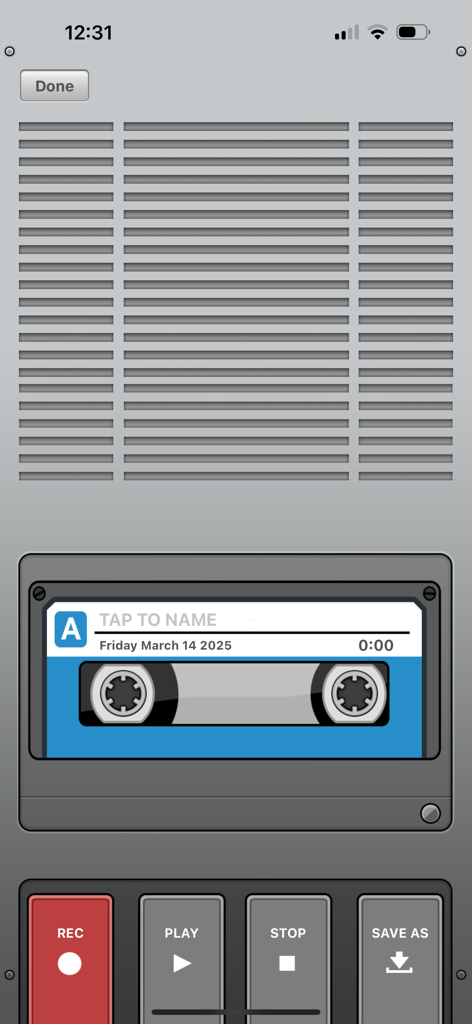
Mobile app recording interface with a vintage cassette tape design and control buttons for recording and playback.

Mobile app recording interface with a vintage cassette tape design and control buttons for recording and playback.

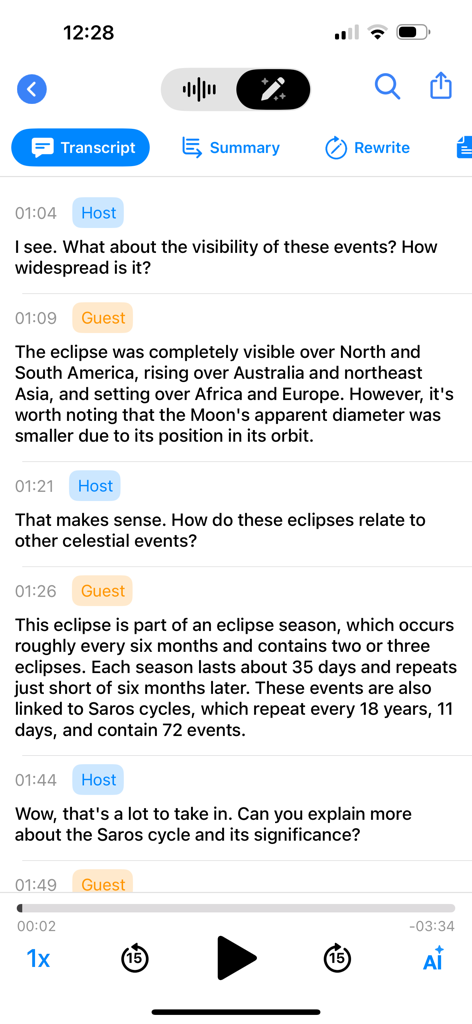
Mobile app interface showing an AI powered transcript of a conversation between a host and guest about a celestial eclipse

Mobile app interface showing an AI powered transcript of a conversation between a host and guest about a celestial eclipse

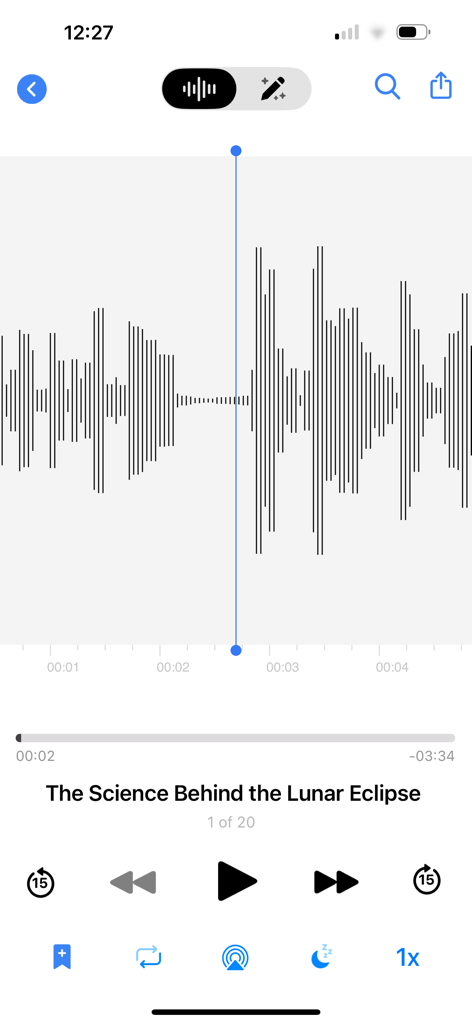
Audio playback interface of the Voice Recorder app showing a waveform visualization and playback controls for a lecture recording

Audio playback interface of the Voice Recorder app showing a waveform visualization and playback controls for a lecture recording

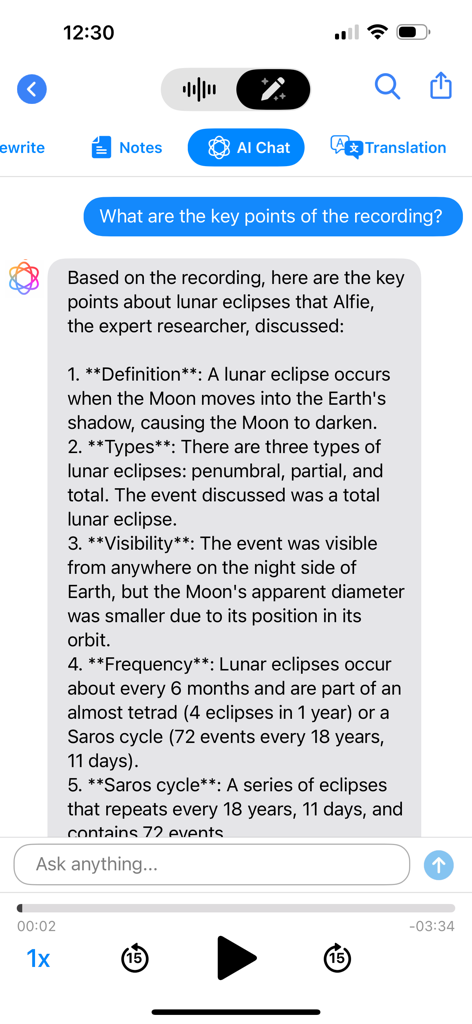
AI Chat interface in the Voice Recorder app summarizing a recording about lunar eclipses into key points

AI Chat interface in the Voice Recorder app summarizing a recording about lunar eclipses into key points

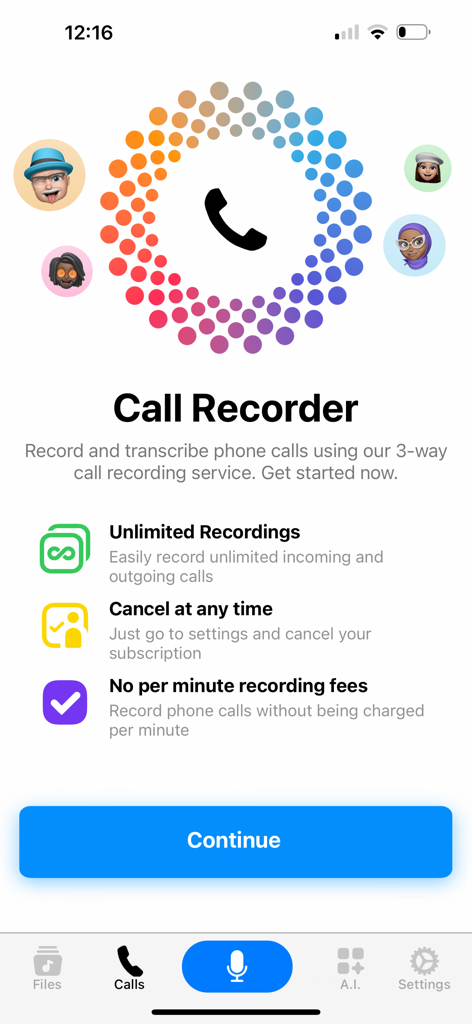
Interface for the Call Recorder feature showing unlimited recordings and no per minute fees.

Interface for the Call Recorder feature showing unlimited recordings and no per minute fees.

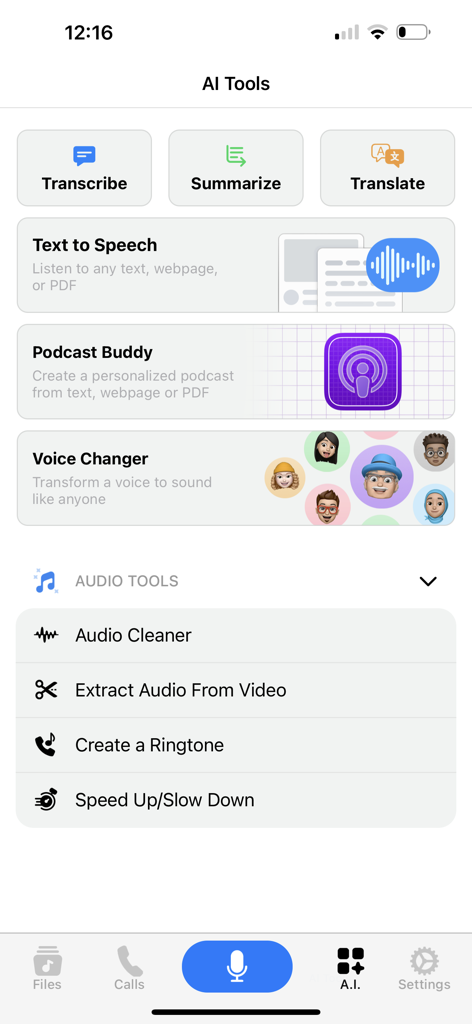
Voice Recorder app interface showing AI tools like Transcribe, Summarize, and Audio Editor features.

Voice Recorder app interface showing AI tools like Transcribe, Summarize, and Audio Editor features.

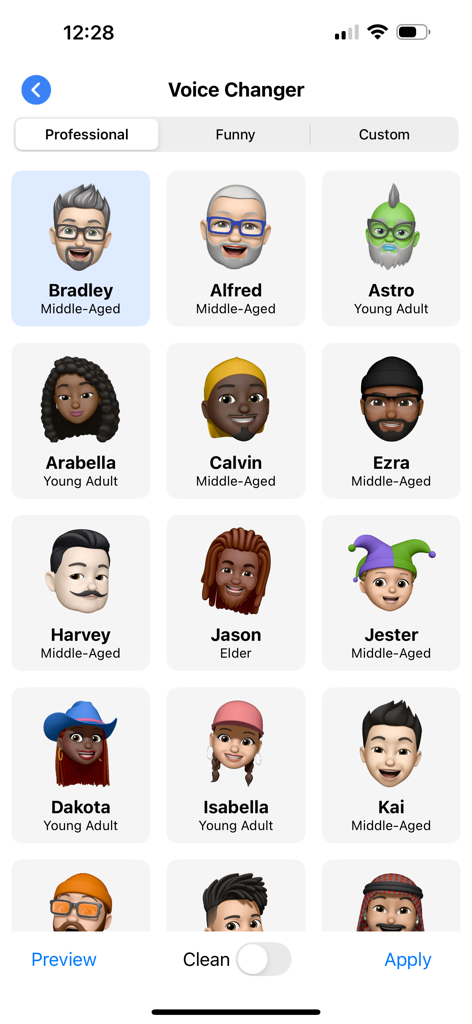
A menu of the Voice Changer feature showing various character avatars like Bradley, Alfred, and Astro for different vocal styles.

A menu of the Voice Changer feature showing various character avatars like Bradley, Alfred, and Astro for different vocal styles.

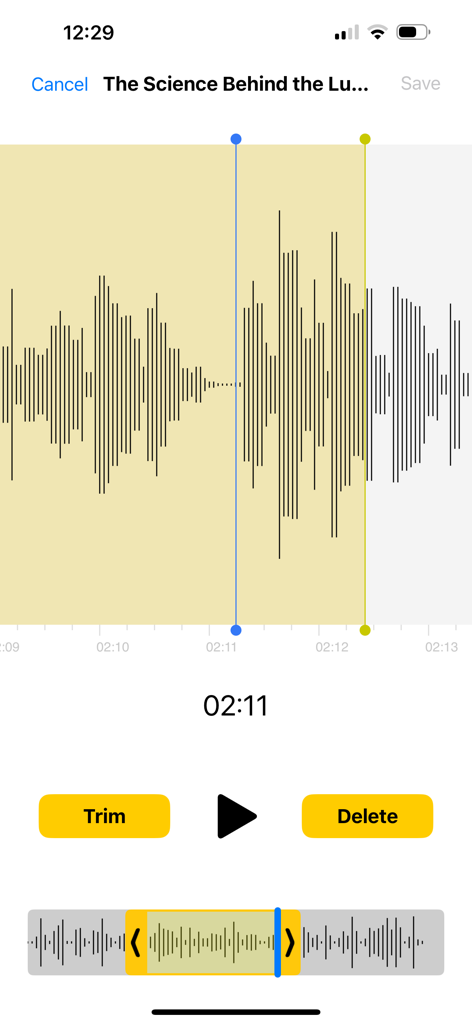
Audio editing interface showing waveform trimming in the Voice Recorder app

Audio editing interface showing waveform trimming in the Voice Recorder app

Turn Every Word into a Powerful Asset

The tools that make this app stand out, trusted by 10M+ users.

🧠

On-Device AI Transcription

Convert speech to text and get instant smart summaries without your data ever leaving your device. Perfect for capturing meeting minutes and lecture takeaways instantly.

📞

Pro-Grade Call Recording

Seamlessly record incoming and outgoing calls for legal protection or interviews. Keep a secure, searchable archive of every conversation with unlimited storage.

🎙️

Mobile Studio & Editor

Craft high-quality podcasts and social content on the go. Enhance audio quality, remove background noise, and share directly to your favorite platforms in seconds.

Loved by users worldwide

Trusted by 10M+ people who love this app.

"

"As a project manager juggling multiple clients, this app has become my most essential tool. The AI Smart Summarize feature saves me hours by condensing hour-long meetings into actionable bullet points, and the local processing ensures my client's data stays private and secure on my device."

David L., Senior Consultant
"

"I've finally found a mobile studio that actually works. The audio enhancement tool is incredible at removing background noise from my field interviews, and being able to trim, edit, and upload my podcast segments directly to social media has completely streamlined my content creation process."

Chloe M., Digital Creator

About the app

Everything you need to know about Voice Recorder & Audio Editor.

Description

Voice Recorder for the iPhone and iPad - download now for FREE! UNLIMITED RECORDINGS Record for as long as you want and as many times as you want. (No restrictions as long as you have enough available storage on your device). AI FEATURES * Transcribe: Convert spoken words into written text * Smart Summarize: Get to the heart of any conversation with instant summaries * Rewrite & Refine: Dictate and elevate your tone and style with expert-written versions of your recordings * AI Chat: Engage in dynamic conversations to learn more about your recordings * Translations: Seamlessly translate your audio into multiple languages * Voice Changer: Tired of your own voice? Transform your voice to sound like anyone * Audio Editor: Enhance your voice or remove background noise with our Audio Enhancement tool
 PODCAST CREATOR Craft personalised podcasts that educate, entertain or inspire on any topics you want - all with just a few taps!
 PRIVACY FIRST-APPROACH FOR AI Nothing leaves your device - our new AI features run locally to keep your data safe and secure. 3D TOUCH Quickly start and stop recording from your home screen TEXT NOTES (In-App purchase) Add notes to individual recordings CLOUD SUPPORT Upload recordings to iCloud Drive, Dropbox, GoogleDrive, OneDrive, Box and more. SHARE RECORDINGS Share audio or video by Email, Messages, Facebook, Twitter, YouTube, Instagram, TikTok, Snapchat. TRANSFER RECORDINGS Download recordings by USB cable or WiFi Sync onto your desktop computer ADVANCED FEATURES - Multiple audio formats - Passcode protect recordings - Loop recordings - Trim recordings - Change playback speed - Skip backwards/forwards 15 seconds - Favorite recordings CALL RECORDER (*Requires subscription*) Record incoming and outgoing phone calls. To record a phone call you must facilitate a 3-way conference call. The third "caller" is our recording line that will save your phone call. It is not possible to record phone calls using the built-in microphone on your iPhone. No limit on how many recordings. No per minute fee. ------------------------------------------- NOTE: Call Recorder feature requires your carrier supports 3-way conference calling. SimplyTalk and H2o Wireless do NOT offer this service in the US. Please check local state or Country Laws regarding telephone call recording before using this app. Recordings will be deleted from our server after 7 days. Please make sure you download them offline during this timeframe. ----------------------------- CALL RECORDER SUBSCRIPTION - You will require a monthly subscription to use the Call Recorder feature. - Subscription length: Monthly (includes one week free trial). Privacy Policy: http://tapmedia.co.uk/callrecorder-privacy.htm Terms of Use: http://tapmedia.co.uk/callrecorder-terms.htm TAPMEDIA PRO SUBSCRIPTION - You will receive access to the apps in the TapMedia PRO bundle for the duration of the subscription. - Subscription length: Monthly (includes one week free trial). Privacy Policy: http://tapmedia.co.uk/privacy.htm Terms of Use: http://tapmedia.co.uk/terms.htm -----------------------------

Latest Version

6.0.8

Size

176.6 MB

First Released

Aug 30, 2013

Ready to Supercharge Your Productivity and Creativity?

Join 10M+ professionals, students, and creators. Download now to transcribe, summarize, and record with the most advanced privacy-first AI audio suite for iOS.

Download on App Store
FAQ

Frequently Asked Questions

Everything you need to know about Voice Recorder & Audio Editor

Can I record for an unlimited duration with Voice Recorder & Audio Editor?

Yes, the Voice Recorder & Audio Editor app allows unlimited recordings as long as there is sufficient storage on your device.

Does Voice Recorder & Audio Editor offer AI transcription?

Yes, Voice Recorder & Audio Editor offers AI transcription to convert spoken words into written text.

Can Voice Recorder & Audio Editor summarize my recordings?

Yes, the Voice Recorder & Audio Editor app includes a Smart Summarize AI feature that provides instant summaries of conversations.

Does Voice Recorder & Audio Editor have an AI chat feature for recordings?

Yes, Voice Recorder & Audio Editor provides an AI Chat feature to engage in dynamic conversations and learn more about your recordings.

Can I change my voice using Voice Recorder & Audio Editor?

Yes, Voice Recorder & Audio Editor includes a Voice Changer AI feature to transform your voice to sound like anyone.

Does Voice Recorder & Audio Editor offer audio enhancement tools?

Yes, Voice Recorder & Audio Editor includes an Audio Editor with an Audio Enhancement tool to improve voice quality and remove background noise.

Can I create podcasts with the Voice Recorder & Audio Editor app?

Yes, Voice Recorder & Audio Editor features a Podcast Creator to craft personalized podcasts on various topics with ease.

Are Voice Recorder & Audio Editor's AI features processed locally for privacy?

Yes, Voice Recorder & Audio Editor's new AI features run locally on your device, ensuring user data remains safe and secure without leaving the device.

Does Voice Recorder & Audio Editor support 3D Touch?

Yes, Voice Recorder & Audio Editor supports 3D Touch for quickly starting and stopping recordings directly from your home screen.

Can I add text notes to recordings in Voice Recorder & Audio Editor?

Yes, Voice Recorder & Audio Editor allows you to add text notes to individual recordings as an in-app purchase.

What cloud services does Voice Recorder & Audio Editor support for uploads?

Voice Recorder & Audio Editor supports uploading recordings to iCloud Drive, Dropbox, GoogleDrive, OneDrive, and Box.

How can I share recordings from Voice Recorder & Audio Editor?

Voice Recorder & Audio Editor allows sharing audio or video via Email, Messages, Facebook, Twitter, YouTube, Instagram, TikTok, and Snapchat.

How do I transfer recordings from Voice Recorder & Audio Editor to a computer?

You can transfer recordings from Voice Recorder & Audio Editor to your desktop computer via USB cable or WiFi Sync.

Does Voice Recorder & Audio Editor support trimming recordings?

Yes, Voice Recorder & Audio Editor includes advanced features such as trimming recordings, changing playback speed, and skipping segments.

Can I protect my recordings with a passcode in Voice Recorder & Audio Editor?

Yes, Voice Recorder & Audio Editor offers advanced features including the option to passcode protect your recordings for enhanced security.

Can Voice Recorder & Audio Editor record phone calls?

Yes, Voice Recorder & Audio Editor can record incoming and outgoing phone calls, but it requires a monthly subscription and a 3-way conference call setup.

How does the call recording feature work in Voice Recorder & Audio Editor?

The call recording feature in Voice Recorder & Audio Editor uses a 3-way conference call. The app's recording line acts as the third caller to save the phone call.

Is there a limit on call recording duration or fees per minute in Voice Recorder & Audio Editor?

No, Voice Recorder & Audio Editor imposes no limit on the number or duration of call recordings and charges no per-minute fees with a subscription.

Are there carrier restrictions for using Voice Recorder & Audio Editor's call recorder?

Yes, the call recorder feature requires your carrier to support 3-way conference calling. SimplyTalk and H2o Wireless do NOT offer this service in the US.

How long are call recordings stored on the server by Voice Recorder & Audio Editor?

Call recordings are deleted from the server after 7 days. Users must download them offline during this timeframe.

Is a subscription required for the Call Recorder feature in Voice Recorder & Audio Editor?

Yes, a monthly subscription is required to use the Call Recorder feature in Voice Recorder & Audio Editor, which includes a one-week free trial.

What does the TapMedia PRO subscription offer for Voice Recorder & Audio Editor?

The TapMedia PRO subscription grants access to all apps within the TapMedia PRO bundle for the subscription duration, with a monthly plan including a one-week free trial.