Web Messenger for Dual Chat

Web Messenger for Dual Chat

Download on App Store
Spark by MWM logo
Logo of Web Messenger for Dual Chat
Web Messenger for Dual Chat: Desktop Power and Multi-Account Freedom on Your Mobile

The advanced browser for professionals and power users. Bypass mobile restrictions with desktop-view mode, manage multiple messaging accounts, and take full control of your web sessions and cookies.

Publisher

ATA KAGAN DURAKER

Category

Utilities

Downloads

1M+

User Rating

4.5/5

Total Ratings

9K+

Locales

1

Experience Desktop Freedom

Discover the interface used by 1M+ users.
Web Messenger for Dual Chat app icon with a white grid symbol on a green background

Web Messenger for Dual Chat app icon with a white grid symbol on a green background

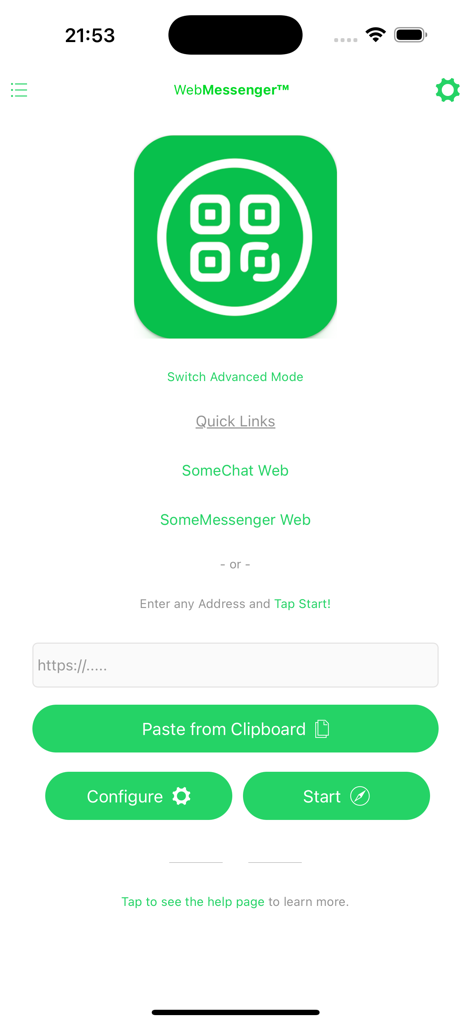
Web Messenger home screen showing dual chat quick links and a URL address bar

Web Messenger home screen showing dual chat quick links and a URL address bar

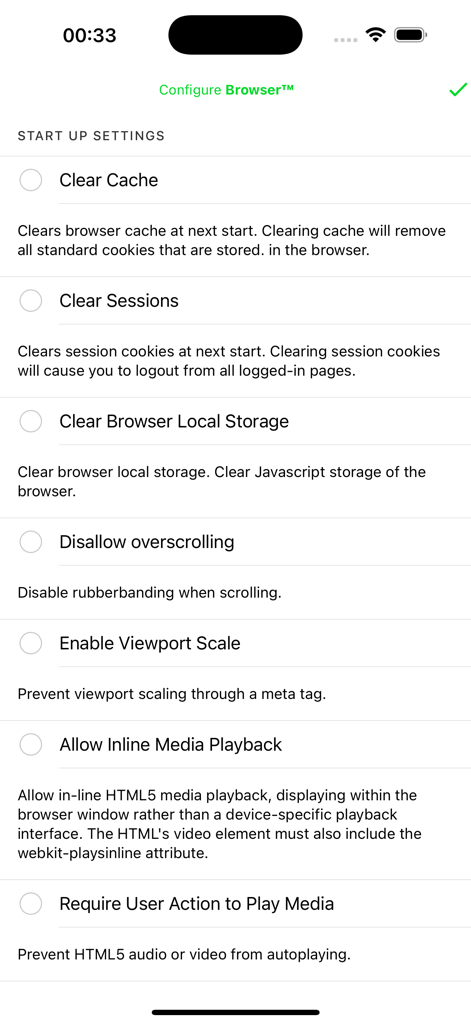
Interface of the Web Messenger for Dual Chat app showing browser startup settings including options to clear cache and manage sessions.

Interface of the Web Messenger for Dual Chat app showing browser startup settings including options to clear cache and manage sessions.

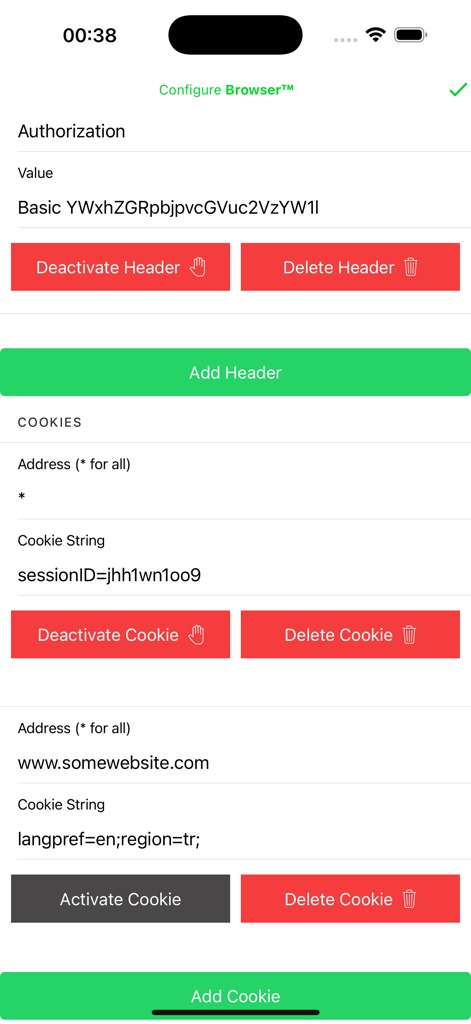
Settings screen for managing HTTP headers and browser cookies in Web Messenger

Settings screen for managing HTTP headers and browser cookies in Web Messenger

Master Your Mobile Productivity

The tools that make this app stand out, trusted by 1M+ users.

💻

True Desktop Experience

Bypass 'crippled' mobile layouts. Our default desktop user-agent forces websites to deliver the full PC version, making your iPad a true laptop replacement.

📱

Seamless Dual Messaging

Perfect for solopreneurs and power users. Run a second instance of your favorite messaging platforms simultaneously to balance work and personal life on one device.

🛠️

Advanced Session Control

A pocket Swiss Army knife for tech enthusiasts. Modify headers, manage cookies, and transfer sessions to test web APIs or maintain persistent logins without hassle.

Loved by users worldwide

Trusted by 1M+ people who love this app.

"

"This app is a lifesaver for my iPad workflow. I can finally run my work WhatsApp in desktop mode alongside my other apps. It is stable, fast, and the default desktop view makes everything just work like it should on a laptop."

Marcus Thorne
"

"I primarily use it for the advanced browser features. Changing user-agents and managing local storage on the fly is essential for my QA work. It is the only app that gives me this level of control over headers and sessions on iOS."

Sarah Jenkins

About the app

Everything you need to know about Web Messenger for Dual Chat.

Description

Web Messenger is an advanced browser with some most essential capabilities, such as Desktop View. Web Messenger App allows you to browse web in desktop view, which comes handy for using/debugging websites that are only available for desktops. Changing user agent also allow users to access third-party applications' web offerings. Which are normally not usable on mobile browsers, by just enabling the desktop view (enabled in default) you can simply use them as you are in a Desktop! Web Messenger is an in-app browser that allows users to access some developer features. Such as changing the headers and cookies that are being sent to the websites with each request. And directly to manage the browsers storage functionality both cookies and the local storage of it. Also it allows you to change your User-Agent, actually in default it is changed to Desktop user agent so that when you are browsing, you are seen as a Desktop and the website gives you it's desktop view rather than the mobile one. By also altering the Headers and Cookies, you may transfer your sessions, or test your websites/webAPI's functionalities in different use cases. For both cookies and headers, it is supported to Deactivate them rather than Deleting and Re-creating between your test cases. Several advanced features such as View Port manipulation also available over the settings. For anything you can think of please approach us using the Contact Us button in the Settings Page. And don't forget to share your thoughts on the App Store. Privacy Policy and Terms of Use are accessible over the Settings page also during a purchase. If you have already subscribed, please tap the Restore Purchases button in the Settings Page. Premium removes all the limits and allows unlimited usage. To cancel it please go to the App Store App, Tap Your Profile Icon at the top-right, go to subscriptions and find the one for this app and tap Cancel. LEGAL DISCLAIMER: This application is not endorsed by or affiliated with WhatsApp Inc. WhatsApp Messenger, WhatsApp Web, Meta Inc., Telegram LLC. Telegram, its name, trademark, and other aspects of the app are trademarked and owned by their respective owners. Read more about our terms, conditions, and privacy here: • Visit our Privacy Policy at: https://dualbrowser.iosapp.mobi/dualbrowser/privacy.html • View our Terms of Service at: https://dualbrowser.iosapp.mobi/dualbrowser/terms.html

Latest Version

1.5

Size

22.1 MB

First Released

Sep 1, 2022

Ready to Master Your Mobile Productivity?

Join over 1 million pro users who have bridged the gap between mobile and desktop. Download now to manage dual accounts and take full control of your web sessions on iPhone and iPad.

Download on App Store