When I Work Staff Scheduling

When I Work Staff Scheduling

Download on App Store
Spark by MWM logo
Logo of When I Work Staff Scheduling

When I Work: The Smarter Way to Schedule Staff and Track Time

Join over 200,000 workplaces using the fastest-to-implement app to reduce scheduling chaos, manage shift swaps, and automate time tracking for the modern workforce.

Publisher

When I Work, Inc.

Category

Business

Downloads

7M+

User Rating

4.8/5

Total Ratings

59K+

Locales

5

Scheduling in Action

Discover the interface used by 7M+ users.
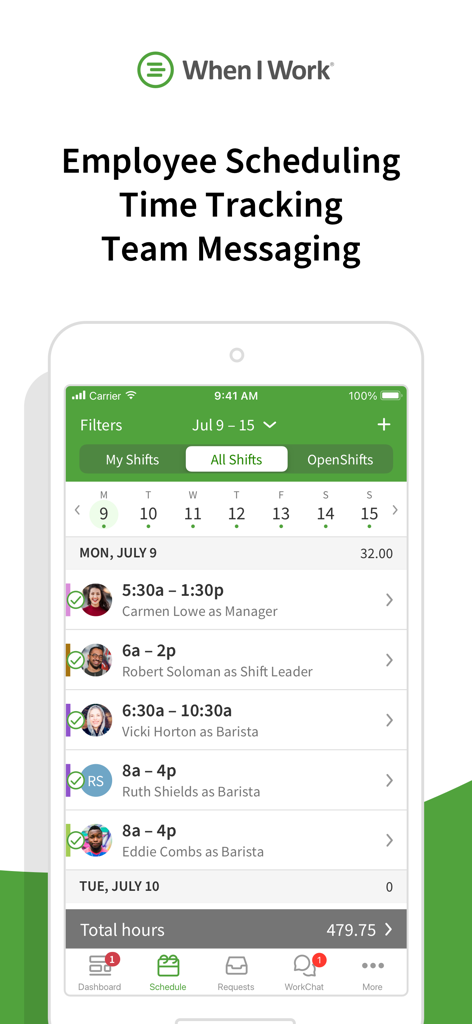
When I Work app interface showing employee shift schedules and team management features on a mobile device

When I Work app interface showing employee shift schedules and team management features on a mobile device

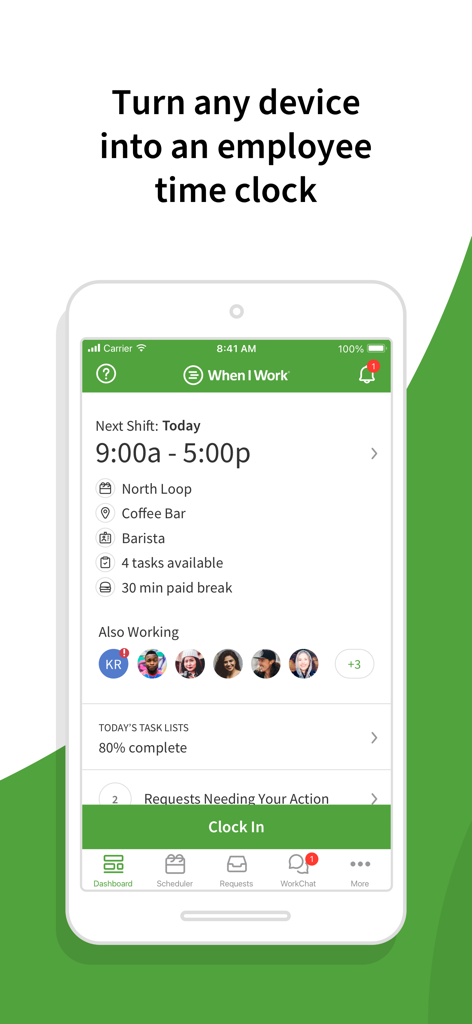
When I Work mobile app dashboard displaying a barista shift and a green clock in button

When I Work mobile app dashboard displaying a barista shift and a green clock in button

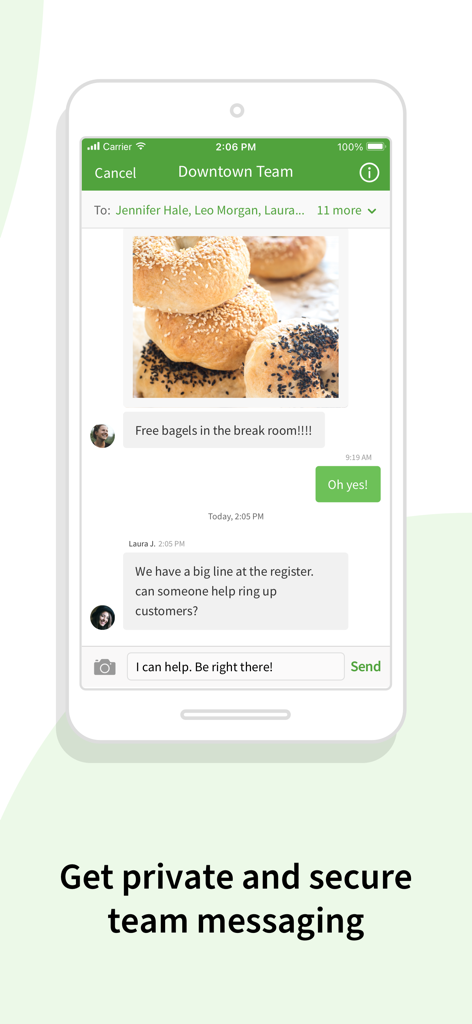
Smartphone screen showing the team messaging feature of the When I Work app with staff communication.

Smartphone screen showing the team messaging feature of the When I Work app with staff communication.

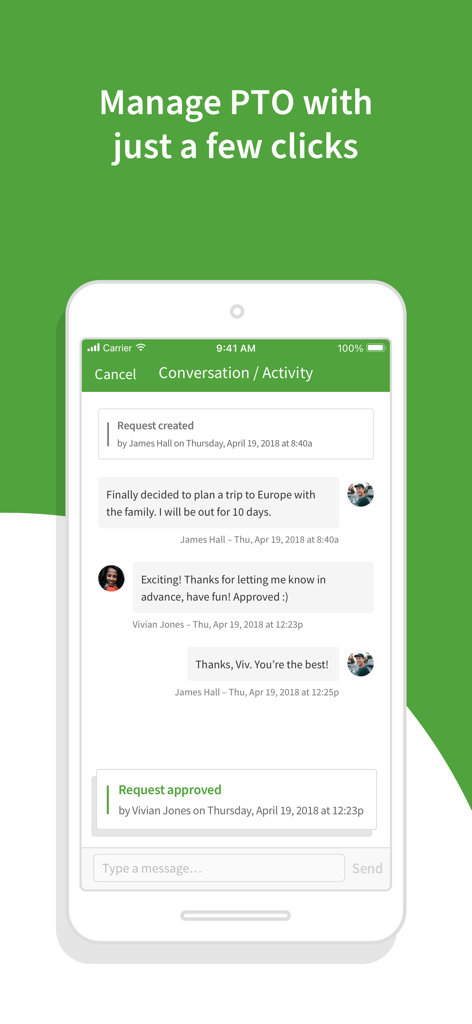
When I Work app screenshot showing an employee PTO request and manager approval in a chat window

When I Work app screenshot showing an employee PTO request and manager approval in a chat window

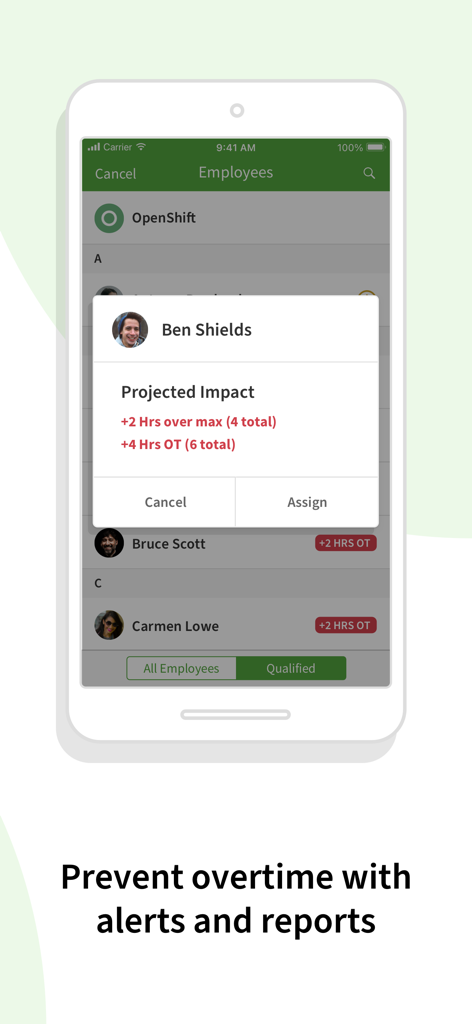
Mobile screen of When I Work app showing overtime alerts and projected impact for staff scheduling.

Mobile screen of When I Work app showing overtime alerts and projected impact for staff scheduling.

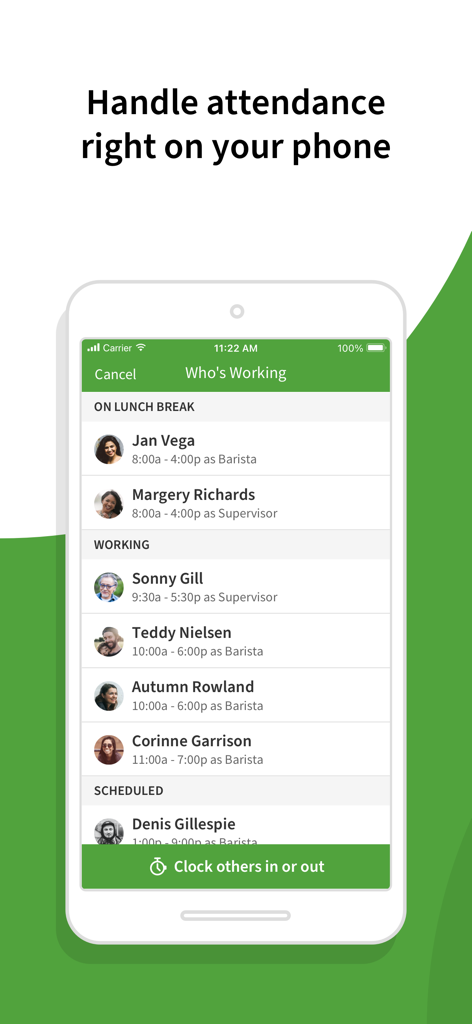
When I Work app interface showing employee attendance status and clock in options

When I Work app interface showing employee attendance status and clock in options

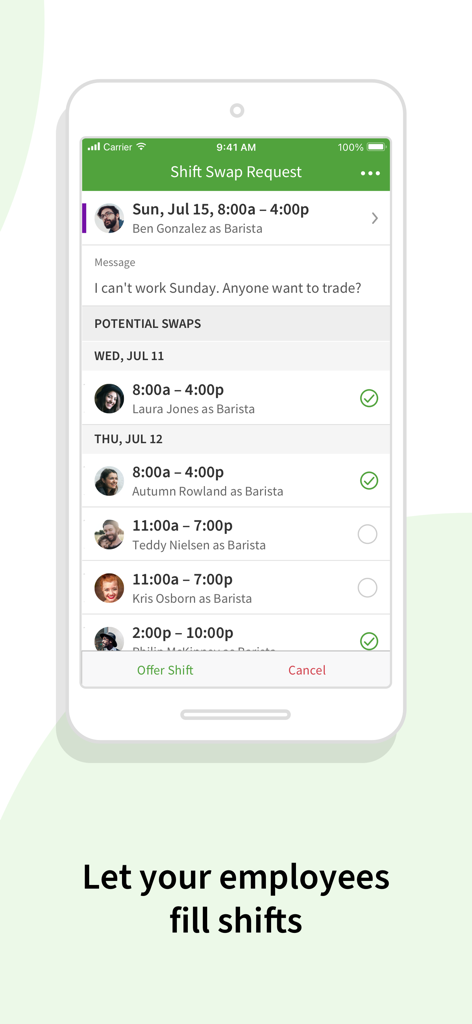
When I Work mobile app interface showing a shift swap request and potential employee trades.

When I Work mobile app interface showing a shift swap request and potential employee trades.

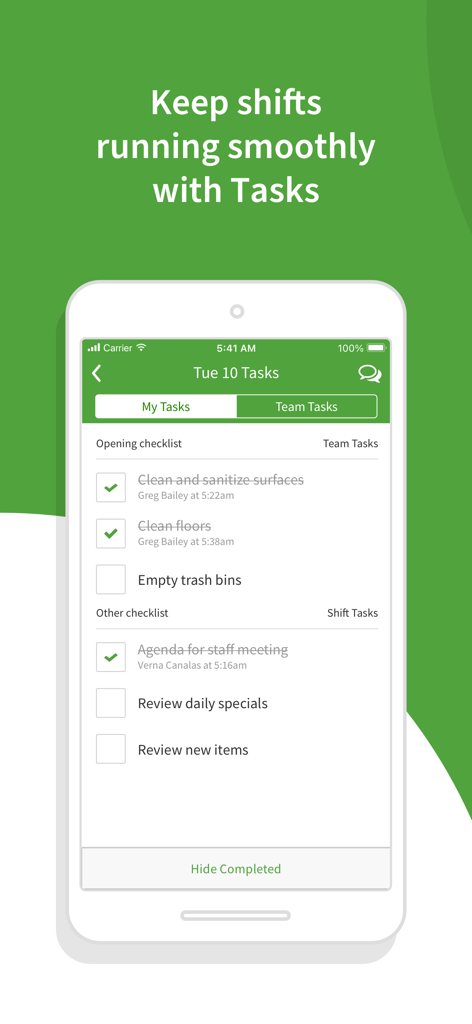
A mobile screenshot of the When I Work app showing a shift task checklist for employees and managers.

A mobile screenshot of the When I Work app showing a shift task checklist for employees and managers.

Take the Chaos Out of Staff Scheduling

The tools that make this app stand out, trusted by 7M+ users.

📅

One-Click Scheduling

Build and publish schedules in seconds with auto-tools. Notify your entire team instantly and eliminate excuses about missing shifts.

🔄

Seamless Shift Swaps

Empower your staff to trade shifts and manage availability within the app, reducing your workload and improving employee retention.

📍

Smart Time Tracking

Mobile clock-ins with geofencing ensure your team is on-site. Monitor labor costs and prevent overtime before it happens.

Loved by users worldwide

Trusted by 7M+ people who love this app.

"

"When I Work has completely transformed how I run my cafe. No more messy spreadsheets or endless phone calls to fill shifts. The auto-scheduling feature saves me hours every week, and the geofencing ensures my team clocks in right where they need to be. It has significantly reduced our labor costs and turnover."

Sarah M., Restaurant Manager
"

"This app makes managing my work life so much easier. I can see my shifts at a glance, trade with coworkers in seconds, and request time off without the awkward back-and-forth. Being able to clock in directly from my phone is a game changer—no more waiting in line at a physical time clock!"

Jordan T., Retail Associate

About the app

Everything you need to know about When I Work Staff Scheduling.

Description

Join more than 200,000 workplaces running on When I Work to reduce chaos, costs, and turnover with employee scheduling and time tracking for the modern workforce. When I Work is an employee scheduling app that does more than just save you time on scheduling. It also helps you improve communication, eliminate excuses, boost accountability among your staff, track time and attendance, and grow your business. “2021 Shortlist” - Capterra “2021 Category Leader” - Getapp "Fastest Implementation" - G2 Crowd MANAGERS LOVE IT: • Easy to use time clock to clock in and out • Message with staff 1:1 or in groups • Monitor and approve shift trades and time off requests • View the entire staff schedule anywhere at anytime • Create a work calendar to efficiently plan schedules • Quickly alert staff of changes and updates to the schedule • Messaging and scheduling permissions for easier management • Geofencing features to prevent buddy punching EMPLOYEES LOVE IT: • Clock in and out of shifts from the app • Instantly trade shifts with coworkers • View work schedules from anywhere at anytime • Pick up extra hours with open shifts • Check the work calendar to easily request time off • Privately message coworkers 1:1 or in groups within the app • Easily check who's working which shifts WHEN I WORK FEATURES: When I Work is employee-focused and built exclusively for shift-based workplaces. We monitor our systems 24/7/365 to give you and your employees peace of mind that your data is safe and secure. Choose When I Work to get the best in: • Team management - Onboard new employees, approve time off requests, review shift trades, and fill shifts in seconds. • Team accountability - Shift confirmation, mobile clock in, shift task lists, team task lists, and chat ensure everyone is on the same page. • Team communication - Notify your team of changes instantly and communicate with coworkers 1:1 or in group chats. • Team empowerment - Your team can manage availability, submit time-off requests, and collaborate on shift trades. • One-click scheduling - Build your entire work schedule in one click with Auto Scheduling. • Confident shift coverage - Receive shift confirmations from employees and be notified immediately of swaps and drops. • Share schedules - Publish the schedule and your whole team is instantly notified of their shifts. • Labor forecasting - Easy-to-use labor tools help you manage your labor budget efficiently. • Control overtime costs - Get overtime alerts and labor reporting to make managing labor costs easier. • Schedule enforcement - Limit clock ins to shifts and locations to ensure that everyone is where they need to be at the right time. • Payroll integration - Import your timesheets to quickly and accurately process payroll. • Labor reports - Use labor distribution to manage costs and forecast for the future. Terms of use: https://wheniwork.com/terms Privacy policy: https://wheniwork.com/privacy

Latest Version

13.12

Size

88.8 MB

First Released

Jul 27, 2010

Ready to Put an End to Scheduling Chaos?

Join 200,000+ workplaces and 7 million users who trust When I Work to save time, reduce labor costs, and keep their teams happy. Get started for free today.

Download on App Store
FAQ

Frequently Asked Questions

Everything you need to know about When I Work Staff Scheduling

What is When I Work Staff Scheduling?

When I Work Staff Scheduling is an employee scheduling app that provides time tracking, team messaging, and accountability features for shift-based workplaces. It helps reduce chaos, costs, and turnover.

Does When I Work include time tracking features?

Yes, When I Work Staff Scheduling includes time tracking features. Employees can clock in and out from the app, and managers can monitor attendance.

Can employees communicate with each other using When I Work?

Yes, employees can communicate using When I Work. The app supports private 1:1 and group messaging, enabling seamless team communication within the platform.

How does When I Work help manage employee overtime?

When I Work prevents overtime with alerts and labor reporting. It also enforces schedules by limiting clock-ins to specific shifts and locations, helping manage labor costs efficiently.

Can managers approve time off requests in When I Work?

Yes, managers can monitor and approve time off requests directly within the When I Work app. Employees can easily submit their requests for efficient management.

Does When I Work offer geofencing for clock-ins?

Yes, When I Work provides geofencing features. These features help prevent buddy punching by ensuring employees clock in only from designated work locations.

Can employees swap shifts in When I Work?

Yes, employees can instantly trade shifts with coworkers using the When I Work app. Managers can also monitor and approve these shift swap requests.

How does When I Work simplify scheduling creation?

When I Work simplifies scheduling with one-click Auto Scheduling. Managers can also create work calendars to efficiently plan and publish schedules, instantly notifying the team.

Does When I Work integrate with payroll systems?

Yes, When I Work offers payroll integration. Users can import timesheets to quickly and accurately process payroll, streamlining the payment process.

Are there task management features in When I Work?

Yes, When I Work includes task management features. It provides both shift task lists and team task lists to ensure accountability and smooth operations among staff.