AO Office Pro

AO Office Pro

Download on App Store
Logo
Logo of AO Office Pro

AO Office Pro: The Full Desktop Power of OpenOffice and LibreOffice on iOS

Transform your iPad or iPhone into a professional workstation. Access the complete PC-grade suite for Writer, Calc, and Impress with 100% document compatibility and no subscription fees.

Download on App Store

Publisher

Akikazu Yoshikawa

Category

Productivity

Downloads

103K+

User Rating

4.1/5

Total Ratings

1K+

Locales

41

Desktop Power, Pocket Sized

Join over 103K+ musicians using our pro interface.

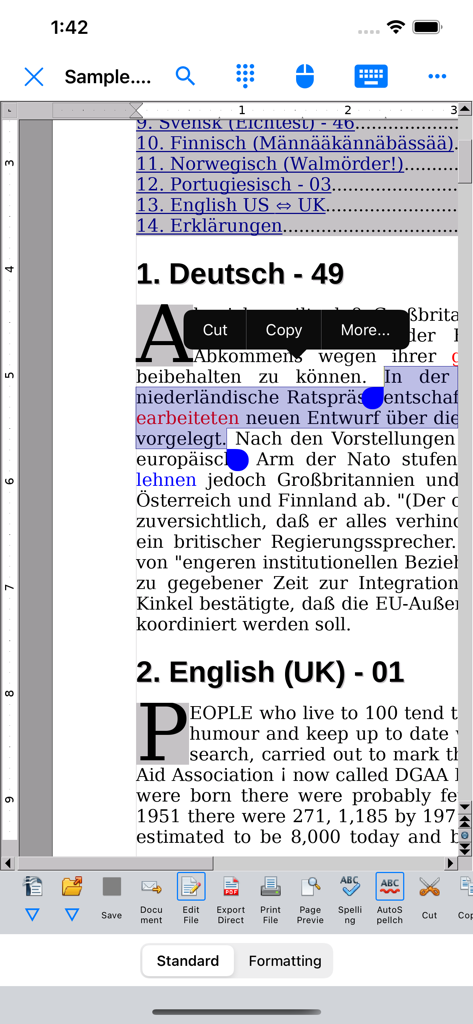
AO Office Pro mobile app showing document editing with text selection and desktop style toolbar

AO Office Pro mobile app showing document editing with text selection and desktop style toolbar

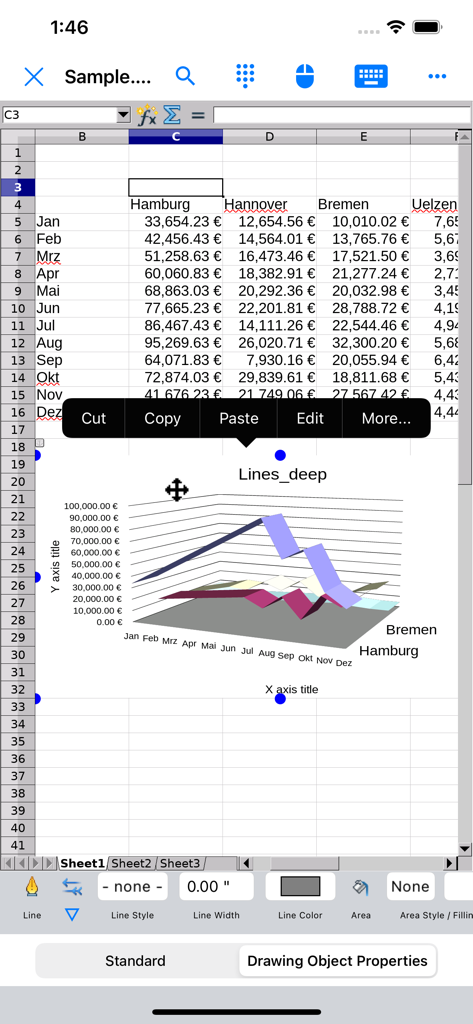
AO Office Pro spreadsheet showing a 3D line chart and financial data table.

AO Office Pro spreadsheet showing a 3D line chart and financial data table.

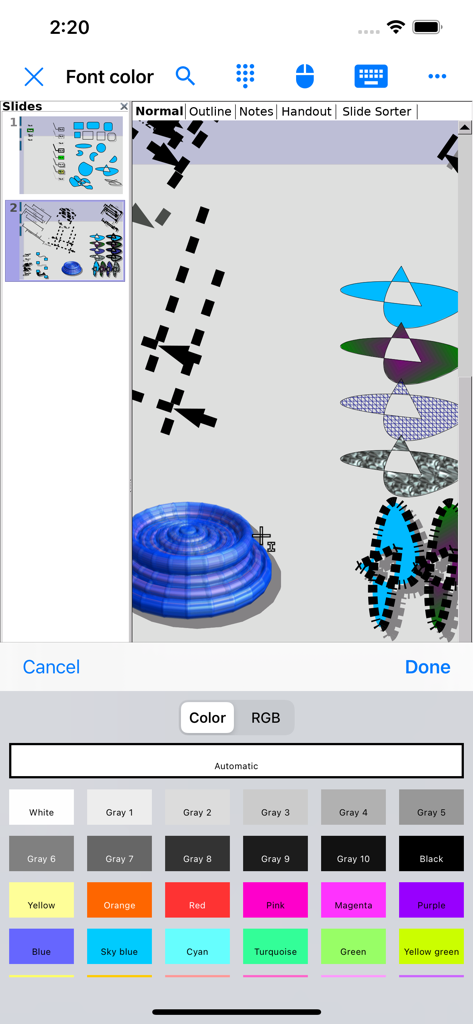
AO Office Pro presentation editor showing 3D illustrations and a font color picker on iPhone

AO Office Pro presentation editor showing 3D illustrations and a font color picker on iPhone

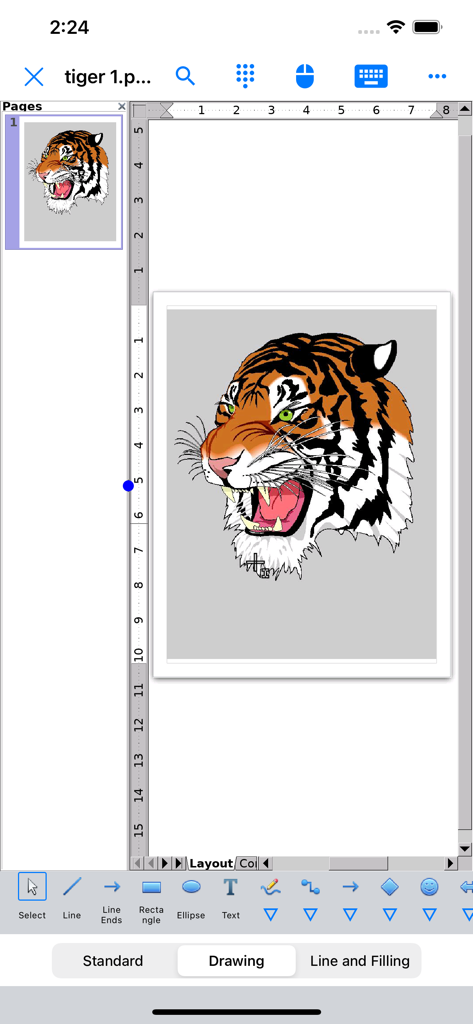
AO Office Pro interface displaying a tiger head illustration in the Draw module

AO Office Pro interface displaying a tiger head illustration in the Draw module

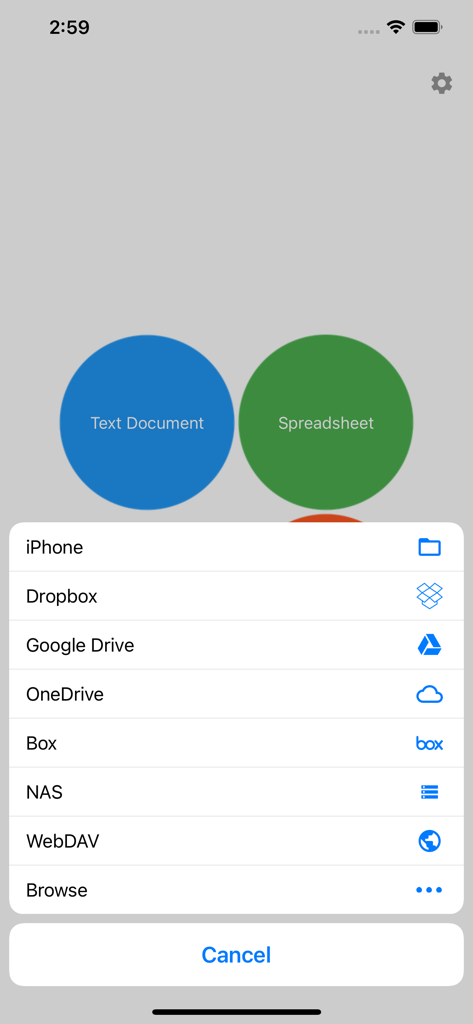
AO Office Pro menu showing document creation buttons and cloud storage provider options like Google Drive and Dropbox

AO Office Pro menu showing document creation buttons and cloud storage provider options like Google Drive and Dropbox

The Full Desktop Suite, Unleashed on iOS

Join 103K+ users who mastered their instrument with these tools.

🖥️

100% PC-Grade Features

Access the full power of Writer, Calc, and Impress. Every menu, every formula, and every advanced formatting tool from the desktop version is right at your fingertips.

🔄

Unmatched File Compatibility

Open, edit, and save everything from standard Microsoft Office docs to niche formats like AutoCAD, WordPerfect, and Photoshop without losing a single pixel of formatting.

☁️

Pro-Level Cloud & Workflow

Bridge the gap between tablet and desktop with advanced gesture support and seamless integration with iCloud, Dropbox, Google Drive, and your private NAS.

Loved by users worldwide

Trusted by 103K+ people who have transformed their experience with this app.

"

"As a research consultant, I need to handle complex formulas and massive datasets that 'lite' mobile apps just can't touch. AO Office Pro is a game-changer for my iPad workflow. It's the full desktop experience—Writer and Calc work exactly like the PC versions, and the file compatibility is flawless. It has finally made my tablet a true laptop replacement."

Dr. Marcus Thorne
"

"I was tired of monthly subscriptions and stripped-down features in other office suites. This app is the perfect solution. It opens every legacy file I throw at it, including old AutoCAD and WordPerfect formats. Plus, the integration with my private NAS via WebDAV is seamless. If you're a power user who needs real tools on the go, this is the only app worth getting."

Sarah J. Miller

About the app

Everything you need to know about AO Office Pro.

Description

AO Office is the world's first porting of OpenOffice for iOS and it's a powerful and complete office suite for OpenOffice / LibreOffice documents. You can view, edit, import, and export PDF, Word, Excel & PowerPoint documents using full features of the OpenOffice in the PC version. AO Office has 5 components: Writer: a word processor you can use for anything from writing a quick letter to producing an entire book. Calc: a powerful spreadsheet with all the tools you need to calculate, analyze, and present your data in numerical reports or graphics. Impress: the fastest, most powerful way to create effective multimedia presentations. Draw: lets you produce everything from simple diagrams to dynamic 3D illustrations. Math: lets you create mathematical equations with a graphic user interface or by directly typing your formulas into the equation editor. * AO Office is a forked project from the Apache OpenOffice project. AO Office is not affiliated with the Apache OpenOffice and LibreOffice projects. ■ Features ■ - View / edit / import / export documents - High reproducibility for Open Document Format - Export and import documents as PDF - Formatting paragraphs - Create stylized text with special effects - Support for extensive file formats - Support for embedded object - Support for Dropbox / iCloud Drive / Google Drive / OneDrive / Box / NAS / WebDAV - Support for Audio and Video - Support for recovering the unsaved work - Support for modern encryption ■ Supported File Formats ■ AO Office can open and save to: - Microsoft Word (DOC / DOT / RTF) - Microsoft Word 2007 (DOCX / DOTX / DOCM) - Microsoft Excel (XLS / XLT) - Microsoft Excel 2007 (XLSX / XLTX / XLSM) - Microsoft PowerPoint (PPT / POT) - Microsoft PowerPoint 2007 (PPTX / POTX / PPTM) - OpenDocument (ODT / ODS / ODP / ODG / ODF) - Portable Document Format (PDF) - OpenOffice.org1.0 / StarOffice6.0 (SXW / SXC / SXD / SXI / SXG / SXM) - Text (TXT / CSV / XML) - HyperText Markup Language (HTML) - Adobe Photoshop (PSD) - Scalable Vector Graphics (SVG) - Windows Metafile (EMF / WMF) - Tagged Image File Format (TIFF) - Data Interchange Format (DIF) - SYLK (SLK) - Portable Anymap Format (PBM / PGM / PPM) - OS/2 Metafile (MET) - Sun Raster Image (RAS) - Mac Pict (PCT) - X PixMap (XPM) - StarView Metafile (SVM) AO Office can open: - WordPerfect Document (WPD) - AutoCAD (DXF) - T602 Document (602) - Computer Graphics Metafile (CGM) - Truevision Targa (TGA) - X Bitmap (XBM) - Zsoft Paintbrush (PCX) - Kodak Photo CD (PCD) AO Office can save to: - PlaceWare (PWP) - Macromedia Flash (SWF) - JPG / GIF / PNG / BMP ■ Gesture Assignments ■ - Hard Press or 2 Finger Tap = Context Menu - Pinch In & Out = Zoom In & Out - Drag = Scrolling - Drag with Hard Press or 2 Finger Tap = Drag & Drop ■ Limitations ■ - Not supported for macro ■ Contact Us ■ Email: support-ios@aooffice.app Twitter: @office700

Latest Version

5.5.9

Size

276.7 MB

First Released

Sep 2, 2016

Unleash Desktop-Grade Productivity on Your iPad

Stop settling for limited mobile apps. Get the complete OpenOffice suite for iOS and handle any file format, anywhere, with no monthly fees.

Download on App Store