Audio Editor: Video to Audio

Audio Editor: Video to Audio

Download on App Store
Spark by MWM logo
Logo of Audio Editor: Video to Audio

Audio Editor: Video to Audio: Professional Sound Studio in Your Pocket

Elevate your content with AI-powered noise reduction, vocal separation, and precision editing. Extract high-quality audio from video and refine your sound for TikTok, Reels, and Podcasts in seconds.

Download on App Store

Publisher

文 夏

Category

Music

Downloads

549K+

User Rating

4.7/5

Total Ratings

4K+

Locales

9

Studio Precision at a Glance

Discover the interface used by 549K+ users.
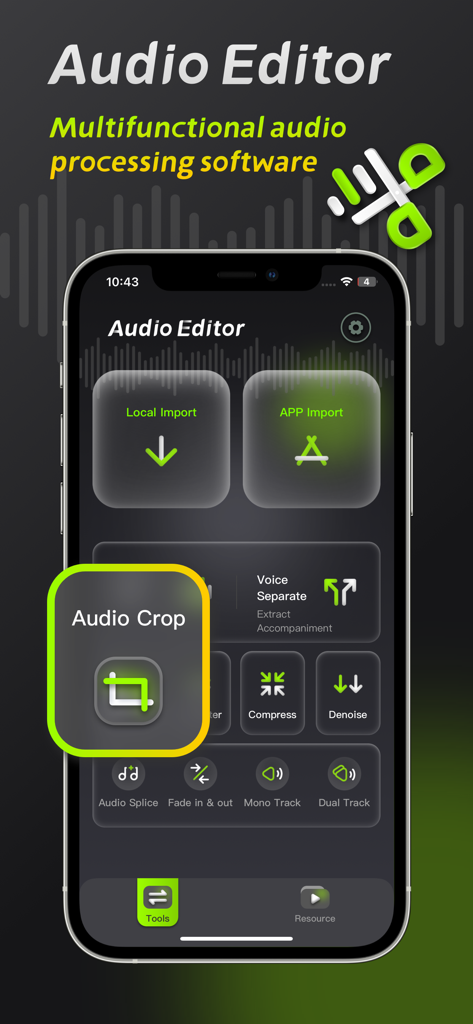
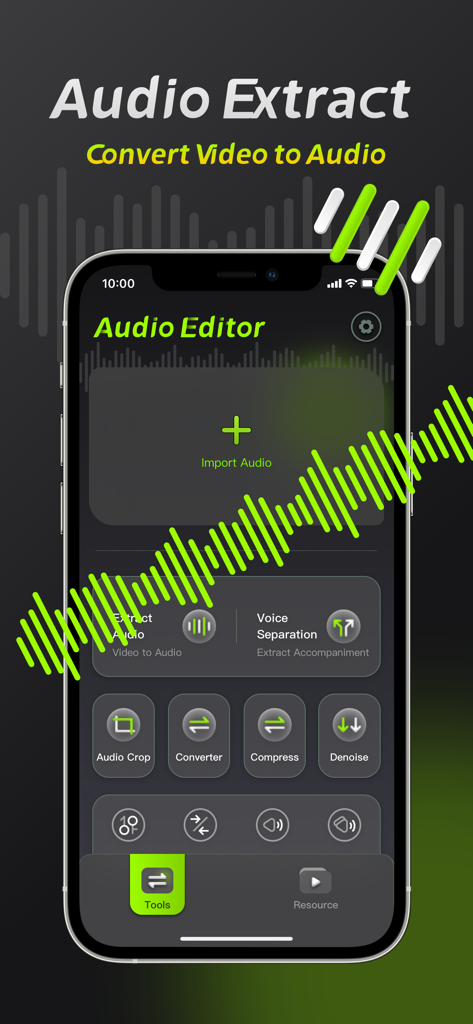
Audio Editor mobile app interface highlighting the audio crop tool and professional audio processing features

Audio Editor mobile app interface highlighting the audio crop tool and professional audio processing features

Mobile app interface of Audio Editor showing tools for video to audio extraction and voice separation

Mobile app interface of Audio Editor showing tools for video to audio extraction and voice separation

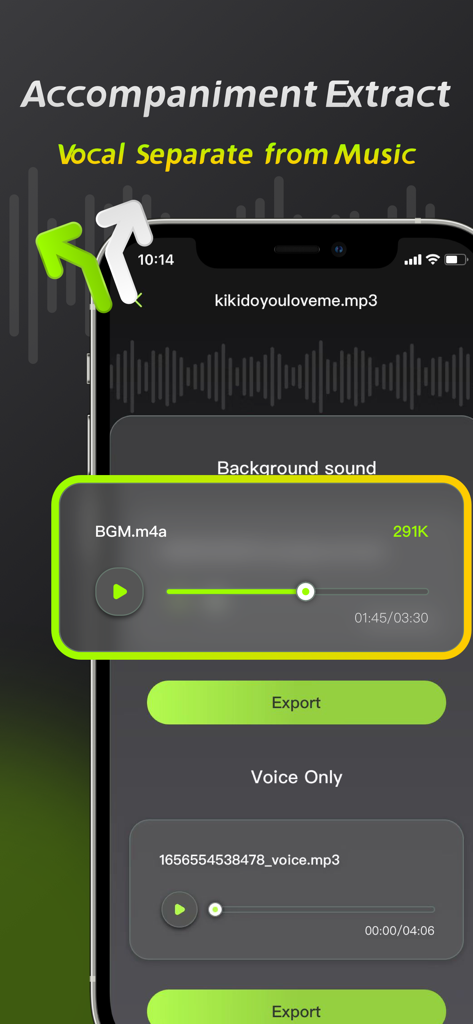
Interface of the Audio Editor app showing the vocal separation and accompaniment extraction feature.

Interface of the Audio Editor app showing the vocal separation and accompaniment extraction feature.

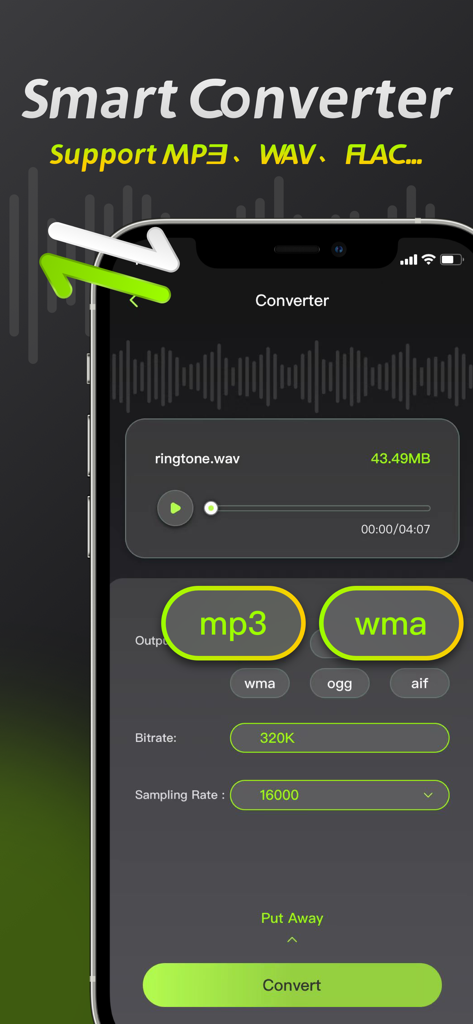
Interface of the Audio Editor app showing the smart converter feature to change file formats like MP3 and WAV

Interface of the Audio Editor app showing the smart converter feature to change file formats like MP3 and WAV

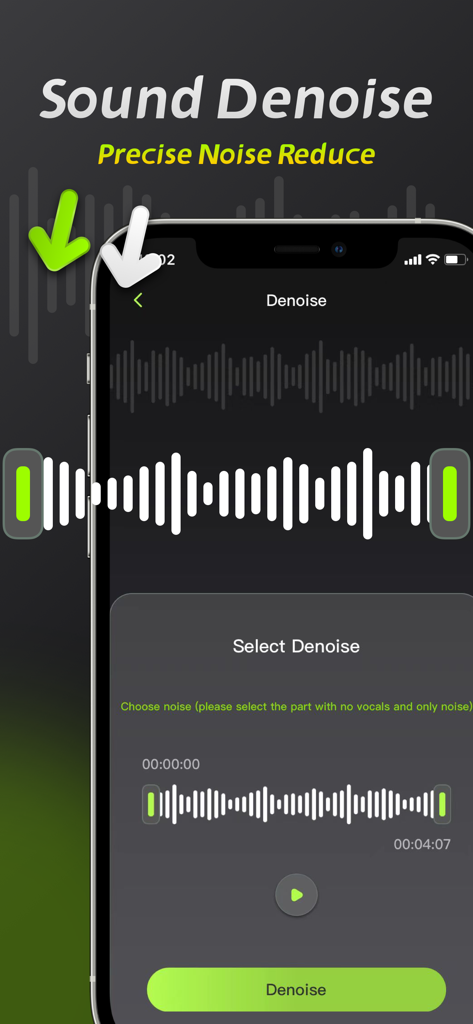
Smartphone screen showing the Sound Denoise feature in the Audio Editor app with a waveform selection interface

Smartphone screen showing the Sound Denoise feature in the Audio Editor app with a waveform selection interface

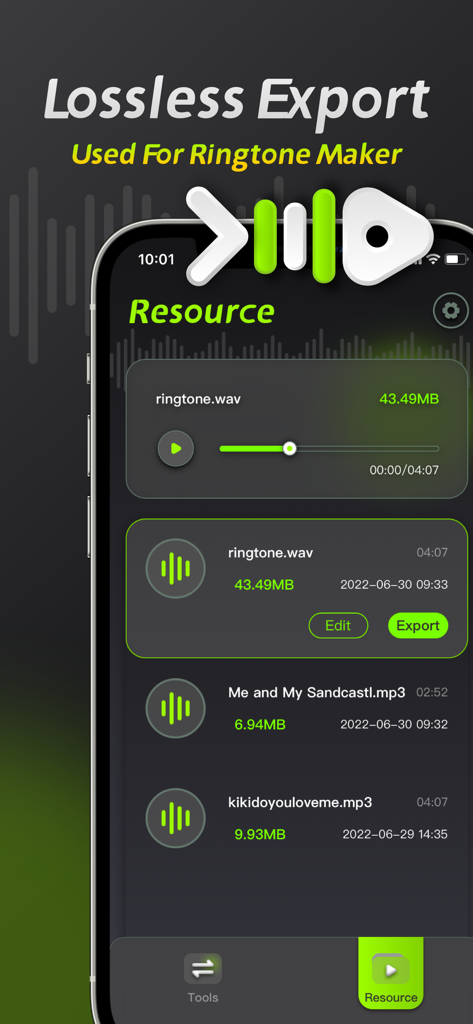
Screenshot of the Audio Editor app interface showing lossless export options and a list of audio resources for ringtone making

Screenshot of the Audio Editor app interface showing lossless export options and a list of audio resources for ringtone making

Professional Audio Studio in Your Pocket

The tools that make this app stand out, trusted by 549K+ users.

🪄

One-Click AI Noise Reduction

Instantly remove wind, traffic, and background hum from your recordings to deliver crystal-clear audio for your vlogs.

🎤

AI Vocal & Music Separation

Isolate vocals or backing tracks with lossless precision. The ultimate tool for creating remixes, acapellas, or karaoke tracks.

🎞️

Pro-Grade Video Extraction

Convert any video into high-fidelity audio formats like MP3 or WAV. Extract clips from social media with high-precision bit rates.

Loved by users worldwide

Trusted by 549K+ people who love this app.

"

"As a full-time TikTok creator, I'm often filming in noisy urban environments. This app's noise reduction is a game-changer—it cleans up my audio in seconds right on my iPhone. The vocal separation feature is also incredible for creating clean voiceovers from my video clips."

Marcus J.
"

"I'm a music student and I use this app daily for my practice sessions. The ability to separate vocals from accompaniment is so precise, and being able to convert and compress files directly on my iPad saves me so much time. It's a professional-grade tool in my pocket."

Elena S.

Review Analysis

Insights from user reviews.

Sentiment Score

33%
Negative

Summary

This app receives mixed feedback, with many users appreciating its ease of use, intuitive interface, and comprehensive audio editing functionalities such as cutting, splicing, and multi-format support. However, a significant number of users express strong dissatisfaction with the app's subscription model, citing unexpected auto-renewals, additional fees even after purchasing a membership, and expensive weekly plans. Major complaints also revolve around the poor quality of core features like noise reduction and voice separation, often resulting in distorted audio or complete loss of sound. Furthermore, users reported various performance issues, including crashes, inability to export processed files, and features not working as advertised, leading to a perception of the app being a "scam."

Common Themes

Subscription Model & Hidden Fees(24)
Noise Reduction Quality(10)
Ease of Use & Interface(7)
General Performance Issues(7)
Audio Editing Functionality(4)
Voice Separation Quality(3)
Customer Service(1)

About the app

Everything you need to know about Audio Editor: Video to Audio.

Description

Audio Editing is an audio processing tool that can achieve audio noise reduction, audio cropping, and vocal separation, allowing you to easily perform professional audio processing on mobile phones and iPads. 【Audio Noise Reduction】 Reduce noise interference in the audio and restore clear audio with one click. 【Vocal Separation】 Supports the separation of vocals and accompaniment in the audio, lossless export. 【Audio extraction】 Convert video to audio, extract video sound with high precision. 【Format conversion】 ●Support conversion of multiple audio formats, mp3, wav, flac, wma, ogg, aiff ●Support manual adjustment of bit rate and sampling rate 【Audio Compression】 Compress audio files with multiple options and one-click to free up phone memory. 【Audio clipping】 Manually adjust and trim the audio range, and support pinch-to-zoom time axis for precise and professional trimming. Member subscription service: 1. Payment: Weekly subscription, monthly subscription, annual subscription, the user debits the payment through the iTunes account, and the user pays after confirming the purchase. 2. Renewal: The user's iTunes account will be charged within 24 hours before expiration, and the corresponding subscription cycle will be added. 3. Cancel the renewal: To cancel the renewal, enter the App Store" and click "App ID", enter the "Account Settings" page, click "Subscription", and choose to cancel the subscription. 4. Privacy Agreement: http://static.yuanfengo.com/html/privacy/10165191112815517292_ios.html?appName=Audio Editor 5. Terms of use: http://static.yuanfengo.com/html/paymentagreement/general_en.html

Latest Version

1.1.8

Size

77.2 MB

First Released

Jul 7, 2022

Ready to Level Up Your Sound?

Join over 549,000 creators using professional-grade noise reduction and vocal separation to perfect their content. Start editing like a pro, anywhere, right from your iPhone.

Download on App Store