
WavePad Music and Audio Editor



Master your tracks with desktop-class precision. Record, edit, and apply professional effects like noise reduction and normalize with seamless cloud integration for creators on the move.
 WavePad Musik & Audio Editor
 WavePad Editor- Musica e Audio
 WavePad – Éditeur audio
 WavePad, editor de audio
 WavePadマスター版 2022
 WavePad Masters Deutsch 2022
 WavePad Professionale 2022
 WavePad Professionnel 2022
 WavePad Máster 2022
 WavePad 마스터 판 2022
 WavePad音频和音乐编辑器
 WavePad大师版 2022
 WavePad Master's Edition
 WavePad - マスター版
 WavePad Master's Edition 2020
 WavePad音声編集ソフト
 WavePad Master's Edition
 WavePad Audio Editor
 WavePad Master's Edition
 WavePad, editor de audio
 WavePad Professionnel
 WavePadマスター版
![WavePad音声編集アプリ [JP]](https://fastly.mwm-storage.mwmcdn.com/raw_files/39edbf1d-8f3b-4ec8-acf9-b4b59c024283?height=48&format=webp) WavePad音声編集アプリ [JP]
WavePad音声編集アプリ [JP]Publisher
Category
MusicDownloads
2M+User Rating
Total Ratings
4K+Locales
1Discover the interface used by 2M+ users.
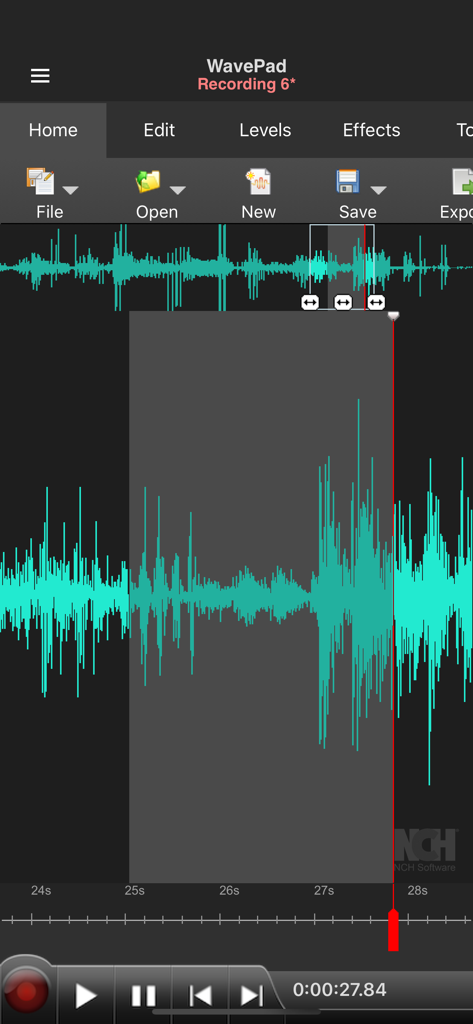
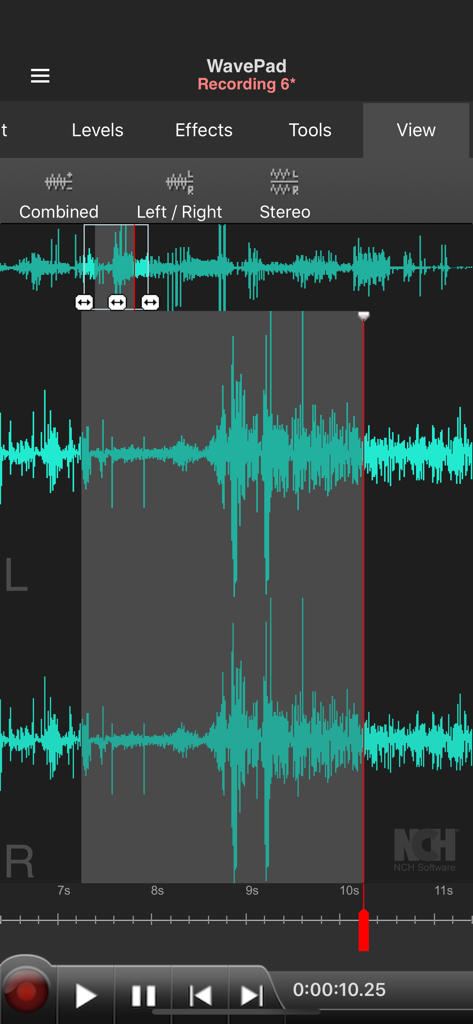
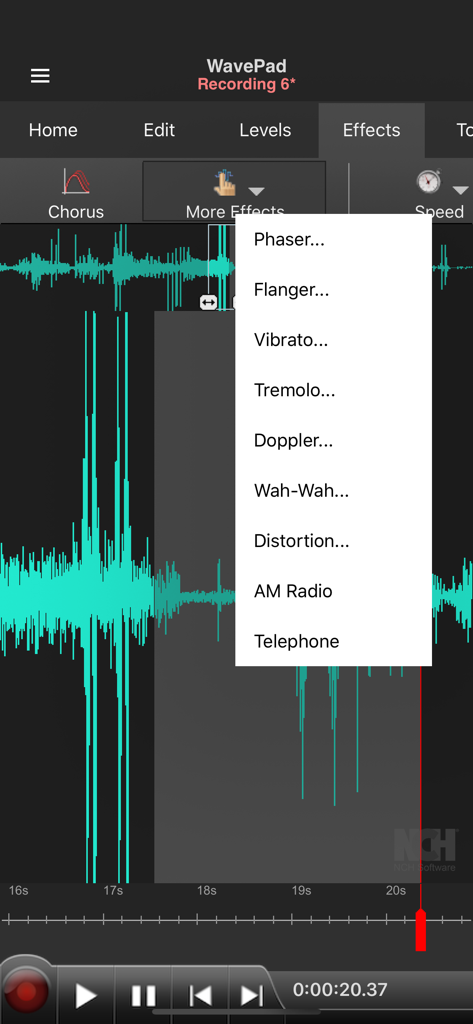
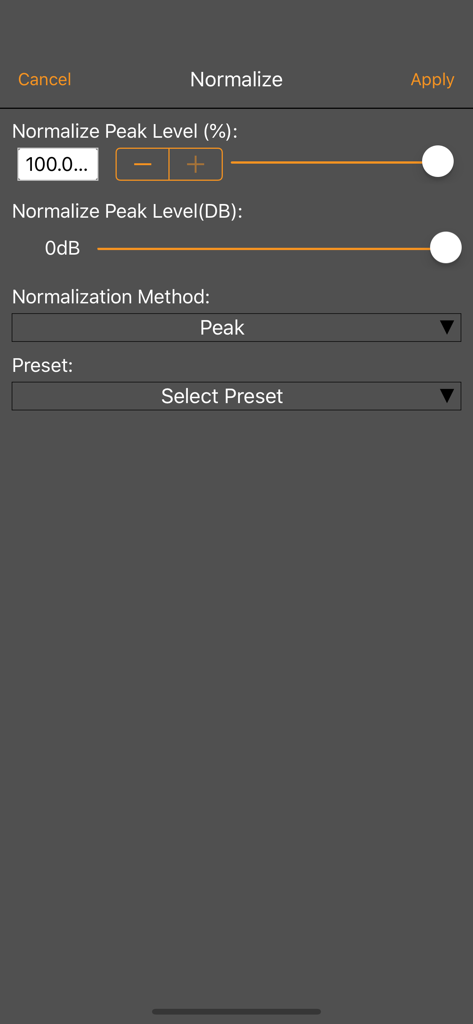
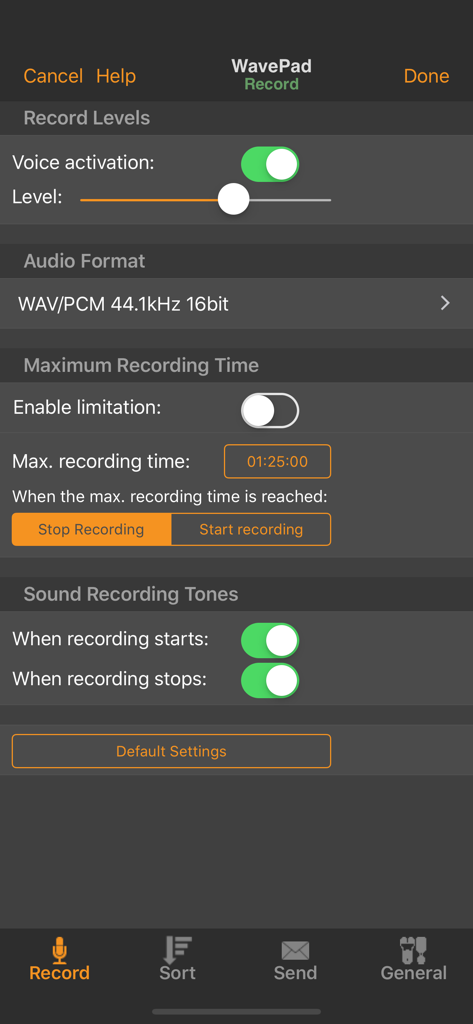
The tools that make this app stand out, trusted by 2M+ users.
Quickly cut, trim, and paste audio with surgical precision using a pro-level interface built for speed.
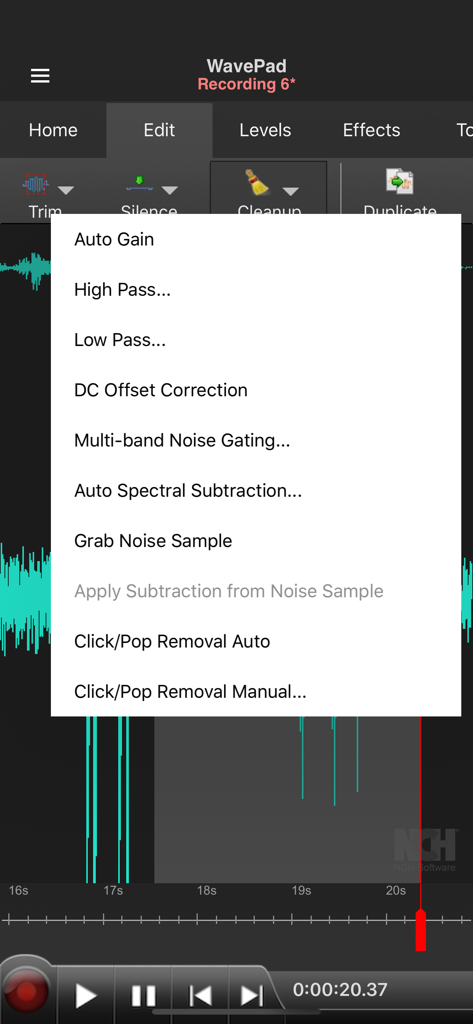
Polish your sound with noise reduction, normalization, and echo effects to achieve professional clarity.
Keep your projects moving with background recording and seamless integration with Google Drive and Dropbox.
Trusted by 2M+ people who love this app.
"WavePad is a game-changer for my field recordings. I can record an interview, clean up the background noise with the noise reduction tool, and sync it to my Dropbox before I even get back to the studio. It provides true desktop-level power on my iPhone."
"Finally, an audio editor on iOS that doesn't feel like a toy. The support for various file formats and the precision of the trimming tools are exactly what I need for my freelance sound design projects. It is the most reliable tool in my mobile workflow."
Everything you need to know about WavePad Music and Audio Editor.
Description
Latest Version
20.38
Size
25.3 MB
First Released
Oct 5, 2010
Join over 2 million professionals and creators who rely on WavePad for desktop-class precision. Download now and start mastering your audio with ease.
Everything you need to know about WavePad Music and Audio Editor
WavePad Music and Audio Editor is a professional application for editing and recording music, voice, and other audio files. It offers tools for editing, applying effects, and managing audio recordings.
WavePad Music and Audio Editor supports various audio file formats, including vox, gsm, wave, and aiff. This allows users to work with diverse audio types.
Yes, WavePad Music and Audio Editor provides extensive editing capabilities. These include fundamental tools like cut, copy, paste, insert, and trim for precise audio manipulation.
Yes, WavePad Music and Audio Editor includes various audio effects. These range from basic echo, amplify, and normalize to more advanced options like phaser, flanger, and distortion.
Yes, WavePad Music and Audio Editor supports voice-activated recording. This feature allows the application to automatically begin recording when it detects sound.
Yes, WavePad Music and Audio Editor integrates with cloud storage services. Users can conveniently upload and download audio files from their Google Drive and Dropbox accounts.
Yes, WavePad Music and Audio Editor offers optional in-app purchases and subscriptions. Subscriptions are billed monthly and automatically renew unless auto-renewal is turned off.
You can cancel your WavePad subscription by disabling auto-renewal in your user's Account Settings after purchase. This action must occur at least 24 hours before the current period ends.
Yes, WavePad Music and Audio Editor provides noise reduction capabilities. It includes specific tools like Multi-band Noise Gating and Auto Spectral Subtraction for audio cleanup.
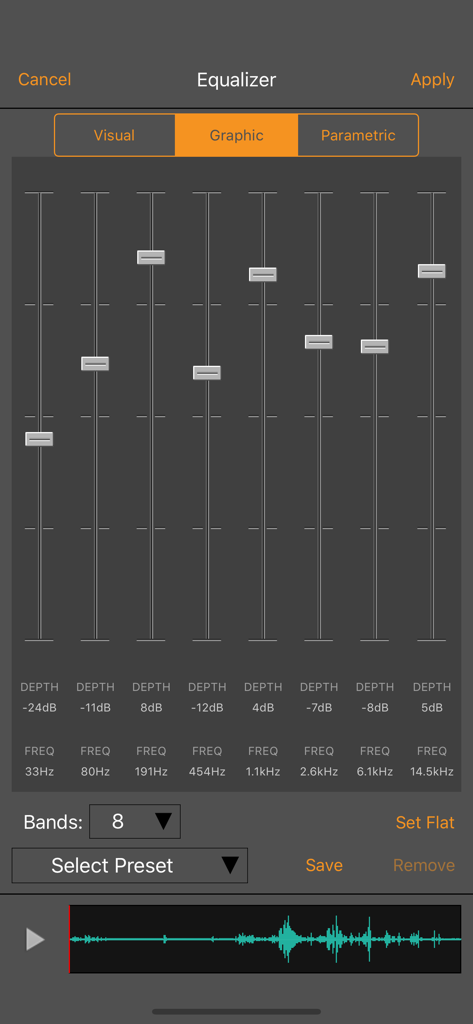
Yes, WavePad Music and Audio Editor features an equalizer. It offers visual, graphic, and parametric adjustment options to control frequency and depth settings for audio tracks.
Apps with similar features and user experience

NCH Software

苏娟 陈

孛 刘

Arpenik Katikyan

Wooji Juice Ltd

Innovation Software Development 360 LLC

龙刚 李

文 夏

燕倩 费