AudioNote 2 - Voice Recorder

AudioNote 2 - Voice Recorder

Download on App Store
Logo
Logo of AudioNote 2 - Voice Recorder
AudioNote 2: Synchronize Your Notes with Every Word Spoken

Stop struggling to remember the context of your notes. Link high-quality audio to your handwriting, typing, and PDF annotations, then tap any word to hear exactly what was said at that precise moment. Designed for professionals and students who demand 100% accuracy in every meeting and lecture.

Download on App Store

Publisher

Luminant Software, Inc

Category

Business

Downloads

159K+

User Rating

3.5/5

Total Ratings

500

Locales

5

Experience Total Clarity

Join over 159K+ musicians using our pro interface.

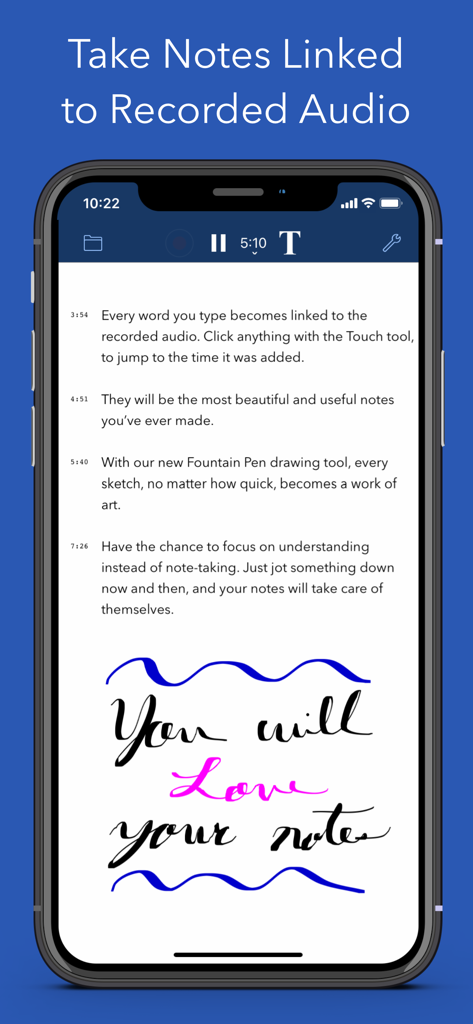
A mobile interface showing text notes with timestamps and handwriting linked to a voice recording in the AudioNote 2 app.

A mobile interface showing text notes with timestamps and handwriting linked to a voice recording in the AudioNote 2 app.

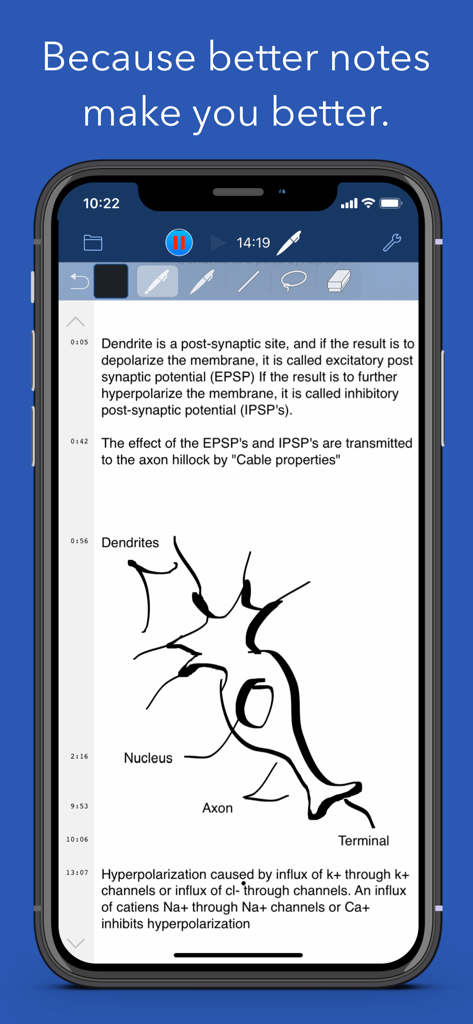
AudioNote 2 mobile app showing handwritten biology notes and a neuron diagram with timestamps for audio recording.

AudioNote 2 mobile app showing handwritten biology notes and a neuron diagram with timestamps for audio recording.

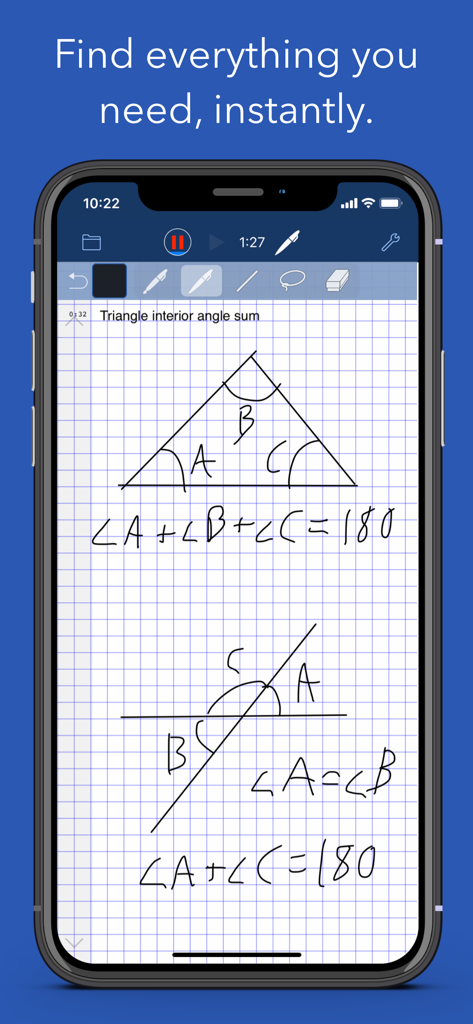
AudioNote 2 app interface showing handwritten geometry notes and audio recording bar

AudioNote 2 app interface showing handwritten geometry notes and audio recording bar

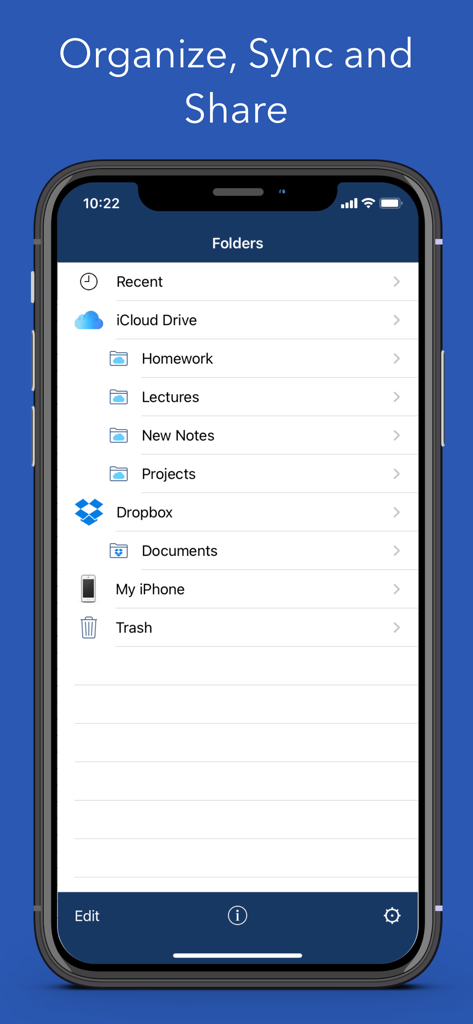
AudioNote 2 app screen showing folder organization and cloud synchronization with iCloud and Dropbox

AudioNote 2 app screen showing folder organization and cloud synchronization with iCloud and Dropbox

Notes with a Memory

Join 159K+ users who mastered their instrument with these tools.

🔗

Context-Linked Playback

Simply tap a word or drawing to hear exactly what was being said the moment you wrote it. Eliminate the need for tedious manual transcription.

🖊️

Advanced PDF Annotation

Import presentation slides and take notes directly on them using your Apple Pencil. The ultimate tool for students and corporate consultants.

☁️

Seamless Multi-Device Sync

Record on your iPhone, refine on your iPad, and review on your Mac or PC. Your library stays perfectly in sync across all your professional tools.

Loved by users worldwide

Trusted by 159K+ people who have transformed their experience with this app.

"

"As a law student, I used to struggle to keep up with fast-paced lectures. AudioNote 2 changed everything. I can jot down a single keyword, and later, tapping that word brings me right back to the professor's exact explanation. It has saved me countless hours of re-listening to long recordings."

Sarah Jenkins
"

"The sync between my iPad and Mac is seamless. I record client meetings on my phone and then annotate the PDF slides with handwritten notes during the session. The audio clarity is incredible even in large boardrooms. It's the most reliable tool in my productivity stack."

David Chen

About the app

Everything you need to know about AudioNote 2 - Voice Recorder.

Description

AudioNote links the notes you take to the audio recorded when you take them. The result is a linked index of your recording that quickly provides invaluable audio context for your notes. Record • Amplified audio recording, automatically adapting to room size and volume level • Noise reduction filter, eliminating unwanted background noise • Recording can be paused and restarted as necessary, with no time limit Take Notes • Notes are linked with the recorded audio at the time they were taken • Rich text notes - customizable fonts, colors, bullets, symbols with timestamps • Handwritten notes and drawings • Photos, shapes, text highlighting • PDF slides - take notes directly on presentation slides and other documents Playback • Tap notes to seek to the linked audio • Tap and hold to seek slightly beforehand • Notes follow along with playback, highlighting and auto-scrolling • Adjustable playback speed with automatic pitch correction Organize, Sync & Share • Create folders to organize your files by class, project, client, etc. • Automatically sync between devices using iCloud or Dropbox • Share via Facebook, Twitter, Email, AirDrop, Wifi & more • Cross-platform support for iOS, Mac, & Windows Pro Features • Higher quality recording • Import pre-recorded audio and add notes • Time of Day timestamps for meeting minutes • 1 month Free Trial Avoid confusion and embarrassing, costly mistakes. With the instant access and added clarity of AudioNote, you will take more effective notes, save time and ultimately achieve better results. Download AudioNote today. --- Subscription Information AudioNote 2 offers the AudioNote 2 Pro subscription for $9.99 / year along with a 1 month free trial. Subscriptions automatically renew unless auto-renew is turned off at least 24 hours before the end of the current period. Account will be charged for renewal within 24-hours prior to the end of the current period at the rate specified above. Payment will be charged to iTunes Account at confirmation of purchase. Subscriptions may be managed and auto-renewal may be turned off by going to the Account Settings after purchase. No cancellation of the current subscription is allowed during active subscription period. Any unused portion of a free trial period will be forfeited. Privacy Policy http://luminantsoftware.com/privacy_policy.html Terms of Use https://www.apple.com/legal/internet-services/itunes/dev/stdeula/

Latest Version

3.1.4

Size

379.8 MB

First Released

Sep 4, 2016

Never Miss a Crucial Detail Again

Join 159,000+ professionals and students who rely on AudioNote 2 for perfect recall and professional-grade accuracy. Experience the power of notes linked to your audio—start your 1-month free trial today.

Download on App Store