
(beat) for iOS



Write in the flow with a distraction-free Fountain editor designed for the professional workflow. From index cards to Final Draft exports, your script stays private, portable, and future-proof.
Publisher
Category
ProductivityDownloads
12K+User Rating
Total Ratings
0Locales
1Discover the interface used by 12K+ users.
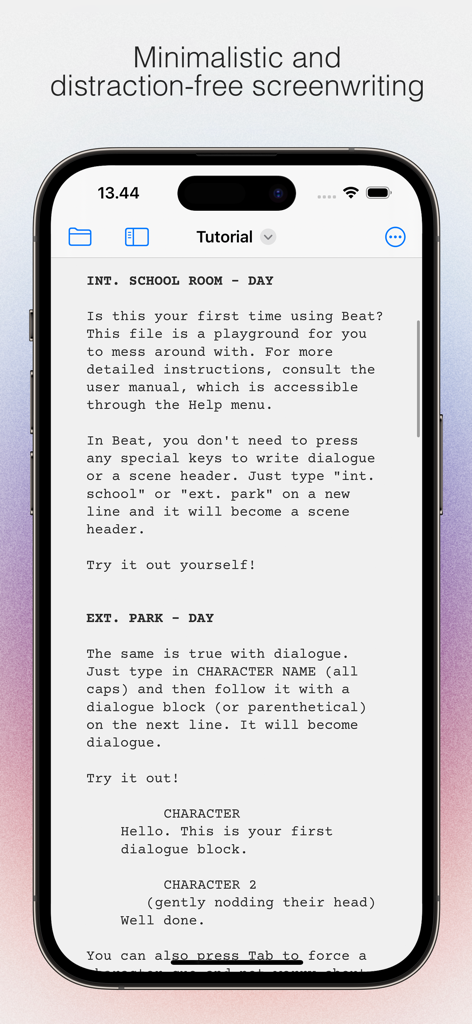
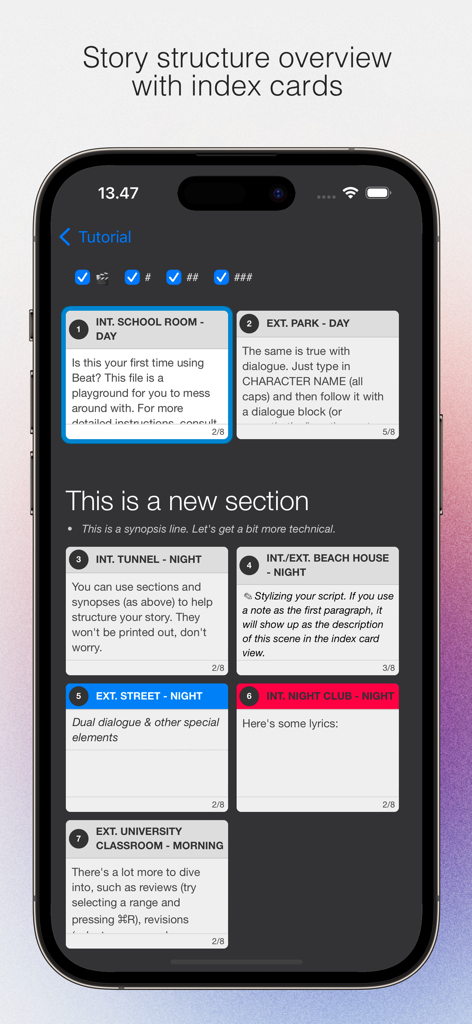
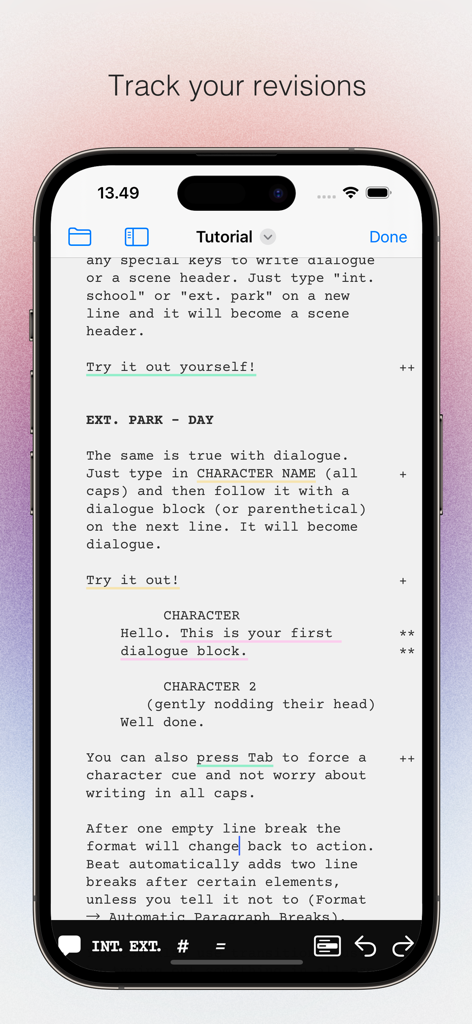
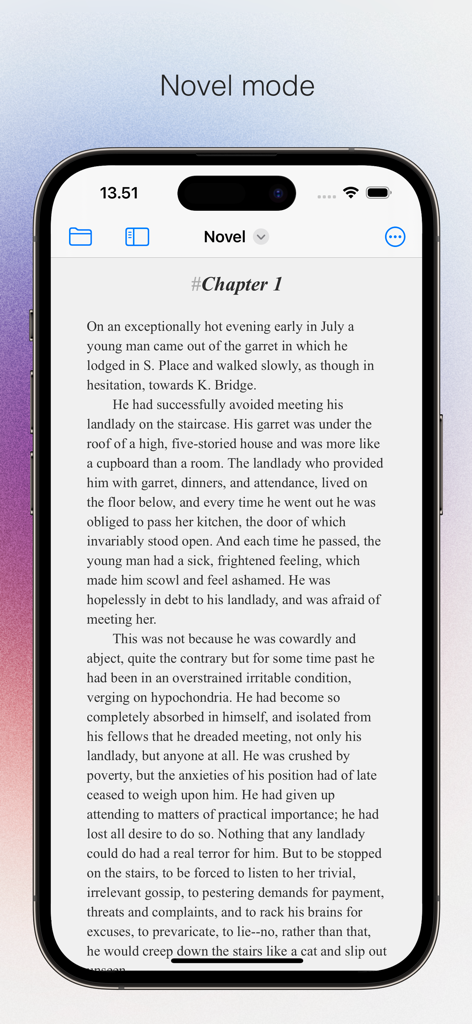
The tools that make this app stand out, trusted by 12K+ users.
Forget manual formatting. Just start typing and let (beat) handle scene headings, character names, and dialogue automatically using future-proof Fountain markup.
Break your story on the go with intuitive Index Cards. Reorder scenes and visualize your script's structure directly from your iPhone or iPad.
Export to PDF or Final Draft instantly to share with producers. Your scripts stay private on your own device—no forced clouds or recurring subscriptions.
Trusted by 12K+ people who love this app.
"Finally, a screenwriting app that doesn't feel like a chore to use on my iPad. I can outline with index cards on the train and then export a perfectly formatted PDF for my producer before I even get home. It is the essential companion to my desktop setup."
"I have tried every writing tool out there, but (beat) is the only one that actually lets me focus. The distraction-free UI is a dream, and knowing my scripts are stored privately in my own iCloud—not on some random server—gives me total peace of mind."
Everything you need to know about (beat) for iOS.
Description
Latest Version
0.3.10
Size
13.3 MB
First Released
May 15, 2024
Join thousands of writers who choose elegance over bloat. Experience a distraction-free workflow that keeps your focus on the story, not the formatting.
Everything you need to know about (beat) for iOS
(beat) for iOS is a Fountain screenwriting application for iOS devices. It functions as a companion to the macOS Beat version, providing a distraction-free interface for writers.
Yes, (beat) for iOS uses Fountain markup to store documents. This ensures that all written files remain portable and future-proof across different platforms.
Yes, (beat) for iOS supports both Final Draft import and export. This feature allows seamless integration with other industry-standard screenwriting software.
(beat) for iOS organizes script structure using index cards and automatic scene numbering. This feature provides a clear story overview and helps manage complex narratives.
Yes, (beat) for iOS includes revision/edit tracking. This functionality allows users to monitor and manage all changes made to their screenplays effectively.
Yes, (beat) for iOS features a dedicated Novel mode. This mode allows users to write prose and long-form content within the application, distinct from screenwriting.
Yes, documents in (beat) for iOS are completely private. Files store only on your own accounts and devices, ensuring user data security and control.
(beat) for iOS handles automatic formatting by applying screenwriting standards as you type. The app takes care of common formatting elements like scene headings and character names.
Top-ranked apps in the same category

OpenAI OpCo, LLC

Google LLC

X.AI Corporation

Google LLC

Shanghai Zhixin Puhui Technology Co., Ltd.

Google LLC

Microsoft Corporation

Google LLC

Google LLC