Bose Connect

Bose Connect

Download on App StoreDownload on Google Play
Spark by MWM logo
Logo of Bose Connect

Bose Connect: Unlock the Full Potential of Your Audio Experience

Seamlessly manage your Bluetooth connections, personalize your noise cancellation, and share sound with ease. The essential companion designed for your premium Bose gear.

Download on App Store

Publisher

Bose Corporation

Category

Music

Downloads

27M+

User Rating

4.8/5

Total Ratings

882K+

Locales

20

Your Sound, Visualized

Discover the interface used by 27M+ users.
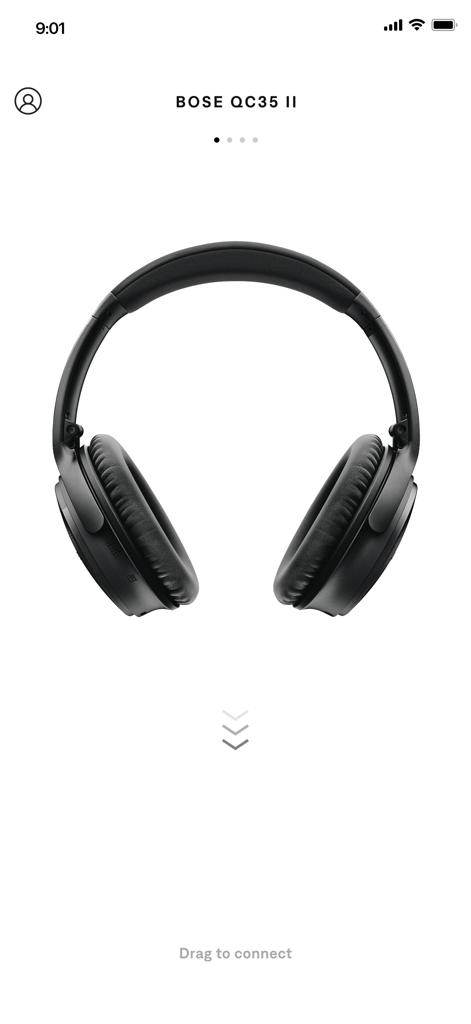
Bose Connect app interface showing Bose QC35 II headphones with a drag to connect prompt

Bose Connect app interface showing Bose QC35 II headphones with a drag to connect prompt

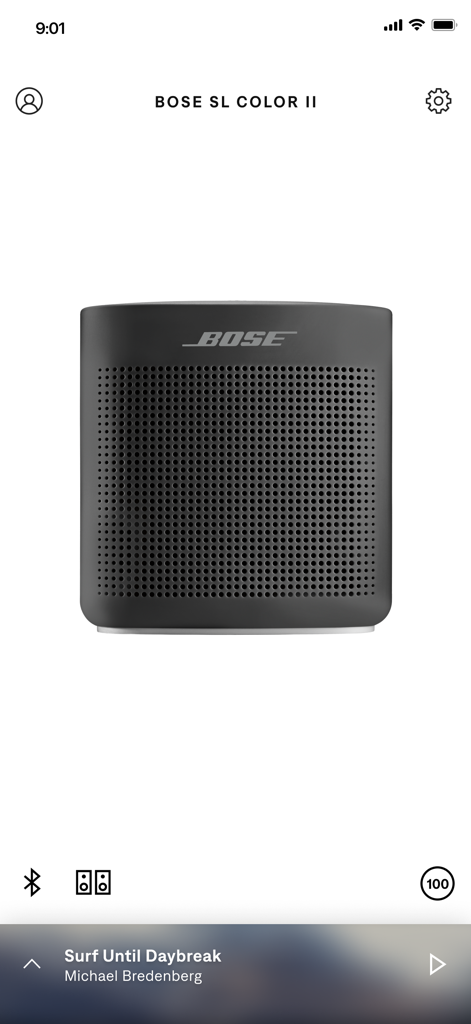
Bose Connect app main screen showing a black Bose SoundLink Color II speaker with music controls and battery status

Bose Connect app main screen showing a black Bose SoundLink Color II speaker with music controls and battery status

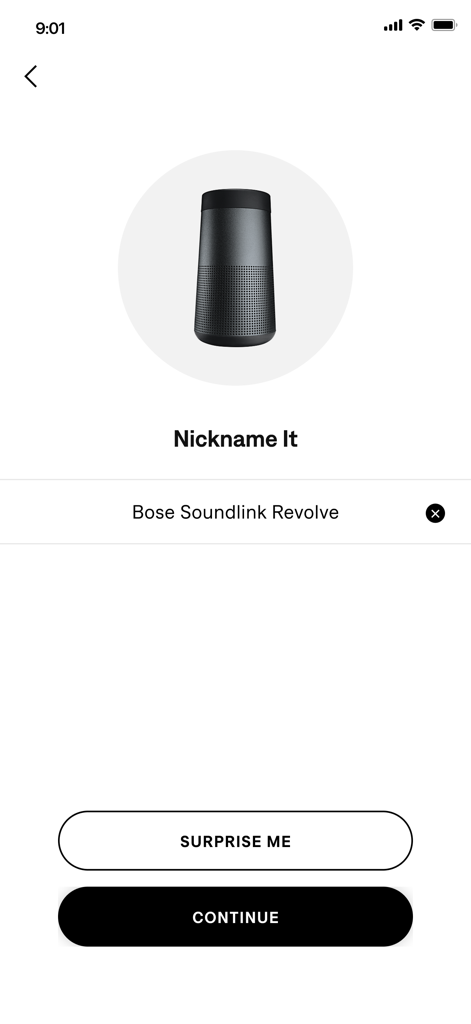
Bose Connect app screen for nicknaming a SoundLink Revolve Bluetooth speaker

Bose Connect app screen for nicknaming a SoundLink Revolve Bluetooth speaker

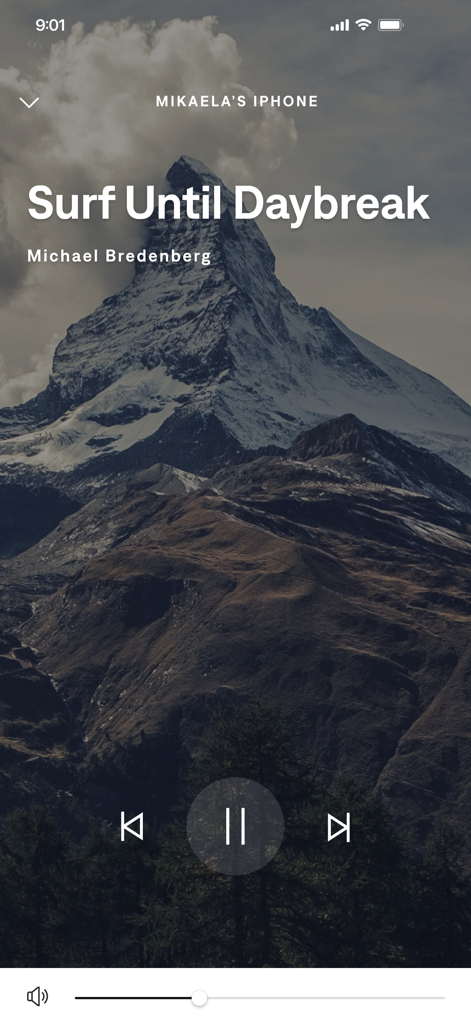
Bose Connect app music player interface with playback controls and mountain background

Bose Connect app music player interface with playback controls and mountain background

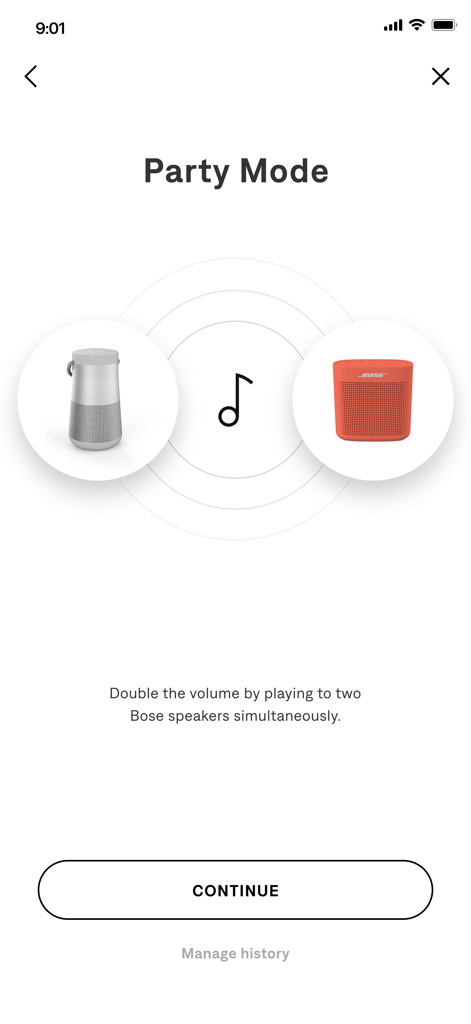
Interface of Bose Connect app explaining Party Mode feature to sync two speakers simultaneously

Interface of Bose Connect app explaining Party Mode feature to sync two speakers simultaneously

Master Your Audio Environment

The tools that make this app stand out, trusted by 27M+ users.

🔄

Seamless Device Switching

Effortlessly toggle between your phone, tablet, and laptop with a single swipe, ensuring you never miss a beat or a business call.

🎧

Adjustable Noise Control

Take command of your focus. Use the intuitive slider to decide exactly how much of the outside world you want to let in or block out.

🎵

Social Music Share

Connect two pairs of Bose headphones to one device for a shared movie experience, or sync two speakers for immersive stereo sound.

Loved by users worldwide

Trusted by 27M+ people who love this app.

"

"Managing my Bluetooth connections has never been easier. I switch between my work laptop and phone constantly, and this app makes the transition seamless. The controllable noise cancellation is a absolute game-changer for maintaining focus in busy airports and open offices."

David R., Project Manager
"

"I use the SoundSport Pulse for my morning runs, and having my heart rate data right there in the app is incredibly convenient. Plus, the Music Share feature is perfect for when my partner and I want to listen to the same playlist while traveling without sharing earbuds."

Elena M., Fitness Enthusiast

About the app

Everything you need to know about Bose Connect.

Description

Bose Connect unlocks the full potential of your Bose Bluetooth® Product. EASY ACCESS TO EVERYTHING Get quick access to the key features on your products, like the auto-off timer, volume control, and battery readings. And it’s the easiest way to manage multiple Bluetooth connections. But that’s just the beginning. SHARE THE MUSIC MUSIC SHARE lets you listen together. Now two pairs of Bose® wireless headphones can share the experience - listen together, at the same time, while one of you DJ’s. New PARTY MODE lets you sync two SoundLink® speakers for double the audio…ideal for listening in two different places, and new STEREO MODE immerses you in music by separating the sound into Left and Right channels across two paired speakers for that amazing stereo experience. GET THE MOST OUT OF YOUR HEADPHONES CONTROLLABLE NOISE CANCELLATION on our QC®30 headphones lets you decide how much of the world to let in by adjusting the level of noise cancellation right in the app. And the built-in HEART RATE MONITOR for our SoundSport® Pulse headphones displays your heart rate clearly in the app. AND SO MUCH MORE From viewing product details to personalizing settings, get the most out of your Bose wireless products. It even downloads the latest software in the background and only installs it when you’re ready. See how our simple app can make all the difference. 
* NOTE *
 Bose Connect works with Bose Frames, QC®35, SoundSport® wireless, SoundSport® Pulse wireless, SoundSport® Free wireless, QuietControl™ 30, SoundLink® wireless II, ProFlight® headphones, and SoundWear Companion speaker, SoundLink® Color II, SoundLink® Revolve, SoundLink® Revolve+, SoundLink® Micro, and S1 Pro® speakers
 
 Some features may not be available for all products. The Bluetooth® word mark and logos are registered trademarks owned by Bluetooth SIG, Inc. and any use of such marks by Bose Corporation is under license. https://www.bose.com/en_us/legal/california_privacy_notice_of_collection.html https://worldwide.bose.com/privacypolicy

Latest Version

25.2

Size

231.5 MB

First Released

Dec 8, 2015

Take Full Command of Your Sound

Join over 27 million users and unlock the full potential of your Bose products. Get the app to manage connections, customize noise cancellation, and keep your gear updated effortlessly.

Download on App StoreDownload on Google Play
FAQ

Frequently Asked Questions

Everything you need to know about Bose Connect

What does the Bose Connect app do?

The Bose Connect app unlocks the full potential of your Bose Bluetooth® product. It provides easy access to key features like auto-off timer, volume control, battery readings, and manages multiple Bluetooth connections.

Can I share music with another person using Bose Connect?

Yes, the Bose Connect app enables Music Share. This feature allows two pairs of Bose® wireless headphones to share the listening experience simultaneously, with one user acting as the DJ.

Does the Bose Connect app support multiple speaker connections?

Yes, the Bose Connect app supports connecting multiple speakers. Party Mode syncs two SoundLink® speakers for double audio, and Stereo Mode separates sound into Left and Right channels across two paired speakers.

How does Bose Connect manage noise cancellation for headphones?

For QC®30 headphones, the Bose Connect app offers controllable noise cancellation. Users adjust the level of noise cancellation directly within the app, deciding how much of the external world to let in.

Which Bose products are compatible with the Bose Connect app?

The Bose Connect app is compatible with Bose Frames, QC®35, SoundSport® wireless, QuietControl™ 30, SoundLink® wireless II, ProFlight® headphones, and various SoundLink® and S1 Pro® speakers.

Does Bose Connect display heart rate information?

Yes, for SoundSport® Pulse headphones, the Bose Connect app displays the built-in heart rate monitor's readings. The heart rate information appears clearly within the app interface.

Can I rename my Bose device in the Bose Connect app?

Yes, the Bose Connect app allows users to personalize device settings, including nicknaming their Bose products. This feature enhances device identification within the application.

Does the Bose Connect app provide battery status?

Yes, the Bose Connect app provides battery readings for connected Bose Bluetooth® products. This feature is easily accessible within the app for convenient monitoring of your device's power level.