CalliPro محترف الخط

CalliPro محترف الخط

Download on App Store
Spark by MWM logo
Logo of CalliPro محترف الخط

CalliPro محترف الخط: Master the Art of Arabic Calligraphy

Design stunning digital art with professional vector tools, elegant fonts, and Quranic integration. Create, export, and share beautiful script—no experience needed.

Publisher

Diwan Software Limited

Category

Productivity

Downloads

123K+

User Rating

4.1/5

Total Ratings

500

Locales

1

Artistry in Every Curve

Discover the interface used by 123K+ users.
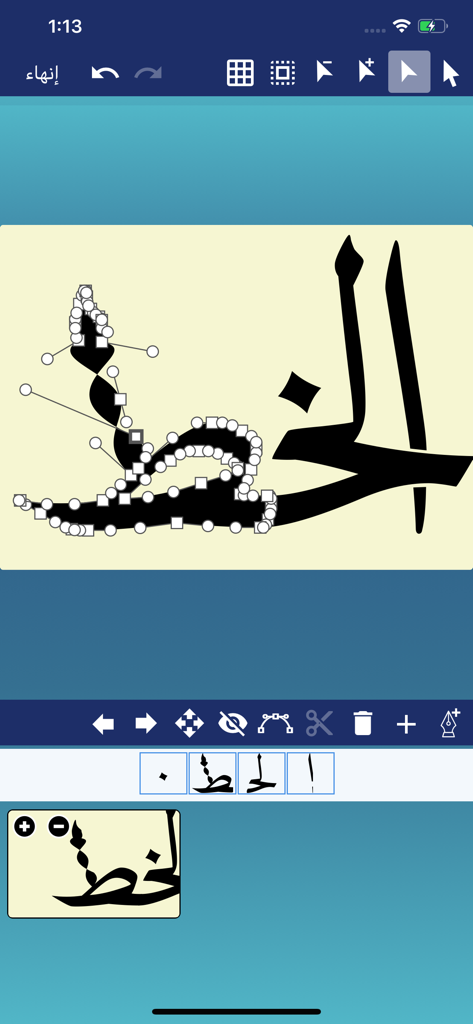
Vector path editing interface in CalliPro Arabic calligraphy app

Vector path editing interface in CalliPro Arabic calligraphy app

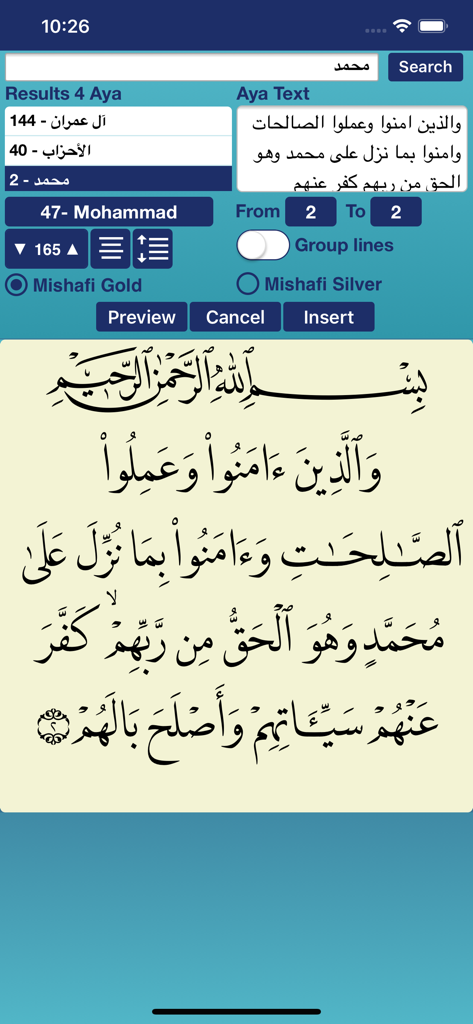
A screenshot of the CalliPro app showing the Quran search feature and a preview of calligraphic Arabic text

A screenshot of the CalliPro app showing the Quran search feature and a preview of calligraphic Arabic text

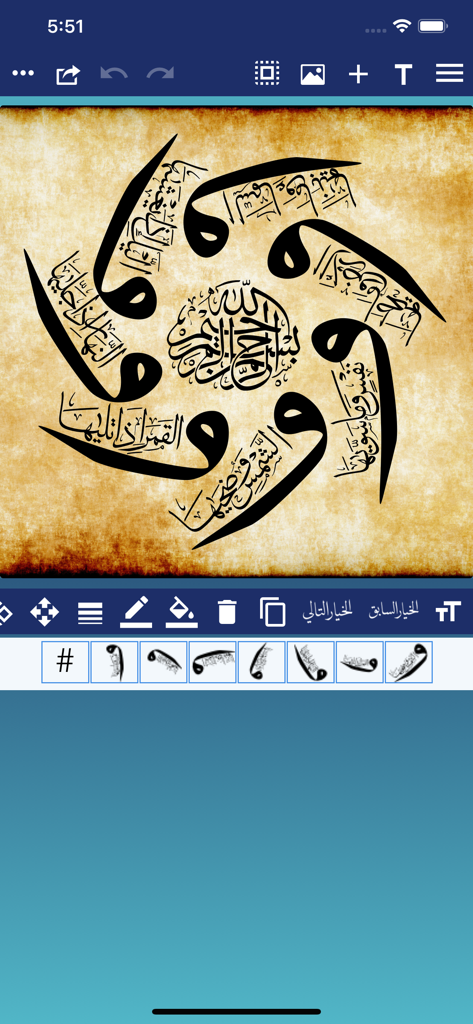
A circular Arabic calligraphy design created in the CalliPro app on a parchment background.

A circular Arabic calligraphy design created in the CalliPro app on a parchment background.

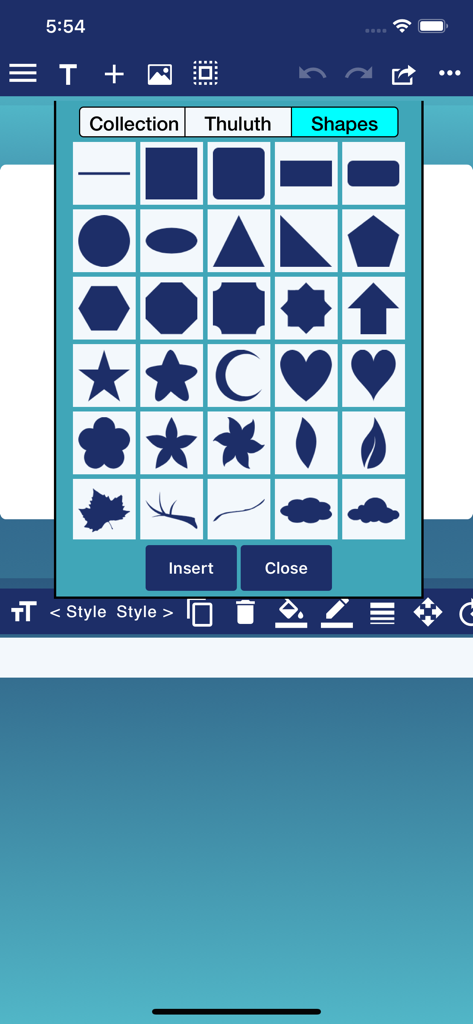
CalliPro app interface showing a menu of geometric and decorative shapes for calligraphy design

CalliPro app interface showing a menu of geometric and decorative shapes for calligraphy design

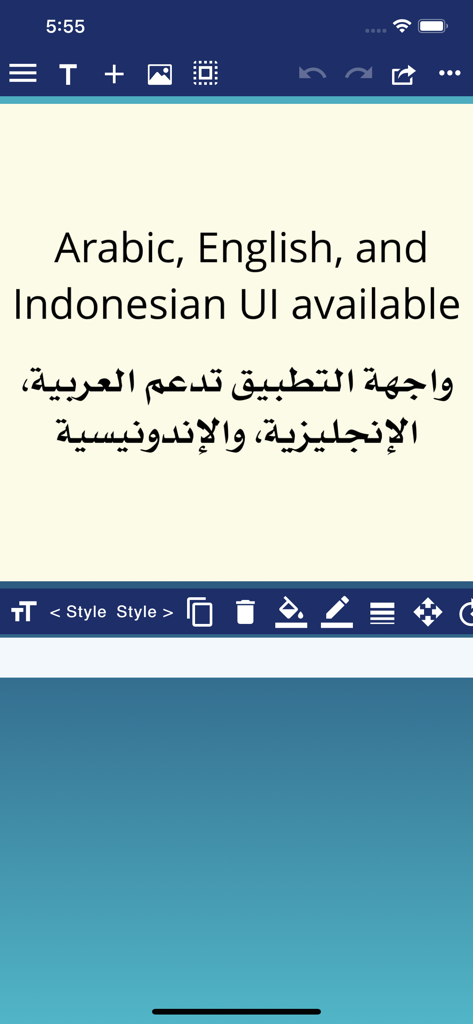
Screenshot of CalliPro app displaying text that says Arabic English and Indonesian UI available in both English and Arabic

Screenshot of CalliPro app displaying text that says Arabic English and Indonesian UI available in both English and Arabic

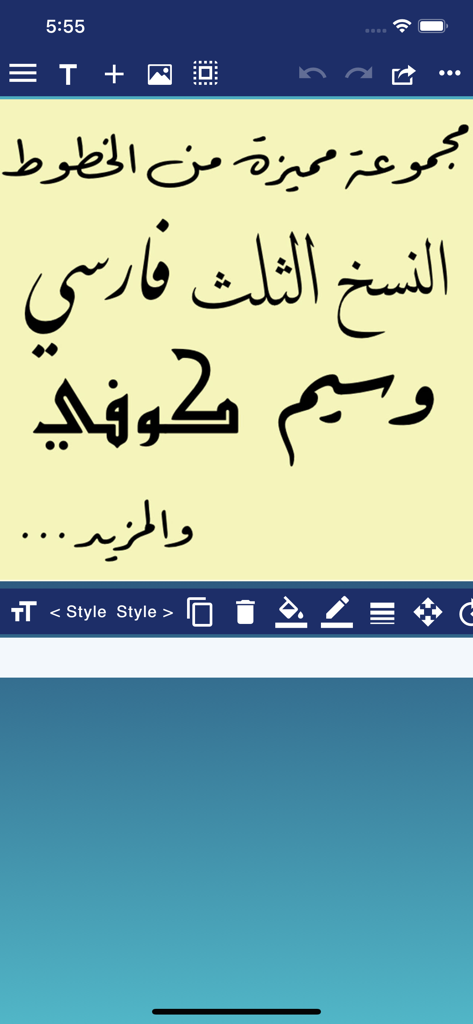
Interface of the CalliPro app displaying various Arabic calligraphy styles including Naskh Thuluth and Kufi

Interface of the CalliPro app displaying various Arabic calligraphy styles including Naskh Thuluth and Kufi

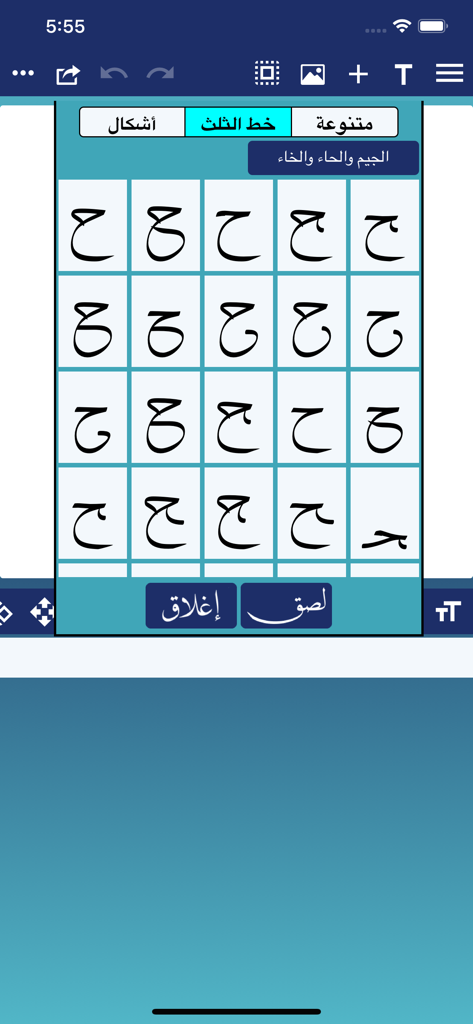
Arabic calligraphy character variations in Thuluth script

Arabic calligraphy character variations in Thuluth script

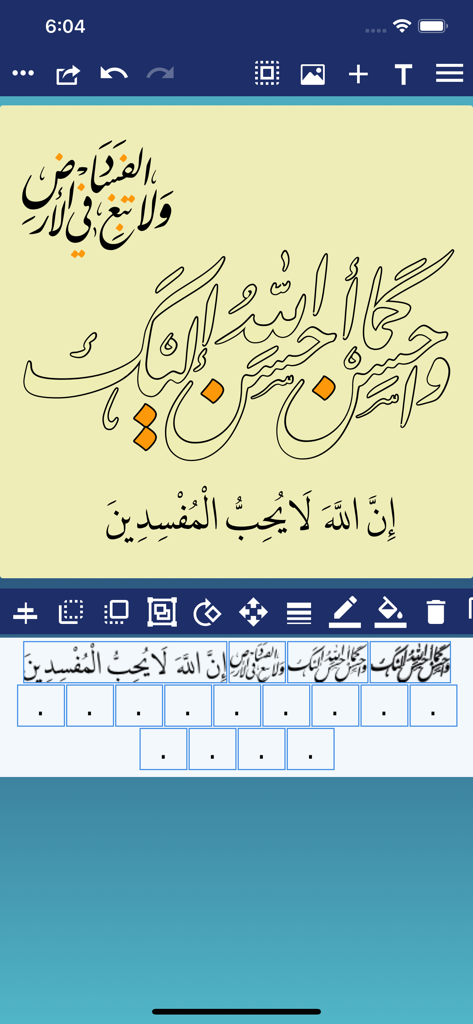
Mobile app interface of CalliPro showing Arabic calligraphy design with various digital editing tools

Mobile app interface of CalliPro showing Arabic calligraphy design with various digital editing tools

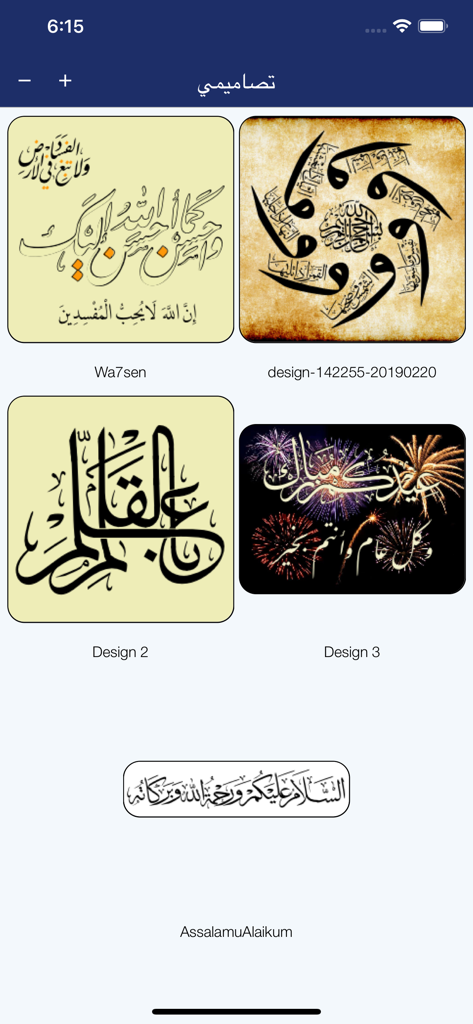
A gallery view of various Arabic calligraphy designs within the CalliPro app

A gallery view of various Arabic calligraphy designs within the CalliPro app

Master the Art of Arabic Calligraphy

The tools that make this app stand out, trusted by 123K+ users.

🖋️

Authentic Digital Scripts

Access 21 premium Arabic fonts like Thuluth and Kufi to create elegant, flowing designs without the years of apprenticeship.

📖

Sacred Text Integration

Search and insert Quranic verses instantly with perfect diacritics, making it effortless to create accurate spiritual and educational art.

Pro-Grade Design Export

Export your masterpieces as SVGs or high-res PDFs for professional branding, vinyl cutting with Cricut, or large-scale interior decor.

Loved by users worldwide

Trusted by 123K+ people who love this app.

"

"As a graphic designer, finding high-quality Arabic typography tools was always a struggle until I found CalliPro. The SVG export and precise path editing allow me to create stunning logos and wedding stationery right on my iPad. It captures the soul of traditional scripts like Thuluth and Diwani perfectly."

Lina M., Freelance Brand Designer
"

"I love how this app makes Arabic calligraphy accessible to everyone. The Quran integration is a game-changer for my digital journaling and social media posts. Being able to customize every stroke and add decorative shapes makes my work look professional even though I’m just a hobbyist."

Yusuf S., Creative Educator

About the app

Everything you need to know about CalliPro محترف الخط.

Description

Callipro lets you create beautiful Arabic-style calligraphy with ease! Customize styles, colors, and curves to design stunning calligraphic art—no experience needed. Whether you're a pro or just playing around, express yourself in elegant, flowing script. Save and share your creations in seconds! The main features include Powerful Calligraphy Tools, Quran Integration, Fonts & Typography, Layout & Design Control, Precise Editing Features, Multilingual Interface, Save, Export & Share, and Flexible Canvas Options. - Add Text, Shapes, or both to a Favorites list. - Edit the Text, Tashkeel, Shapes, and Glyphs as a path (full Edit Path features available as In-App Purchase). - Show or hide touch gesture. - Insert Quranic text using Mishafi Gold or Silver with search capability (full Quran available as In-App Purchase). - Inspect the glyphs and ligatures for any font and add them to the design. - Choose a specific color using the Eyedropper tool. - Align text or shapes using the Alignment tools. - Bring design elements Forward or send them Backward. - Choose from a variety of vector shapes. - Change the color and the width of the text outline. - Choose either Arabic, English or Indonesian UI [user interface] and menus. - Edit and then re-send a design received through iMessage (requires iOS 10 or later). - Choose from a collection of 21 fonts including Diwan's most advanced Arabic fonts like Diwan Naskh Mishafi, Diwan Thuluth, Diwan Farsi, Waseem (Ruqa’a like font), Kufi, and more. - Import external fonts - Note: Import external fonts and import design are not supported by Google Drive. - Select from a number of shaping options for each word segment including alternative shapes, wide forms, and removed dots. - Freely position word segments to create complex compositions. - Add a range of decorative shapes that can be positioned freely to decorate the overall design. - Change the font size. - Use multi-level undo and redo. - Select from a wide range of colors for text and background. - Make the background transparent. - Save the design as an image that can be used with other applications. - Save the design as a high-resolution PDF. - Export the design to SVG (Scalable Vector Graphics). - Create designs with different sizes. - Save designs and open them at any time. - Export or Import designs. - Merge two designs to create one design. - Zoom in or out. - Add a background image. - Use a grid for easier positioning of text. - Rotate the text. - Flip the text horizontally and vertically. - Insert multi-line text. - Select font size, alignment, and line spacing before inserting the text. - Lock or Unlock the design. - Group words or letters. - Share and send the design through iMessage (requires iOS 10 or later). - Share the design on Facebook no longer available.

Latest Version

3.3.0

Size

102.3 MB

First Released

Jul 23, 2016

Master the Timeless Art of Arabic Calligraphy

From professional branding to personal spiritual art, unlock the tools to create stunning scripts on your mobile device. Download CalliPro and start your creative journey today.

Download on App Store