Copy 'Em + Paste Keyboard

Copy 'Em + Paste Keyboard

Download on App Store
Spark by MWM logo
Logo of Copy 'Em + Paste Keyboard
Copy 'Em + Paste Keyboard: The Power-User’s Infinite Clipboard

Stop losing what you copy. Manage links, snippets, and images in one secure place and paste them instantly with a custom keyboard designed for high-speed workflows.

Download on App Store

Publisher

Hoi Chang

Category

Productivity

Downloads

8K+

User Rating

5.0/5

Total Ratings

0

Locales

1

Efficiency in Every Frame

Discover the interface used by 8K+ users.
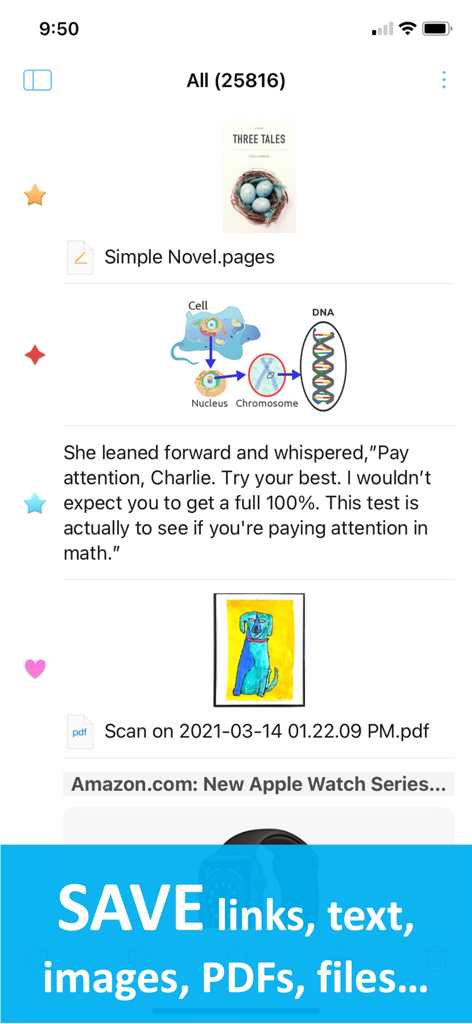
Interface showing saved links, text, images, and PDFs in Copy Em app.

Interface showing saved links, text, images, and PDFs in Copy Em app.

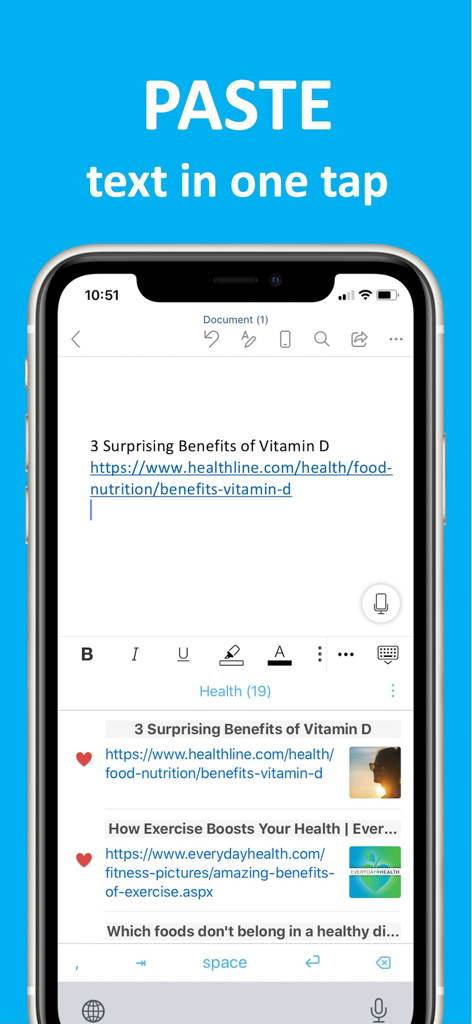
iPhone screen demonstrating the Copy Em custom keyboard pasting clipboard history into a document

iPhone screen demonstrating the Copy Em custom keyboard pasting clipboard history into a document

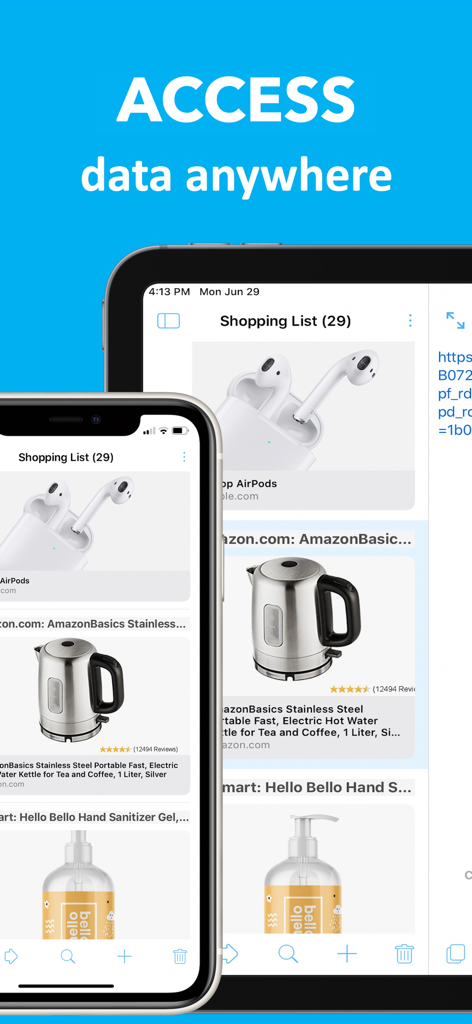
Clipboard manager app showing a shopping list synced across an iPhone and an iPad.

Clipboard manager app showing a shopping list synced across an iPhone and an iPad.

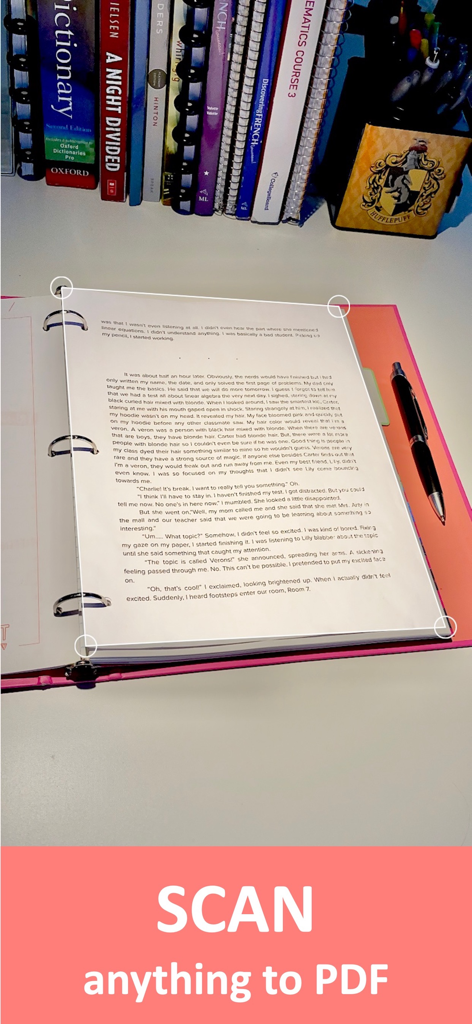
Mobile app interface scanning a printed page to create a PDF.

Mobile app interface scanning a printed page to create a PDF.

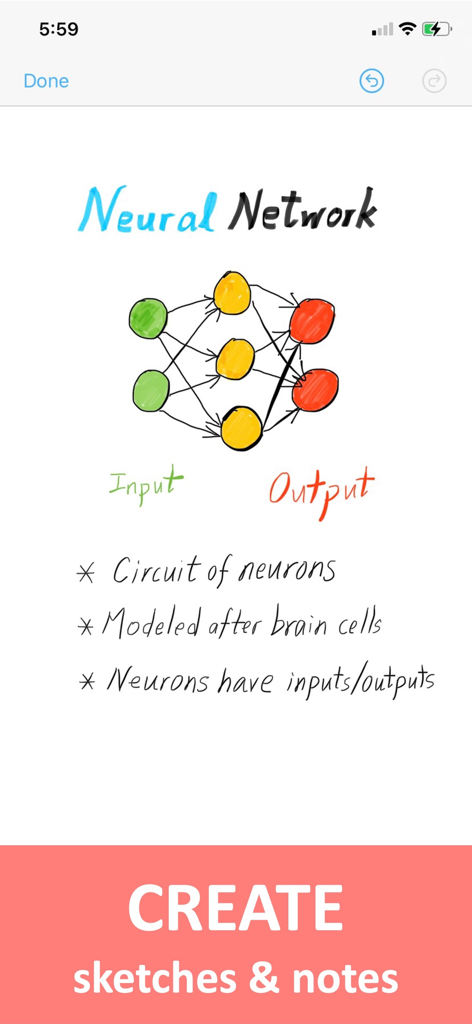
A hand-drawn neural network diagram with notes inside the Copy Em productivity app

A hand-drawn neural network diagram with notes inside the Copy Em productivity app

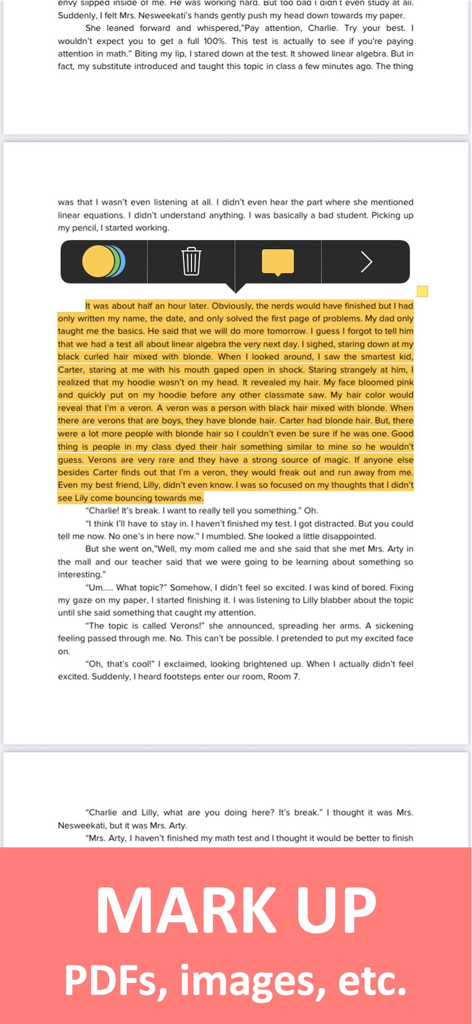
Mark up and highlight PDF documents using Copy Em productivity tools

Mark up and highlight PDF documents using Copy Em productivity tools

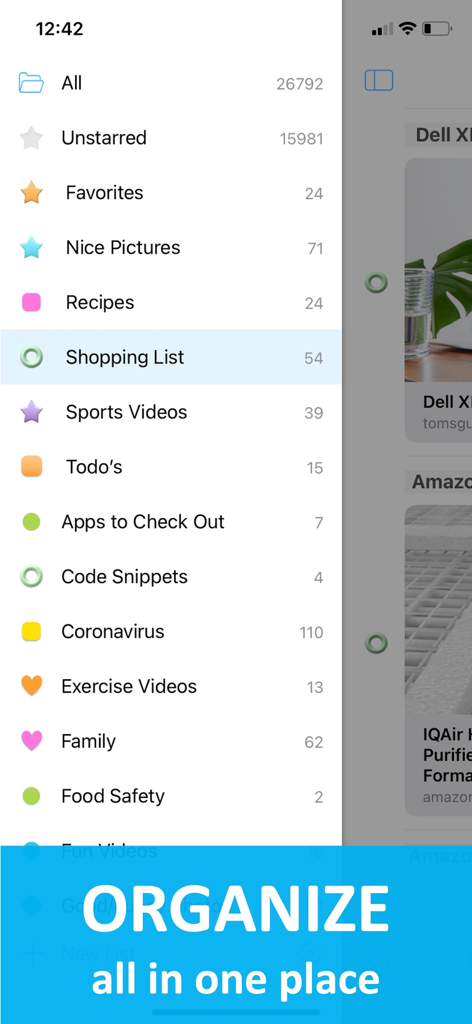
Sidebar view of Copy Em app showing organized categories for clipboard items like favorites and code snippets.

Sidebar view of Copy Em app showing organized categories for clipboard items like favorites and code snippets.

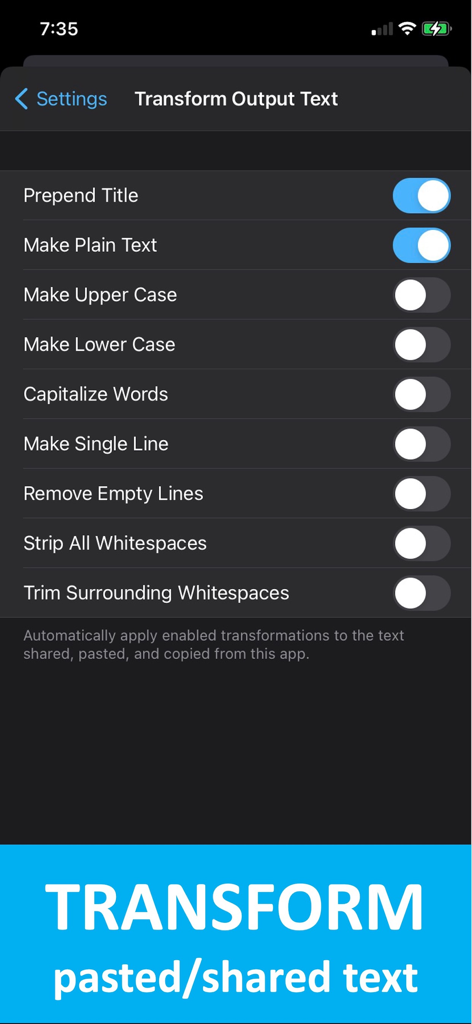
Copy Em app screen showing text transformation settings for pasted and shared content

Copy Em app screen showing text transformation settings for pasted and shared content

Master Your Mobile Workflow

The tools that make this app stand out, trusted by 8K+ users.

📋

Infinite Clipboard History

Never lose a link, snippet, or image again. We automatically capture and organize your history so you can reuse any item exactly when you need it.

One-Tap Paste Keyboard

Eliminate the friction of switching apps. Access your entire saved history directly from a custom keyboard for lightning-fast input in any application.

🛠️

Pro-Level Text Formatting

Paste clean content every time. Automatically strip formatting, change text cases, or remove whitespaces to keep your professional communication polished.

Loved by users worldwide

Trusted by 8K+ people who love this app.

"

"Copy 'Em has completely transformed my workflow as a freelance content creator. I no longer waste time digging through notes for links or snippets; everything is right there in the custom keyboard. It is easily the most essential productivity tool on my iPhone."

Sarah Jenkins
"

"For a developer, the ability to strip formatting and manage a deep clipboard history is a game changer. The iCloud sync with my Mac is flawless, and the privacy-first approach is exactly what I look for in a utility app. Highly recommended for power users."

Marcus Thorne

About the app

Everything you need to know about Copy 'Em + Paste Keyboard.

Description

Power up your copy and paste experience with Copy 'Em! Save, manage, and sync web links, text, images, PDFs, photos, videos, color codes, and more—all effortlessly in one easy-to-use app. Key Features: • Quick Capture: Found something interesting online or elsewhere? Save it instantly before it's gone. • Clipboard Manager: Save your copied items for easy reuse. No more endless searching for what you copied earlier. • Paste Keyboard: Instantly paste data without retyping. Need to paste that email address you use all the time? It's just a tap away. • Advanced Paste Options: Automatically remove formatting, change case, strip whitespaces, and more. • Multi-functional: Scan documents, take quick notes, draw pictures, mark up PDFs, and more—all in one app. • Efficient Organization: Create lists and rearrange items with ease. Find what you need quickly and effortlessly. • Privacy: Your data stays on your device and doesn't go anywhere without your permission. • Optional Sync: Easily access your data across devices with iCloud. Your data remains private. (Also syncs with Copy 'Em for Mac.) • Powerful Shortcuts: Save time with customizable shortcuts. Make Copy 'Em work the way you work, with shortcuts that fit your style. Copy 'Em makes it much easier to save, copy and paste, organize, use, and sync your data. Experience efficiency like never before! Terms of use: https://www.apple.com/legal/internet-services/itunes/dev/stdeula/ Privacy policy: https://apprywhere.com/ce-privacy-policy.html

Latest Version

2.8.0

Size

39.5 MB

First Released

Jul 20, 2020

Ready to Supercharge Your Productivity?

Join thousands of power users who have upgraded their mobile workflow. Download Copy 'Em today and master your clipboard across all your Apple devices.

Download on App Store