DJI Mimo

DJI Mimo

Download on App Store
Spark by MWM logo
Logo of DJI Mimo

DJI Mimo: Transform Every Moment into a Cinematic Masterpiece

The all-in-one companion for your Osmo and Pocket devices. Capture in 4K, edit with professional-grade templates, and share your vision with the world in just one tap.

Publisher

SZ DJI TECHNOLOGY CO., LTD

Category

Photo & Video

Downloads

51M+

User Rating

4.8/5

Total Ratings

250K+

Locales

15

Cinematic Control at Your Fingertips

Discover the interface used by 51M+ users.
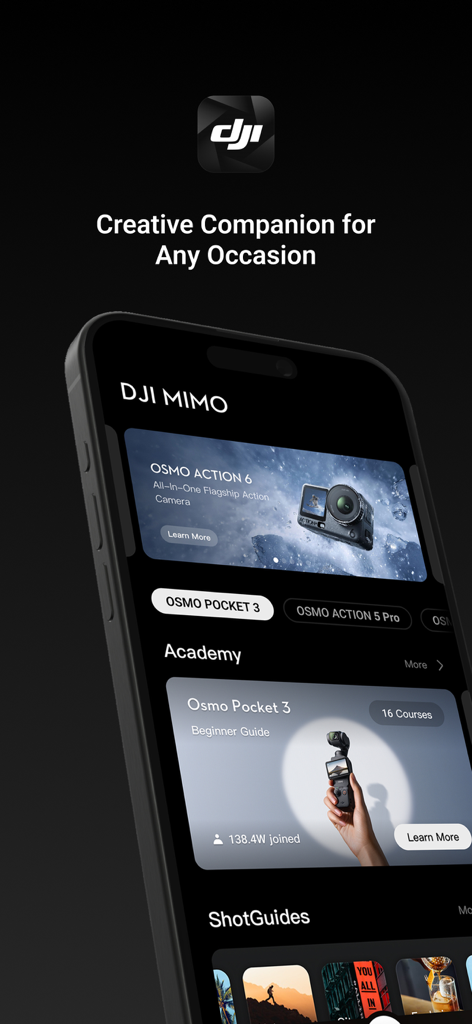
Interface of the DJI Mimo app featuring Osmo camera models and creator academy tutorials.

Interface of the DJI Mimo app featuring Osmo camera models and creator academy tutorials.

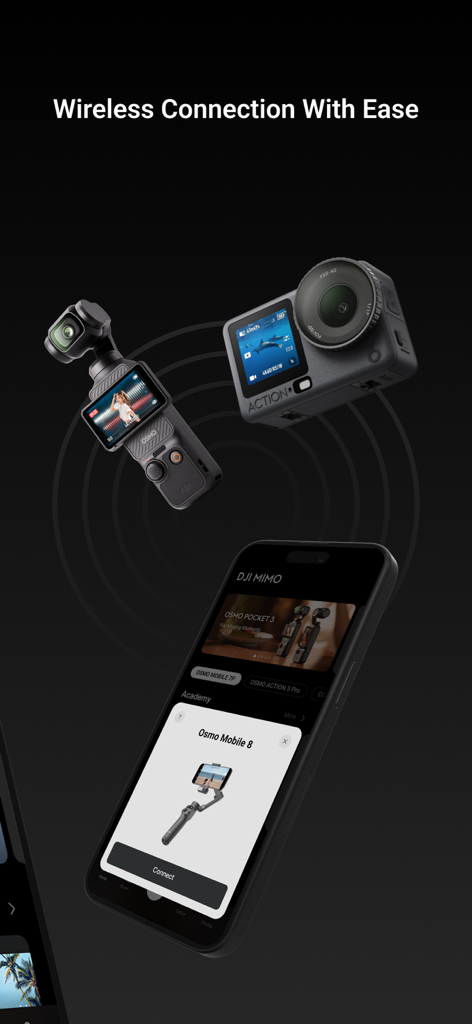
Smartphone screen showing the DJI Mimo app's wireless connection interface with an Osmo Pocket 3 and an Action camera.

Smartphone screen showing the DJI Mimo app's wireless connection interface with an Osmo Pocket 3 and an Action camera.

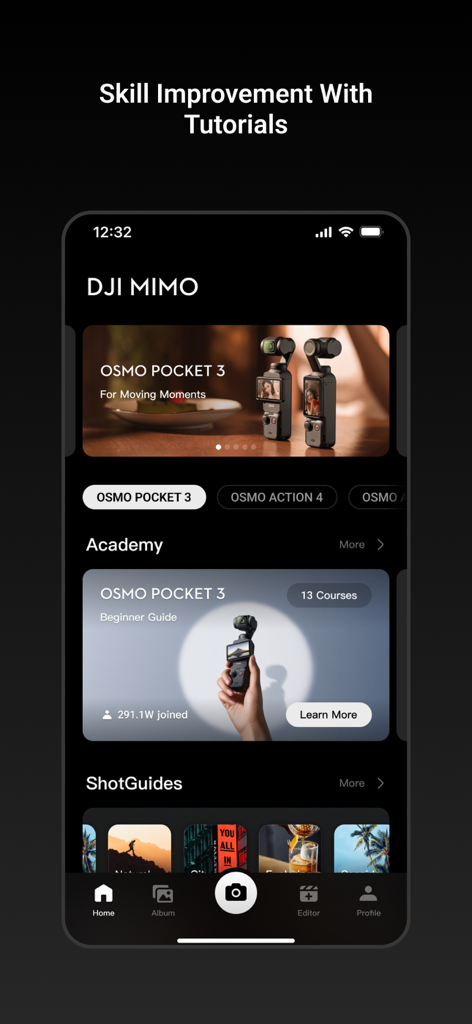
Interface of the DJI Mimo app academy section showing tutorials and guides for Osmo Pocket 3.

Interface of the DJI Mimo app academy section showing tutorials and guides for Osmo Pocket 3.

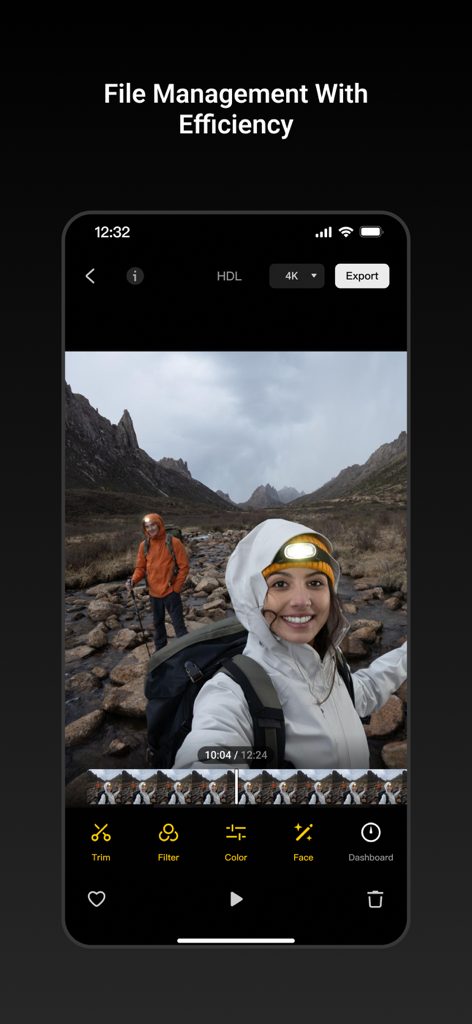
DJI Mimo app interface showing 4K video editing tools with travel vlog footage of hikers in the mountains

DJI Mimo app interface showing 4K video editing tools with travel vlog footage of hikers in the mountains

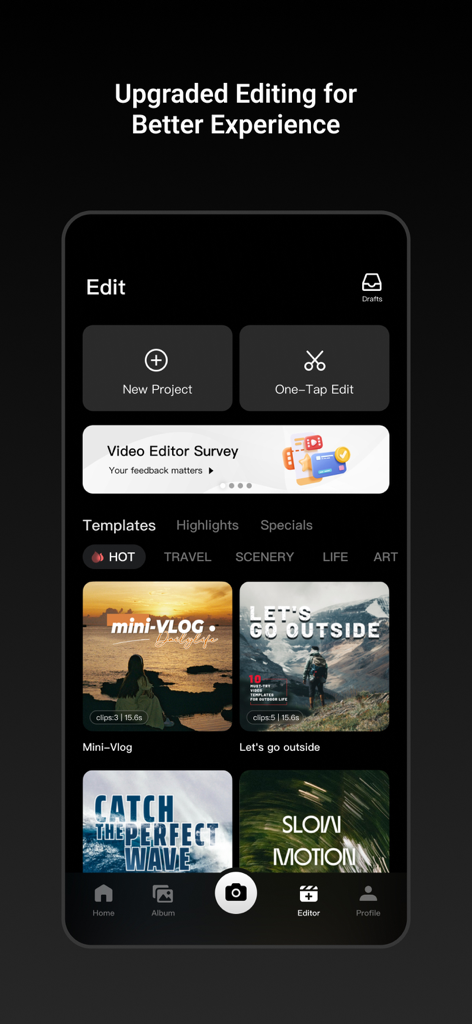
DJI Mimo app video editor screen showing various creative templates and one-tap editing tools

DJI Mimo app video editor screen showing various creative templates and one-tap editing tools

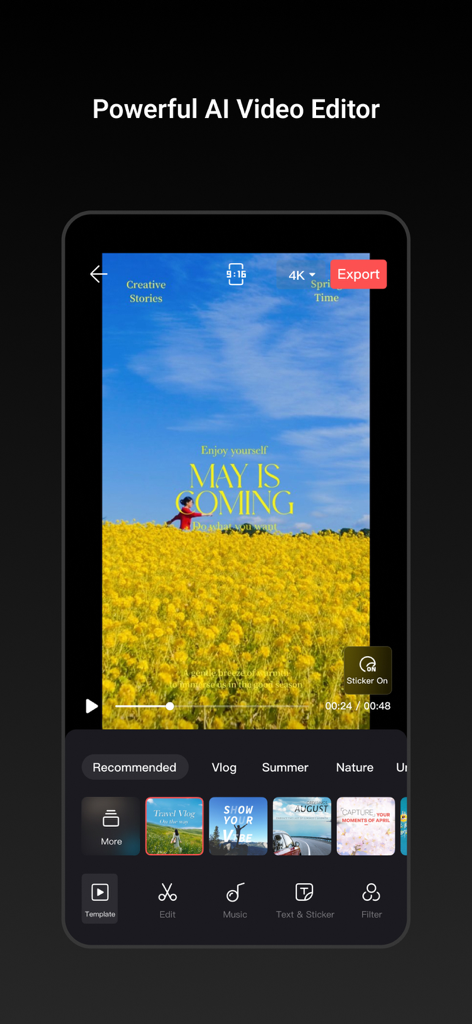
DJI Mimo mobile app interface featuring the AI video editor with vlog templates and text overlays

DJI Mimo mobile app interface featuring the AI video editor with vlog templates and text overlays

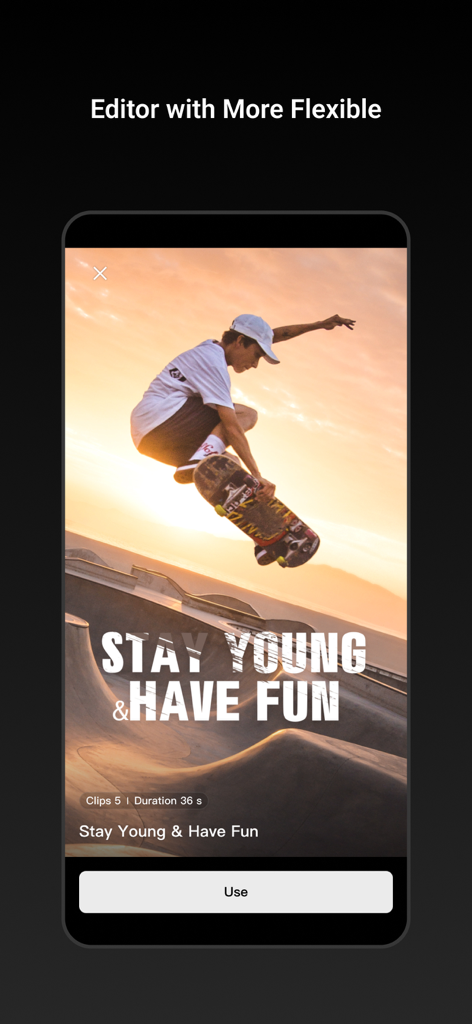
A video editing template in the DJI Mimo app featuring a skateboarder at sunset.

A video editing template in the DJI Mimo app featuring a skateboarder at sunset.

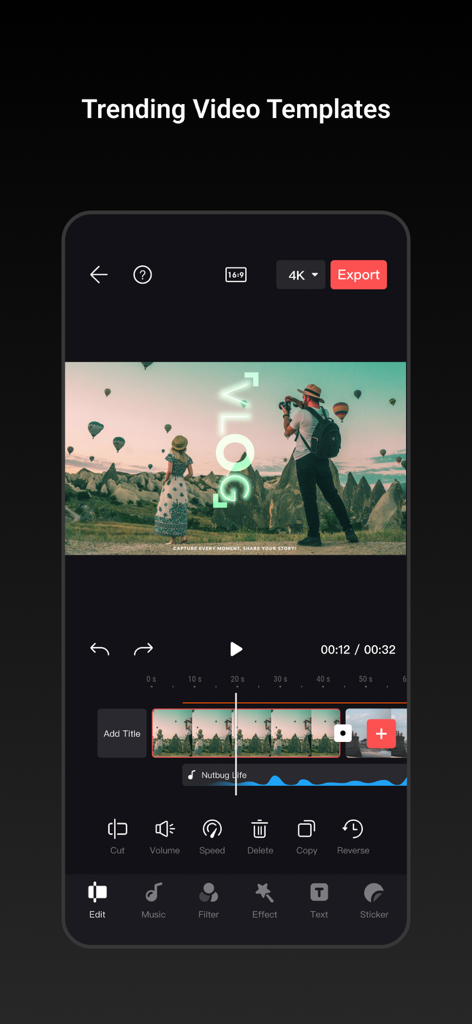
DJI Mimo mobile app interface showing a video editing timeline with a travel vlog template and editing tools

DJI Mimo mobile app interface showing a video editing timeline with a travel vlog template and editing tools

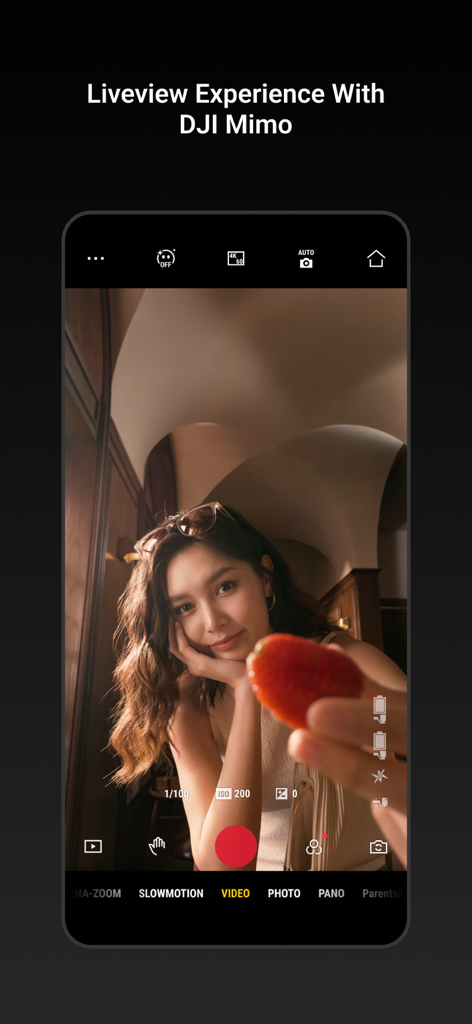
A smartphone screen showing the DJI Mimo app camera interface with a live video preview of a woman filming a lifestyle vlog

A smartphone screen showing the DJI Mimo app camera interface with a live video preview of a woman filming a lifestyle vlog

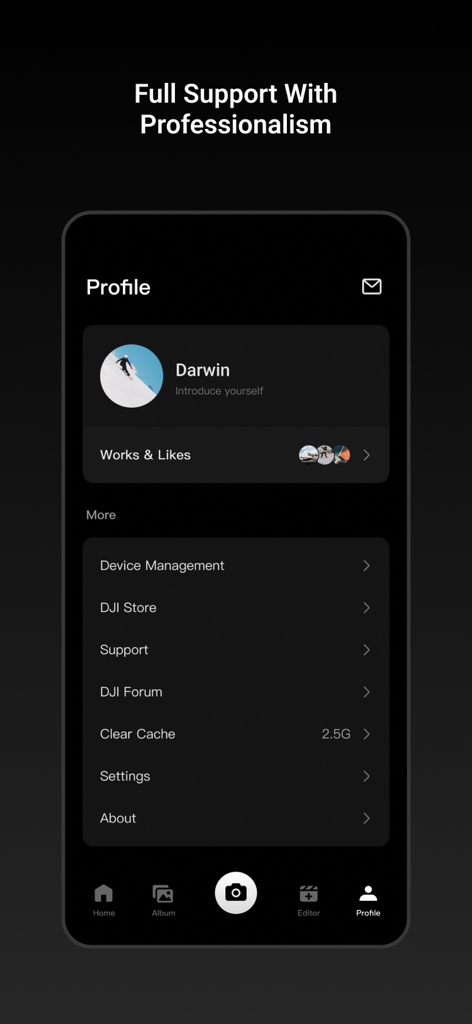
A screenshot of the DJI Mimo app user profile interface featuring device management and professional support options.

A screenshot of the DJI Mimo app user profile interface featuring device management and professional support options.

Elevate Your Storytelling

The tools that make this app stand out, trusted by 51M+ users.

🎬

Pro Editing in One Tap

Skip the complex software. Use My Story templates to craft viral-ready videos with music and transitions in seconds.

🎮

Complete Hardware Command

Unlock the full power of your Osmo device with HD Live View, 4K recording, and precise manual tuning at your fingertips.

Smart AI Enhancement

Stay perfectly framed with intelligent tracking and look your best with real-time Beautify filters for flawless vlogs.

Loved by users worldwide

Trusted by 51M+ people who love this app.

"

"As a travel vlogger, DJI Mimo is my secret weapon. The 'My Story' templates allow me to turn raw footage from my Osmo Pocket into cinematic masterpieces in seconds. I can shoot, edit with the professional tools, and post to Instagram Reels before I've even left the location. It makes high-end production feel effortless."

Chloe Jensen
"

"The integration between my phone and the Osmo Mobile is flawless. I love having full manual control over my 4K recordings and the HD live view is incredibly crisp. The advanced editing features, like speed adjustment and precise trimming, mean I rarely need to touch my desktop software anymore. It's a must-have for any serious content creator."

Marcus Thorne

About the app

Everything you need to know about DJI Mimo.

Description

As the all-in-one app made specifically for the DJI Osmo Pocket handheld gimbal, Osmo Action camera, Osmo Mobile 3, DJI OM4 and DJI Pocket2, Mimo offers HD live view during recording, intelligent features such as My Story for quick editing, and other tools not available with a handheld stabilizer alone. Mimo lets you capture, edit, and share the best of your moments, right from your fingertips. Highlights: 
1. Supports HD live view and 4K video recording. 2. Controls Osmo Pocket, Osmo Action or Osmo Mobile 3 via Bluetooth or Wi-Fi. 
3. My Story video templates designed by professionals allow you to edit your videos in a single tap. 
4. Precise face identification and real-time Beautify mode enhances photos and videos instantly. 5. Upload and share videos with just a tap. 
6. Advanced video editing functions: Trim and split clips, adjust playback speed, reverse, and more. 
7. Tune image quality to meet your needs: Brightness, saturation, contrast, color temperature, vignette, and sharpness. 
8. Multiple filters, music templates, and watermark stickers finish your videos with a unique flair.

Latest Version

2.6.8

Size

1.5 GB

First Released

Dec 12, 2018

Elevate Your Content to Cinema Grade

Unlock the full potential of your DJI gear. Join over 50 million creators and start capturing, editing, and sharing your best moments in 4K today.

Download on App Store
FAQ

Frequently Asked Questions

Everything you need to know about DJI Mimo

What devices does DJI Mimo support?

DJI Mimo supports DJI Osmo Pocket, Osmo Action camera, Osmo Mobile 3, DJI OM4, and DJI Pocket2. It is an all-in-one app designed for these specific handheld gimbals and cameras.

Does DJI Mimo offer live view and 4K video recording?

Yes, DJI Mimo offers HD live view during recording and supports 4K video recording. Users can view and capture high-resolution footage directly through the app's interface.

How does DJI Mimo connect to DJI devices?

DJI Mimo controls compatible DJI devices like Osmo Pocket, Osmo Action, or Osmo Mobile 3 via Bluetooth or Wi-Fi connectivity. This enables seamless wireless operation of the camera.

Can I edit videos quickly with DJI Mimo?

Yes, DJI Mimo includes "My Story" video templates designed by professionals. This feature allows users to edit their videos quickly and efficiently with just a single tap.

Does DJI Mimo include facial enhancement features?

Yes, DJI Mimo offers precise face identification and a real-time Beautify mode. This feature instantly enhances photos and videos, improving the visual appeal of subjects.

What advanced editing functions are available in DJI Mimo?

DJI Mimo provides advanced video editing functions including trimming, splitting clips, adjusting playback speed, and reversing footage. It also integrates multiple filters and music options.

Can I adjust image quality settings in DJI Mimo?

Yes, DJI Mimo allows users to fine-tune image quality settings such as brightness, saturation, contrast, color temperature, vignette, and sharpness to meet their specific needs.

Does DJI Mimo provide tutorials for improving skills?

Yes, DJI Mimo features an "Academy" section with tutorials, such as the "OSMO Pocket 3 Beginner Guide." These resources help users improve their skills and learn how to use the app effectively.

Can users share videos directly from the DJI Mimo app?

Yes, DJI Mimo allows users to upload and share videos with just a tap directly from the application. This feature simplifies the process of distributing captured and edited content.