FUJIFILM XApp

FUJIFILM XApp

Download on App Store
Spark by MWM logo
Logo of FUJIFILM XApp

FUJIFILM XApp: Your Seamless Bridge from Camera to Smartphone

Instantly share your film simulations, control your gear remotely, and visualize your photographic journey with a personalized activity diary built for the modern creator.

Publisher

FUJIFILM Corporation

Category

Photo & Video

Downloads

3M+

User Rating

4.4/5

Total Ratings

16K+

Locales

12

The Creative Connection

Discover the interface used by 3M+ users.
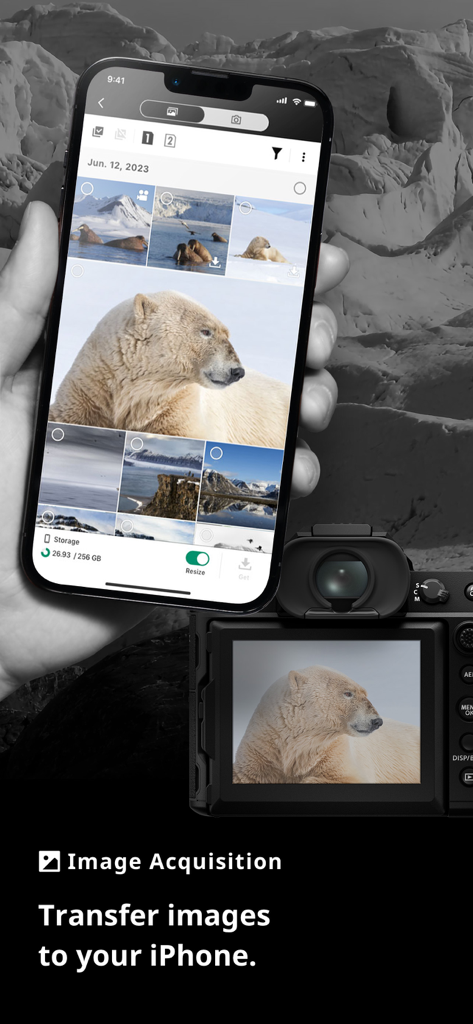
Transferring images from a Fujifilm camera to an iPhone using the FUJIFILM XApp interface.

Transferring images from a Fujifilm camera to an iPhone using the FUJIFILM XApp interface.

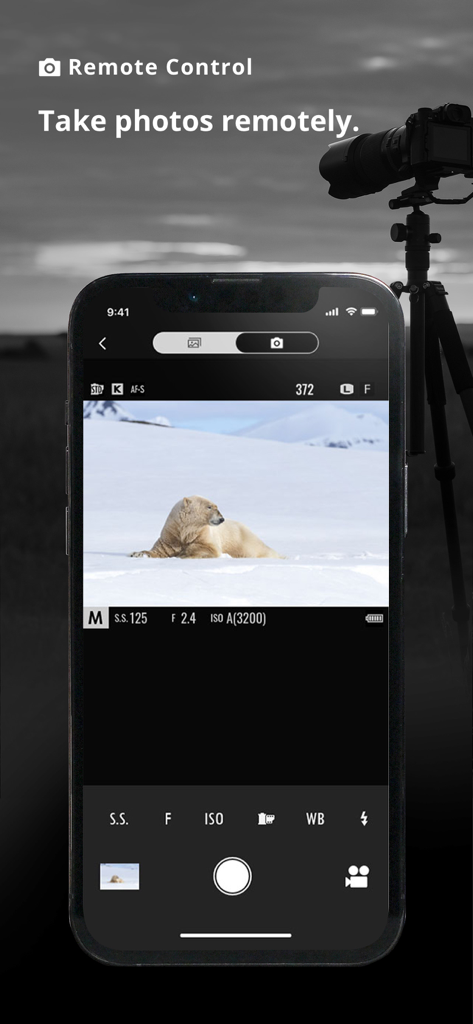
FUJIFILM XApp remote control interface showing a polar bear on a smartphone screen with a camera on a tripod in the background

FUJIFILM XApp remote control interface showing a polar bear on a smartphone screen with a camera on a tripod in the background

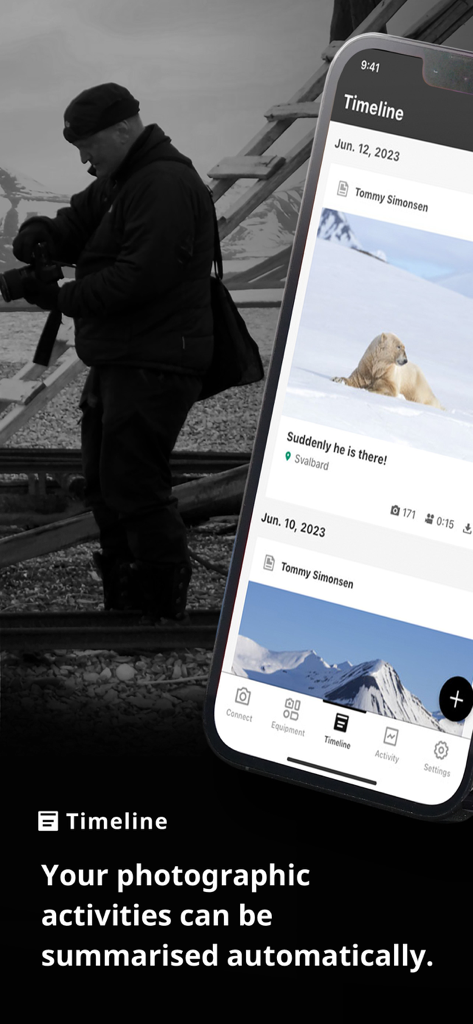
Smartphone screen showing the FUJIFILM XApp timeline feature summarizing daily shooting activities

Smartphone screen showing the FUJIFILM XApp timeline feature summarizing daily shooting activities

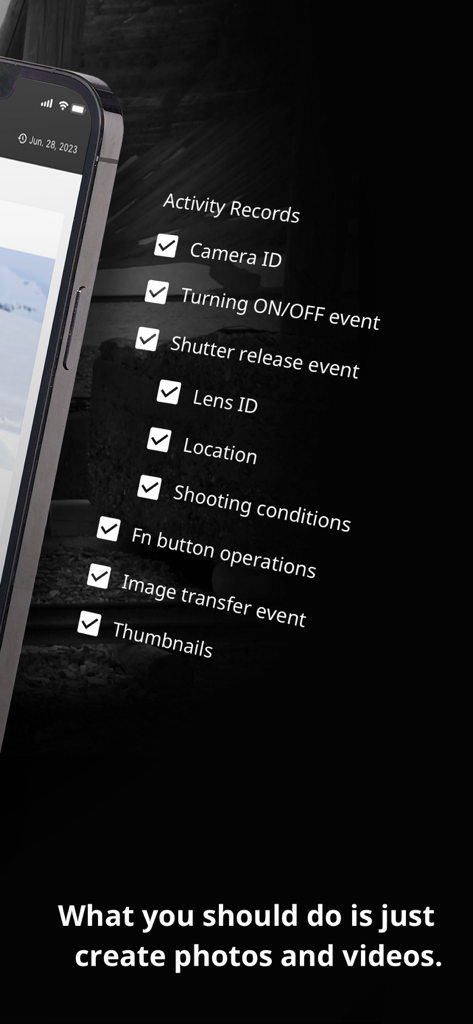
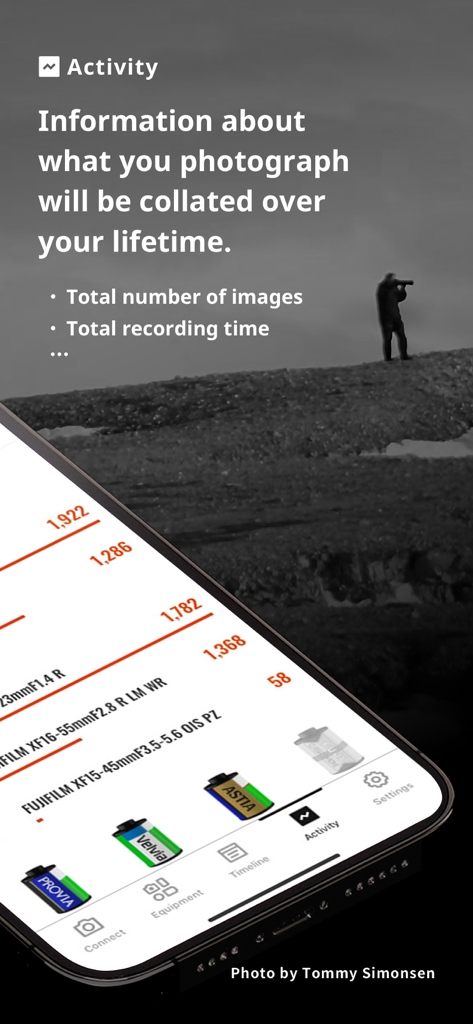
Fujifilm XApp activity records screen showing tracking options like camera and lens ID

Fujifilm XApp activity records screen showing tracking options like camera and lens ID

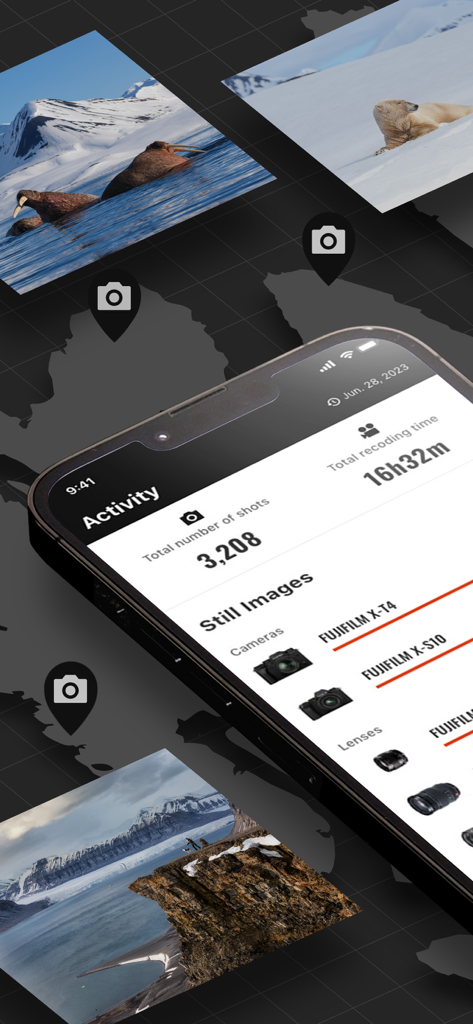
Smartphone screen displaying FUJIFILM XApp shooting activity stats and photography equipment used

Smartphone screen displaying FUJIFILM XApp shooting activity stats and photography equipment used

FUJIFILM XApp activity dashboard showing shooting statistics lens usage and film simulation data

FUJIFILM XApp activity dashboard showing shooting statistics lens usage and film simulation data

Elevate Your Creative Workflow

The tools that make this app stand out, trusted by 3M+ users.

📲

Instant Social Sharing

Transfer high-quality JPEGs and videos to your phone in seconds. Share your film-simulated shots on Instagram or Threads the moment they are captured.

🤳

Smart Remote Control

Turn your iPhone into a professional monitor and remote shutter. Perfect for solo creators framing their next vlog or taking high-precision long exposures.

📔

Automated Activity Diary

Refine your craft with a personalized timeline of your photography journey. Automatically track your most-used gear and film recipes to see your style evolve.

Loved by users worldwide

Trusted by 3M+ people who love this app.

"

"The connection stability is night and day compared to previous versions. I can transfer my film-recipe JPEGs to my iPhone almost instantly, which is vital for my street photography workflow. It is the perfect bridge between my professional gear and my social feed."

Elena R., Street Photographer
"

"I travel solo a lot, so the remote control feature is my favorite for getting myself in the frame. The activity timeline is also surprisingly addictive—it is like a visual journal of my photography journey. It finally makes my high-end camera feel as connected as my smartphone."

Marcus D., Adventure Blogger

Review Analysis

Insights from user reviews.

Sentiment Score

29%
Negative

Summary

Users express widespread frustration with the Fujifilm mobile app, predominantly citing persistent and severe connectivity issues that hinder its core functionality. Many reviews highlight that recent app or camera firmware updates exacerbate these problems, leading to frequent pairing failures, dropped connections, and an inability to reliably transfer photos, particularly with newer models like the X-T5 and X100VI. While some users acknowledge the app's potential when it occasionally works, the overall experience is marred by unreliability, poor user interface, and broken features such as remote camera control. Several users reported that the app stopped working or bricked their camera after updating, especially with iOS updates.

Common Themes

Connectivity(2)
Photo Transfer(1)
App Reliability(1)
Update Issues(1)
User Experience(1)
Remote Control(1)
Camera Compatibility(1)

About the app

Everything you need to know about FUJIFILM XApp.

Description

FUJIFILM XApp is an app. provided by Fujifilm Corporation. Once users pair a Fujifilm digital camera with their smartphone or tablet via Bluetooth®, they can transfer captured images and movies to their smartphone or tablet, control the camera remotely, backup and restore camera settings, synchronize date, time, and location, and update firmware. The Wi-Fi function of smartphones or tablets is also used for transferring captured images and videos, and updating firmware. In addition, by signing in to Fujifilm's network service, daily shooting activities using the camera can be automatically summarized in a diary format. This service is useful for reviewing their photographic activities and improving their photographic skills. [Compatible Cameras] Please refer to the URL below: https://fujifilm-x.com/support/compatibility/software/xapp/ Please upgrade the camera with the latest firmware. Please refer to the URL below to download the firmware: https://fujifilm-x.com/support/download/firmware/cameras/ [Compatible OS] iOS13(FUJIFILM XApp Ver. 2.6.1 or earlier), iOS14, iOS15, iOS16, iOS17 iPadOS13(FUJIFILM XApp Ver. 2.6.1 or earlier), iPadOS14, iPadOS15, iPadOS16, iPadOS17 [Compatible Devices] iPhone 6s, iPhone SE(1st. generation) or later iPad mini 4, iPad mini(5th generation) or later iPad Air 2, iPad Air(3rd. generation) or later 12.9 inch iPad Pro(1st. generation) or later 11 inch iPad Pro(1st. generation) or later 10.5 inch iPad Pro 9.7 inch iPad Pro [Supported languages] English(US), English(UK), Japanese/日本語, French/Français, German/Deutsch, Spanish/Español, Italian/Italiano, Turkish/Türkçe, Simplified Chinese/中文简, Russian/Русский, Korean/한국, Thai/ไทย, Indonesian/Bahasa Indonesia [Note] The FUJIFILM XApp uses the GPS function of the smartphone/tablet continuously in the background, which may consume a large amount of battery power in your smartphone/tablet. To reduce battery consumption, please go to "Settings" of FUJIFILM XApp and set the "Location synchronization interval" to a longer interval. [How to use] For detailed operations, please refer to the "Guide" found within this app. * The Bluetooth® word mark and logos are registered trademarks owned by Bluetooth SIG, Inc. and any use of such marks by FUJIFILM Corporation is under license. * iPhone, iPad, iPad Pro, iPad mini, iPad Air, and iPadOS are trademarks of Apple Inc., registered in the U.S. and other countries and regions. * IOS is a trademark or registered trademark of Cisco in the U.S. and other countries and is used under license. * Wi-Fi® is registered trademark of the Wi-Fi Alliance®.

Latest Version

2.7.1

Size

301.6 MB

First Released

May 24, 2023

Your Vision, Now Without Limits

Join millions of creators bridging the gap between professional glass and mobile speed. Download the FUJIFILM XApp and start sharing your story today.

Download on App Store
FAQ

Frequently Asked Questions

Everything you need to know about FUJIFILM XApp

Can I transfer images from my Fujifilm camera to my phone with FUJIFILM XApp?

Yes, the FUJIFILM XApp allows users to transfer captured images and movies from their paired Fujifilm digital camera to a smartphone or tablet using Bluetooth® or Wi-Fi.

Does FUJIFILM XApp support remote camera control?

Yes, the FUJIFILM XApp enables users to remotely control their Fujifilm digital camera from a smartphone or tablet after pairing the devices via Bluetooth®.

What is the Timeline feature in FUJIFILM XApp?

The FUJIFILM XApp's Timeline feature automatically summarizes daily shooting activities from the camera in a diary format. This requires signing in to Fujifilm's network service.

Does FUJIFILM XApp track my photographic activities and camera usage?

Yes, the FUJIFILM XApp records various activity details including Camera ID, lens ID, location, shooting conditions, and the total number of images and recording time.

What iOS devices are compatible with FUJIFILM XApp?

Yes, the FUJIFILM XApp is compatible with iOS13 through iOS17 and iPadOS13 through iPadOS17. It supports iPhone 6s or later and various iPad models including iPad Pro.

Does FUJIFILM XApp drain smartphone battery?

Yes, the FUJIFILM XApp can consume significant battery power due to continuous background GPS usage. Users can adjust the "Location synchronization interval" in app settings to reduce consumption.

Can I update my Fujifilm camera's firmware using FUJIFILM XApp?

Yes, the FUJIFILM XApp allows users to update their camera's firmware. This process utilizes the Wi-Fi function of the connected smartphone or tablet.