
Dorico - Compose Music



Bring your compositions to life with the most intelligent notation software ever designed. From award-winning engraving to powerful MIDI editing, experience a desktop-grade workflow that moves with you from the studio to the stage.
Publisher
Category
MusicDownloads
252K+User Rating
Total Ratings
2K+Locales
1Discover the interface used by 252K+ users.
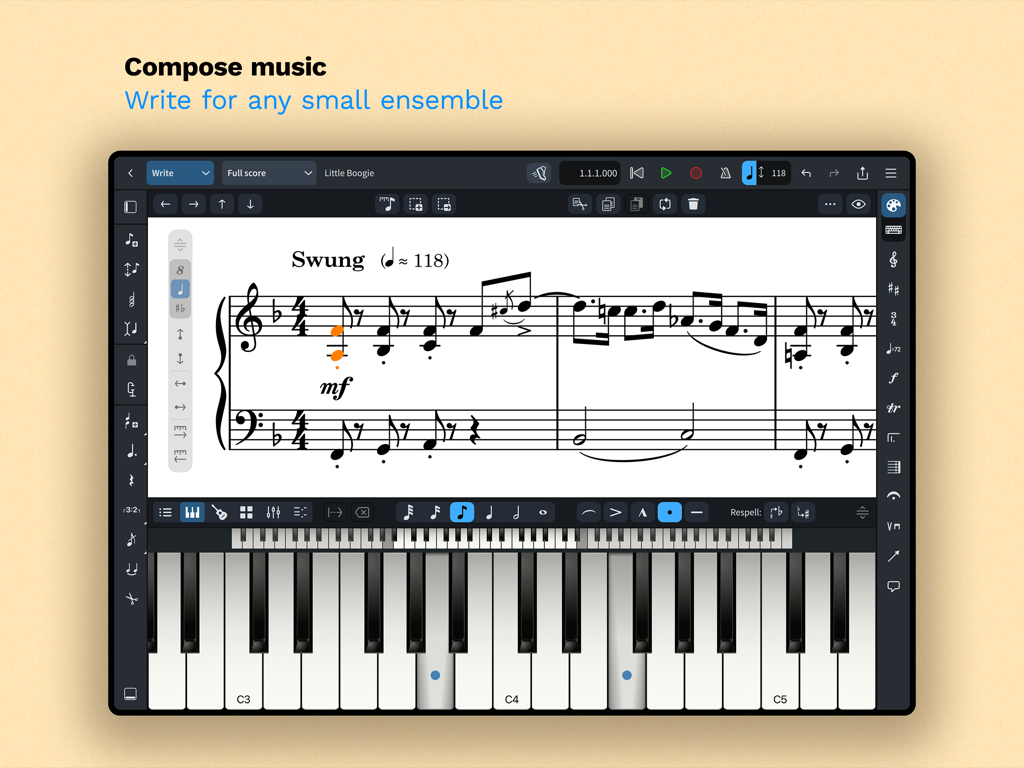
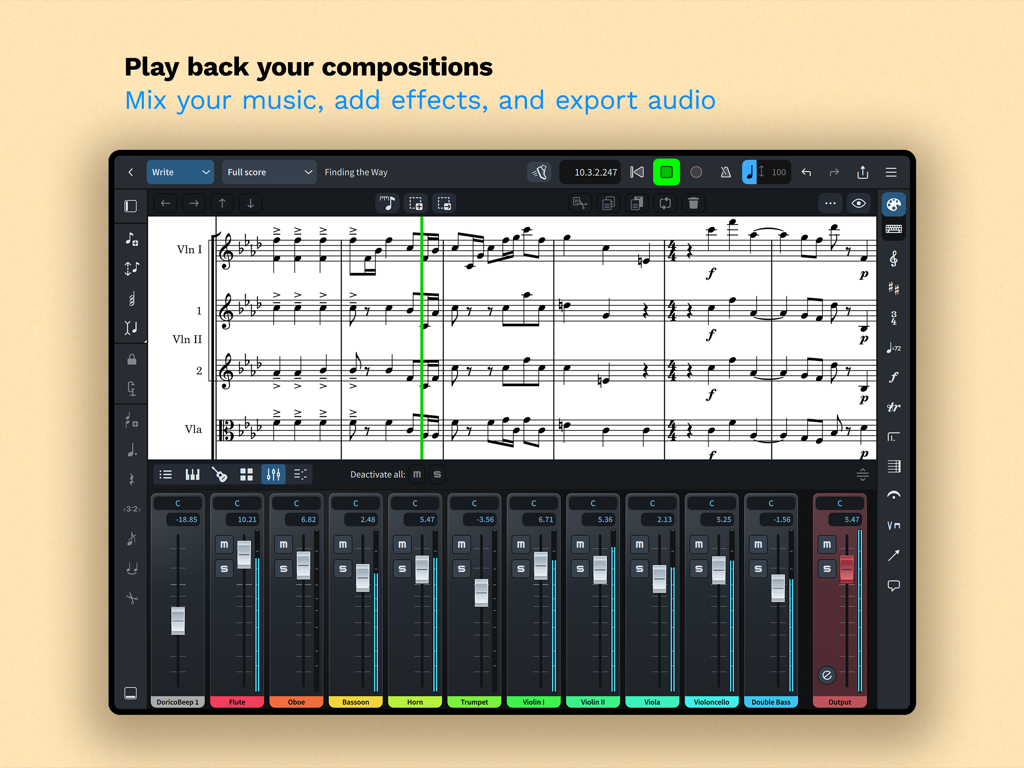
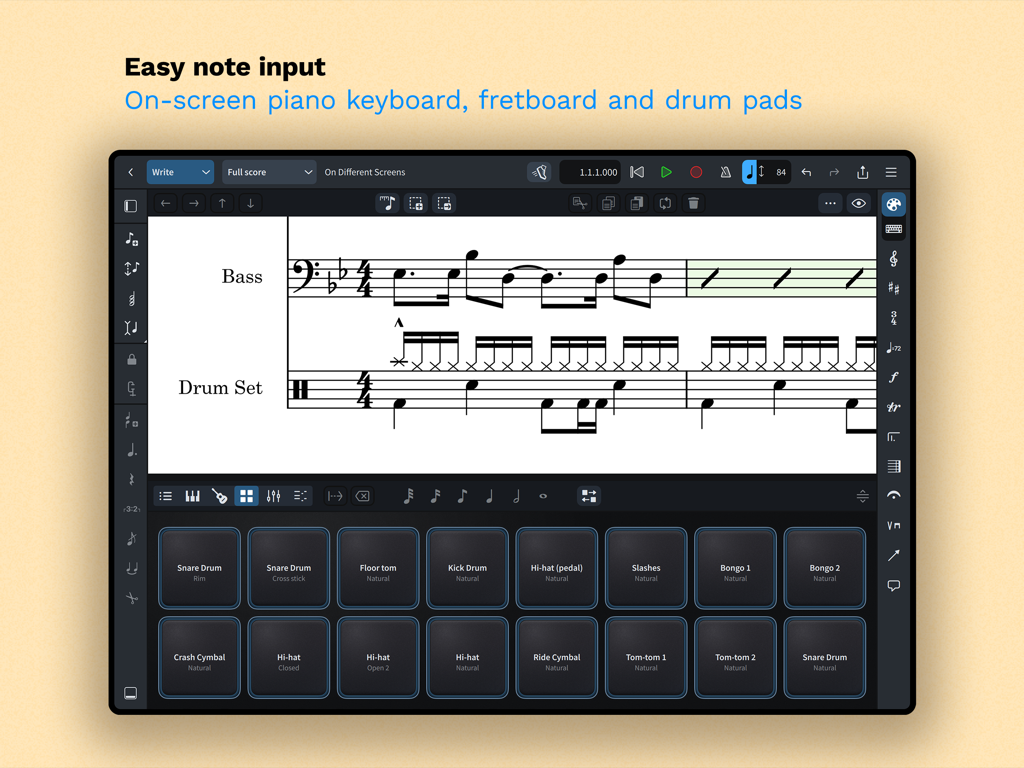
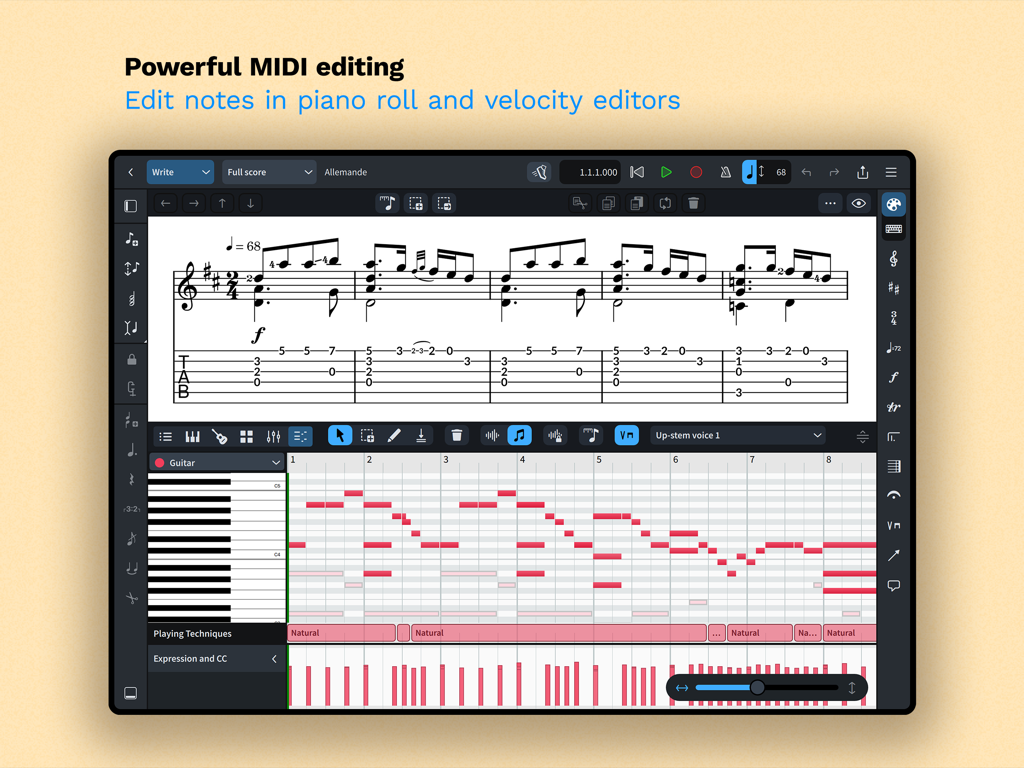
The tools that make this app stand out, trusted by 252K+ users.
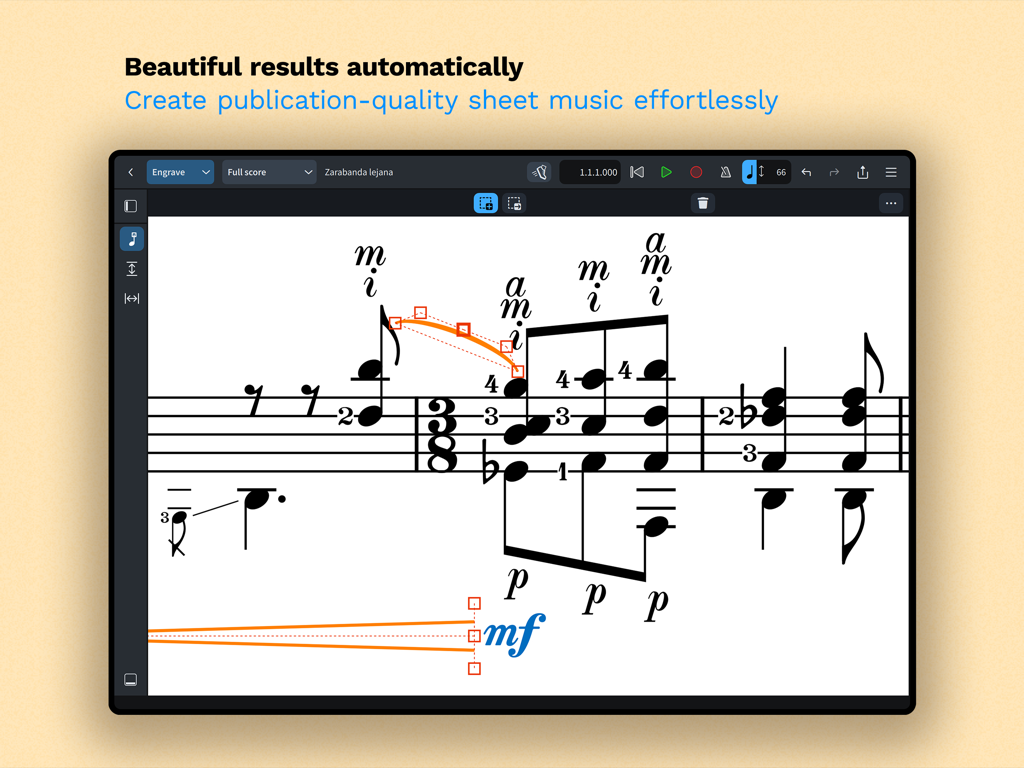
Save hours of manual formatting. Our world-class engine automatically adjusts notation as you write, ensuring your scores always meet the highest professional standards.
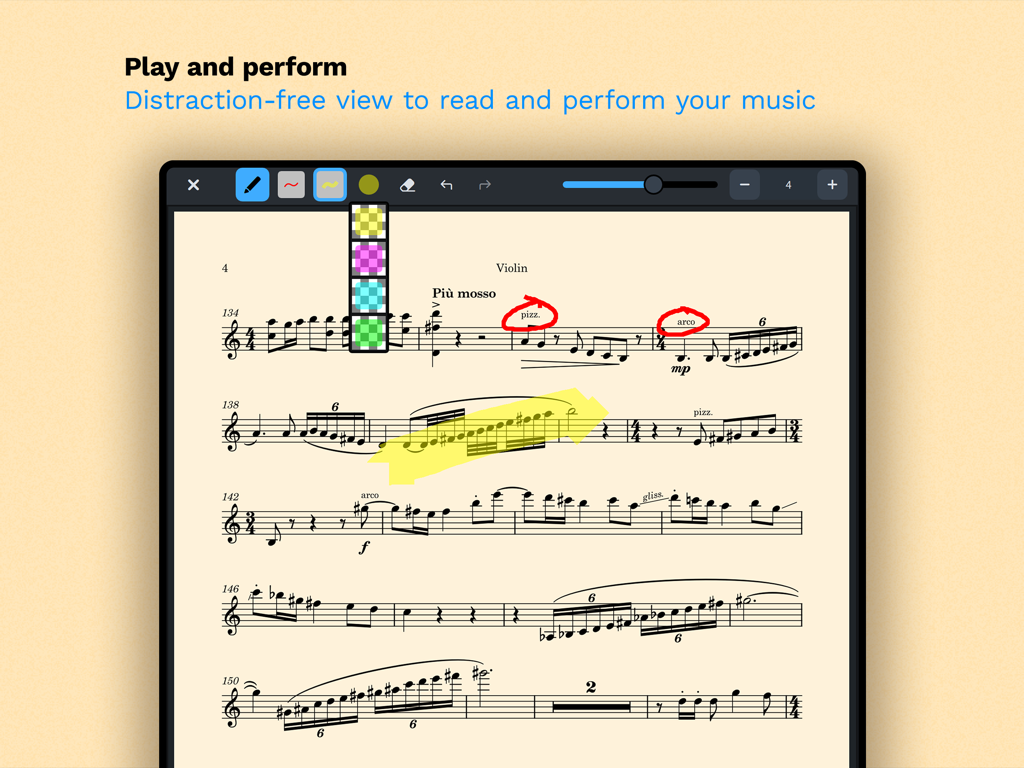
Take your studio on the move. Enjoy full compatibility with Dorico for desktop and an interface optimized for touch, Magic Keyboard, and Apple Pencil annotation.
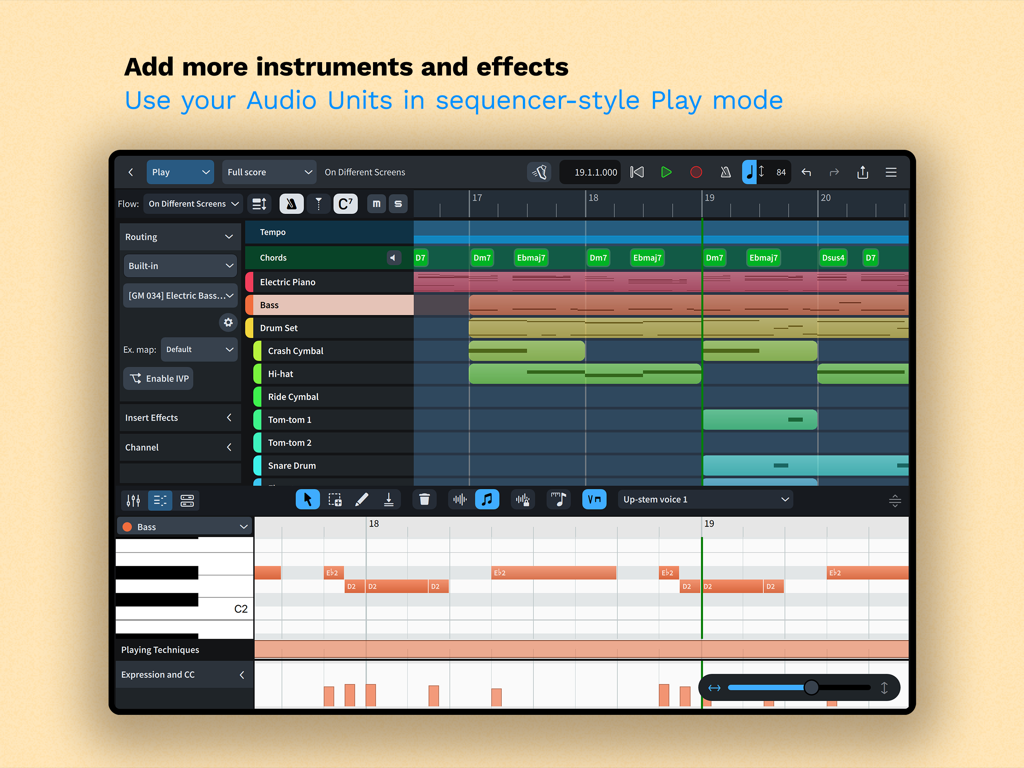
Bridge the gap between notation and production. Use the piano roll and velocity editors to shape expressive performances with built-in sounds or Audio Unit plugins.
Trusted by 252K+ people who love this app.
"As a film composer, I need a tool that moves with me from the studio to the stage. Dorico for iPad is the first mobile app that doesn't feel like a compromise. The seamless synchronization with my desktop projects and the precision of the Apple Pencil support have completely transformed my workflow during recording sessions."
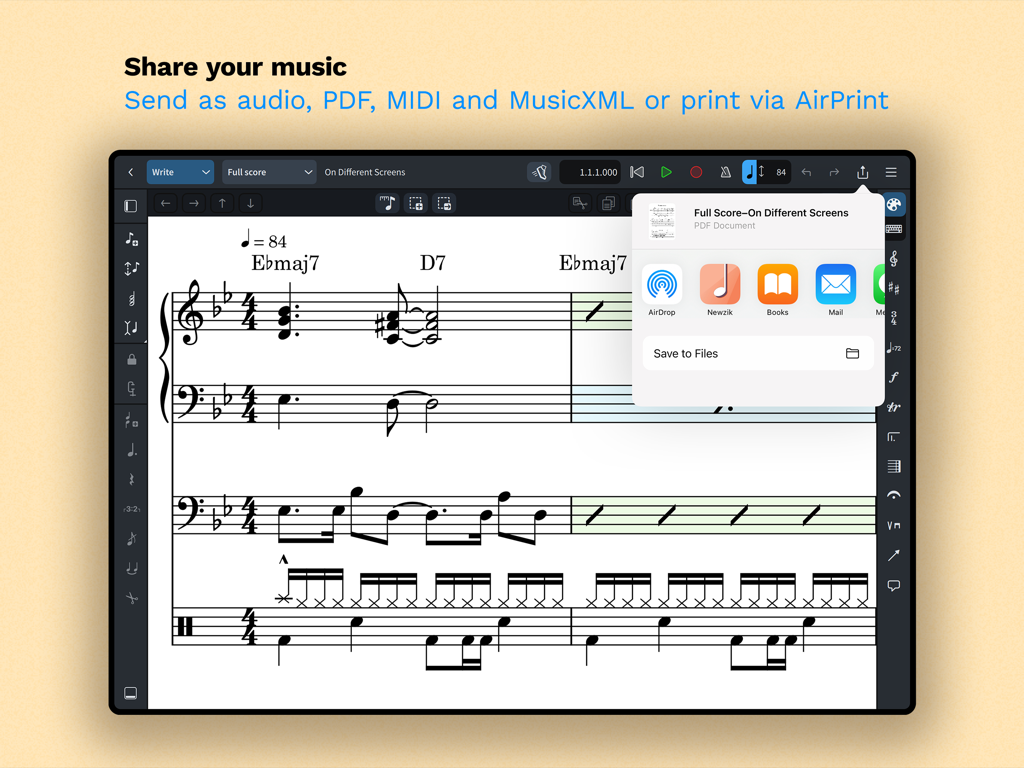
"I've tried every notation software out there, but Dorico's intelligent layout engine is a game-changer for my school band arrangements. It handles complex tuplets and percussion notation effortlessly. Being able to quickly tweak a score on my iPad during rehearsal and print a clean PDF immediately via AirPrint has saved me countless hours."
Everything you need to know about Dorico - Compose Music.
Description
Latest Version
6.1.10
Size
968.9 MB
First Released
Jul 27, 2021
Join the world's leading composers and educators. Experience professional-grade music notation on your iPad and start writing for up to eight instruments for free today.
Everything you need to know about Dorico - Compose Music
Dorico is an award-winning music notation and composition software from Steinberg available for macOS, Windows, and iPadOS. It allows users to compose, edit, play back, and share musical scores.
Yes, Dorico is free to use for compositions with up to four players. Registering a free Steinberg ID increases this limit to eight players.
Dorico allows music input using an on-screen piano keyboard, drum pads, or fretboard. Users can also connect a MIDI keyboard or utilize external keyboard shortcuts for efficient input.
Yes, Dorico includes built-in virtual instruments and effects for playback. It also supports compatible Audio Unit plug-ins and external MIDI devices, often requiring an optional subscription.
Users can share completed Dorico compositions as PDF, audio, or MusicXML files. The app also supports printing directly to an AirPrint-enabled printer.
Dorico for iPad is fully compatible with Dorico for macOS and Windows. This allows users to seamlessly work on projects across different devices and share with other musicians.
Dorico includes four modes: Setup for instruments and layouts, Write for input and editing, Engrave for graphical tweaks (paid feature), and Play for MIDI editing and playback.
A paid subscription or Lifetime Unlock in-app purchase for Dorico provides access to Engrave mode and enables writing for ensembles with an unlimited number of players.
Yes, Dorico offers powerful MIDI editing tools, including piano roll and velocity editors, available in Play mode to shape musical performances.
Apps with similar features and user experience

Beijing Xihang Technology Co., Ltd.

嵩 张

Avid Technology Inc

嵩 张

嵩 张

Sharp Notes Company Limited

Future Sculptor Pty Ltd

Neuratron Limited

Fender Digital, LLC
