Sibelius

Sibelius

Download on App StoreDownload on Google Play
Spark by MWM logo
Logo of Sibelius

Sibelius: Professional Music Notation Anywhere Inspiration Strikes

Bring the industry-standard notation toolset to your iPad and iPhone. Seamlessly compose, edit, and review your scores with Apple Pencil precision and effortless cloud sync from studio to stage.

Download on App Store

Publisher

Avid Technology Inc

Category

Music

Downloads

631K+

User Rating

4.3/5

Total Ratings

9K+

Locales

9

The Maestro’s View

Discover the interface used by 631K+ users.
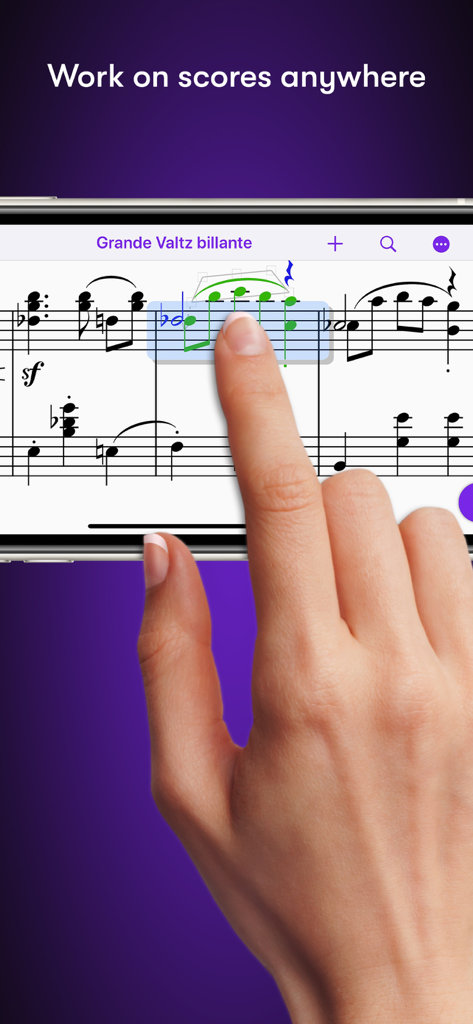
Hand editing musical notation on the Sibelius app using a smartphone

Hand editing musical notation on the Sibelius app using a smartphone

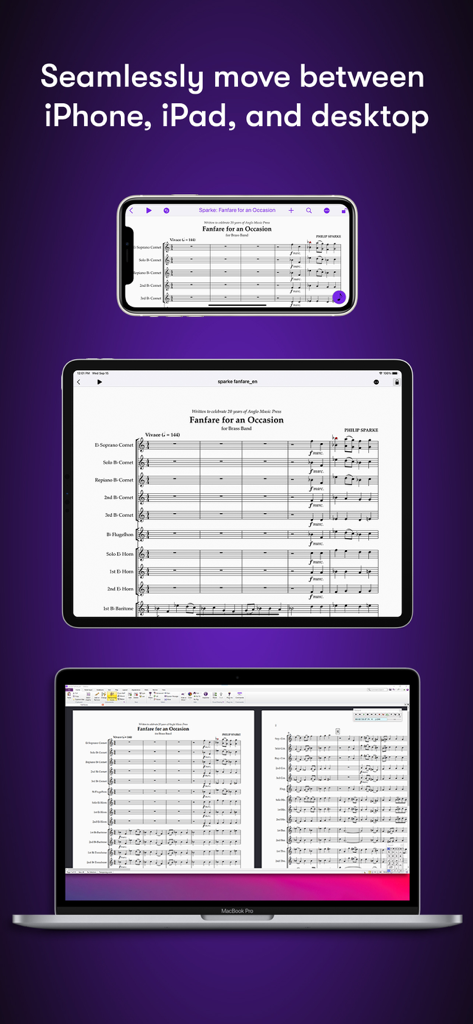
Sibelius music score displayed on iPhone iPad and MacBook desktop

Sibelius music score displayed on iPhone iPad and MacBook desktop

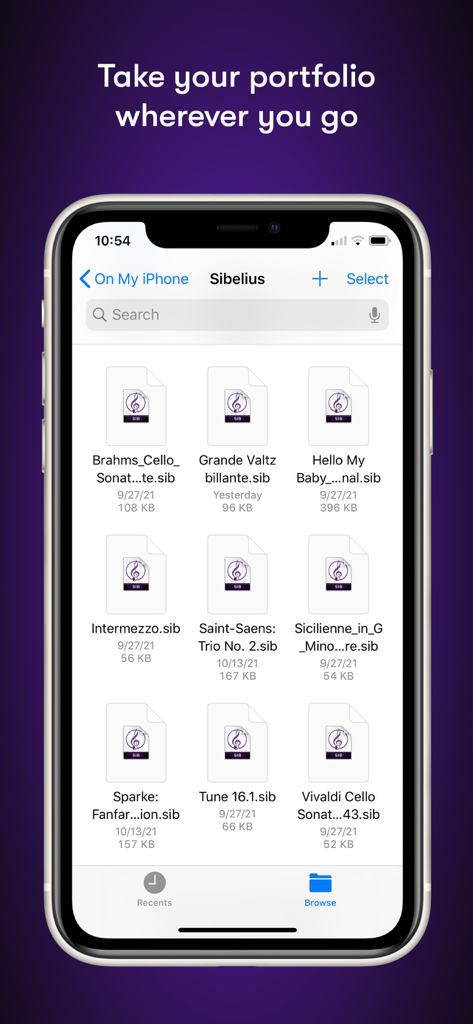
Sibelius mobile app file manager showing a list of music notation projects on an iPhone

Sibelius mobile app file manager showing a list of music notation projects on an iPhone

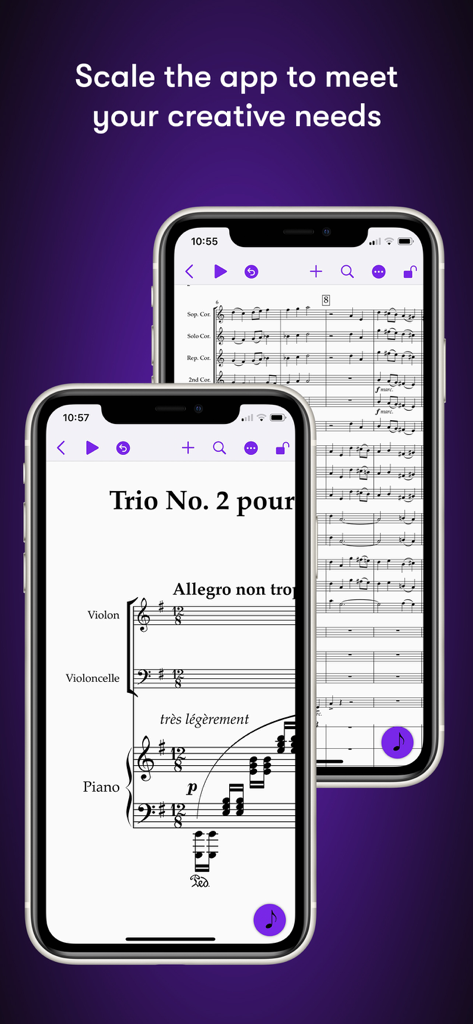
Sibelius mobile app displaying musical notation on iPhone screens

Sibelius mobile app displaying musical notation on iPhone screens

Pro Notation Without Boundaries

The tools that make this app stand out, trusted by 631K+ users.

🌍

Compose Anytime, Anywhere

Bring the world’s leading notation software from the studio to the coffee shop with a seamless mobile-to-desktop workflow.

✏️

Intuitive Touch & Pencil Entry

Reimagine the pen-and-paper experience. Use Apple Pencil gestures to tilt, tap, and drag notes into place with unmatched precision.

🎧

Hear Your Vision in Detail

Review and refine your scores with a high-quality sample library and humanistic playback that captures every nuance of your arrangement.

Loved by users worldwide

Trusted by 631K+ people who love this app.

"

"As a film orchestrator, I used to be tethered to my studio desk for even the smallest revisions. Now, I can handle last-minute changes directly on the scoring stage with my iPad and Apple Pencil. The workflow is seamless—moving a project from my Mac to my tablet feels like magic, and the precision of note entry is exactly what I need for professional-grade scores."

Marcus Thorne
"

"Sibelius for mobile has completely changed how I study. I can capture melodies while commuting to the conservatory and then polish the full arrangement in the library. It is the first time music notation on a tablet hasn't felt like a compromise. The Apple Pencil integration makes writing feel natural, almost like pen and paper, but with all the power of the industry's best software."

Elena Rodriguez

About the app

Everything you need to know about Sibelius.

Description

Sibelius brings professional music notation to iPad and iPhone, putting the workflows used by countless composers, orchestrators, and arrangers at your fingertips. Seamlessly move between iPad, iPhone and desktop, and from studio to coffeeshop to scoring stage, and write anywhere inspiration strikes. # Work on scores anywhere Sibelius for mobile puts the #1 selling music notation program at your fingertips—literally. Work with the same tools and features used by countless composers and production houses every day on your iPad and iPhone. Whether writing down ideas, creating full-blown compositions, or reviewing scores, you have the freedom to create wherever you’re comfortable. #Take your portfolio to go Forget having to bring and break out your laptop when meeting with clients and collaborators. Instead, you can conveniently take the world’s most powerful notation toolset and your entire music portfolio with you wherever you go—ideal for those unexpected opportunities. And for tandemly working through last-minute revisions. # Hear your music in stunning detail Sibelius includes a high-quality sample library filled with a variety of musical instrumentation, so you can hear what your music will sound like when performed by real musicians. The Espressivo advanced notation interpretation even lets you adjust rhythm and swing to create a more humanistic feel. # Speed your workflow Sibelius for mobile is designed to take full advantage of Apple Pencil and iPad touch capabilities. Its elegant, streamlined interface provides the most intuitive and efficient workflows possible while supporting the same keyboard shortcuts you know and love from working on the desktop version, so you’ll feel right at home. # Get innovative note entry Experience the pen and paper workflow reimagined. Enter notes with the onscreen Keypad or a keyboard, and Sibelius takes care of all note layout. Touch a note and drag up or down to change its value, or drag left or right to add a flat or sharp. With an Apple Pencil, tap a note and tilt up or down to add a flat or sharp, or tilt left or right to choose the note value. # Have everything you need In addition to the Keypad, Sibelius for mobile features a Create menu that’s optimized for iOS, making it easy to add clefs, key signatures, time signatures, barlines, symbols, text styles, and more to your score from searchable galleries. You can also quickly search through all Sibelius commands using the Command Search, putting the entire app at your fingertips. # Move tiers to meet needs Sibelius is designed to grow with you to support your creative aspirations and project needs. From the introductory (and free) Sibelius First to the industry-standard Sibelius Ultimate, you can add more notation capabilities and instrument parts to take on more creative opportunities by simply upgrading your subscription tier. # Have everything on one creative platform Seamlessly move from desktop to tablet and back without ever having to import or export files. That’s because whether on mobile or desktop, you’re always in Sibelius. With files saved to iCloud, Dropbox, Google Drive, or other iOS-supported cloud service, you have easy anywhere access to all your ideas and scores. # Enable a hybrid workflow While Sibelius for mobile is fully featured, providing many of the same tools as its desktop counterpart, there are some notation and layout features only available in the desktop version, making it an integral part of a complete workflow (compare versions). Plus, the mobile version comes free with the desktop version, enabling you to work where and how you want.

Latest Version

2025.12.1

Size

1.4 GB

First Released

Jul 29, 2021

Write Your Next Masterpiece Anywhere

Join the world’s leading composers and orchestrators. Download Sibelius to your iPad or iPhone and take the industry-standard notation tools wherever inspiration strikes.

Download on App StoreDownload on Google Play
FAQ

Frequently Asked Questions

Everything you need to know about Sibelius

What is Sibelius?

Sibelius is a professional music notation application for iPad, iPhone, and desktop. It provides workflows for composers, orchestrators, and arrangers, enabling score creation and review on the go.

Can I use Sibelius on my iPad and iPhone?

Yes, Sibelius is available for iPad and iPhone, allowing seamless movement between mobile and desktop devices. This enables users to work on scores and compositions from anywhere.

Does Sibelius for mobile offer the same features as the desktop version?

Sibelius for mobile provides many of the same tools as its desktop counterpart, offering a fully featured experience. Some advanced notation and layout features remain exclusive to the desktop version for a complete workflow.

How does Sibelius support innovative note entry on mobile devices?

Sibelius offers innovative note entry via the onscreen Keypad or a keyboard. Users can change note values by dragging or add flats/sharps by tilting an Apple Pencil, reimagining the pen and paper workflow.

What are the subscription options for Sibelius?

Sibelius offers different subscription tiers, including the free Sibelius First and the industry-standard Sibelius Ultimate. Users can upgrade their subscription to access more notation capabilities and instrument parts as their needs grow.

Can I access my Sibelius scores across different devices?

Yes, Sibelius enables seamless movement of scores between desktop, iPad, and iPhone. Files saved to iCloud, Dropbox, Google Drive, or other iOS-supported cloud services provide easy access from anywhere.

Does Sibelius include a sample library for music playback?

Yes, Sibelius includes a high-quality sample library with various musical instruments. This allows users to hear how their music will sound when performed by real musicians, enhancing the creative process.