Maestro - Music Composer

Maestro - Music Composer

Download on App Store
Spark by MWM logo
Logo of Maestro - Music Composer

Maestro - Music Composer: The Ultimate Portable Music Studio

Write professional notation, compose for 100+ instruments, and export high-quality sheet music from your iPad or iPhone. Designed for students, songwriters, and maestros on the go.

Download on App Store

Publisher

Future Sculptor Pty Ltd

Category

Music

Downloads

269K+

User Rating

4.1/5

Total Ratings

900

Locales

1

Visualize Your Masterpiece

Discover the interface used by 269K+ users.
The user interface of Maestro Music Composer showing a musical score and notation tools

The user interface of Maestro Music Composer showing a musical score and notation tools

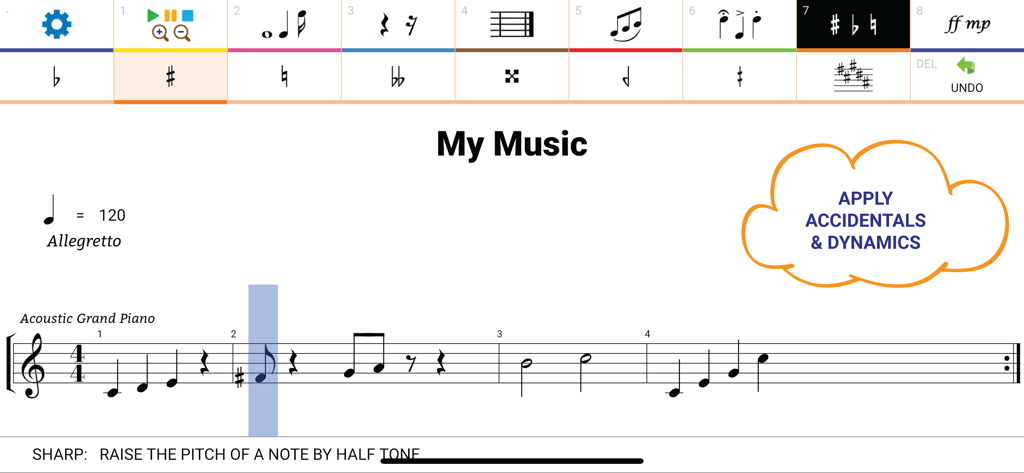
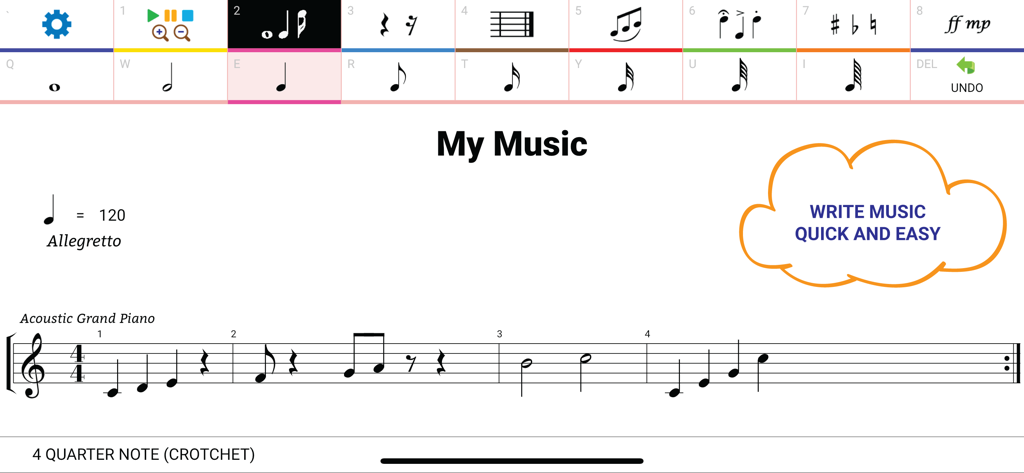
Music notation interface in Maestro app showing piano sheet music with accidental and dynamic tools

Music notation interface in Maestro app showing piano sheet music with accidental and dynamic tools

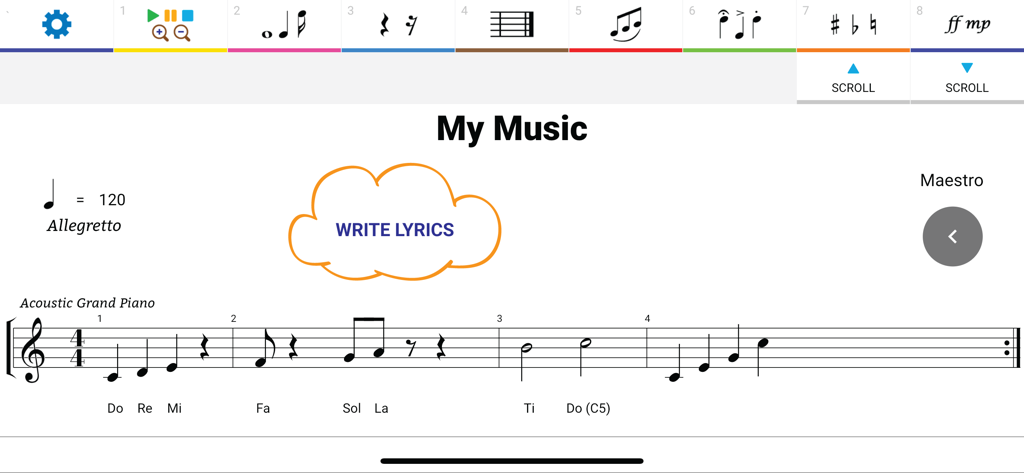
Maestro Music Composer app interface showing sheet music notation for piano with lyrics and editing tools

Maestro Music Composer app interface showing sheet music notation for piano with lyrics and editing tools

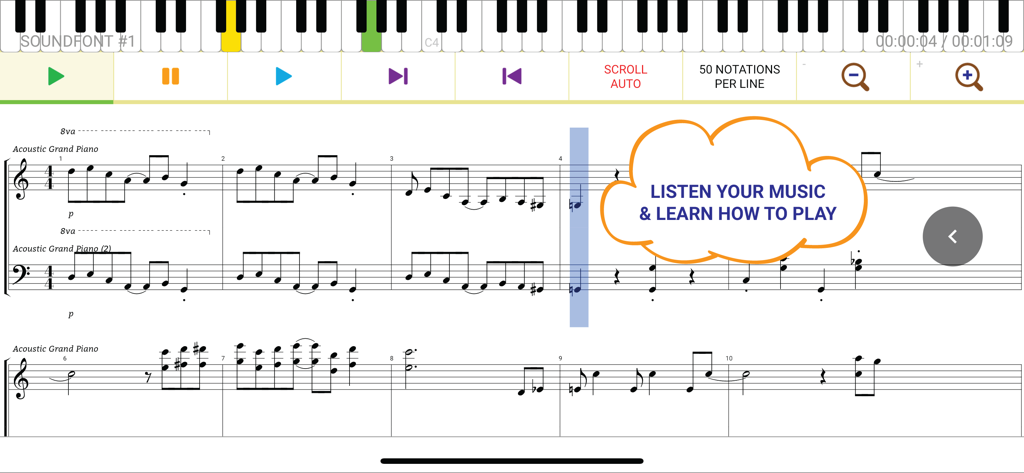
Maestro app interface showing sheet music notation with a virtual piano keyboard and playback controls for learning and listening

Maestro app interface showing sheet music notation with a virtual piano keyboard and playback controls for learning and listening

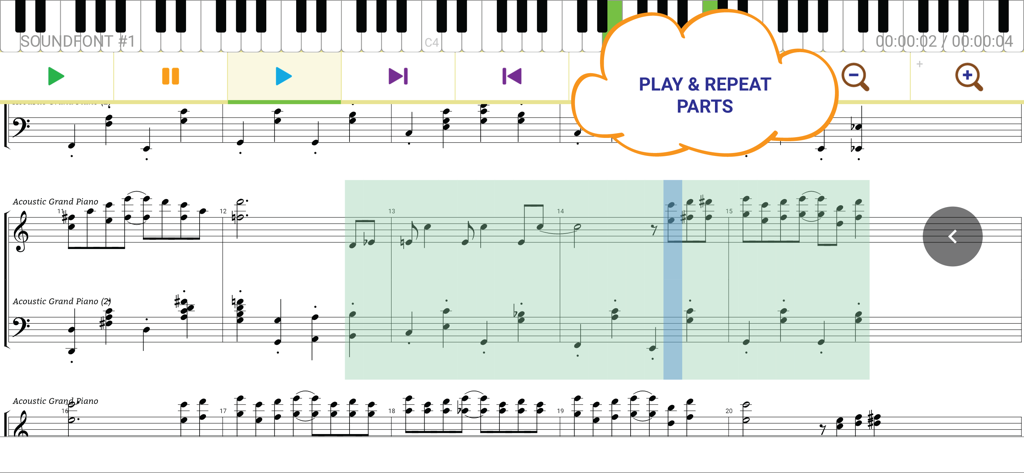
Interface of the Maestro music composer app highlighting the play and repeat parts feature on a digital sheet music score

Interface of the Maestro music composer app highlighting the play and repeat parts feature on a digital sheet music score

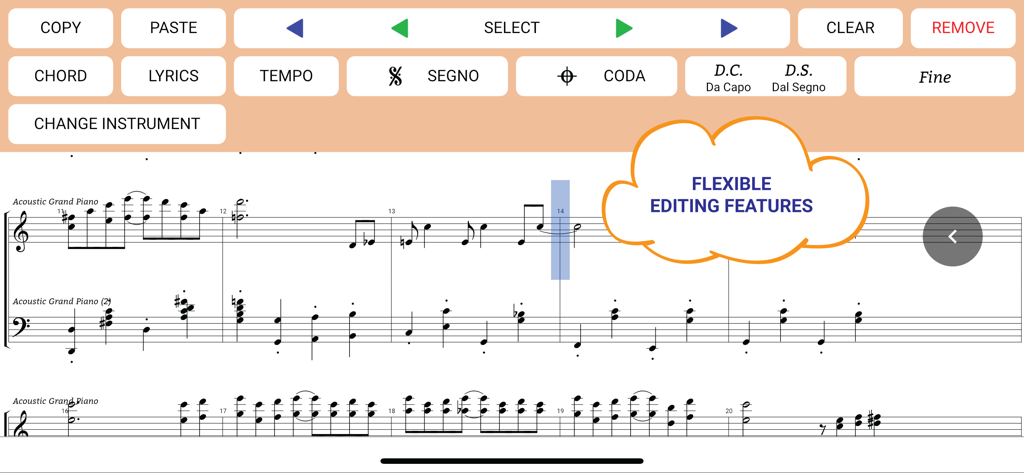
Interface of Maestro music composer app showing sheet music and flexible editing tools

Interface of Maestro music composer app showing sheet music and flexible editing tools

Compose Like a Maestro, Anywhere

The tools that make this app stand out, trusted by 269K+ users.

🎼

Professional Music Notation

Master every detail with support for articulations, dynamics, and complex time signatures—perfect for students and professional composers alike.

✏️

Intuitive Mobile Workflow

Experience the freedom of composing on the go. Use touch gestures or your Apple Pencil to draw notes with precision on your iPad or iPhone.

📤

Export and Perform

Instantly hear your score with 100+ realistic instruments, then export to PDF or Audio for easy printing and sharing with your ensemble.

Loved by users worldwide

Trusted by 269K+ people who love this app.

"

"As a music theory student, Maestro is an absolute lifesaver. I can finish my orchestration assignments during my commute and export them as professional-grade PDFs that my professors love. It is much more intuitive than the expensive desktop software we use in the lab, and the instrument playback sounds surprisingly realistic!"

Julian R.
"

"Finally, a mobile notation app that doesn't feel like a toy. I use it on my iPad to capture complex composition ideas the moment inspiration strikes. The support for unlimited staves and advanced articulations like quarter tones is exactly what I need for my freelance game scoring work. A must-have for any serious composer."

Elena Vance

About the app

Everything you need to know about Maestro - Music Composer.

Description

Maestro is the next generation of music composition app. Hello Maestro! We hope this can be the perfect app for music composers, songwriters, music students and everyone who wishes to write music easy. Compose music quick and easy like a maestro! Write and Learn Musical Notations - Notes, Chorded Notes and Layered Notes - Rests and Multi-Measure Rest - Measure Bar Lines - Repeat Signs, Da Capo, Dal Segno, Segno, Coda, Fine and Different Endings - Staccato, Staccatissimo, Accent, Tenuto, Fermata, Trill, Tremolo, Mordent and more Articulations - Dot, Double Dot, Beam, Tie, Slur, Duplets, Triplets, Quintuplets, Grace Note and more - Accidentals and Quarter Tones - Dynamics - Apply Octave Up and Down: 8va, 8vb, 15ma, 15mb, 22va, 22vb - Apply Transposition - Change Clef: Treble, Bass, Alto, Soprano, Mezzo-Soprano, Tenor, Baritone, Drums and Mono Tone Percussion - Change Tempo - Change Time Signature - Change Key Signature - Write Lyrics, Chord Texts and Finger Numbers Supports Multiple Instruments - Play your music with over 100 Instruments - Piano, Organ, Violin, Cello and other Strings, Guitar, Brass, Reed, Pipe, Drums and Percussion - There are also some fun sound effects such as Bird Tweet, Helicopter, Gun Shot, Seashore, Telephone Ring, Scream and more Unlimited Number of Staves - Write Orchestral Music - Show/hide staves to manage multiple staves or print the parts individually Unlimited Music Length - No limit in the number of measures and the length of the music Listen to your Masterpiece - Play your music instantly - Set playback section and repeat the parts you want to listen Export to Image Files and Print your Sheet Music - Zoom in and out to draw more or fewer notes in one line - Save as an image file as you see on the screen - Supports saving as JPG, PNG and PDF formats - Supports changing the page orientation Export to Audio File - Send your music to friends - Set your composition as a ringtone Supports tablets, iPads and all size of devices We value your feedback and suggestions! - We are very keen to make Maestro better - You are an artist creating music with Maestro, we are a digital artist creating this Maestro We will do our best to keep improving Maestro Thank you maestro@futuresculptor.com

Latest Version

2.2.047

Size

139.6 MB

First Released

Aug 18, 2021

Ready to Compose Your Next Masterpiece?

Join over 269,000 students and professionals who have traded bulky desktop software for the ultimate mobile music workstation. Download Maestro today and start writing, hearing, and sharing your music on the go.

Download on App Store