Dropbox: Cloud Storage Backup

Dropbox: Cloud Storage Backup

Download on App StoreDownload on Google Play
Spark by MWM logo
Logo of Dropbox: Cloud Storage Backup

Dropbox: Your Secure Cloud Storage & File Backup Solution

Effortlessly sync photos, scan documents, and share large files across all your devices. The all-in-one space for your digital life, trusted by professionals worldwide.

Publisher

Dropbox, Inc.

Category

Productivity

Downloads

113M+

User Rating

4.7/5

Total Ratings

2M+

Locales

20

Productivity in Motion

Discover the interface used by 113M+ users.

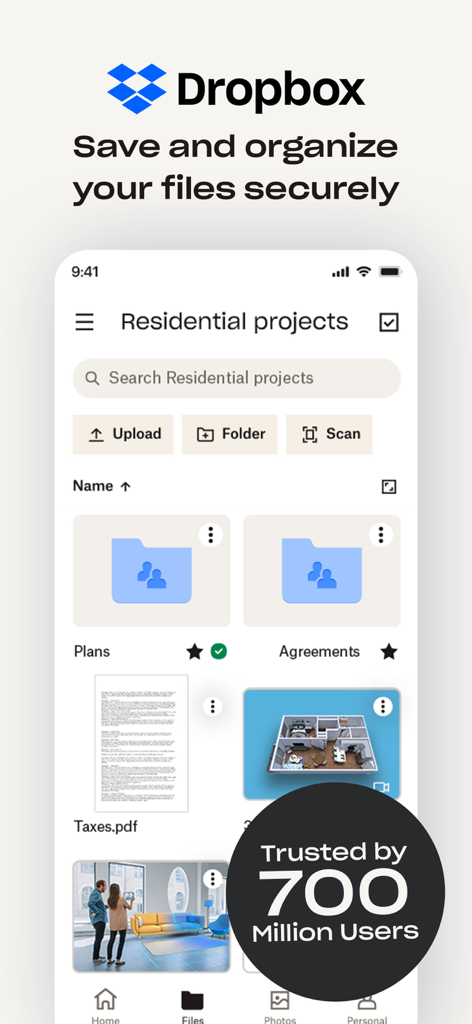
Dropbox mobile app interface showing file organization and secure storage folders

Dropbox mobile app interface showing file organization and secure storage folders

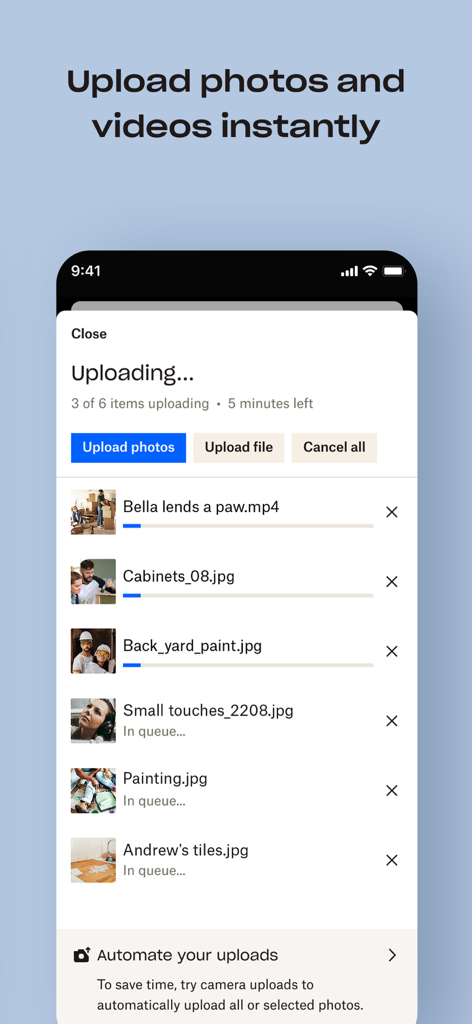
Dropbox mobile app interface displaying the progress of uploading photos and videos to cloud storage.

Dropbox mobile app interface displaying the progress of uploading photos and videos to cloud storage.

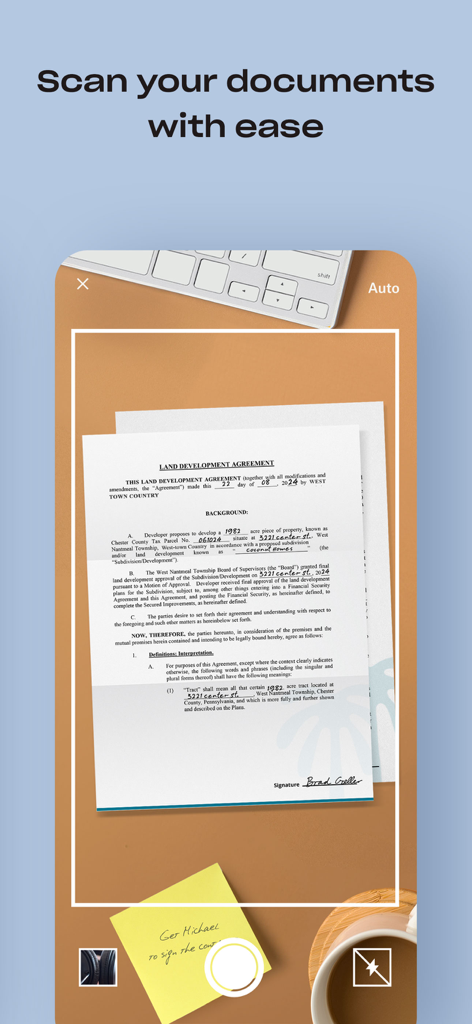
A smartphone screen displaying the Dropbox document scanning feature capturing a land development agreement on a desk

A smartphone screen displaying the Dropbox document scanning feature capturing a land development agreement on a desk

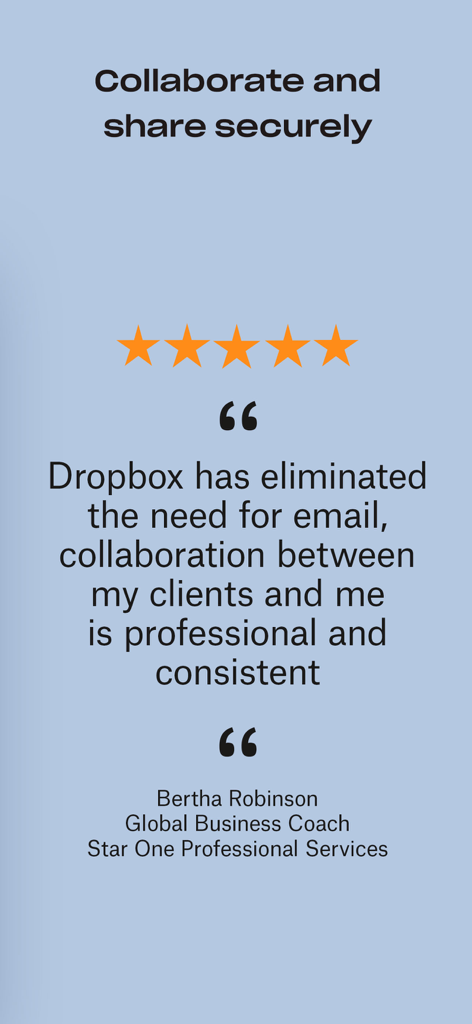
Five star testimonial for Dropbox professional collaboration and secure sharing

Five star testimonial for Dropbox professional collaboration and secure sharing

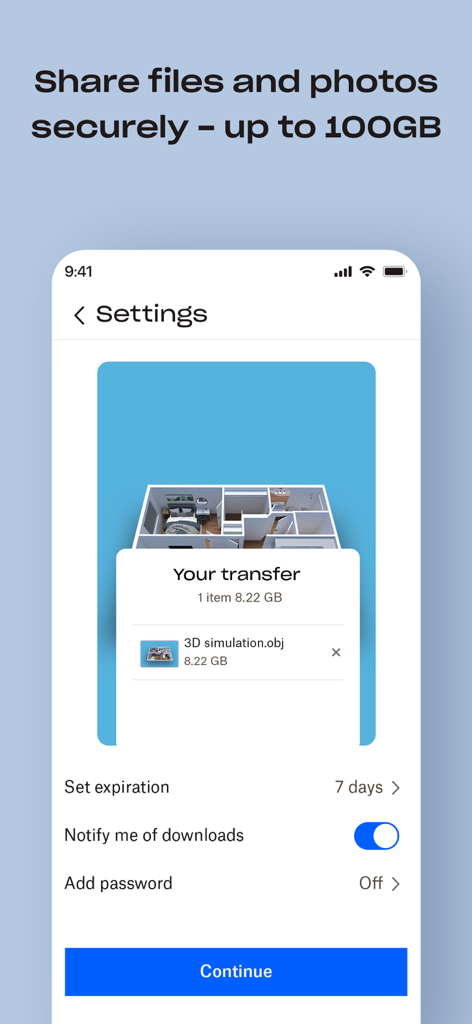
Dropbox app interface showing settings for sharing a large 3D simulation file securely with options for expiration and password protection

Dropbox app interface showing settings for sharing a large 3D simulation file securely with options for expiration and password protection

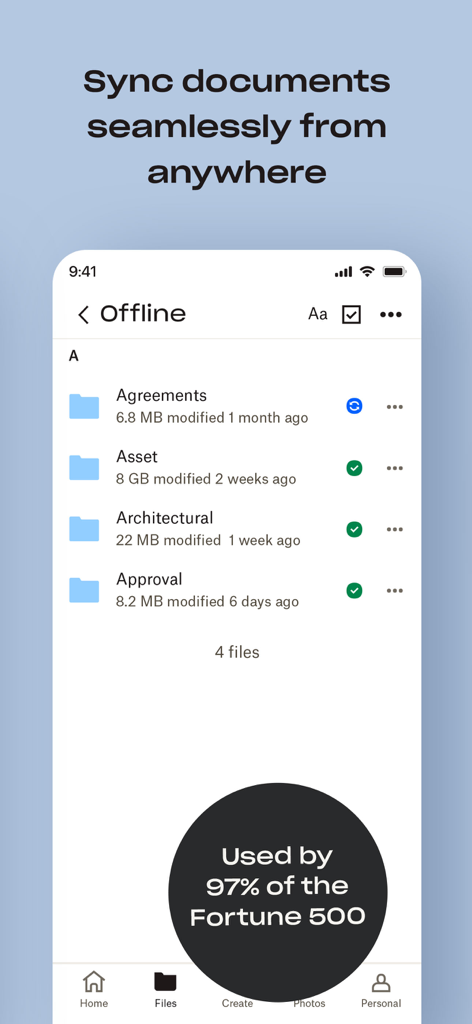
Dropbox app interface showing a list of synced offline folders and a badge stating it is used by 97 percent of Fortune 500 companies.

Dropbox app interface showing a list of synced offline folders and a badge stating it is used by 97 percent of Fortune 500 companies.

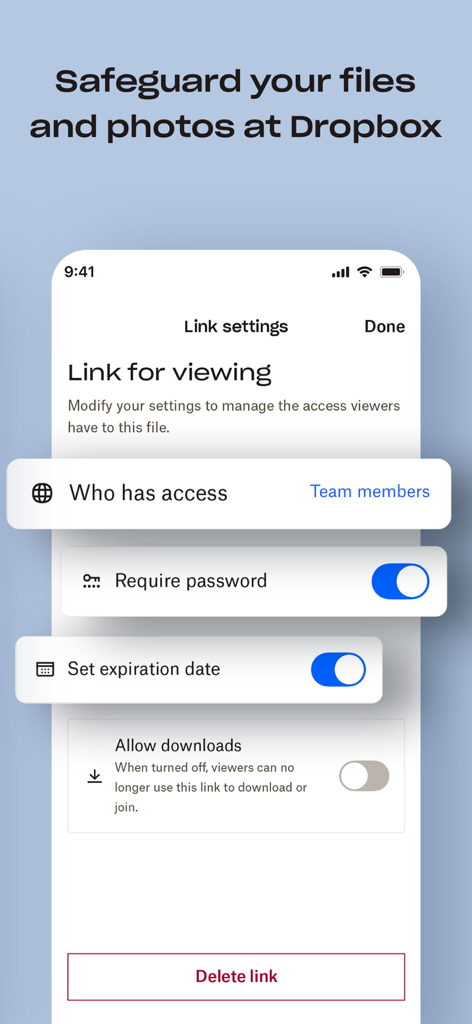
A mobile app screen showing Dropbox link settings with options for password protection and file expiration dates

A mobile app screen showing Dropbox link settings with options for password protection and file expiration dates

Master Your Digital Workspace

The tools that make this app stand out, trusted by 113M+ users.

📱

Access Anywhere, Anytime

Bridge the gap between your iPhone and PC with instant sync that keeps your files ready on every screen you use.

🔗

Effortless File Sharing

Stop worrying about email size limits. Send huge videos and folders instantly with just a secure link for anyone to view.

🛡️

Professional-Grade Security

Rest easy with bank-grade encryption and the power to rewind any folder or account changes up to 30 days.

Loved by users worldwide

Trusted by 113M+ people who love this app.

"

"As a photographer, I'm constantly moving between my iPhone and my Windows workstation. Dropbox is the only tool that syncs my high-res previews instantly across both. Being able to share a simple link for a 2GB folder with clients without them needing an account is a total game-changer for my workflow."

Sarah J., Freelance Graphic Designer
"

"The document scanner has literally replaced my office hardware. I can scan contracts on the go and they're waiting for me on my desktop as PDFs. Plus, knowing I can 'Rewind' my account if I make a mistake gives me the security I need for my most sensitive project files."

David L., Project Manager

About the app

Everything you need to know about Dropbox: Cloud Storage Backup.

Description

Dropbox lets you upload, save, and transfer photos and files to the cloud. Backup and sync your pictures, videos, documents, and other files to cloud storage and access them from any device, anywhere. With advanced sharing features, it’s easy to share and send photos or files to family, friends, and co-workers. Features: • Automatically upload videos and photos from your camera roll to cloud photo storage - all in the background - for easy video sharing and photo sharing. • Access any file in your account - even offline - and preview over 175 different file types with no special software required. • Easily send large files by copying and pasting a link you can give to anyone, even if they don’t have a Dropbox account. • Scan documents, receipts, IDs, photos, and more using your mobile device and transform them into high-quality PDFs, so you can view and send anywhere. • Sync folders on your PC or Mac to Dropbox with computer backup, and recover older versions or restore deleted files with version history and file recovery. Sign up now for your free Dropbox Plus trial. You’ll get 2 TB (2,000 GB) of storage space - that’s enough room to save files from all your linked devices. And with Dropbox Rewind, you can roll back any file, folder, or your entire account, up to 30 days. Before starting a trial or completing payment, you’ll see the plan price. This amount will be charged to your Apple ID account at confirmation of purchase and on renewal and will vary by plan and country. Dropbox subscriptions renew monthly or yearly, depending on your plan. Your account will be charged for renewal 24 hours before the end of your current billing period. To avoid auto-renewal, turn it off within at least 24 hours before your subscription renews. You can turn off auto-renewal anytime from your Apple ID account settings. You can manage and cancel your subscriptions by going to your account settings on the App Store after purchase. Dropbox is a secure cloud solutions leader trusted by Fortune 500 companies for their most sensitive data. Over 14 million paid users choose Dropbox because they know they can count on a company that’s also dedicated to their security and privacy—no matter what they do or where they are. Let Dropbox be your all-in-one file storage, file organizer, file transfer, and file sharing solution for all your devices. We’d love to hear from you! Join the Dropbox community: https://www.dropboxforum.com Terms of Service: https://www.dropbox.com/terms Privacy Policy: https://www.dropbox.com/privacy

Latest Version

454.2

Size

199.2 MB

First Released

Sep 29, 2009

Experience Total Peace of Mind with 2 TB of Secure Storage

Join 14 million professionals who rely on Dropbox for effortless syncing and bank-grade security. Start your free trial today and access your entire digital world from any device.

Download on App StoreDownload on Google Play
FAQ

Frequently Asked Questions

Everything you need to know about Dropbox: Cloud Storage Backup

What is Dropbox?

Dropbox is a cloud storage solution that lets users upload, save, and transfer photos and files. It provides backup and sync services for pictures, videos, documents, and other files, accessible from any device.

Does Dropbox offer a free trial?

Yes, Dropbox offers a free Dropbox Plus trial. This trial provides 2 TB (2,000 GB) of storage space and includes Dropbox Rewind for rolling back files for up to 30 days.

How can I upload photos and videos to Dropbox?

Dropbox automatically uploads videos and photos from your camera roll to cloud storage in the background. Users can also manually upload files within the app.

Can I scan documents with the Dropbox app?

Yes, the Dropbox app allows users to scan documents, receipts, IDs, and photos using their mobile device. It transforms these scans into high-quality PDFs for viewing and sending.

Is Dropbox secure for storing sensitive data?

Yes, Dropbox is a secure cloud solution leader trusted by Fortune 500 companies for sensitive data. Over 14 million paid users choose Dropbox for its dedication to security and privacy.

Can I access my Dropbox files offline?

Yes, Dropbox users can access any file in their account even offline. The app previews over 175 different file types without requiring special software.

How do Dropbox subscriptions renew?

Dropbox subscriptions renew monthly or yearly, depending on the chosen plan. The account is charged 24 hours before the end of the current billing period.

How do I turn off auto-renewal for my Dropbox subscription?

Users can turn off auto-renewal for their Dropbox subscription anytime from their Apple ID account settings. This must be done at least 24 hours before the subscription renews.

What is the storage capacity included with the Dropbox Plus trial?

The free Dropbox Plus trial includes 2 TB (2,000 GB) of storage space. This capacity is sufficient to save files from all linked devices.

Can I share large files using Dropbox?

Yes, Dropbox enables easy sharing of large files by copying and pasting a link. This link can be given to anyone, even if they do not have a Dropbox account.

Does Dropbox offer version history and file recovery?

Yes, Dropbox provides version history and file recovery features. Users can recover older versions or restore deleted files with computer backup sync.