Microsoft OneDrive

Microsoft OneDrive

Download on App StoreDownload on Google Play
Spark by MWM logo
Logo of Microsoft OneDrive

Microsoft OneDrive: Your Digital Life, Securely Synced Across Every Device

From automatic photo backups to professional document collaboration, keep your world organized and protected. Seamlessly bridge your iPhone, iPad, and PC with the power of Microsoft 365.

Download on App Store

Publisher

Microsoft Corporation

Category

Productivity

Downloads

111M+

User Rating

4.6/5

Total Ratings

2M+

Locales

33

Your Productivity, Visualized

Discover the interface used by 111M+ users.
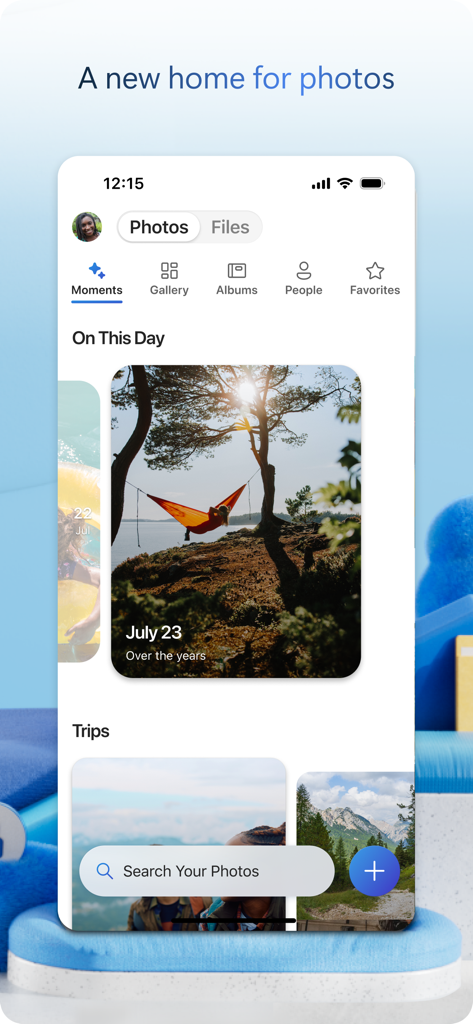
Microsoft OneDrive mobile app displaying the photo gallery interface with automated memories and search functionality

Microsoft OneDrive mobile app displaying the photo gallery interface with automated memories and search functionality

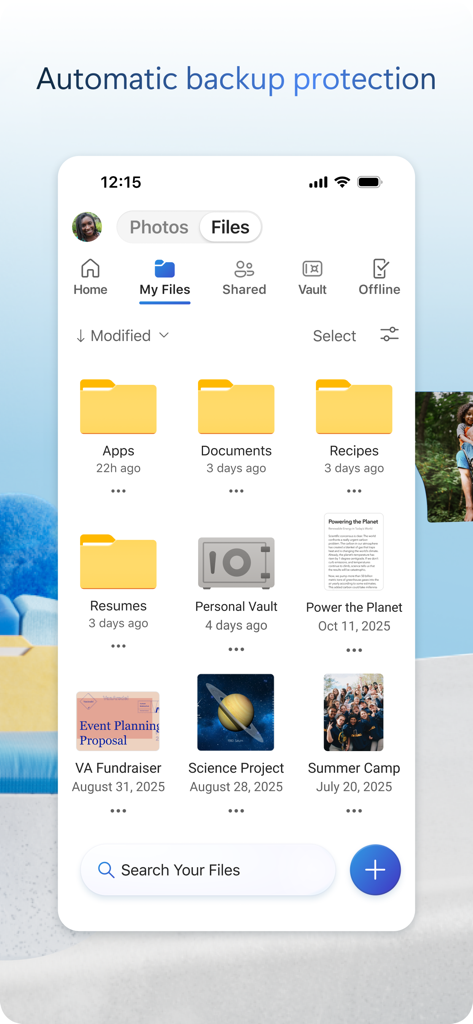
Microsoft OneDrive mobile app showing the My Files interface with various folders and documents.

Microsoft OneDrive mobile app showing the My Files interface with various folders and documents.

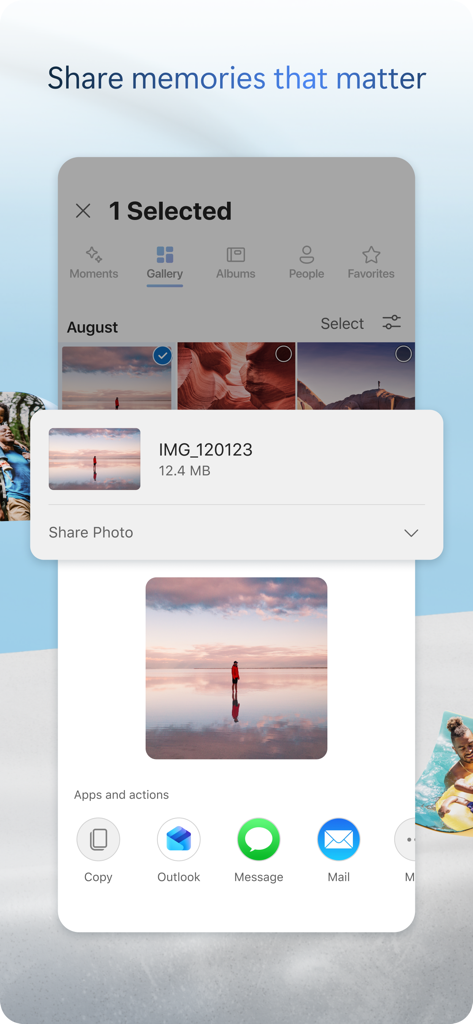
Microsoft OneDrive mobile app interface showing a selected photo with options to share via Outlook, Message, and Mail.

Microsoft OneDrive mobile app interface showing a selected photo with options to share via Outlook, Message, and Mail.

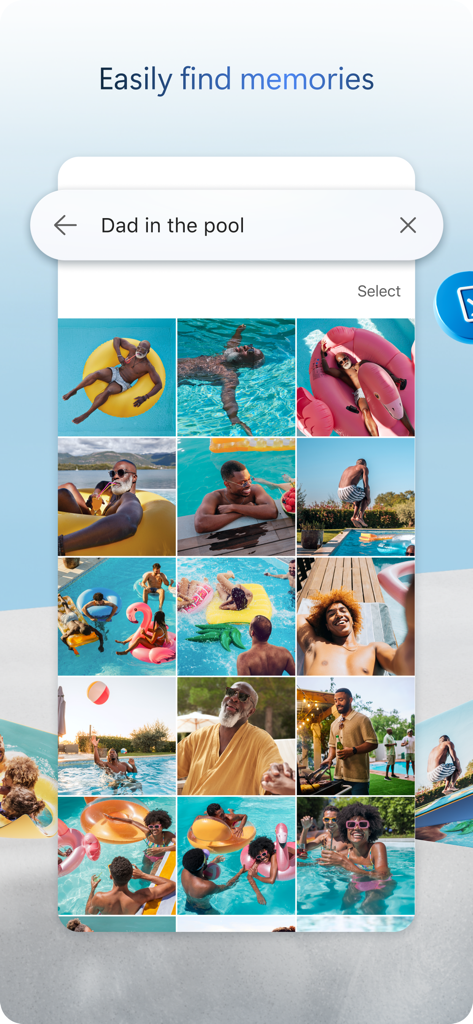
Microsoft OneDrive mobile app interface displaying a photo search result for Dad in the pool with a grid of pictures.

Microsoft OneDrive mobile app interface displaying a photo search result for Dad in the pool with a grid of pictures.

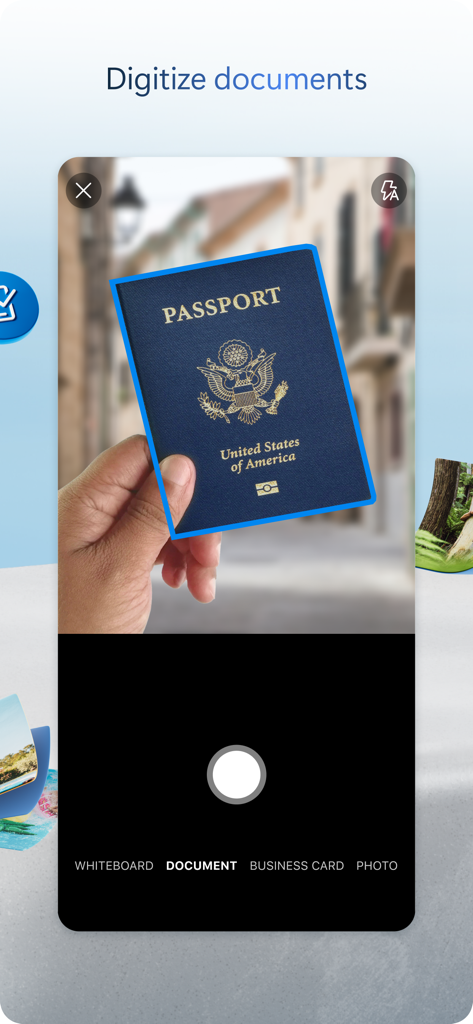
Microsoft OneDrive app scanning a US passport with the digitize documents feature

Microsoft OneDrive app scanning a US passport with the digitize documents feature

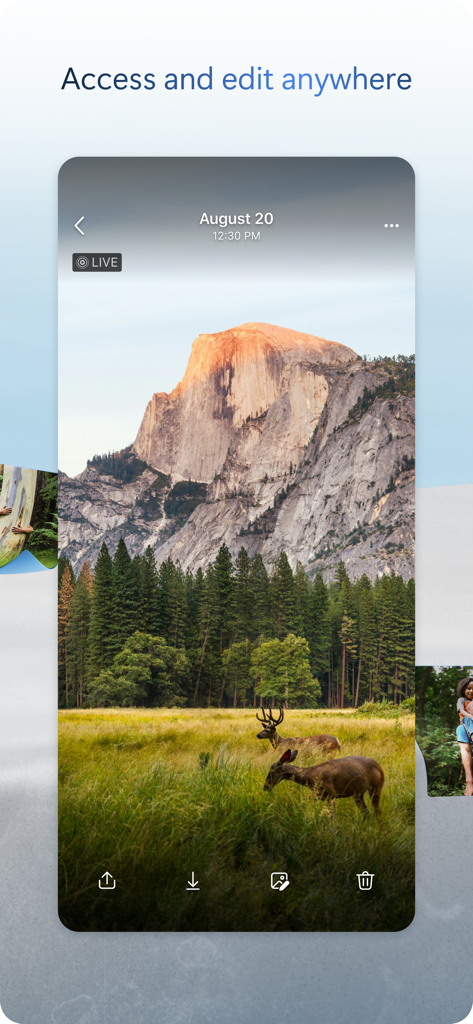
Smartphone screen showing a scenic nature photo in the Microsoft OneDrive app with deer in a meadow.

Smartphone screen showing a scenic nature photo in the Microsoft OneDrive app with deer in a meadow.

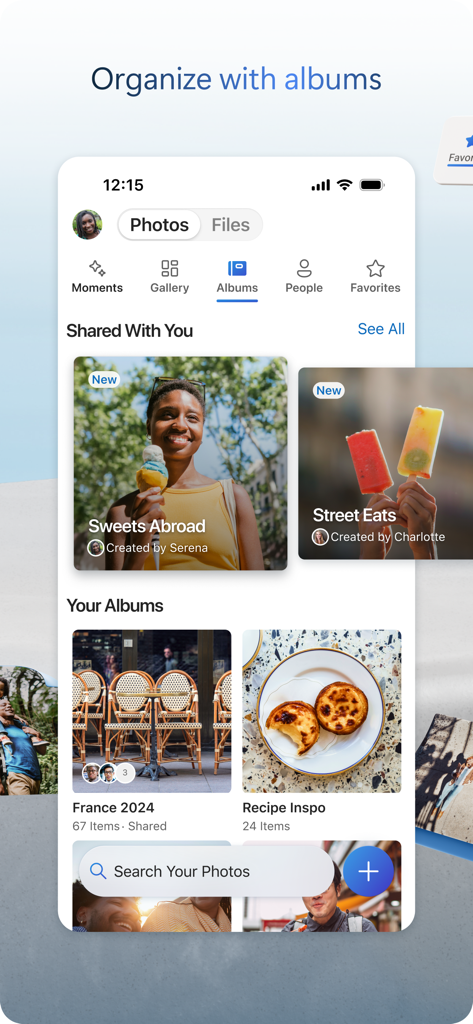
Screenshot of the Microsoft OneDrive mobile app showing organized photo albums and shared collections

Screenshot of the Microsoft OneDrive mobile app showing organized photo albums and shared collections

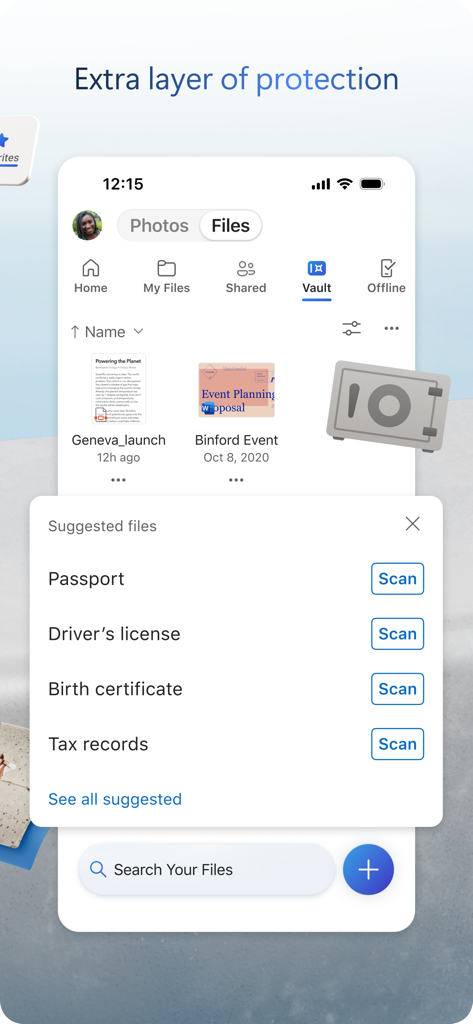
OneDrive mobile app interface showcasing the Personal Vault for secure document storage and scanning

OneDrive mobile app interface showcasing the Personal Vault for secure document storage and scanning

Your Entire Digital Life, Perfectly Synced

The tools that make this app stand out, trusted by 111M+ users.

🔄

The Ultimate Windows-to-iOS Bridge

Access every file from your work PC on your iPhone or iPad seamlessly. Start a project at your desk and finish it on the go without missing a beat.

🛡️

Identity-Protected Security

Keep sensitive documents like IDs, tax records, and family photos safe in your Personal Vault, guarded by multi-layer identity verification and ransomware recovery.

✍️

Scan, Sign, and Collaborate

Digitize physical contracts with the built-in scanner and collaborate in real-time on Word or Excel files, even when you are offline.

Loved by users worldwide

Trusted by 111M+ people who love this app.

"

"As a project manager juggling a Windows laptop and an iPhone, OneDrive is the perfect bridge. The document scanner is a game-changer for signing contracts on the go, and the instant syncing means I never have to email files to myself again."

Sarah Jenkins
"

"The 1TB of storage is an incredible value for my family. I love knowing all my phone's photos are backed up automatically, and the Personal Vault gives me that extra layer of security for our most important documents like birth certificates and tax returns."

Marcus Thompson

About the app

Everything you need to know about Microsoft OneDrive.

Description

Microsoft OneDrive keeps your photos, videos, and files backed up, protected, synced, and accessible on all your devices. The OneDrive app lets you view and share OneDrive files, photos, and videos with friends and family. You can use the app to automatically back up your phone's photos and videos. Start with 5 GB of free cloud storage or upgrade to a Microsoft 365 subscription to get up to 1 TB. Microsoft OneDrive Features: Back up photos and videos • Automatic photo and video backup when you turn on Camera Upload • View photos and videos on your phone, computer, and web browser File sharing and management • Share files, photos, videos, and albums with friends and family • Get notifications when a shared document is edited • Set password-protected or expiring sharing links* • Access entire folders on the app even when there is no internet connection* Scan • Scan and save documents, business cards, receipts, whiteboards, and more • Mark up, sign, and send docs right from the OneDrive mobile app Search • Search docs by name or content Security • Personal Vault lets you protect your important files with identity verification • Restore documents with version history on all files • Ransomware detection and recovery* Works with Microsoft Word, Excel, PowerPoint, OneNote, Outlook • Back up, view, and save your Office documents. • Use Microsoft Office apps to edit and collaborate in real time on Word, Excel, PowerPoint, and OneNote files stored in OneDrive. • Edit documents offline and save them once you are back online Upgrade to a Microsoft 365 Personal or Family subscription: • 1TB of storage (1TB of storage per person for up to 6 people with the Family subscription) • Access OneDrive premium features • Get access to Word, Excel, PowerPoint, Outlook, and OneNote on iPad, iPhone, and iPod touch • Install Word, Excel, PowerPoint, and Outlook on PCs or Macs. • Bigger personal vault • Keep your shared files, folders and photos more secure by giving others access for a limited period of time • Ransomware detection and recovery • Offline Folders: Stay productive and access entire folders even when there is no internet connection • Increase your sharing limit and share 10x content per day with friends and family You can also purchase additional cloud storage only, with a Microsoft 365 Basic subscription. This is enough cloud storage for 32,000 photos (9 MP JPEG photos) or 132,000 documents (.7 MB Office files). To make an in-app purchase of a Microsoft 365 Basic, Microsoft 365 Personal, Microsoft 365 Family subscription: open the app, tap the Me tab, then tap Get More Storage or the Go Premium diamond icon. Subscriptions begin at $1.99 a month in the US, and can vary by region. Microsoft 365 subscriptions purchased from the app will be charged to your Apple ID and will automatically renew within 24 hours prior to the end of the current subscription period, unless auto-renewal is disabled beforehand. To manage your subscriptions or to disable auto-renewal, after purchase, go to your Apple ID account settings. A subscription cannot be cancelled or refunded during the active subscription period. Using this OneDrive app for work or school For you to sign into your work or school account on OneDrive, your organization needs to have a qualifying OneDrive, SharePoint Online or Microsoft 365 business subscription plan. Privacy This app is provided by Microsoft. Data provided through the use of this store and this app may be accessible to Microsoft and transferred to, stored, and processed in the United States or any other country where Microsoft or its affiliates maintain facilities. Privacy Policy: https://go.microsoft.com/fwlink/?LinkID=507539. Terms of Use: https://go.microsoft.com/fwlink/p/?LinkID=246338. Consumer Health Data Privacy Policy: https://go.microsoft.com/fwlink/?linkid=2259814. *Requires Microsoft 365 Personal or Family subscription

Latest Version

16.30.6

Size

307.6 MB

First Released

Dec 13, 2011

Your Life, Synced and Secure

Join over 100 million users who trust OneDrive to protect their photos and stay productive on the go. Start with 5 GB of free storage or upgrade for the ultimate 1 TB peace of mind.

Download on App StoreDownload on Google Play
FAQ

Frequently Asked Questions

Everything you need to know about Microsoft OneDrive

Does Microsoft OneDrive automatically back up photos and videos?

Yes, Microsoft OneDrive offers automatic photo and video backup when users activate the Camera Upload feature. This ensures media is protected and accessible across devices.

Is there free storage available with Microsoft OneDrive?

Microsoft OneDrive provides 5 GB of free cloud storage to all users upon starting. Additional storage is available through various Microsoft 365 subscriptions.

What is the Personal Vault feature in Microsoft OneDrive?

The Personal Vault feature in Microsoft OneDrive protects important files with identity verification. It offers an extra layer of security for sensitive documents within the app.

Can I share files and photos using Microsoft OneDrive?

Yes, Microsoft OneDrive enables users to share files, photos, videos, and albums with friends and family. It also offers advanced sharing options with a Microsoft 365 subscription.

What types of documents can be scanned with the Microsoft OneDrive app?

The Microsoft OneDrive app allows users to scan and save documents, business cards, receipts, and whiteboards directly. Users can also mark up, sign, and send scanned documents.

How much storage comes with a Microsoft 365 subscription for OneDrive?

A Microsoft 365 Personal or Family subscription provides 1 TB of storage. The Family subscription offers 1 TB per person for up to six people.

Can I edit Microsoft Office documents within Microsoft OneDrive?

Yes, Microsoft OneDrive integrates with Word, Excel, PowerPoint, OneNote, and Outlook. Users can back up, view, save, edit, and collaborate on these files in real time.

Does Microsoft OneDrive support offline access to files?

Yes, Microsoft OneDrive allows access to entire folders within the app even without an internet connection. This feature requires a Microsoft 365 Personal or Family subscription.

How do I upgrade my storage plan in the Microsoft OneDrive app?

To upgrade storage in the Microsoft OneDrive app, users tap the 'Me' tab, then select 'Get More Storage' or the 'Go Premium' diamond icon. Subscriptions start at $1.99 monthly.

Does Microsoft OneDrive protect against ransomware?

Yes, Microsoft OneDrive provides ransomware detection and recovery as a premium feature. This functionality is included with a Microsoft 365 Personal or Family subscription.