FlashGet Kids:parental control

FlashGet Kids:parental control

Download on App Store
Spark by MWM logo
Logo of FlashGet Kids:parental control
FlashGet Kids: Your All-in-One Digital Bodyguard and Parental Safety Tool

Monitor live locations, mirror screens, and manage app habits in real-time. Give your children the digital freedom they want and the protection they need across all their iOS devices.

Download on App Store

Publisher

HONGKONG FLASHGET NETWORK TECHNOLOGY CO., LIMITED

Category

Education

Downloads

1M+

User Rating

4.7/5

Total Ratings

6K+

Locales

23

A Window into Their World

Discover the interface used by 1M+ users.
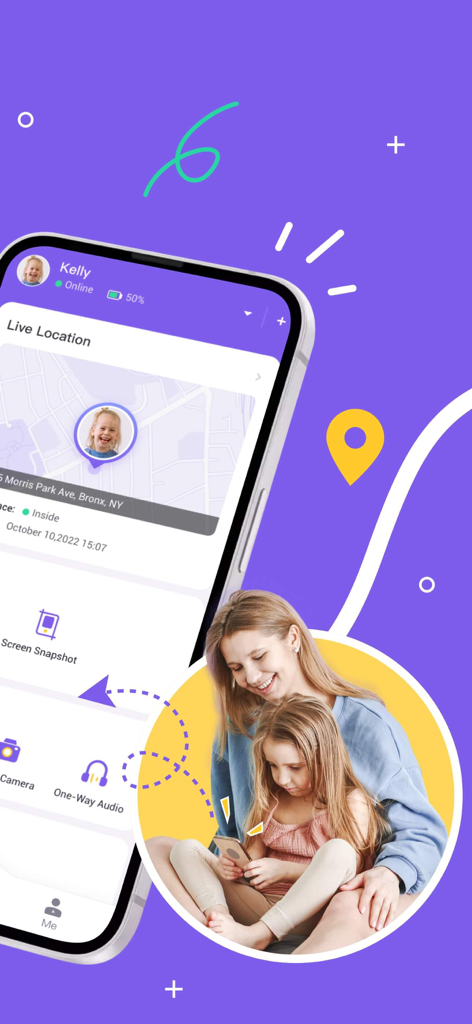
FlashGet Kids app interface showing live location tracking for child safety

FlashGet Kids app interface showing live location tracking for child safety

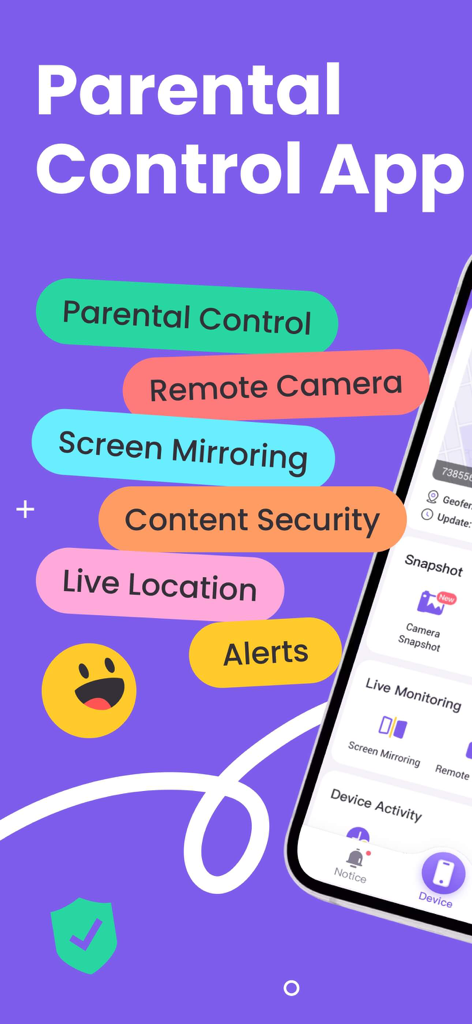
FlashGet Kids parental control app main features including remote camera and live location tracking.

FlashGet Kids parental control app main features including remote camera and live location tracking.

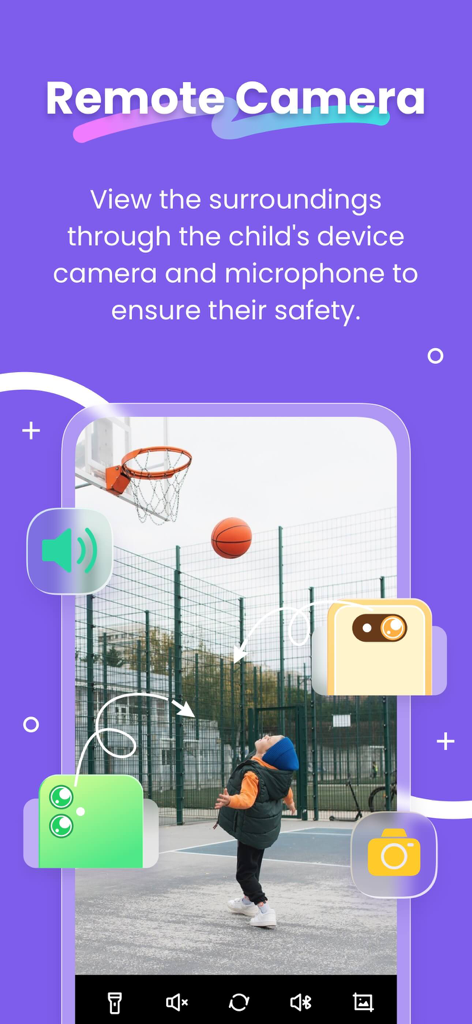
FlashGet Kids app interface showing remote camera and audio monitoring feature for child safety

FlashGet Kids app interface showing remote camera and audio monitoring feature for child safety

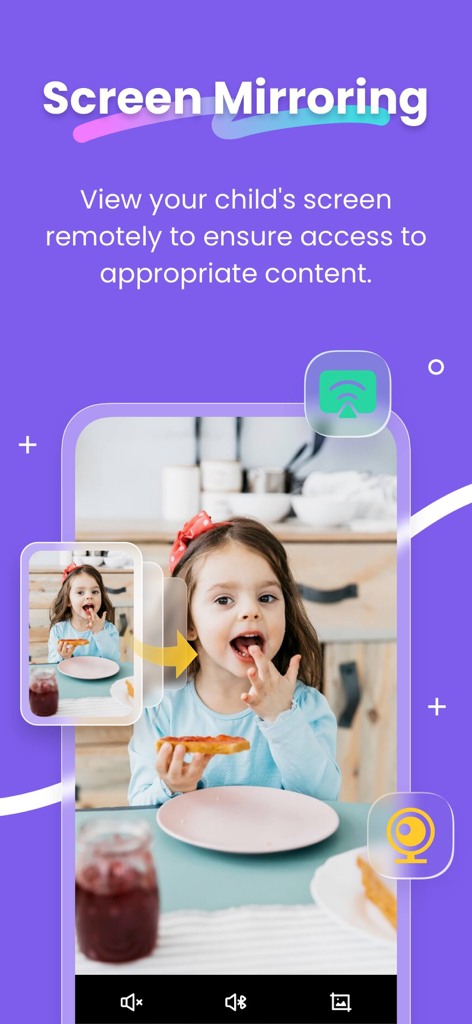
FlashGet Kids screen mirroring feature for remote monitoring of child device content

FlashGet Kids screen mirroring feature for remote monitoring of child device content

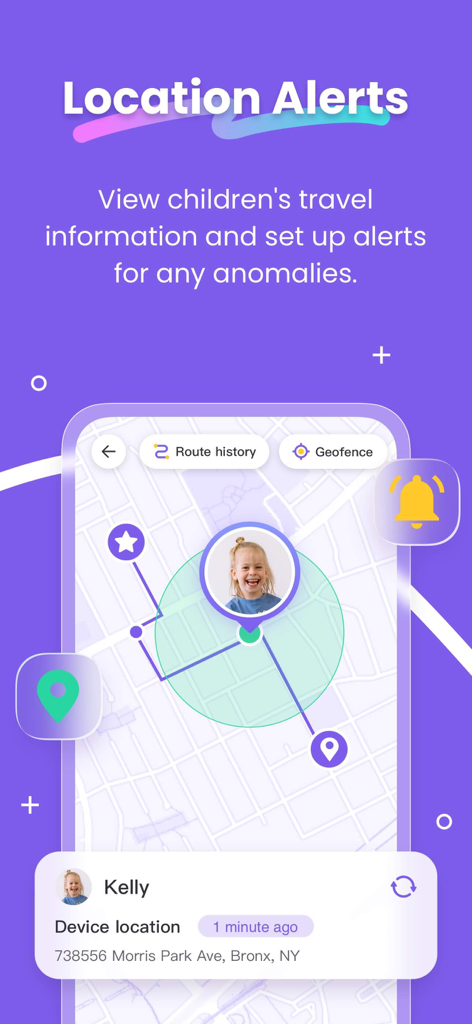
FlashGet Kids app interface showing real-time GPS location tracking and geofencing alerts for child safety

FlashGet Kids app interface showing real-time GPS location tracking and geofencing alerts for child safety

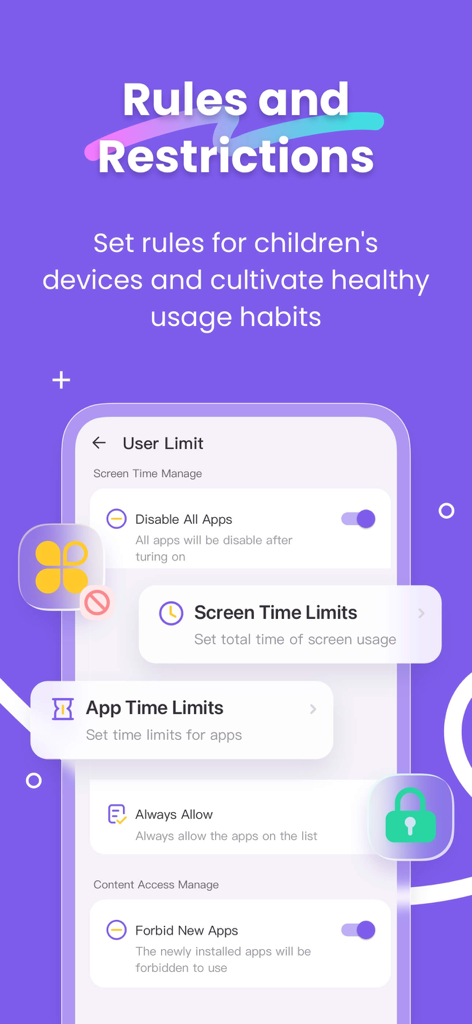
Parental control interface showing app and screen time limits settings in the FlashGet Kids app.

Parental control interface showing app and screen time limits settings in the FlashGet Kids app.

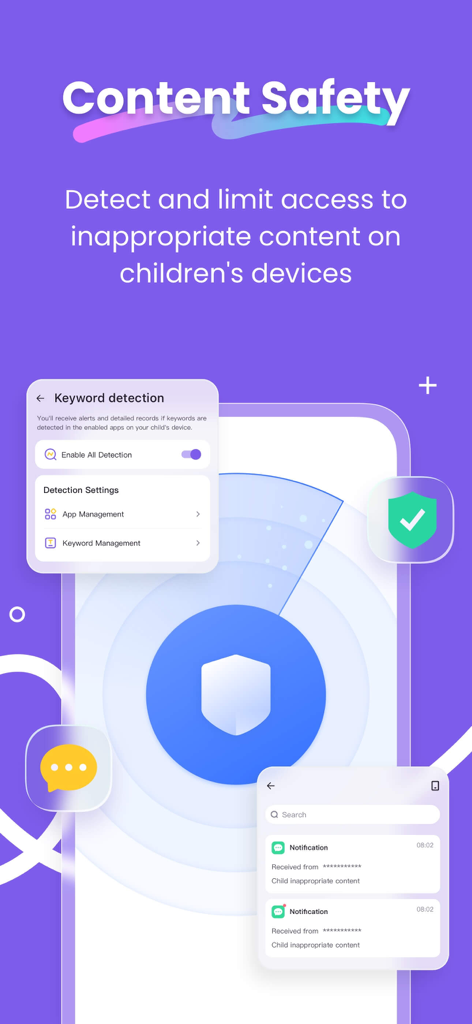
FlashGet Kids app screenshot showing content safety and keyword detection features

FlashGet Kids app screenshot showing content safety and keyword detection features

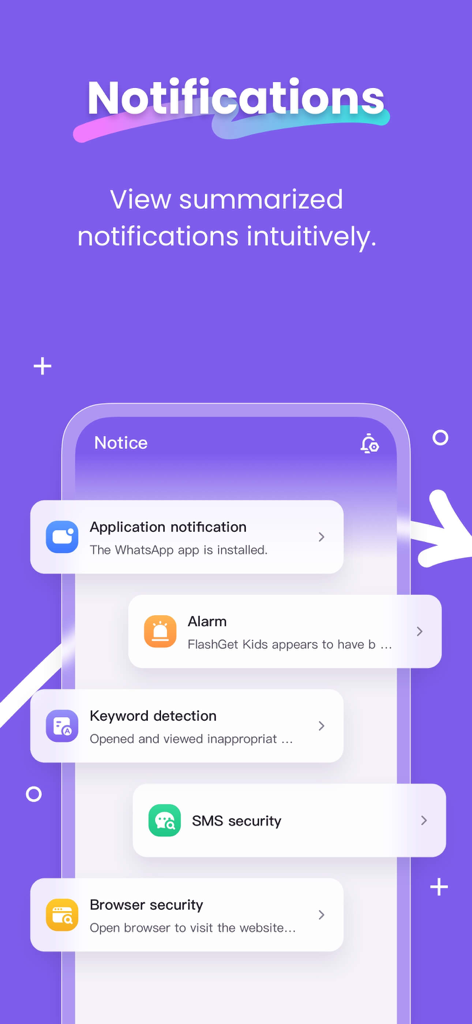
FlashGet Kids app interface showing summarized notifications for keyword detection and browser security

FlashGet Kids app interface showing summarized notifications for keyword detection and browser security

Total Peace of Mind for Modern Parents

The tools that make this app stand out, trusted by 1M+ users.

📍

Real-Time GPS & Geofencing

Track your child's live location and receive instant alerts when they arrive at school or home, ensuring they are safe during the after-school gap.

🛡️

Advanced Content Safeguards

Monitor social media activity on TikTok and Instagram to prevent cyberbullying and filter out inappropriate content before it reaches their screen.

Smart Screen Time Management

Set automated schedules and app-specific limits to eliminate distractions during homework and promote healthy sleep habits without the nightly power struggle.

Loved by users worldwide

Trusted by 1M+ people who love this app.

"

"FlashGet Kids has completely changed how I manage my daughter's after-school routine. As a working mom, the live location tracking and geofencing alerts give me immense peace of mind while she's commuting. I especially appreciate the sensitive content detection for TikTok; it lets me protect her digital well-being without having to hovering over her shoulder every second."

Sarah Jenkins
"

"I've tried several parental control apps, but this is the first one that handles our family's iOS ecosystem perfectly. The screen mirroring feature is a standout, allowing me to see which apps are distracting my son during homework time. Setting up custom app rules was incredibly intuitive, and it has significantly reduced our daily arguments about screen time."

David Miller

About the app

Everything you need to know about FlashGet Kids:parental control.

Description

FlashGet Kids: parental control is a comprehensive remote control software for parents. With just one account, you can track your child's location and learn about their online activities through an iPhone or iPad. This helps ensure your child's safety and promotes good device usage habits. How does FlashGet Kids protect your children? *One-Way Audio - Helps parents identify and understand emergency events happening around their children in real-time, enabling parents to contact their children anytime and stay informed. *Screen Mirroring - allowing you to see the apps your child uses at school and their usage frequency, protecting them from potentially dangerous apps. *Live Location - High-precision GPS location tracker helps you understand your child's location and historical routes, with customizable geofencing rules that alert parents when children pass certain points, acting like a bodyguard watching over your child 24/7. *Sync App Notifications - Real-time synchronization helps you keep up with your child's chat activities on social media apps, helping them stay away from cyberbullying and online scams. *Sensitive Content Detection - With Usage Safety features, parents can manage children's access to sensitive content on social media platforms like TikTok, YouTube, Facebook, Instagram, while also supporting Browser Safety features to filter inappropriate websites. Parents can customize browsing modes to prevent children from accessing sensitive sites, guiding them towards age-appropriate content. *Screen Time Limits - Set a dedicated schedule for your child, limiting their phone usage time to prevent them from being distracted during class. *App Rules - Custom usage rules can be set for apps through time restrictions, such as limiting the use of certain apps or their duration. Parents will receive alerts when their child attempts to install or delete an application. Activating FlashGet Kids is simple: 1. Install FlashGet Parental Control on your phone 2. Connect to your child's device through an invitation link or code 3. Link your account to your child's device Below is FlashGet Kids's Privacy Policy and Terms Privacy Policy: https://kids.flashget.com/privacy-policy/ Terms of Service: https://kids.flashget.com/terms-of-service/ Help and Support: If you have any questions, please feel free to contact us via email: help@flashget.com

Latest Version

1.3.5

Size

72.0 MB

First Released

Jun 24, 2023

Give Your Family Peace of Mind Today

Join over 1 million parents who trust FlashGet Kids to protect their children from digital risks and promote healthy screen habits on iPhone and iPad.

Download on App Store
FAQ

Frequently Asked Questions

Everything you need to know about FlashGet Kids:parental control

What is FlashGet Kids: parental control?

FlashGet Kids is a comprehensive remote control software for parents. It tracks children's location and monitors online activities on iPhone or iPad, ensuring safety and promoting good device usage habits.

How does FlashGet Kids help parents monitor their child's surroundings?

FlashGet Kids features One-Way Audio for identifying emergency events around children in real-time. It also provides a Remote Camera feature to view surroundings through the child's device camera and microphone for safety.

Can FlashGet Kids monitor the apps my child uses?

Yes, FlashGet Kids includes Screen Mirroring. This feature allows parents to see the apps their child uses and their usage frequency, helping to protect them from potentially dangerous applications.

Does FlashGet Kids provide real-time location tracking for children?

Yes, FlashGet Kids offers Live Location with high-precision GPS tracking. Parents can understand their child's current location and view historical routes, ensuring continuous awareness of their whereabouts.

Can parents set location boundaries for their children with FlashGet Kids?

Yes, FlashGet Kids supports customizable geofencing rules. Parents receive immediate alerts when children enter or exit specified areas, acting as a 24/7 digital bodyguard for their safety.

Can FlashGet Kids synchronize app notifications from a child's device?

Yes, FlashGet Kids provides real-time synchronization of app notifications. This helps parents stay informed about their child's chat activities on social media apps, safeguarding against cyberbullying and online scams.

How does FlashGet Kids detect sensitive content?

FlashGet Kids uses Sensitive Content Detection to manage children's access to inappropriate content on social media. It also supports Browser Safety features, filtering undesirable websites and guiding children towards age-appropriate content.

Can parents limit screen time using FlashGet Kids?

Yes, FlashGet Kids enables parents to set dedicated screen time limits. This helps prevent children from being distracted by their phones during important activities like schoolwork or bedtime.

Does FlashGet Kids allow custom usage rules for specific applications?

Yes, FlashGet Kids allows custom app rules with time restrictions for specific applications. Parents receive alerts when their child attempts to install or delete any application.

What are the steps to activate FlashGet Kids?

To activate FlashGet Kids, first install the parental control app on your phone. Then, connect to your child's device using an invitation link or code. Finally, link your account.

Where can I find the Privacy Policy for FlashGet Kids?

The FlashGet Kids Privacy Policy is located at https://kids.flashget.com/privacy-policy/. This document outlines how the application collects, uses, and protects user data.

Does FlashGet Kids offer a remote camera feature?

Yes, FlashGet Kids includes a Remote Camera feature. This allows parents to view the surroundings through the child's device camera and microphone, enhancing safety monitoring.