
Foqos - Tap to Block


Stop relying on willpower to beat doomscrolling. Use NFC tags or QR codes to instantly block distracting apps and turn your desk, office, or reading nook into a distraction-free zone in seconds.
Publisher
Category
ProductivityDownloads
21K+User Rating
Total Ratings
1K+Locales
1Discover the interface used by 21K+ users.
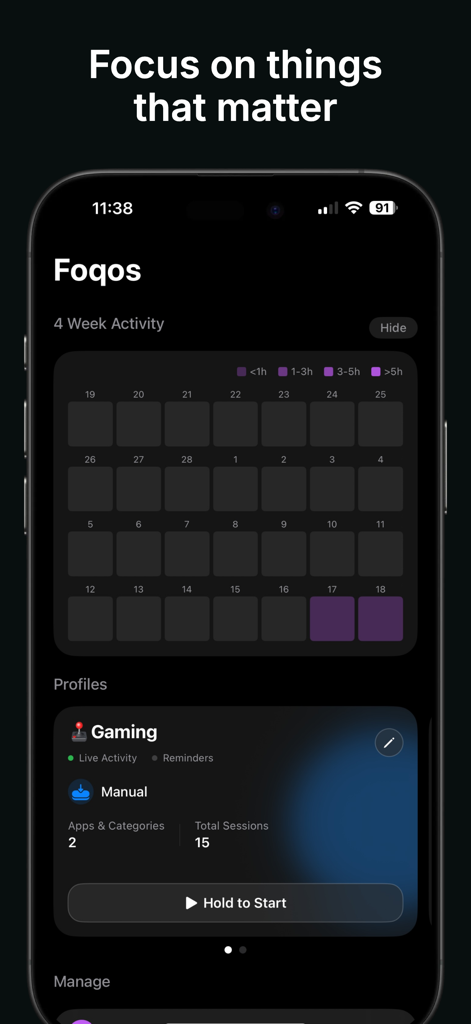
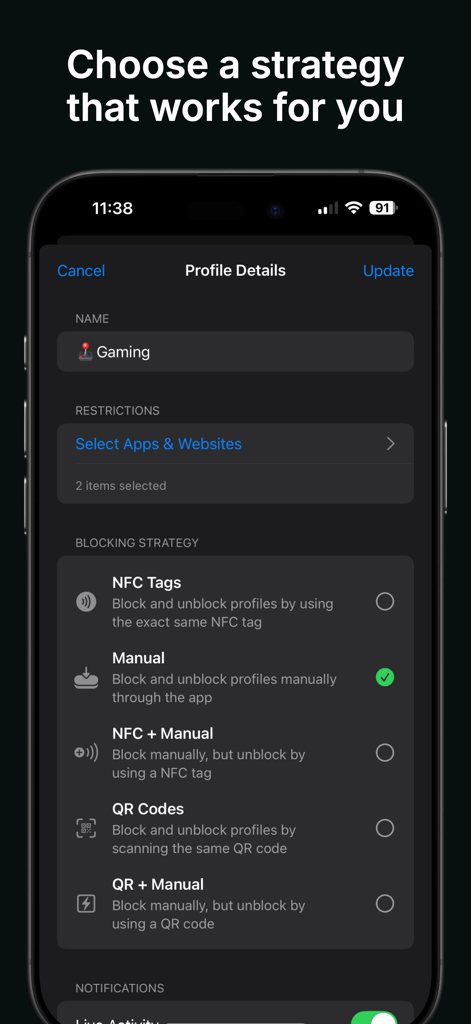
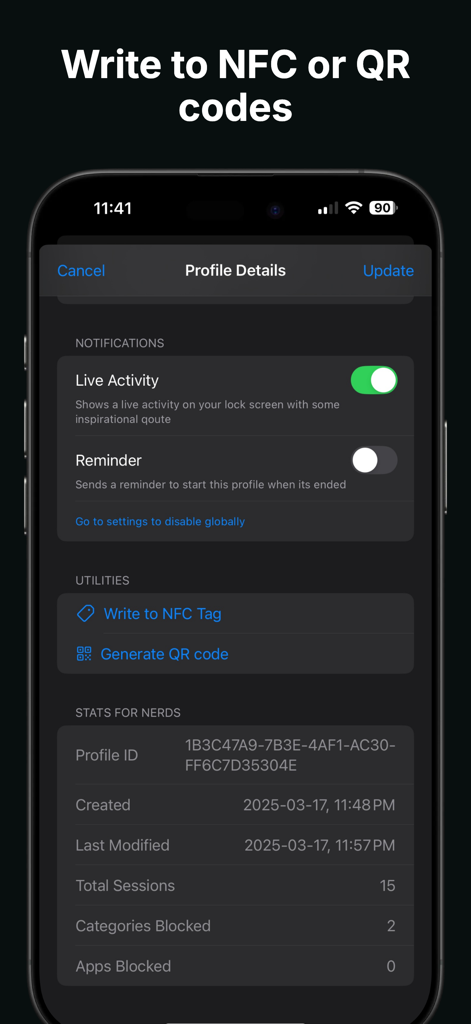
The tools that make this app stand out, trusted by 21K+ users.
Replace complex menus with physical rituals. Tap an NFC tag or scan a QR code to instantly silence the apps that pull you away from your goals.
Create unique block lists for every scenario. Silence social media at your desk, work emails on your bedside table, and news apps on your couch.
Stop fighting the urge to doomscroll. By physically tagging your workspace, you make focus the default choice and protect your mental energy.
Trusted by 21K+ people who love this app.
"As a freelance software engineer, my phone used to be my biggest distraction. I stuck an NFC tag on my monitor, and now the physical act of tapping my phone to lock social media has completely rewired my focus. It has turned my desk into a sanctuary where deep work is the default, not the exception."
"I am a grad student constantly battling doomscrolling. Foqos is the first app that actually works because it is so frictionless. I have a QR code on my library carrel and a tag on my bedside table. It has helped me reclaim hours of my day that I used to lose to TikTok and Instagram."
Everything you need to know about Foqos - Tap to Block.
Description
Latest Version
1.29.1
Size
8.4 MB
First Released
Oct 31, 2024
Join 21,000+ intentional minimalists who use Foqos to design a distraction-free environment. Download now to turn your phone into a precision tool for deep work.
Everything you need to know about Foqos - Tap to Block
Foqos - Tap to Block is an app designed to create a distraction-free zone by instantly blocking selected apps. It utilizes NFC tags or QR codes for quick activation and deactivation of custom focus profiles.
Foqos - Tap to Block helps users focus by allowing them to assign specific apps to blocking profiles. Activating a profile by tapping an NFC tag or scanning a QR code instantly blocks distractions, facilitating concentration on tasks.
Yes, Foqos - Tap to Block offers extensive customization. Users pick precisely which apps to block for each unique NFC tag or QR code setup, enabling tailored distraction control for different activities.
Foqos - Tap to Block provides multiple blocking strategies. These include NFC tags, QR codes, manual activation through the app, and combined methods like NFC + Manual or QR + Manual.
Yes, Foqos - Tap to Block tracks focus activity. It provides a "4 Week Activity" summary and detailed "Stats for Nerds" showing total sessions, blocked apps, and categories, offering insights into usage.
Users generate NFC tags and QR codes directly within Foqos - Tap to Block. The "Profile Details" screen features dedicated utilities labeled "Write to NFC Tag" and "Generate QR code" for easy setup.
Yes, Foqos - Tap to Block allows the creation of multiple distinct focus profiles. Users customize these setups for various scenarios, such as work, study, or personal downtime, as seen in the "Profiles" section.
Top-ranked apps in the same category

OpenAI OpCo, LLC

Google LLC

X.AI Corporation

Google LLC

Shanghai Zhixin Puhui Technology Co., Ltd.

Google LLC

Microsoft Corporation

Google LLC

Google LLC