Interval Timer □ HIIT Timer

Interval Timer □ HIIT Timer

Download on App Store
Spark by MWM logo
Logo of Interval Timer □ HIIT Timer
Interval Timer: The simplest, most powerful way to crush your HIIT workouts.

Join over 4 million athletes who use our beautiful, drag-to-set interface to stay focused. Customize your rounds in seconds, track your progress, and keep your music playing without interruption.

Publisher

Float Tech, LLC

Category

Health & Fitness

Downloads

4M+

User Rating

4.8/5

Total Ratings

267K+

Locales

22

Simplicity in Motion

Discover the interface used by 4M+ users.
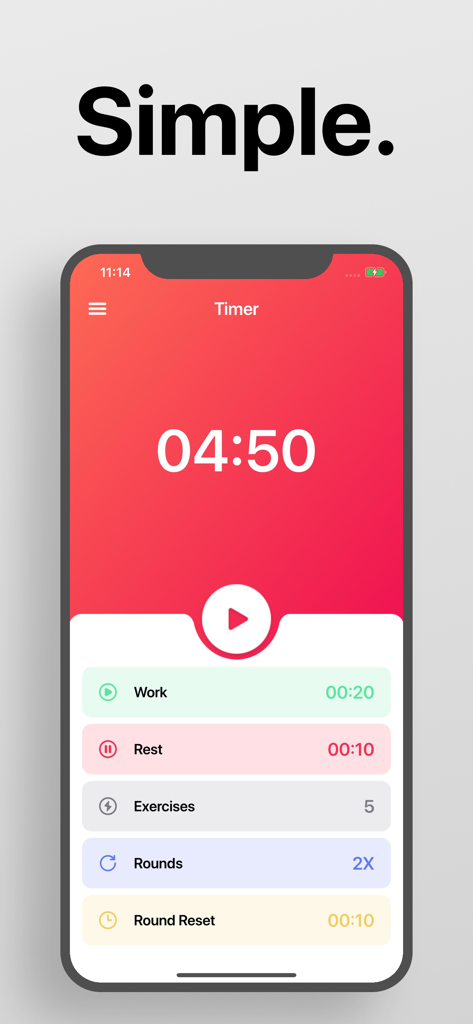
Simple minimalist interface of the Interval Timer HIIT app showing workout and rest intervals

Simple minimalist interface of the Interval Timer HIIT app showing workout and rest intervals

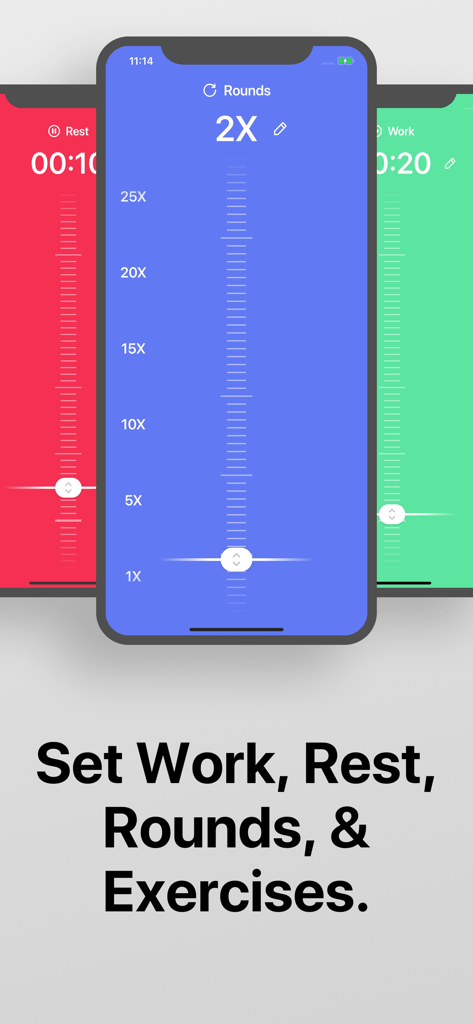
Three iPhone screens showing the color-coded setup for work, rest, and rounds in the Interval Timer app.

Three iPhone screens showing the color-coded setup for work, rest, and rounds in the Interval Timer app.

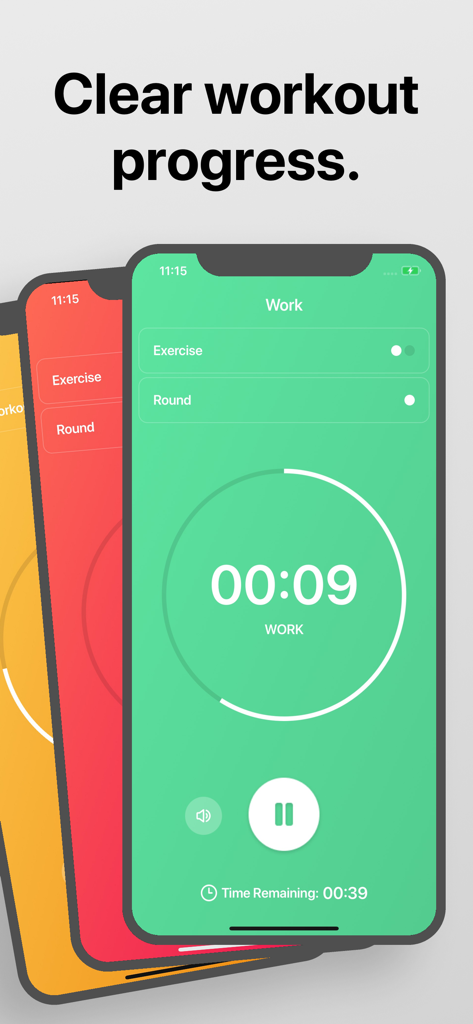
Interval Timer app interface showing a countdown timer and workout progress on an iPhone screen

Interval Timer app interface showing a countdown timer and workout progress on an iPhone screen

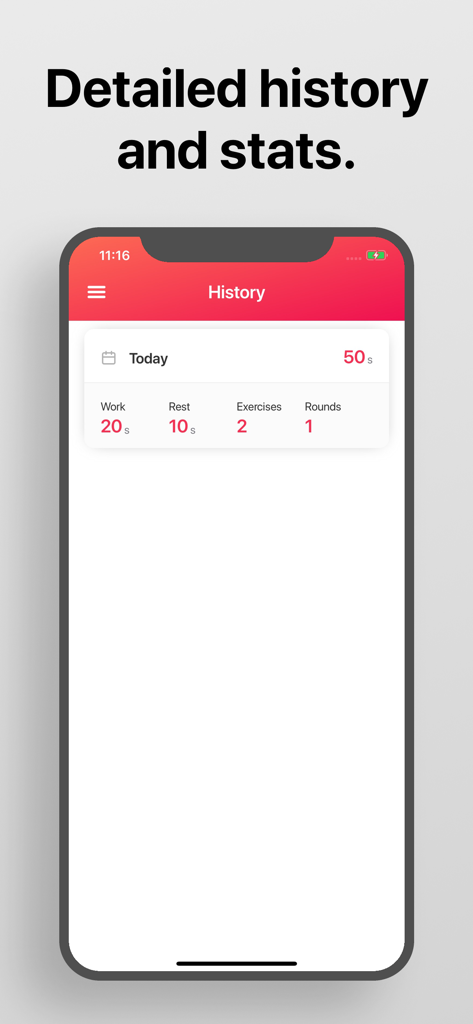
A mobile interface of the Interval Timer app showing detailed workout history and statistics.

A mobile interface of the Interval Timer app showing detailed workout history and statistics.

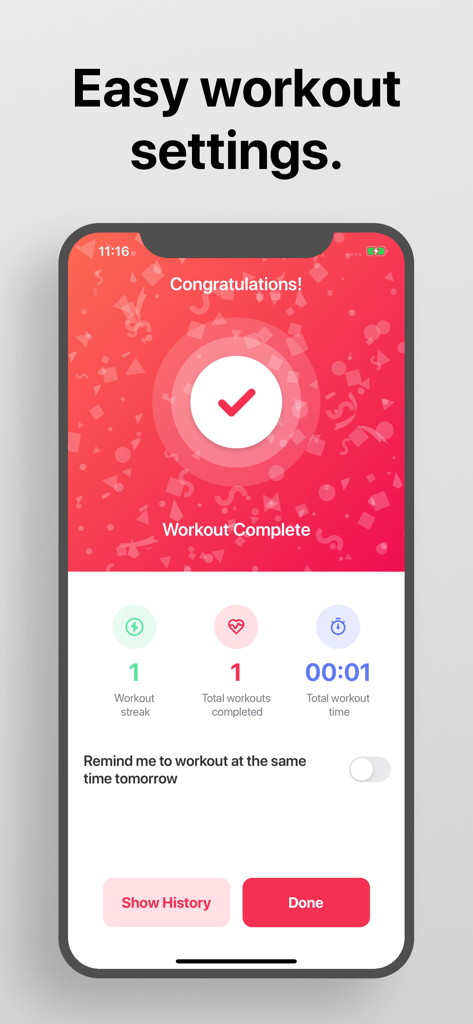
Interval Timer app workout complete screen showing statistics and streak

Interval Timer app workout complete screen showing statistics and streak

Designed for High Performance

The tools that make this app stand out, trusted by 4M+ users.

Instant, Drag-to-Set Control

Go from opening the app to starting your sweat in under 10 seconds. Drag to customize intervals for work, rest, and rounds with zero friction.

🎧

Seamless Audio Integration

Keep your favorite Spotify or Apple Music playlists running. Our voice and beep guides blend perfectly with your music, even if you switch apps.

📊

Quantified Progress Tracking

Ditch the manual journal. Automatically record every session with detailed history and stats, making it easy to repeat your best workouts.

Loved by users worldwide

Trusted by 4M+ people who love this app.

"

"I’ve tried dozens of timers, but this is the only one that actually looks good and works seamlessly with my music. The drag-to-set feature makes starting my morning HIIT session effortless and keeps me focused on the sweat."

Sarah M.
"

"The statistics page keeps me accountable and seeing my progress is huge. I love how I can leave the app to check my workout form online while the audio cues keep me on track. It is the most reliable fitness utility I’ve found."

Jordan T.

About the app

Everything you need to know about Interval Timer □ HIIT Timer.

Description

A simple and beautiful interval timer. 1. Drag to set your custom intervals for workout, rest, rounds, etc 2. Tap to start. Interval Timer doesn't interfere with your music or other apps: ∙ Listen to your music apps while you workout. ∙ Voice or beep guides for every workout. ∙ You can leave the app and still listen to the audio guides, in order to follow a workout you found online. And no need to manually record your workouts: ∙ Detailed history and statistics pages to track your progress. ∙ Repeat a previous workout from your history, so you don't need to set it again. If you have any ideas for how to improve the app, just tap "Contact Support' inside the app and let us know! We are always trying to improve Interval Timer This app includes an optional auto-renewable subscription (Premium Pass): Premium Pass beings with a free trial period, then an auto-renewable monthly subscription when trial ends. Payment will be charged to your Apple account at confirmation of purchase and will automatically renew (at the duration/price selected) unless auto-renew is turned off at least 24 hrs before the end of the current period. Account will be charged for renewal within 24-hours prior to the end of the current period. Current subscription may not be cancelled during the active subscription period; however, you can manage your subscription and/or turn off auto-renewal by visiting your Apple Account Settings after purchase. Any unused portion of the free initial period will be forfeited when you purchase a subscription. Privacy Policy: https://float.support/interval-timer/privacy Terms of Use: https://float.support/interval-timer/terms

Latest Version

26.1.4

Size

31.6 MB

First Released

Jun 21, 2016

Ready to Crush Your Next Set?

Join 4 million fitness enthusiasts using the simplest, most beautiful HIIT timer. Set your intervals in seconds and keep your music pumping while you work.

Download on App Store
FAQ

Frequently Asked Questions

Everything you need to know about Interval Timer □ HIIT Timer

How do I set custom intervals in Interval Timer?

You set custom intervals in Interval Timer by dragging to define durations for work, rest, and rounds. The app provides sliders for easy customization of your workout structure.

Does Interval Timer play audio guides during workouts?

Yes, Interval Timer provides voice or beep guides for every workout. These audio guides continue even if you leave the app to use other applications.

Can I listen to music while using the Interval Timer app?

Yes, Interval Timer does not interfere with your music. You can listen to your music apps while you workout, as the timer functions concurrently in the background.

How does Interval Timer track my workout progress?

Interval Timer tracks your workout progress by offering detailed history and statistics pages. It records your workout data, allowing you to review and repeat previous sessions.

Is there a subscription for Interval Timer?

Yes, Interval Timer offers an optional auto-renewable subscription called Premium Pass. This subscription typically includes a free trial period before initiating the monthly charges.

Does Interval Timer offer a free trial for its Premium Pass?

Yes, the Premium Pass in Interval Timer begins with a free trial period. The auto-renewable monthly subscription starts automatically once this trial period ends.

How do I manage my Interval Timer Premium Pass subscription?

You manage your Interval Timer Premium Pass subscription through your Apple Account Settings. Here, you can turn off auto-renewal at least 24 hours before the current period ends.

Can I repeat a previous workout in Interval Timer?

Yes, Interval Timer allows you to repeat a previous workout directly from your history. This feature eliminates the need to manually set up your workout again.

Where can I find the Privacy Policy for Interval Timer?

The Privacy Policy for Interval Timer is available at the following URL: https://float.support/interval-timer/privacy. The app description provides this direct link.