Lark - Team Collaboration

Lark - Team Collaboration

Download on App StoreDownload on Google Play
Spark by MWM logo
Logo of Lark - Team Collaboration

Lark - Team Collaboration: The Ultimate All-in-One Workspace for Modern Teams

Eliminate the "toggle tax" and centralize your chat, meetings, docs, and AI tools. Stop switching between apps and empower your global team with a single, seamless platform designed for maximum efficiency.

Publisher

LARK TECHNOLOGIES PTE. LTD.

Category

Business

Downloads

3M+

User Rating

4.8/5

Total Ratings

12K+

Locales

15

One Interface, Endless Efficiency

Discover the interface used by 3M+ users.

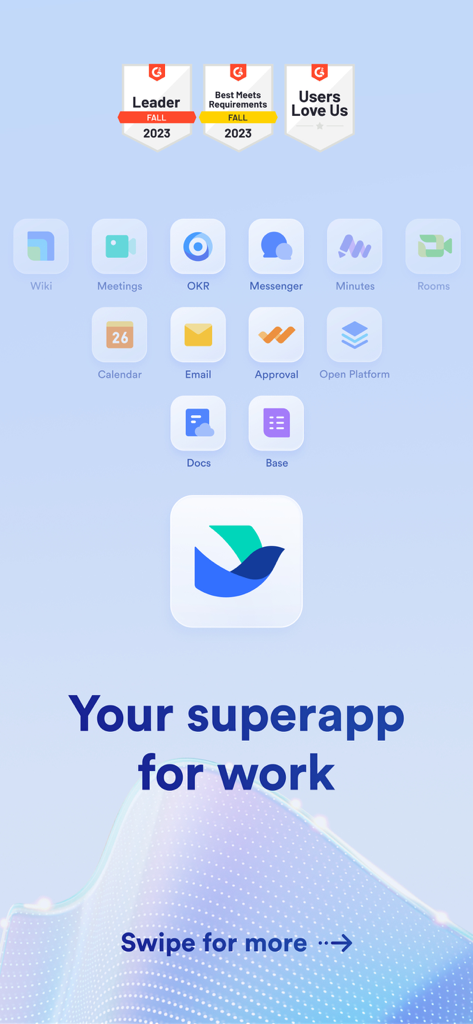
Lark mobile app display featuring tool icons for chat, meetings, and docs with the tagline your superapp for work

Lark mobile app display featuring tool icons for chat, meetings, and docs with the tagline your superapp for work

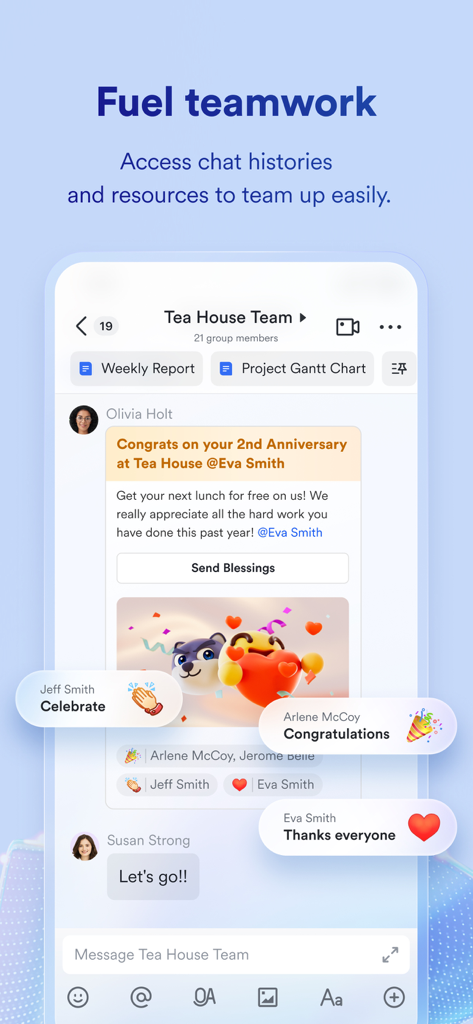
Lark team chat interface showing integrated reports and collaborative messages

Lark team chat interface showing integrated reports and collaborative messages

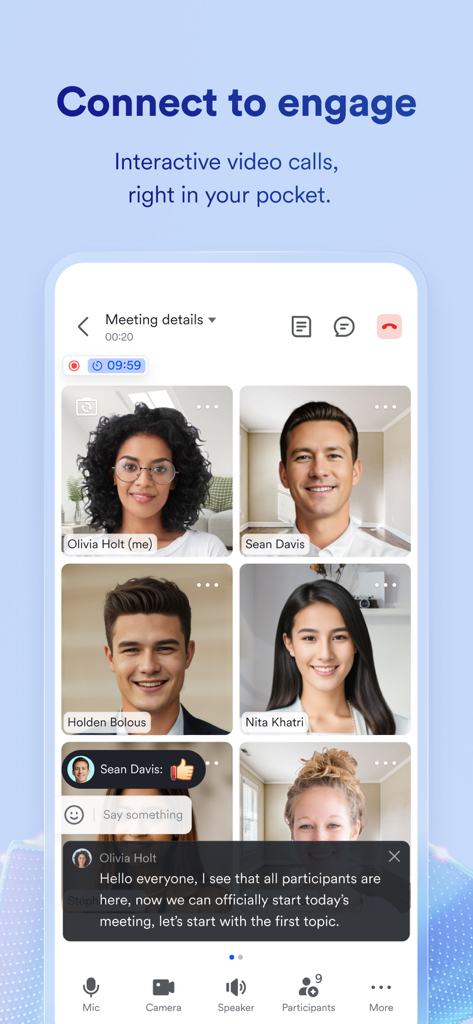
Lark mobile video meeting interface with team participants and live captions

Lark mobile video meeting interface with team participants and live captions

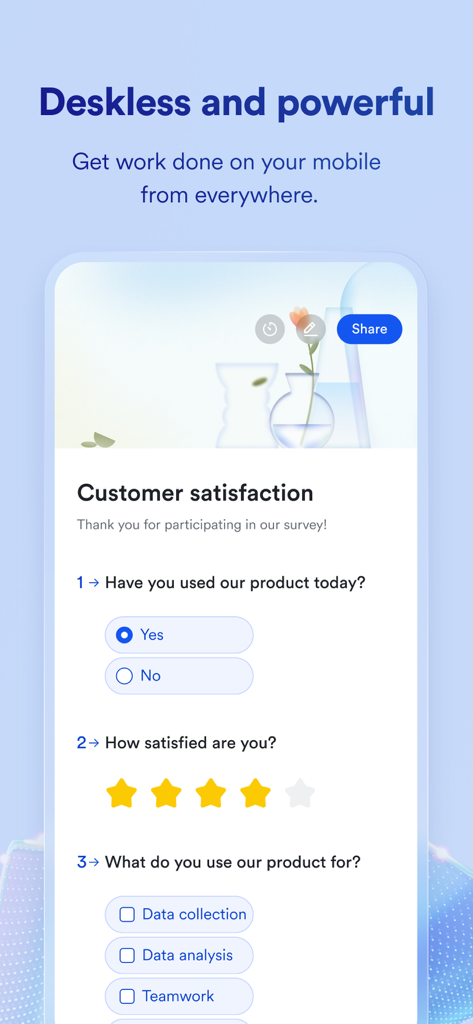
Lark team collaboration app mobile interface showing a customer satisfaction survey

Lark team collaboration app mobile interface showing a customer satisfaction survey

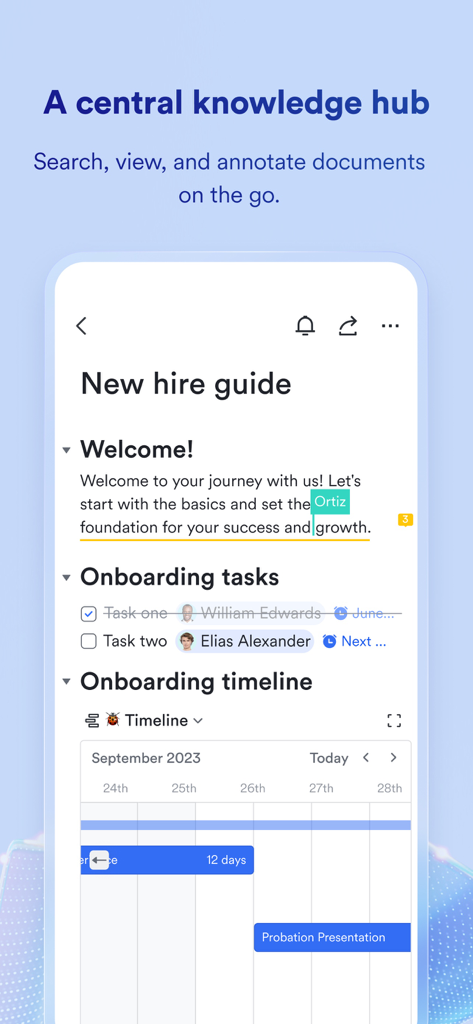
Mobile app screen showing Lark's central knowledge hub with an onboarding document and project timeline

Mobile app screen showing Lark's central knowledge hub with an onboarding document and project timeline

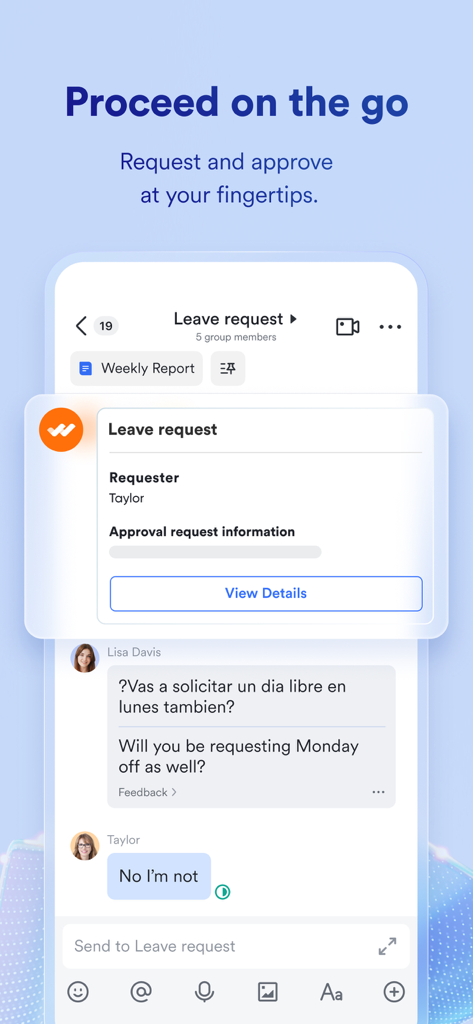
Lark mobile app interface showing a leave request workflow and real-time chat translation.

Lark mobile app interface showing a leave request workflow and real-time chat translation.

Say Goodbye to App-Switching Fatigue

The tools that make this app stand out, trusted by 3M+ users.

One Single Source of Truth

Replace Slack, Zoom, and Google Docs with a seamless workspace that keeps all your projects and communications in one spot.

🤖

AI-Powered Productivity

Let AI handle the busy work with automated meeting transcriptions, smart action item extraction, and no-code workflow automation.

🌍

Global Collaboration Tools

Bridge any language gap with real-time auto-translation for video meetings and chat, designed for the modern distributed workforce.

Loved by users worldwide

Trusted by 3M+ people who love this app.

"

"Lark has completely eliminated our 'toggle tax'. Before switching, my team was constantly jumping between Slack for chat, Zoom for calls, and Notion for docs. Having everything in one intuitive interface hasn't just saved us hundreds in monthly SaaS subscriptions—it has reclaimed hours of deep work time for my developers."

Marcus Thorne, Founder of DevScale Austin
"

"Managing a creative team across four different time zones used to be a logistical nightmare. Lark's auto-translation for chat and the seamless integration of AI meeting transcriptions have bridged the gap for our global collaborators. It is the first enterprise tool I have used that feels as smooth as a consumer app."

Elena Rodriguez, Senior Project Manager at GlobalFlow Creative

Review Analysis

Insights from user reviews.

Sentiment Score

32%
Negative

Summary

The mobile app receives mixed to largely negative feedback. While a few users appreciate its comprehensive features, describing it as a powerful all-in-one platform for management and communication, a significant portion of reviews point to severe usability issues. Persistent bugs, frequent app crashes, and poor performance are common complaints, particularly on iOS 26, alongside widespread problems with login processes and unresponsive customer support. Users also express frustration over missing essential features, such as advanced calendar views, Apple Watch integration, and an effective search function, contributing to a generally poor user experience.

Common Themes

Bugs and Performance(11)
Missing Features(11)
Login Problems(9)
Comprehensive Features(8)
Poor User Experience(8)
Customer Support(3)
High Pricing(2)

About the app

Everything you need to know about Lark - Team Collaboration.

Description

Make team communication effortless with Lark. No more wasting time toggling between multiple programs and documents. With Lark, you have everything you need in one spot, helping your team be successful no matter where they're located. Main features of Lark Built-in chat and messenger Docs with easy-to-use templates Video meetings Simple calendar Email Approval system Powerful no-code apps through Base Wikis that are easy to set up OKR tracker Magic Share File sharing Improving team efficiency with Lark Lark is the perfect solution for global teams or businesses that are looking to centralize all of their tools into one platform. Globally distributed teams can use Lark's productivity app to communicate across languages and time zones. Why choose Lark Excellent reviews on iOS from more than 1,700 real customers – 4.9 out of 5 stars State-of-the-art collaboration tool reduces the need for other software Save time by having everything your team needs in one place Affordable all-in-one solution saves companies money Auto-translation for video meetings and chat empowers easy global communication Intuitively adopted by all skill levels Try Lark for free Our customers love sharing "Best collaboration software ever used! It's the most comprehensive enterprise tool in existence." - infraguru "I am a consultant and have used all of the popular collaboration tools on the market (ex: Google Suite, Facebook Workplace, Slack, Zoom, etc). Lark's functionality incorporates all the pros of the rest of the aforementioned tools, super easy to use, and truly centralizes everything an employee needs to use/look for within one platform. It's absolutely a phenomenal product!" - Rocket Racoon 1118 "Would be frustrating having to switch from Gmail to Slack, then back to google calendar then having to download Google Docs, open document, forward it to a specific person then on and on and on. If that resonates with you or your team in anyway, Lark is a life saver. One platform with everything your team needs!" - Jimmy_lee2430 - Pricing plan: Everything in Lark free plan, and - Unlimited message history - 50,000 automated Base workflow executions / month - Unlimited Wiki spaces - Video conference with up to 500 attendees, up to 24 hours duration - Unlimited AI meeting transcription - 15TB storage - 10 trusted parties for external collaboration - More security and permission controls - 50 AI notes per month - Real-time meeting notes - AI-powered action item extraction - Customized notes for each meeting - Customer Terms of Service: https://www.larksuite.com/en_us/customer-terms-of-service?from=footer - Privacy Policy:https://www.larksuite.com/en_us/privacy-policy?from=footer Contact If you have any questions, please email us at hello@larksuite.com

Latest Version

7.59.26

Size

683.0 MB

First Released

Feb 16, 2019

Ready to Eliminate the "Toggle Tax"?

Stop jumping between five different apps. Consolidate your team's chat, docs, and meetings into one seamless, AI-powered workspace. Join 3 million+ professionals and start for free today.

Download on App StoreDownload on Google Play
FAQ

Frequently Asked Questions

Everything you need to know about Lark - Team Collaboration
What is Lark - Team Collaboration?

Lark - Team Collaboration is an all-in-one productivity platform that centralizes tools like chat, video meetings, documents, and calendars. It helps teams communicate effectively and streamline workflows from a single application.

What core features does Lark - Team Collaboration offer?

Lark offers built-in chat, messenger, video meetings, Docs with templates, email, a simple calendar, approval system, Base for no-code apps, Wikis, an OKR tracker, Magic Share, and file sharing.

Does Lark - Team Collaboration support video conferencing?

Yes, Lark - Team Collaboration supports video conferencing. Its paid plan allows video conferences with up to 500 attendees for up to 24 hours, including unlimited AI meeting transcription.

Can Lark - Team Collaboration help global teams?

Yes, Lark - Team Collaboration is designed for global teams. It offers auto-translation for video meetings and chat, enabling easy communication across different languages and time zones.

Is there a free version available for Lark - Team Collaboration?

Yes, Lark - Team Collaboration offers a free plan. Users can try Lark for free, and its existence is confirmed by the description of the paid plan's additional features.

What is included in the paid plan of Lark - Team Collaboration?

The paid plan for Lark includes unlimited message history, 50,000 automated Base workflow executions, unlimited Wiki spaces, video conferences for up to 500 attendees, unlimited AI meeting transcription, 15TB storage, and enhanced security controls.

How does Lark - Team Collaboration centralize team tools?

Lark centralizes team tools by integrating chat, video meetings, documents, email, and calendars into a single platform. This reduces the need to switch between multiple applications, saving time and improving efficiency.

Does Lark - Team Collaboration provide an approval system?

Yes, Lark - Team Collaboration includes an approval system. Users can request and approve items directly within the application, streamlining workflow processes.

Where can I find the Privacy Policy for Lark - Team Collaboration?

The Privacy Policy for Lark - Team Collaboration is available on their website. You can find it at https://www.larksuite.com/en_us/privacy-policy.

What kind of documentation features does Lark - Team Collaboration offer?

Lark - Team Collaboration offers Docs with easy-to-use templates and Wikis that are simple to set up. It functions as a central knowledge hub for searching, viewing, and annotating documents.

Is Lark - Team Collaboration available on mobile devices?

Yes, Lark - Team Collaboration is available on mobile devices. The app allows users to get work done and manage tasks like approvals on the go, making it a powerful mobile solution.

What are the user reviews for Lark - Team Collaboration?

Lark - Team Collaboration receives excellent reviews. It has a 4.9 out of 5 stars rating on iOS from over 1,700 real customers, with users praising its comprehensive and centralized functionality.