Photo Collage Maker & Creator

Photo Collage Maker & Creator

Download on App Store
Spark by MWM logo
Logo of Photo Collage Maker & Creator

Photo Collage Maker & Creator: Tell Your Complete Story in One Frame

Join 3 million users who turn up to 20 photos into stunning high-resolution grids. With 1000+ free layouts and professional tools, it's the all-in-one choice for capturing family milestones or showcasing your business products.

Publisher

Honk Honk Punch Pty Ltd

Category

Photo & Video

Downloads

7M+

User Rating

4.8/5

Total Ratings

184K+

Locales

15

Visualize Your Story

Discover the interface used by 7M+ users.
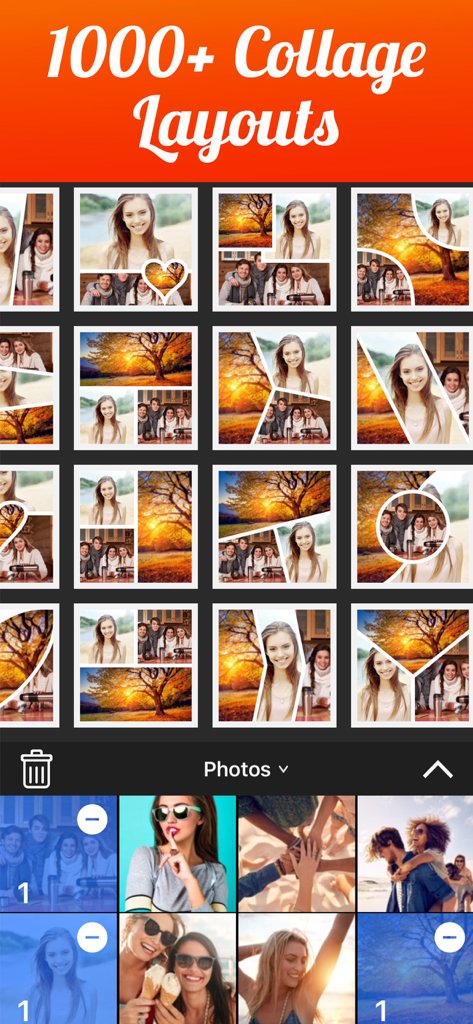
Mobile app interface showing various collage layout options and a photo gallery selection area

Mobile app interface showing various collage layout options and a photo gallery selection area

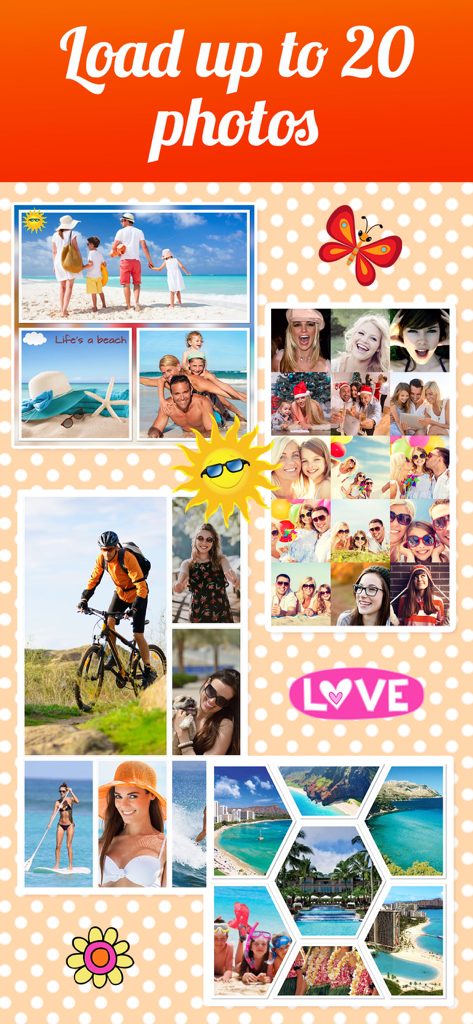
A collection of various photo collage styles and stickers including travel, family, and adventure themes.

A collection of various photo collage styles and stickers including travel, family, and adventure themes.

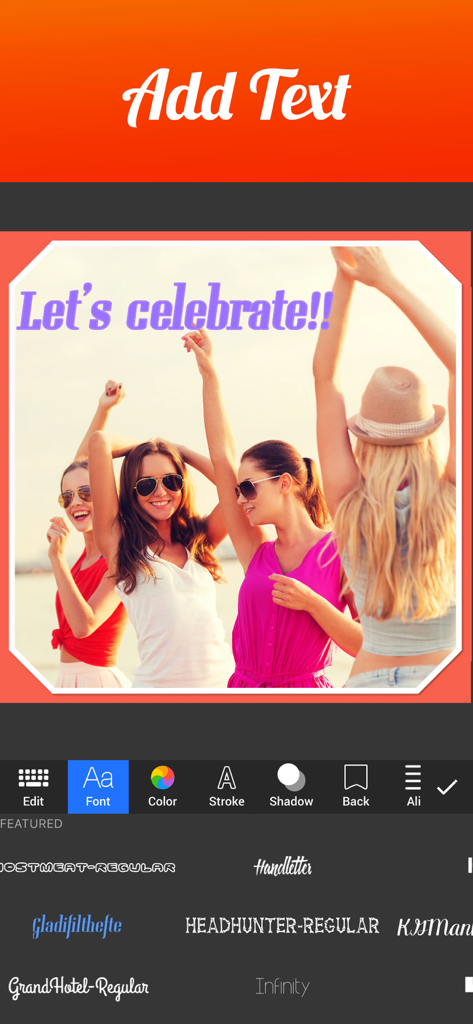
A mobile app screen showing how to add text and choose fonts for a photo collage

A mobile app screen showing how to add text and choose fonts for a photo collage

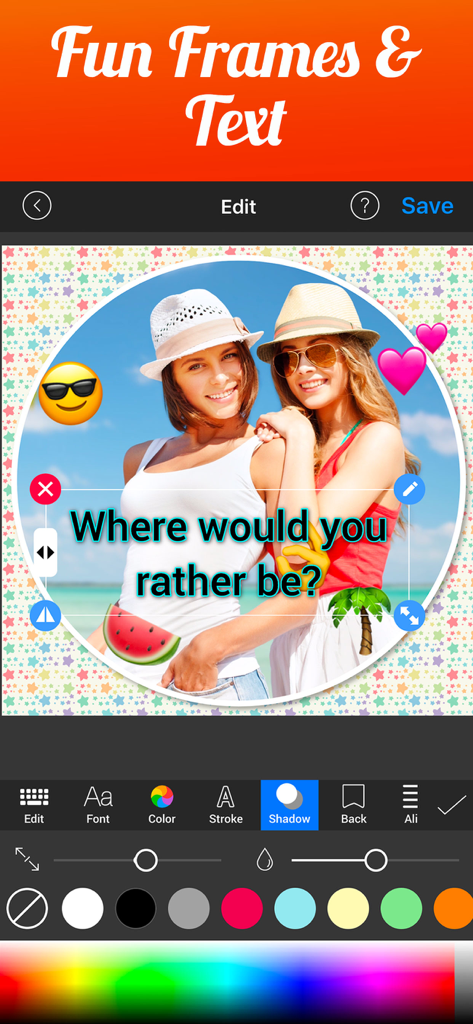
A mobile interface for Photo Collage Maker & Creator showing a beach photo with custom text, heart stickers, and circle frames.

A mobile interface for Photo Collage Maker & Creator showing a beach photo with custom text, heart stickers, and circle frames.

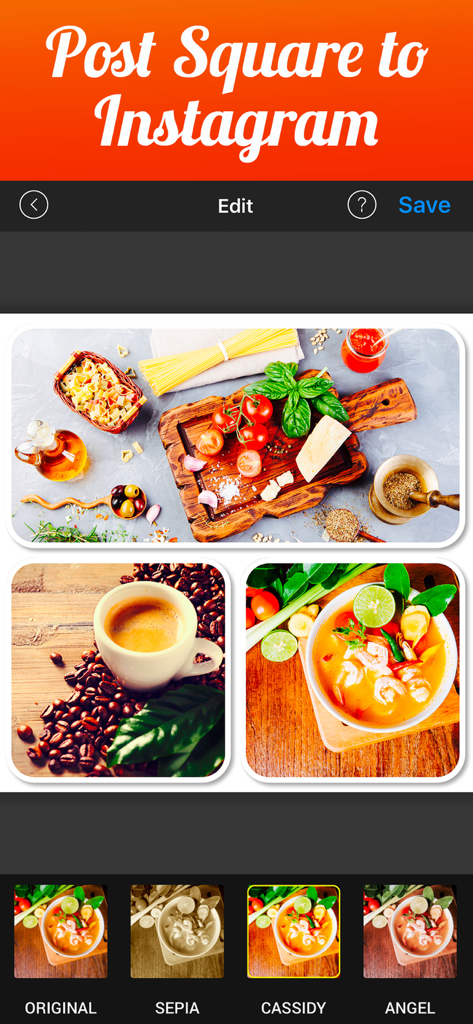
Mobile app interface showing a food-themed photo collage formatted for an Instagram square post with filter options.

Mobile app interface showing a food-themed photo collage formatted for an Instagram square post with filter options.

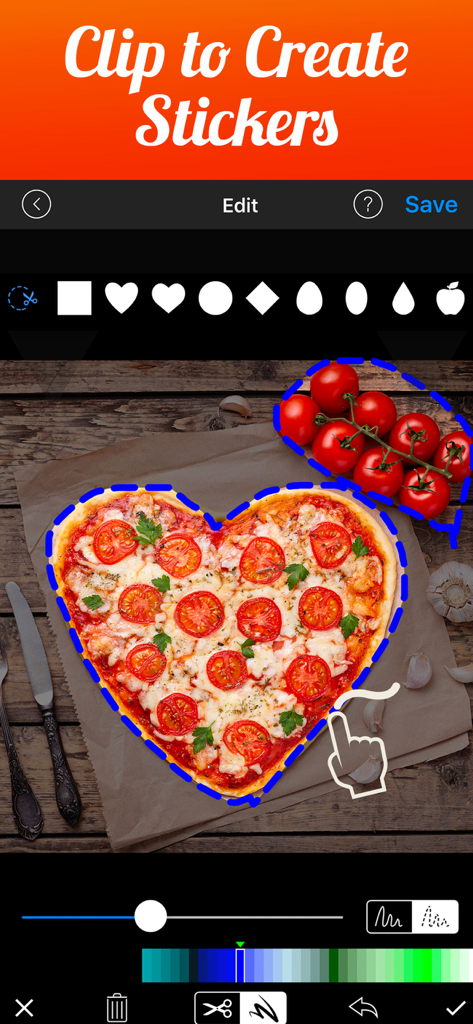
Interface of Photo Collage Maker showing the clip to create stickers feature with a heart shaped pizza

Interface of Photo Collage Maker showing the clip to create stickers feature with a heart shaped pizza

Tell Your Whole Story in a Single Frame

The tools that make this app stand out, trusted by 7M+ users.

🖼️

Room for Every Memory

Why choose just one? Combine up to 20 photos in a single collage to capture the full vibe of your weekend, event, or product line effortlessly.

🎨

Full Creative Control—For Free

Access over 1000 layouts and 80+ fonts. Customize borders, shadows, and filters to match your unique aesthetic without needing a graphic designer.

📱

High-Res & Social Ready

Export in ultra-high resolution (3264 x 3264). Your collages will look professional on Instagram grids, Facebook feeds, or marketplace listings.

Loved by users worldwide

Trusted by 7M+ people who love this app.

"

"I have been searching for an app that allows more than just a few photos, and being able to combine 20 pictures in one high-resolution collage is a total game-changer. It is perfect for documenting my kids' milestones and school events. The layouts are beautiful, and I love that almost everything is free!"

Sarah Jenkins, Parent & Family Archivist
"

"This app is an essential tool for my online boutique. I use it every day to create professional product grids for Instagram and Poshmark. The text tools and shadow effects give my listings a polished look that really helps drive sales. It is fast, intuitive, and the export quality is top-notch."

Marcus Chen, E-commerce Entrepreneur

About the app

Everything you need to know about Photo Collage Maker & Creator.

Description

Quickly combine multiple photos into one beautifully framed picture. Join over 3 million users who love to tell their story with collage and share with friends & family via social media or email! Photo Collage Creator packs a simple design with a powerful editor to give you everything you could possibly want to make your photo's simply amazing. All 1000+ layouts are FREE!!! In fact almost all the features are FREE! You'll really love the creativity with endless combinations of patterns, stickers, text, borders, filters, shapes,frames and more. Save to Camera Roll or share your masterpiece on your favorite social media networks including Facebook, Twitter and Instagram. Support for iPhone, iPad, iPod Touch, plus High Resolution up to 3264 x 3264 for newer devices. Create a before-and-after sequence, combine up to 20 great photos of each of your kids, or produce a photographic series. Also super useful for online businesses to display product! Heres what our users had to say: Fantastic love it! Having lots of fun with this app it makes my photo's look beautiful. Its a free app which is a bonus because it is so full of fun stuff, frames and colors and its cool. Awesome Really great! The best of it's kind! Well done... Love the background/frame and text choices! FEATURES: LAYOUTS (ALL FREE) - Over 1000 layouts - Choose photos first - Combine up to 20 photos - Regular and Irregular Layouts (Funky) BORDERS & DECORATION - 150 Patterns(96 FREE) - Unsplash and Pixabay for image search - Blur, Scale, Lighten & Darken Patterns *Super Creative (ALL FREE) - Full spectrum color picker for borders (ALL FREE) - Set photo as background (FREE) - Blur Background (FREE) - Shadow bordrs (ALL FREE) - Rounded corners (FREE) - Background, Inner and Border all adjustable (ALL FREE) - Over 400 stickers (80 FREE) - Over 40 Frames (ALL FREE) TEXT (All FREE) - Over 80 fonts - Full spectrum color picker - Move, resize and rotate easily - Snap to 90 degree PHOTO EDITOR (ALL FREE) -Apply amazing photo effects to individual photos - Zoom, pan, pinch, rotate for better control - Mirror each photo - Apply filters - Apply Shapes - Shadow each photo SAVE & SHARE - Save to Camera Roll - Export to Facebook, Instagram, Dropbox, Twitter, Evernote or any other installed application that will accept JPEG images. - Email - High resolution export up to 3264 x 3264 for newer devices PREMIUM You can subscribe to PREMIUM for unlimited access to premium content, including: Unlocking all Stickers, Over 50 Pro Patterns, Pro Fonts, Custom Photo Backgrounds, No Ads, and much more - The subscription is with a 3 day free trial, then charged yearly - You'll be able to use unlimited features for the duration of your subscription - Payment will be charged to your iTunes Account at confirmation of purchase - The subscription renews automatically unless auto-renewal is turned off for at least 24-hours before the end of the current period - The account will be charged for renewal within 24-hours prior to the end of the current period at the cost of the chosen package - Subscriptions may be managed by the user and auto-renewal may be turned off by going to the user's Account Settings after purchase - Any unused portion of a free trial period, if offered, will be forfeited when the user purchases a subscription Terms of use: http://cushwayapps.com/app-privacy/collagecreator/terms.html Privacy policy: http://cushwayapps.com/app-privacy/collagecreator/privacy.html Have you found a bug, got a suggestion, or want a new feature? Email us at: support@honkhonkpunch.com

Latest Version

1.72.0

Size

69.9 MB

First Released

Dec 16, 2013

Ready to Tell Your Story?

Join over 3 million creators today. Download now to access 1,000+ free layouts and start turning your favorite moments into high-resolution masterpieces for family or business.

Download on App Store
FAQ

Frequently Asked Questions

Everything you need to know about Photo Collage Maker & Creator

How many photos can I combine in Photo Collage Maker & Creator?

Photo Collage Maker & Creator allows users to combine up to 20 photos into a single collage. This feature enables creation of detailed photo series or product displays.

Does Photo Collage Maker & Creator offer free layouts?

Yes, Photo Collage Maker & Creator provides over 1000 collage layouts for free. Users have access to a wide variety of regular and irregular designs without additional cost.

What sharing options are available in Photo Collage Maker & Creator?

Photo Collage Maker & Creator allows users to save collages to their Camera Roll. Users can also share masterpieces directly to Facebook, Instagram, Twitter, Dropbox, Evernote, or any application accepting JPEG images.

Does Photo Collage Maker & Creator support text editing features?

Yes, Photo Collage Maker & Creator supports extensive text editing. Users can choose from over 80 fonts, use a full spectrum color picker, and easily move, resize, rotate, and snap text to 90 degrees.

Is there a premium subscription for Photo Collage Maker & Creator?

Yes, Photo Collage Maker & Creator offers a PREMIUM subscription for unlimited access to premium content. This includes all stickers, pro patterns, pro fonts, custom photo backgrounds, and an ad-free experience.

How does the free trial work for Photo Collage Maker & Creator's premium features?

The Photo Collage Maker & Creator premium subscription includes a 3-day free trial. After the trial, the subscription automatically charges yearly to the user's iTunes Account unless auto-renewal is turned off.

Can I create custom stickers in Photo Collage Maker & Creator?

Yes, Photo Collage Maker & Creator allows users to clip and create custom stickers. This feature provides creative flexibility for personalizing collages with unique elements.

What resolution does Photo Collage Maker & Creator support for exports?

Photo Collage Maker & Creator supports high-resolution exports. For newer devices, users can export collages up to 3264 x 3264 pixels, ensuring high-quality images.

Does Photo Collage Maker & Creator provide photo filters?

Yes, Photo Collage Maker & Creator provides various photo filters. Users can apply amazing photo effects and filters to individual photos within their collages.

Can I use Photo Collage Maker & Creator for commercial purposes like product display?

Yes, Photo Collage Maker & Creator is useful for online businesses to display products. It enables the creation of multi-photo arrangements perfect for showcasing items effectively.