Photo Collage Maker: InCollage

Photo Collage Maker: InCollage

Download on App Store
Spark by MWM logo
Logo of Photo Collage Maker: InCollage

InCollage: Create Aesthetic Photo Stories and Collages in Seconds

Join 7M+ creators using AI-powered tools and 10,000+ chic layouts to transform your photo dumps into curated masterpieces for Instagram, TikTok, and beyond.

Publisher

SHANTANU PTE. LTD.

Category

Photo & Video

Downloads

7M+

User Rating

4.9/5

Total Ratings

152K+

Locales

16

A Glimpse of Genius

Discover the interface used by 7M+ users.
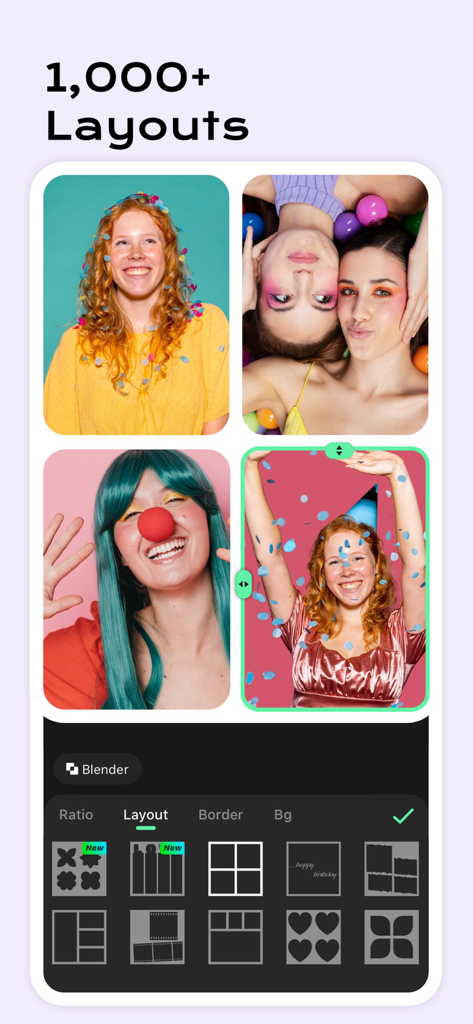
Photo collage maker interface displaying various grid layouts and editing options

Photo collage maker interface displaying various grid layouts and editing options

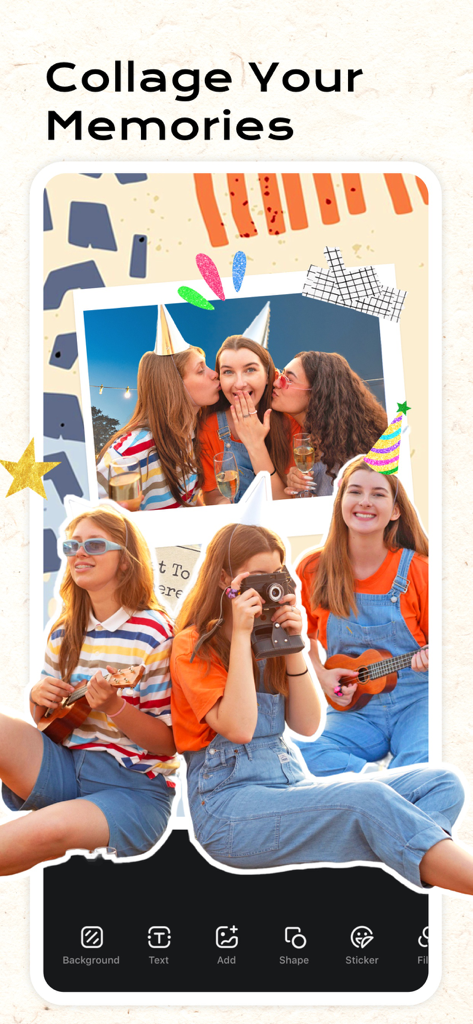
InCollage app showing a creative scrapbook layout with party photos and editing tools

InCollage app showing a creative scrapbook layout with party photos and editing tools

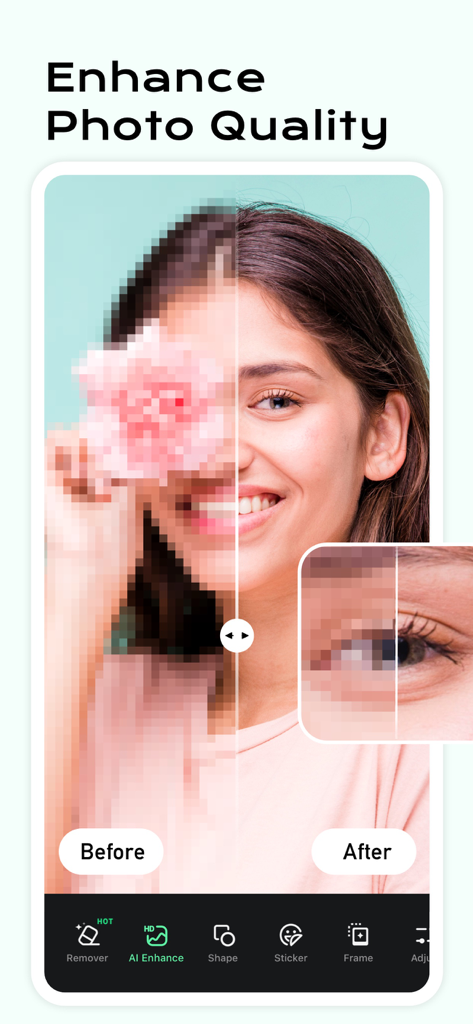
Before and after comparison of AI photo quality enhancement on a woman portrait

Before and after comparison of AI photo quality enhancement on a woman portrait

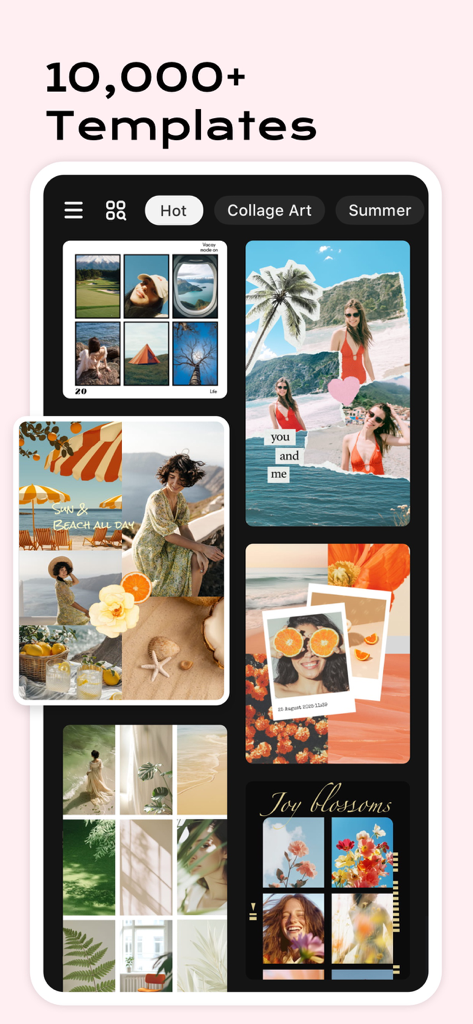
Interface showing a variety of creative photo collage templates and layouts in the InCollage app

Interface showing a variety of creative photo collage templates and layouts in the InCollage app

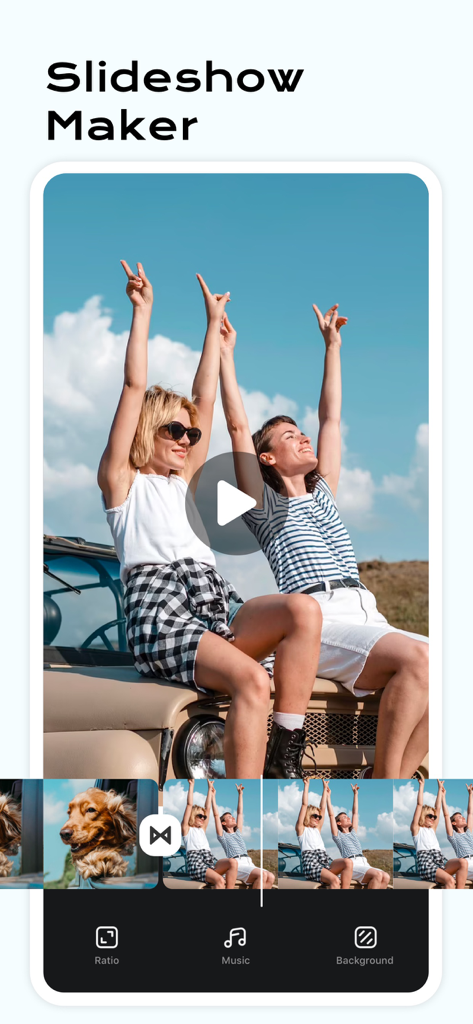
Mobile app screen showing the Slideshow Maker feature with a video timeline of road trip photos and editing options for music and background

Mobile app screen showing the Slideshow Maker feature with a video timeline of road trip photos and editing options for music and background

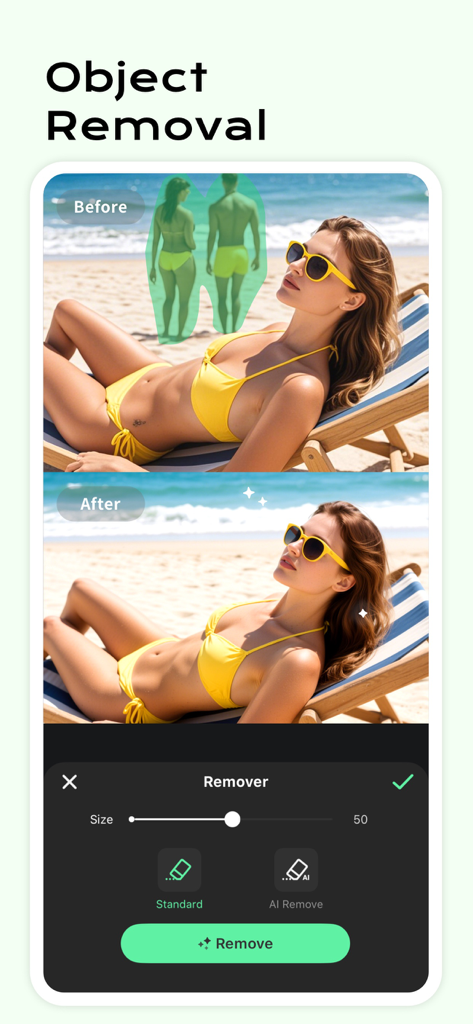
Before and after demonstration of the AI object removal feature on a beach photo.

Before and after demonstration of the AI object removal feature on a beach photo.

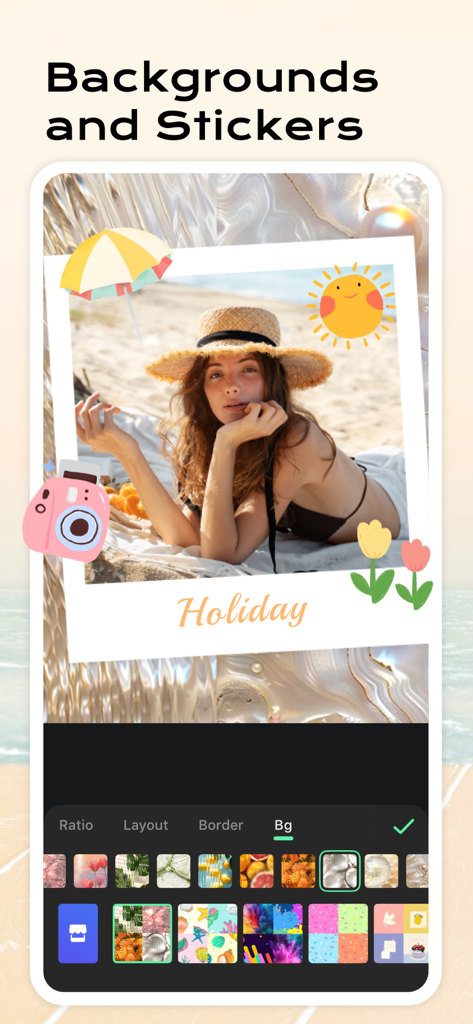
Holiday beach photo being edited with summer stickers and a wavy background in the InCollage app interface.

Holiday beach photo being edited with summer stickers and a wavy background in the InCollage app interface.

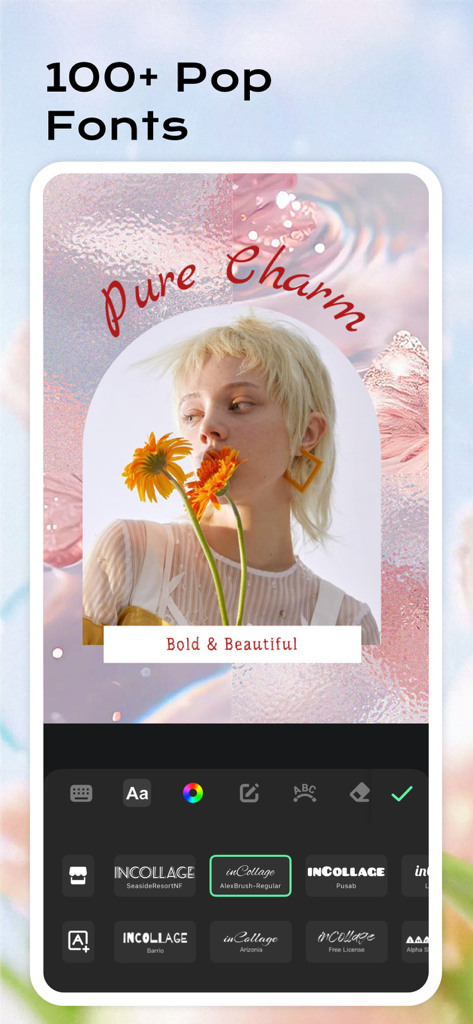
InCollage app interface featuring a variety of trendy fonts and text editing tools for aesthetic photos

InCollage app interface featuring a variety of trendy fonts and text editing tools for aesthetic photos

Elevate Your Digital Storytelling

The tools that make this app stand out, trusted by 7M+ users.

🖼️

10,000+ Aesthetic Layouts

Remix up to 20 photos instantly with stylish grids and freestyle scrapbooks designed for the perfect photo dump.

AI-Powered Perfection

Effortlessly remove unwanted objects, fix blurry shots, and generate unique avatars with smart one-tap tools.

📱

Perfectly Sized for Social

Instantly format your designs for Instagram, TikTok, and Pinterest with 1:1 ratios and no-crop backgrounds.

Loved by users worldwide

Trusted by 7M+ people who love this app.

"

"Finally, an app that lets me fit all 20 photos from my weekend trip into one gorgeous layout! The AI object remover is a total lifesaver for cleaning up my travel shots. My Instagram stories have never looked this aesthetic."

Maya R.
"

"As a busy mom, I don't have hours to edit. InCollage makes it so easy to turn my kids' birthday photos into beautiful scrapbooks in minutes. The massive library of stickers and fonts is incredible!"

Sarah J.

About the app

Everything you need to know about Photo Collage Maker: InCollage.

Description

Collage your every moment in the easiest but chicest way. Remix up to 20 photos into stunning collages, scrapbooks, and stories in a few taps. With over 10,000 layouts, powerful editing tools, and creative AI features, you can design your post for Instagram, Facebook, or any platform you love. Whether you're expressing a mood, sharing memories, or showcasing your style, InCollage gives you the freedom to create your way. You deserve this ALL-IN-ONE Collage Maker & Photo Editor! Features: • Combine up to 20 photos to create standout collages • 10,000+ FREE layouts, grids, and scrapbook templates • Freestyle, scrapbook & cutout collage modes for total creative freedom • Use AI to remove unwanted objects and enhance photo quality • AI filters to transform selfies into unique avatars and digital art • Turn your favorite moments into beautiful photo slideshows • Massive library of stickers, backgrounds, fonts, and doodles • All-in-one photo editor: crop, flip, rotate, beautify, draw, and more • Add text, adjust ratios, and instantly format for all social media • No crop, blur backgrounds, and Insta 1:1 square support • Save in high resolution and share to Facebook, WhatsApp, Line, Instagram, etc Free Collage Maker Mix up to 20 photos in seconds with thousands of stylish layouts. Customize size, border, background, and make each grid uniquely yours. Creative Freestyle & Scrapbook Build your layout from scratch with drag-and-drop freedom. Add cutouts, decorations, and text to create personal storyboards or visual journals. AI-Powered Photo Editing Effortlessly clean up your photos with AI. Remove unwanted objects, fix blurry shots, and enhance overall quality with a tap. Let smart tools refine your images while you focus on creativity. AI Filters & Avatars Explore fun, artistic transformations with AI Filters. Turn selfies into one-of-a-kind avatars or stylized portraits that are ready to post and share. Perfect for Social Media InCollage supports all major social formats - Instagram posts, stories, Pinterest boards, Facebook covers, and more. Resize instantly and keep your content looking clean, sharp, and on-brand. InCollage Pro Subscription --------------------------- InCollage offers a subscription option: $10.99/year. You can try free trial with all features available. InCollage Pro subscription will automatically renew at the end of each term and it will be charged through your iTunes account unless auto-renew is turned off at least 24 hours before the end of the current period. InCollage supports family sharing, pay once and enjoy with family members! Account will be charged for renewal within 24 hours prior to the end of the current period on a $10.99/year basis. Subscriptions may be managed by the user and auto-renewal may be turned off by going to the user's Account Settings after purchase. Any unused portion of a free trial period, if offered, will be forfeited when the user purchases a subscription to that publication, where applicable. -Terms of Use https://inshotapp.com/terms/terms.pdf -Privacy Policy https://inshotapp.com/terms/privacy.pdf Feel free to contact us at collageteam.feedback@gmail.com and your problems or suggestions are always welcome!

Latest Version

2.2.13

Size

228.1 MB

First Released

Mar 24, 2019

Ready to Elevate Your Social Story?

Join over 7 million creators turning everyday moments into chic, professional collages. Download now and start designing your unique aesthetic with 10,000+ layouts.

Download on App Store
FAQ

Frequently Asked Questions

Everything you need to know about Photo Collage Maker: InCollage

How many photos can I combine using Photo Collage Maker: InCollage?

InCollage allows users to combine up to 20 photos into stunning collages, scrapbooks, and stories within the app.

Does Photo Collage Maker: InCollage offer a free trial for its Pro subscription?

Yes, InCollage offers a free trial with all Pro features available. The InCollage Pro subscription costs $10.99 per year.

Can InCollage remove unwanted objects from my photos?

Yes, InCollage uses AI to remove unwanted objects from photos. This AI-powered tool allows for effortless cleanup and refinement of images.

What types of layouts and templates are available in Photo Collage Maker: InCollage?

InCollage provides over 10,000 free layouts, grids, and scrapbook templates. It also supports freestyle, scrapbook, and cutout collage modes.

How does Photo Collage Maker: InCollage enhance photo quality using AI?

InCollage enhances photo quality using AI by removing unwanted objects, fixing blurry shots, and improving the overall image quality with a tap.

Is InCollage suitable for creating content for social media?

Yes, InCollage is perfect for social media, supporting Instagram posts and stories, Pinterest boards, and Facebook covers. It offers instant formatting and ratio adjustments.

Can I create photo slideshows with Photo Collage Maker: InCollage?

Yes, InCollage includes a slideshow maker feature. Users can turn their favorite photos into beautiful video slideshows directly within the app.

Does InCollage Pro subscription support family sharing?

Yes, InCollage Pro subscription supports family sharing. Users pay once annually and can enjoy all features with their family members.

What photo editing tools are available in Photo Collage Maker: InCollage?

InCollage offers an all-in-one photo editor with tools to crop, flip, rotate, beautify, and draw. It also allows adding text and adjusting ratios.

What is the annual cost of InCollage Pro subscription?

The InCollage Pro subscription costs $10.99 per year. This annual fee provides full access to all premium features and content.