Pocket Note Pro

Pocket Note Pro

Download on App Store
Logo
Logo of Pocket Note Pro

Pocket Note Pro: The High-Utility Digital Notebook for Professionals

Turn your mobile device into a powerful business workstation. Seamlessly integrate handwriting, photos, and live maps to capture ideas and document projects with precision—from the field to the office.

Download on App Store

Publisher

NAOAKI SEKIGUCHI

Category

Productivity

Downloads

29K+

User Rating

3.9/5

Total Ratings

100

Locales

11

Efficiency in Every Detail

Join over 29K+ musicians using our pro interface.

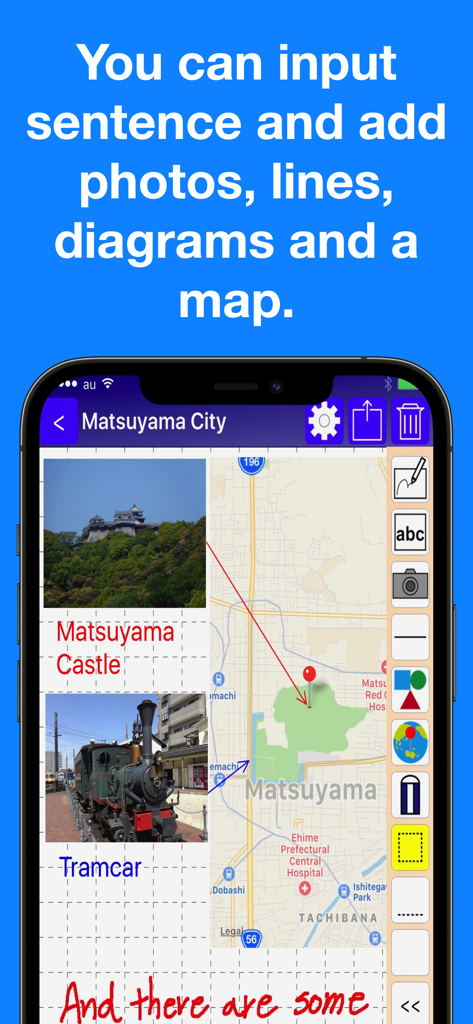
Pocket Note Pro app interface showing a business note with integrated maps photos and handwritten text

Pocket Note Pro app interface showing a business note with integrated maps photos and handwritten text

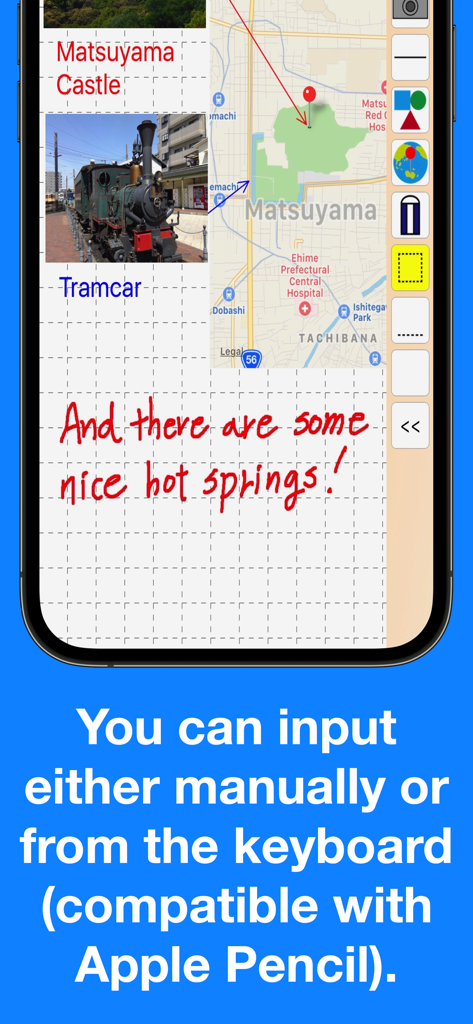
Pocket Note Pro app screenshot showing handwritten notes integrated maps and photo attachments on a grid background

Pocket Note Pro app screenshot showing handwritten notes integrated maps and photo attachments on a grid background

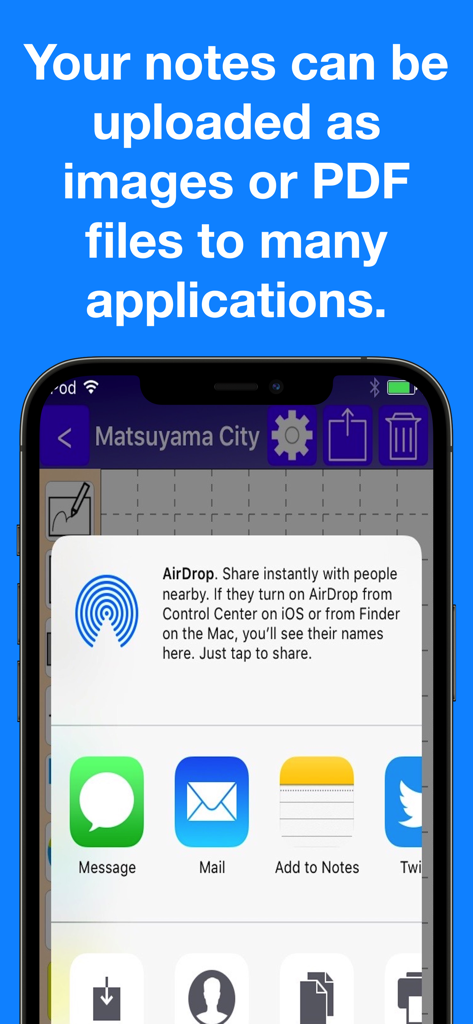
iPhone screen showing the share menu in Pocket Note Pro for exporting notes as PDF or images via AirDrop, Mail, and other apps.

iPhone screen showing the share menu in Pocket Note Pro for exporting notes as PDF or images via AirDrop, Mail, and other apps.

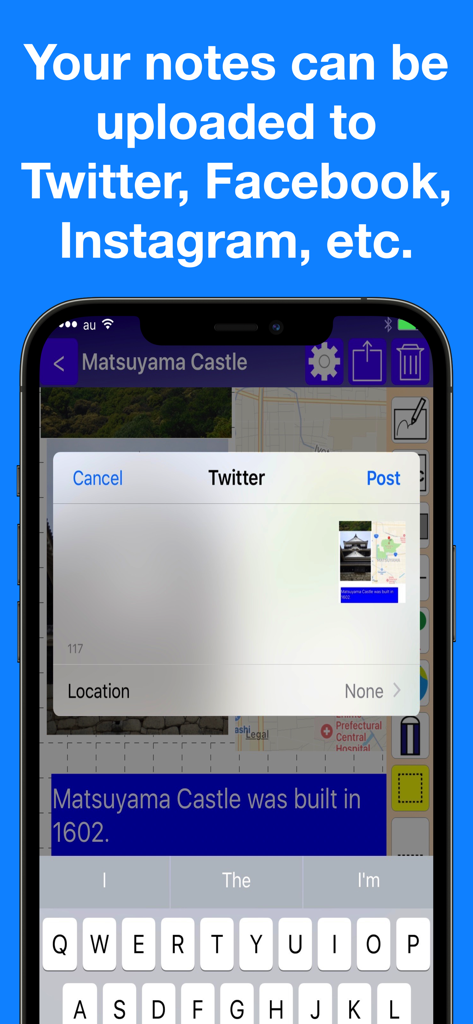
Social media sharing options in the Pocket Note Pro app

Social media sharing options in the Pocket Note Pro app

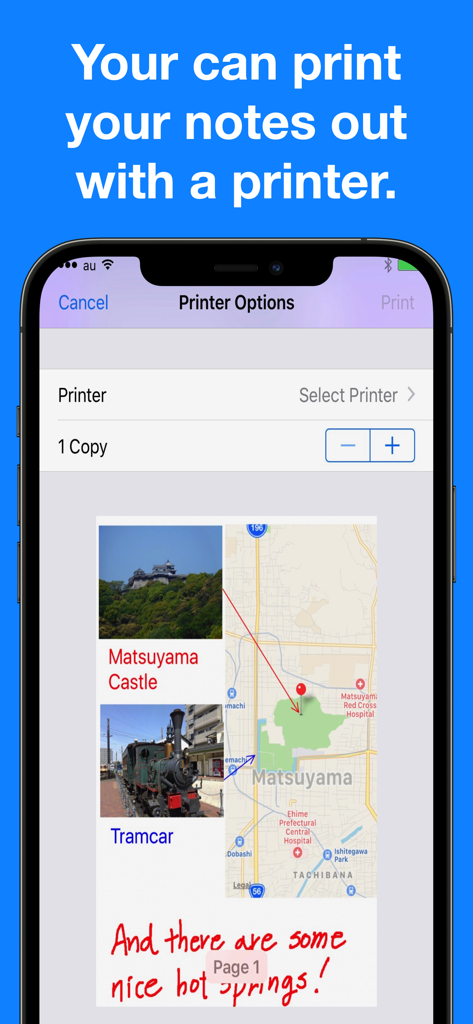
Pocket Note Pro app interface displaying printer options and a note preview with photos and maps

Pocket Note Pro app interface displaying printer options and a note preview with photos and maps

Built for the Modern Business Scene

Join 29K+ users who mastered their instrument with these tools.

📍

Contextual Map & Media Integration

Pin exact GPS locations and embed up to 20 photos per page to create comprehensive field reports and site documentation in one place.

✏️

Precision Sketching & Annotations

Full Apple Pencil support with 20 pen sizes and smart geometric shapes allows you to turn rough ideas into professional, polished diagrams.

📄

Seamless Professional Exporting

Instantly convert your visual notes into high-quality PDFs to email clients, share via iCloud, or print directly from your device.

Loved by users worldwide

Trusted by 29K+ people who have transformed their experience with this app.

"

"Pocket Note Pro has become an essential part of my workflow as a real estate appraiser. The ability to drop GPS pins and paste up to 20 property photos directly into my notes is a game-changer. I can mark up diagrams with my Apple Pencil and export everything as a professional PDF for my clients before I even leave the site."

Sarah Jenkins, Licensed Real Estate Appraiser
"

"Finally, a notepad app that actually understands the business environment. I use the grid lines and shapes to sketch out site adjustments on the fly. The iCloud sync is seamless between my iPhone and iPad, and the Siri Shortcuts help me jump right into my project groups. It is the most reliable tool in my digital kit."

Marcus Thorne, Senior Project Manager

About the app

Everything you need to know about Pocket Note Pro.

Description

Would you like to make your smartphone or tablet PC into a useful business tool?  Pocket Note is a notepad application specially designed for the business scene. With Pocket Note, you can quickly put your ideas together by a straightforward, simple operation. [Major functions] - We provided grid lines and horizontal ruled lines on the notepad to make it easier to organize what you write down.And when you don't need a grid or horizontal lines, you can choose "blank". - You can input either manually or from the keyboard (compatible with Apple Pencil).  For manual input, choose from 2 pens, "regular" or "thick", and an eraser.  For pen size and color, choose from 20 sizes and 25 colors. - You can paste up to 20 photos on each page. - You can paste maps.  With a map, you can do the following:   You can display your current position on the map using GPS.   By continuously pressing down at a given location on the map, you can place a pin at the location.   By inputting a name or address, you can place a pin at that location.   You can also specify the zoom factor as you wish. - By pasting figures and lines, you can display your notes graphically.  For figures, choose from rectangles, triangles or circles.  You can specify their size and shape freely.  Lines may be with or without arrows.  For figures and lines, choose from 25 different colors. - You can save your notes as an image or a PDF file. You can do the following:  Print them out with a printer.  Save them as images in iOS "Photos".  Attach them to emails as images or PDF files.  Share them as images with iCloud Photo Sharing.  Paste them as images in iOS standard "Notes".  Save them as PDF files in iOS standard "iBooks".  They can be uploaded as images to Twitter, Facebook, Google+, Instagram, Evernote, Flickr, Line, etc.  (If these applications are installed. Also, if the application is compatible with iOS App Extensions, they can be uploaded as images.) - Notes can be organized into groups.  Several groups can be set for each note.  Notes can be displayed by group, or by modified date. - It's compatible with iCloud, so you can share your notes on your iPhone or iPad. - Compatible with Siri Shortcuts. [Contact us] https://www.studioks.net/en/contact-us/ [Studio K's - Business Applications Maker] https://www.studioks.net/en/

Latest Version

15.0

Size

11.6 MB

First Released

Sep 10, 2016

Take Command of Your Business Projects

Turn your device into a high-precision digital clipboard. Join thousands of professionals who rely on Pocket Note Pro for sketching, mapping, and documentation that just works.

Download on App Store