QuickNotes X: Notes, AI & PDF

QuickNotes X: Notes, AI & PDF

Download on App Store
Spark by MWM logo
Logo of QuickNotes X: Notes, AI & PDF

QuickNotes X: The AI-Powered Digital Paper for Modern Professionals and Students

Experience natural handwriting with custom vector ink, sync voice recordings to your notes, and organize your life with secure, unlimited folders across all your Apple devices.

Publisher

Alessandro Sassi

Category

Productivity

Downloads

1M+

User Rating

4.3/5

Total Ratings

8K+

Locales

9

Digital Ink in Action

Discover the interface used by 1M+ users.
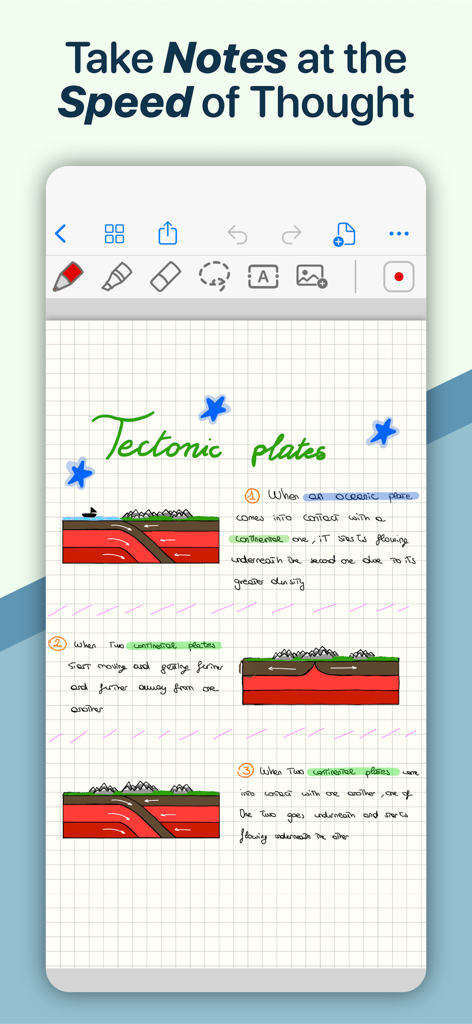
A digital notebook page in the QuickNotes X app showing handwritten science notes and diagrams about tectonic plates on grid paper.

A digital notebook page in the QuickNotes X app showing handwritten science notes and diagrams about tectonic plates on grid paper.

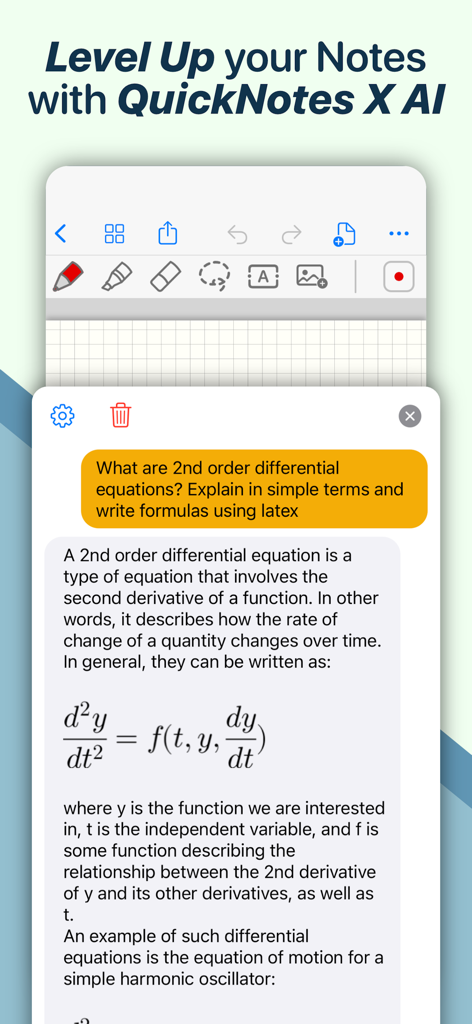
QuickNotes X AI assistant explaining a second order differential equation with a LaTeX formula in a chat interface.

QuickNotes X AI assistant explaining a second order differential equation with a LaTeX formula in a chat interface.

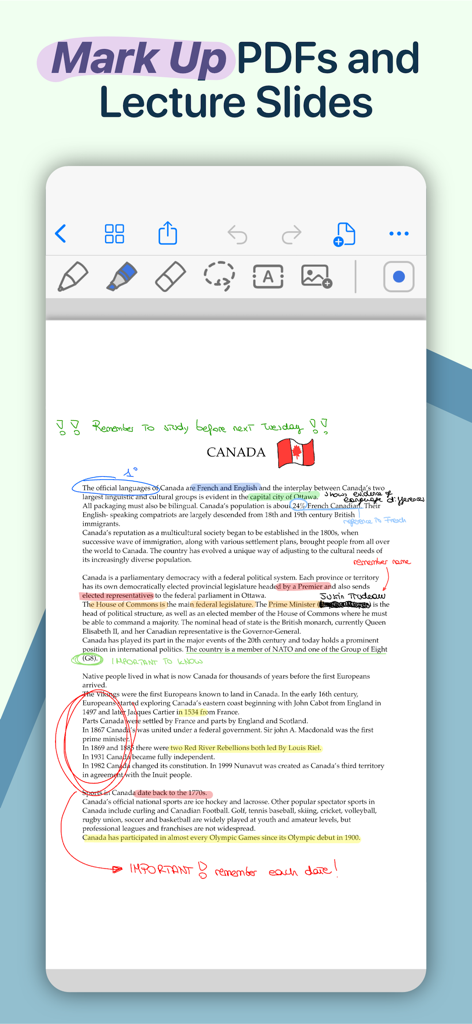
A digital note-taking interface showing a PDF about Canada with colorful highlights, handwritten circles, and text annotations.

A digital note-taking interface showing a PDF about Canada with colorful highlights, handwritten circles, and text annotations.

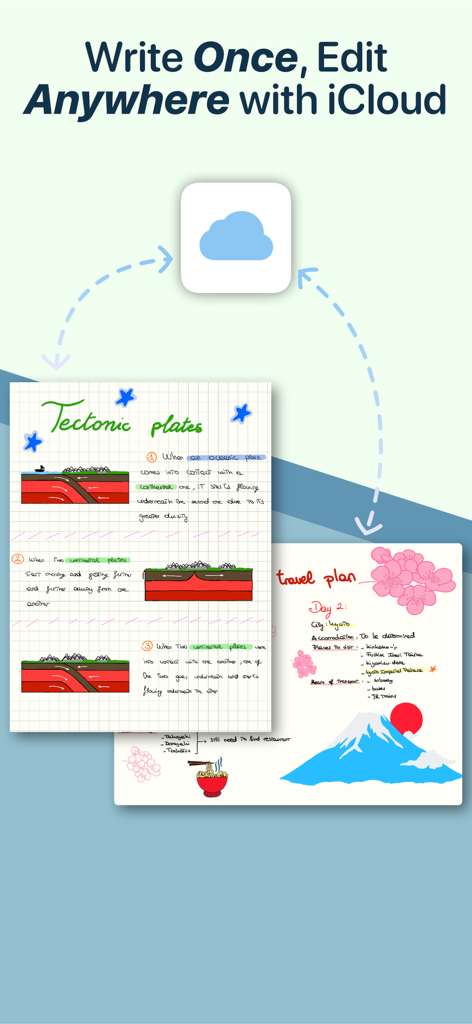
QuickNotes X app interface showing digital handwritten notes on tectonic plates and travel plans synced via iCloud

QuickNotes X app interface showing digital handwritten notes on tectonic plates and travel plans synced via iCloud

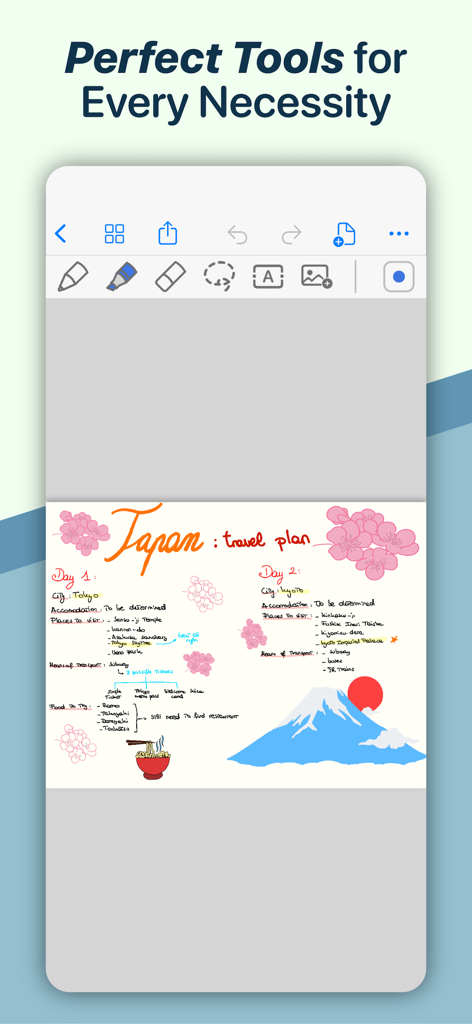
QuickNotes X mobile app displaying a colorful digital travel plan for Japan with handwriting and drawings

QuickNotes X mobile app displaying a colorful digital travel plan for Japan with handwriting and drawings

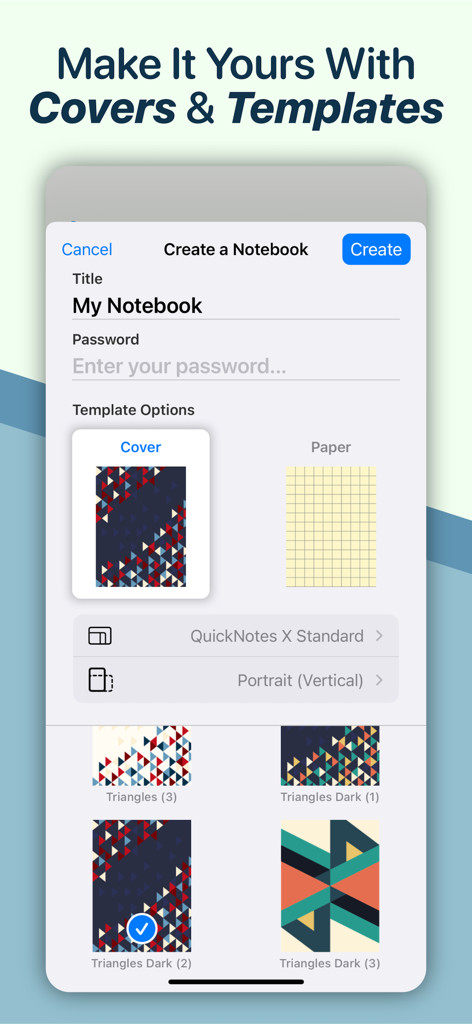
QuickNotes X app screen for creating a new notebook with options for title password and custom geometric covers

QuickNotes X app screen for creating a new notebook with options for title password and custom geometric covers

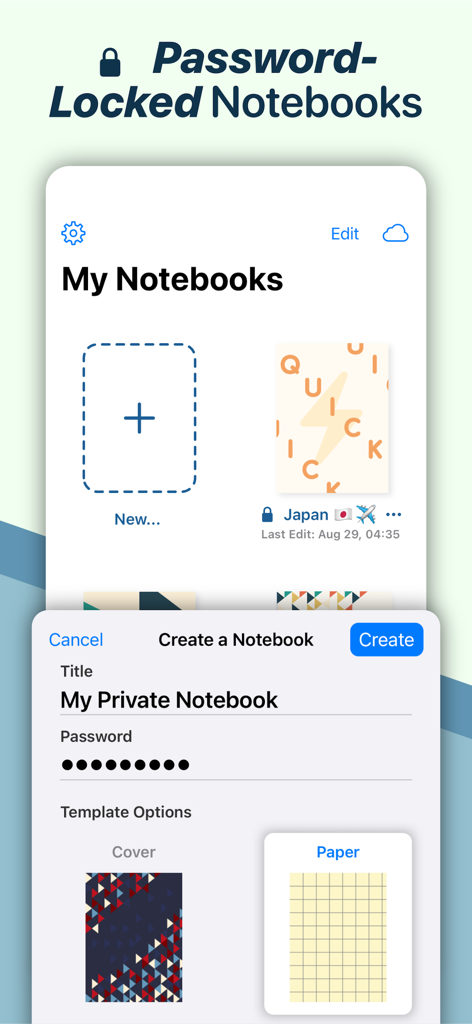
Interface of QuickNotes X showing how to create a password protected private notebook with custom covers and paper templates

Interface of QuickNotes X showing how to create a password protected private notebook with custom covers and paper templates

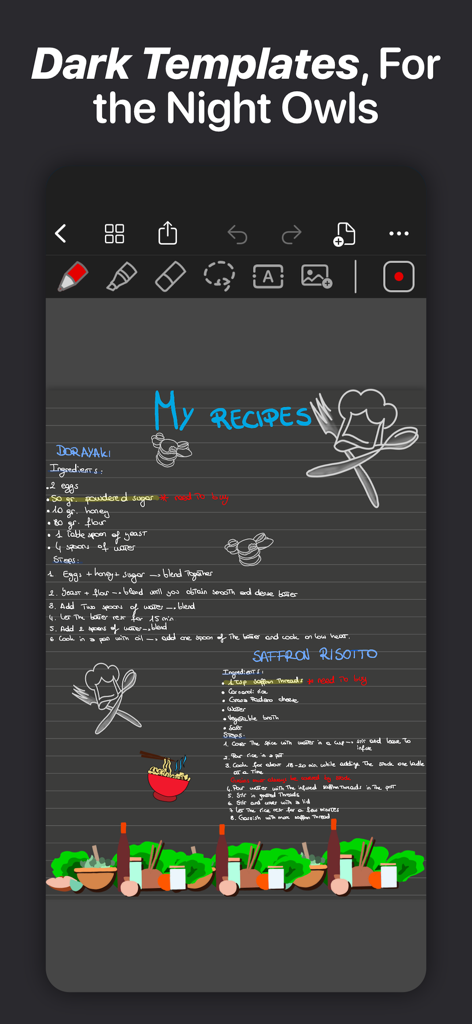
Handwritten recipes and illustrations on a dark mode template in QuickNotes X

Handwritten recipes and illustrations on a dark mode template in QuickNotes X

Elevate Your Digital Workspace

The tools that make this app stand out, trusted by 1M+ users.

🎙️

Audio-Synced Note Taking

Record lectures or meetings while you write. Simply tap any word in your notes to hear exactly what was being said at that moment, ensuring you never miss a detail.

✒️

Natural Vector Ink & AI Tools

Experience lag-free, precise handwriting with a custom engine. Use ML-powered shape recognition and specialized templates for STEM, music, and professional planning.

🛡️

Pro Organization & Security

Keep your life organized with nested folders and iCloud sync across all devices. Protect sensitive research or private thoughts with FaceID and TouchID encryption.

Loved by users worldwide

Trusted by 1M+ people who love this app.

"

"QuickNotes X is a game-changer for my med school lectures. The way the voice recording syncs with my handwriting is incredible—I just tap a note and hear exactly what the professor said at that moment. The specialized paper templates and the precision of the Apple Pencil support make it feel even better than real paper."

Chloe M., Medical Student
"

"Finally, a note-taking app that takes organization and privacy seriously. I use the nested folders to manage all my client projects, and the FaceID lock is essential for my sensitive documents. Being able to mark up PDFs on my iPad and have them instantly appear on my Mac is a massive boost to my daily productivity."

David R., Project Manager

About the app

Everything you need to know about QuickNotes X: Notes, AI & PDF.

Description

ESCAPE THE LIMITS OF PHYSICAL PAPER • Experience a fluid, precise and natural note taking experience powered by the unparalleled performance of QuickNotes X custom vector ink engine; • Choose your drawing style with numerous included tools, such as fountain and ballpoint pen; • Freely customize your stroke color as well as line thickness and pressure sensitivity; • Record and play back lectures with Voice Recording: your writing will be synced to the audio! • Draw perfect shapes and straight lines thanks to automatic, ML-powered shape recognition; • Move, resize, rotate and zoom your handwriting to take notes like a pro; • Never run out of paper: swipe to the next page and a new page will be created if needed! • Take perfect notes with your Apple Pencil, Logitech Crayon or other capacitive styluses. ORGANIZE & PROTECT YOUR THOUGHTS • Never lose your notes again thanks to the powerful organization provided by QuickNotes X; • Create Notebooks to organize your notes; • Add unlimited Folders & Subfolders to group your Notebooks; • Lock individual Notebooks and Folders with a Password to protect your thoughts from prying eyes; • Unlock protected notebooks using Face ID, Touch ID or by entering your Password; • Rearrange your Notebooks and Folders however you like to make sure they are always in the correct order. SEAMLESSLY SYNC TO ALL YOUR DEVICES • Seamlessly back up & sync your notebooks and folders to all your devices thanks to iCloud; • Write once, edit anywhere: when iCloud Sync is active all your content is automatically available on all your devices; • Use the native Mac app to view your notes on the bigger screen and edit them right on your computer. MARK UP & WRITE ON PDFs, SLIDES AND MORE • Import and edit PDFs, PowerPoint presentations more; • Annotate documents on your device with all the tools available, including fountain & ballpoint pen, highlighter and shape recognition; • Open notes and documents side-by-side on your iPad for maximum flexibility; • Quickly export your notes as images, PDF or QuickNotes X Documents for easy sharing ENDLESS CUSTOMIZATION FOR YOUR CREATIVITY • Create an unlimited number of presets for stroke color and line thickness to always have the right one ready at your fingertips; • Choose between Dual or Single Bar Mode to take notes with the maximum level of flexibility and customizability; • Choose to erase entire strokes on only some parts thanks to the new Precision and Whole Stroke Erasers; • Use the Lasso tool to cut, copy, paste or delete groups of strokes or entire pages; • Customize the look of your Notebooks and Folders by choosing from more than 80 options; • Make each notebook cover yours: the Notebook cover is now fully editable so you can draw on it! • Choose the right paper template for your Notebooks, such as Blank Paper, Cornell Paper, Chemistry Paper, Engineering Grid Paper, Music Paper and more! TYPE AND WRITE ANYWHERE • Add Text Boxes anywhere in a page to start typing, with plenty of customization options for color, font style and size, available right at your fingertips in the new Tool Bar; • Move, rotate and scale text boxes to never run out of space; • Combine handwritten notes with typed content and annotate or highlight key words in your Text Boxes; AND THERE IS EVEN MORE! • Swipe left or right to quickly move to the previous or next page in the notebook; • Quickly jump to any page in the Notebook by using the Notes List menu in the Note Editor; • Customize any new page you create thanks to the new "New Page" menu in the Editor; • Create a QuickNotebook to always have a fresh new page when you open the app; • Changing the paper template for a single page or the entire Notebook is only one tap away; QuickNotes X: Note-Taking, Made Easy. Website: https://www.quicknotesx.com Twitter: @QuickNotesX Instagram: @quicknotesx ----------- Privacy Policy: https://www.quicknotesx.com/privacy Terms of Use: https://www.apple.com/legal/internet-services/itunes/dev/stdeula

Latest Version

5.4.7

Size

350.8 MB

First Released

Jul 25, 2015

Ready to Go Paperless?

Join over 1 million students and professionals who have transformed their iPads into the ultimate digital stationery with QuickNotes X.

Download on App Store