Ricoh myPrint

Ricoh myPrint

Download on App StoreDownload on Google Play
Spark by MWM logo
Logo of Ricoh myPrint

Ricoh myPrint: Secure Mobile Printing for Your Campus and Workplace

Print documents, photos, and PDFs directly from your smartphone or tablet. Connect in seconds via QR code and securely release your jobs at any Ricoh myPrint printer on your network.

Publisher

Ricoh Europe PLC

Category

Productivity

Downloads

40K+

User Rating

2.7/5

Total Ratings

0

Locales

20

See Efficiency in Action

Discover the interface used by 40K+ users.
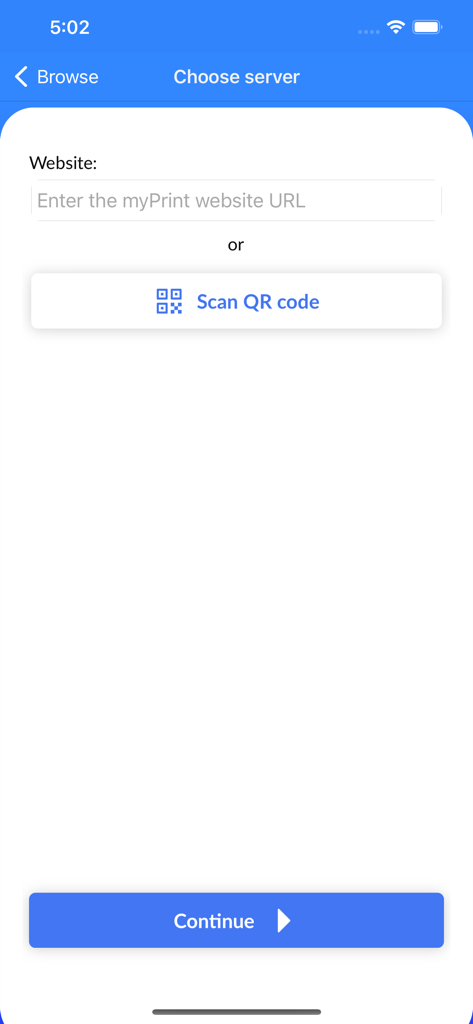
Choose server screen in Ricoh myPrint app showing website URL input and QR code scan button

Choose server screen in Ricoh myPrint app showing website URL input and QR code scan button

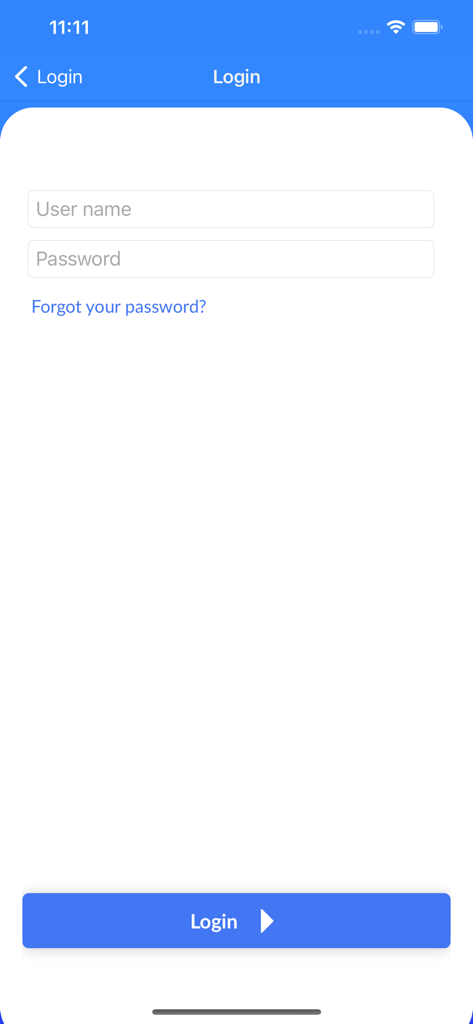
Ricoh myPrint login interface with username and password input fields and a blue login button

Ricoh myPrint login interface with username and password input fields and a blue login button

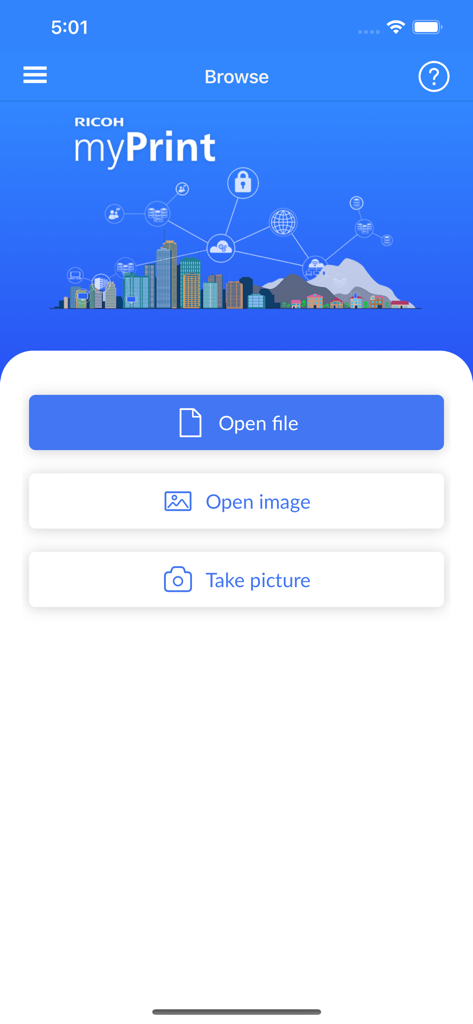
Ricoh myPrint app interface showing options to open file open image or take picture

Ricoh myPrint app interface showing options to open file open image or take picture

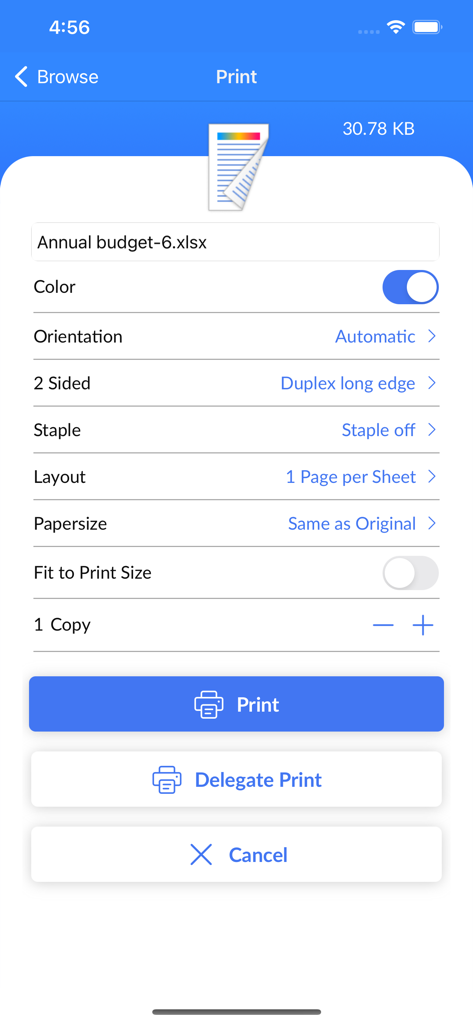
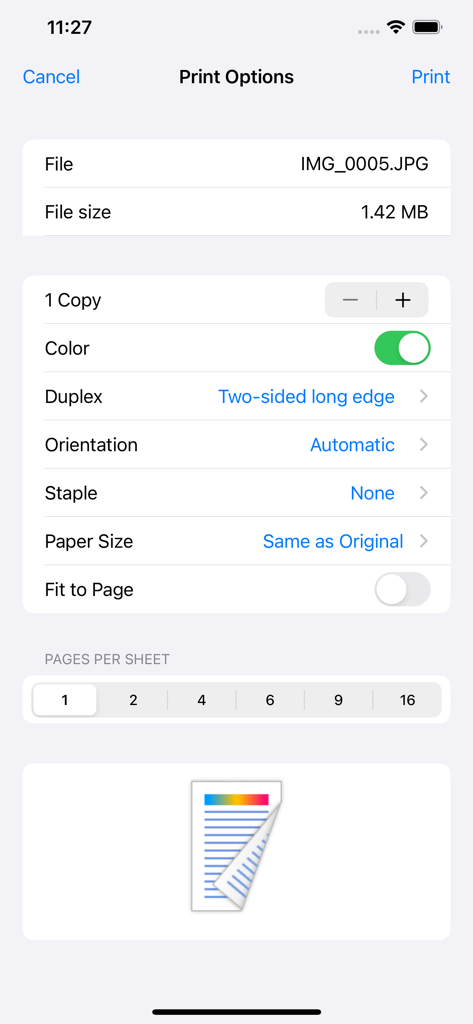
Ricoh myPrint mobile app interface showing print configuration options for a document

Ricoh myPrint mobile app interface showing print configuration options for a document

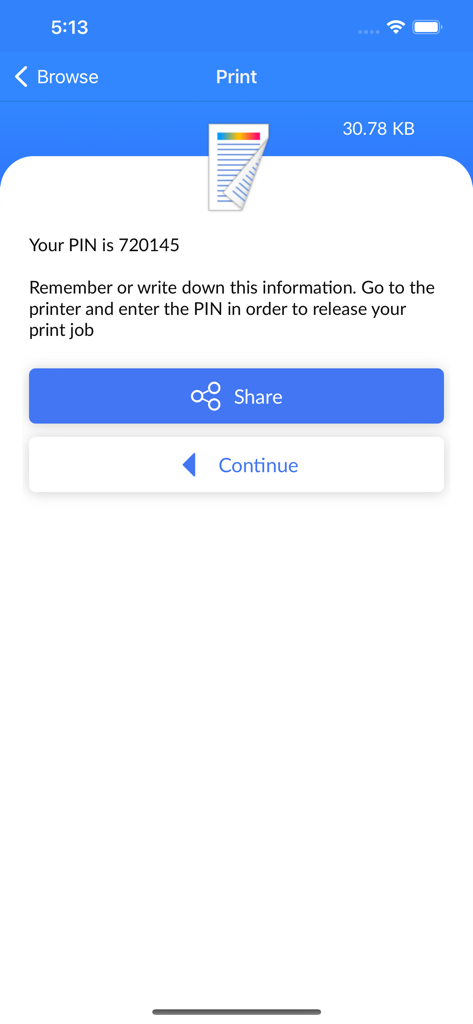
Ricoh myPrint app interface showing a PIN code to release a secure print job

Ricoh myPrint app interface showing a PIN code to release a secure print job

Interface of the Ricoh myPrint app showing print configuration options

Interface of the Ricoh myPrint app showing print configuration options

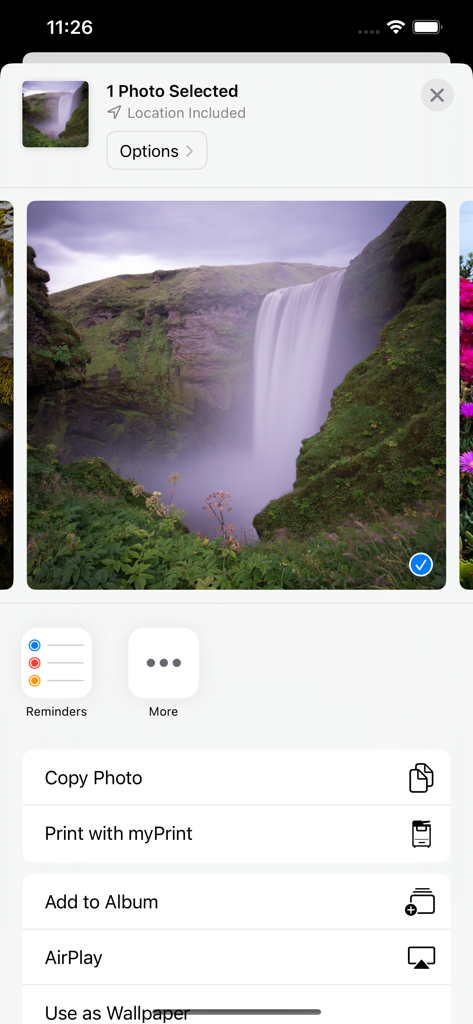
An iPhone screen displaying a selected photo in the iOS share sheet with the Print with myPrint option highlighted in the list of actions.

An iPhone screen displaying a selected photo in the iOS share sheet with the Print with myPrint option highlighted in the list of actions.

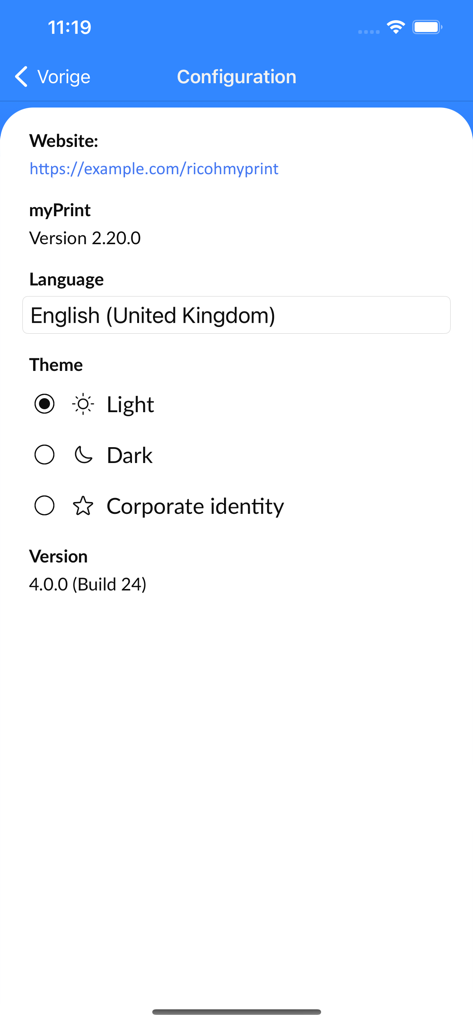
Ricoh myPrint app configuration screen showing language and theme settings.

Ricoh myPrint app configuration screen showing language and theme settings.

Seamless Mobile Printing for Professionals & Students

The tools that make this app stand out, trusted by 40K+ users.

🚀

Instant Mobile Workflow

Print documents, spreadsheets, and photos directly from your smartphone using the native Share feature—no drivers or admin privileges required.

🛡️

Secure Document Release

Keep your sensitive information private. Your print jobs are only released when you are physically at the device, preventing confidential papers from sitting in open trays.

📲

Frictionless QR Connection

Get started in seconds by scanning a QR code to sync with your campus or office network. Skip the complex IP configurations and start printing immediately.

Loved by users worldwide

Trusted by 40K+ people who love this app.

"

"Ricoh myPrint has completely changed how I handle documents between meetings. Being able to print sensitive contracts securely by only releasing them when I'm physically at the printer gives me total peace of mind without needing IT support for drivers."

Sarah Chen, Senior Project Manager
"

"As a student constantly moving between the library and lecture halls, this app is a total game changer. I just scan the QR code, upload my essays from my phone, and check my print credits instantly. It's fast, reliable, and super easy to use."

Jordan Miller, University Junior

About the app

Everything you need to know about Ricoh myPrint.

Description

IMPORTANT NOTE: Using this Ricoh myPrint app requires access to a Ricoh myPrint, version 2.13 (or higher) environment. Ricoh myPrint must be installed and configured in the network. To use all functionalities, at least Ricoh myPrint version 2.20 must be installed. For system information, please contact your local application administrator. Print from anywhere, anytime to any Ricoh myPrint connected printing device. The Ricoh myPrint printing app brings mobile printing functionality to your smartphone or tablet. Print from anywhere, anytime to any Ricoh myPrint connected printing device in your organization-, school- or university network. Ricoh myPrint supports all commonly used file types, Microsoft Office documents, OpenOffice, PDF, text files, photos and most common types of image file formats. Get started in seconds: 1. Download the free Ricoh myPrint app, enter the URL or scan the QR-code of your Ricoh myPrint server location 2. Enter your email address and password or organizations credentials and login 3. Browse to your document or image file and print or use the Share feature of the application to open the Ricoh myPrint app to print 4. Release your print job on location after identification on the Ricoh myPrint connected printing device Main app features: • Printing documents, quickly and securely from your smartphone or tablet • Selecting pictures from your photo library in order to print • Taking pictures and printing them with the integrated camera functionality • Browse, share or export files and documents from native apps to Ricoh myPrint • Selecting printing preferences and personal settings • Viewing print credits and using vouchers • Supporting delegated printing

Latest Version

5.0.2

Size

56.8 MB

First Released

Apr 30, 2019

Ready to Simplify Your Printing?

Download Ricoh myPrint today and join thousands of professionals and students who print securely from any device, anywhere on campus or at the office.

Download on App StoreDownload on Google Play
FAQ

Frequently Asked Questions

Everything you need to know about Ricoh myPrint

Does Ricoh myPrint enable mobile printing?

Yes, Ricoh myPrint provides mobile printing functionality, allowing users to print from anywhere, anytime to any connected Ricoh myPrint device.

How do I start using the Ricoh myPrint app?

To get started, download the free Ricoh myPrint app, enter the URL or scan the QR-code of your Ricoh myPrint server, then log in.

What file types does Ricoh myPrint support?

Yes, Ricoh myPrint supports Microsoft Office documents, OpenOffice, PDF, text files, photos, and most common image file formats for printing.

What are the minimum version requirements for the Ricoh myPrint environment?

Using the Ricoh myPrint app requires access to a Ricoh myPrint environment version 2.13 or higher. Full functionality requires version 2.20.

Can I print photos taken with my device's camera using Ricoh myPrint?

Yes, the Ricoh myPrint app includes integrated camera functionality, allowing users to take pictures and print them directly.

How do I release a print job using Ricoh myPrint?

Users release print jobs on location after identification on the Ricoh myPrint connected printing device. A PIN may be required for release.

Can I check my print credits in Ricoh myPrint?

Yes, the Ricoh myPrint app allows users to view print credits and use vouchers for printing services.

Does the Ricoh myPrint app support delegated printing?

Yes, Ricoh myPrint supports delegated printing, which allows users to assign printing tasks to others.

How do I log in to the Ricoh myPrint app?

To log in, users enter their email address and password or organizational credentials on the login screen.