Scribble Together Whiteboard

Scribble Together Whiteboard

Download on App Store
Spark by MWM logo
Logo of Scribble Together Whiteboard
Scribble Together Whiteboard: Sketch, Annotate, and Collaborate in Real Time

The fastest way to brainstorm with anyone, anywhere. Share a link and start drawing together instantly—no account required for guests. Perfect for remote teams, designers, and tutors.

Publisher

Scribble LLC U.S.

Category

Productivity

Downloads

412K+

User Rating

4.6/5

Total Ratings

4K+

Locales

7

See Creativity in Action

Discover the interface used by 412K+ users.
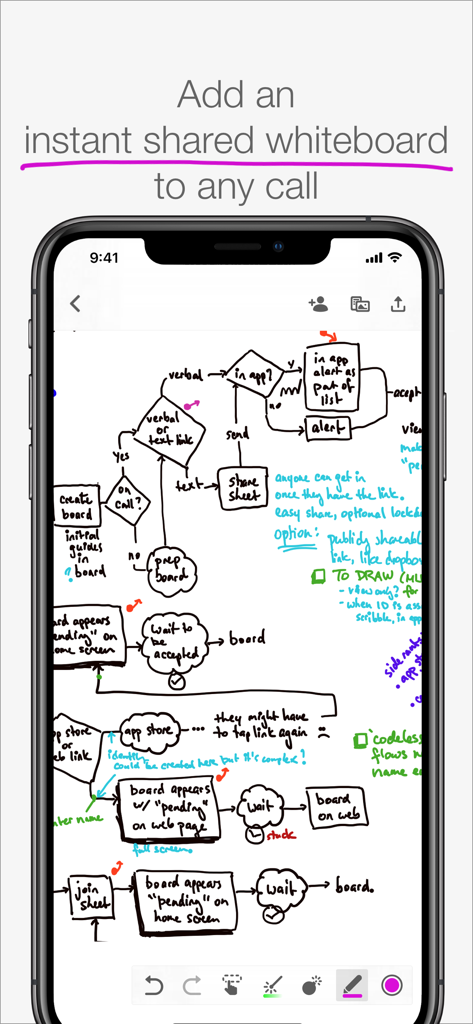
Smartphone screen displaying a hand-drawn complex flowchart on the Scribble Together Whiteboard app

Smartphone screen displaying a hand-drawn complex flowchart on the Scribble Together Whiteboard app

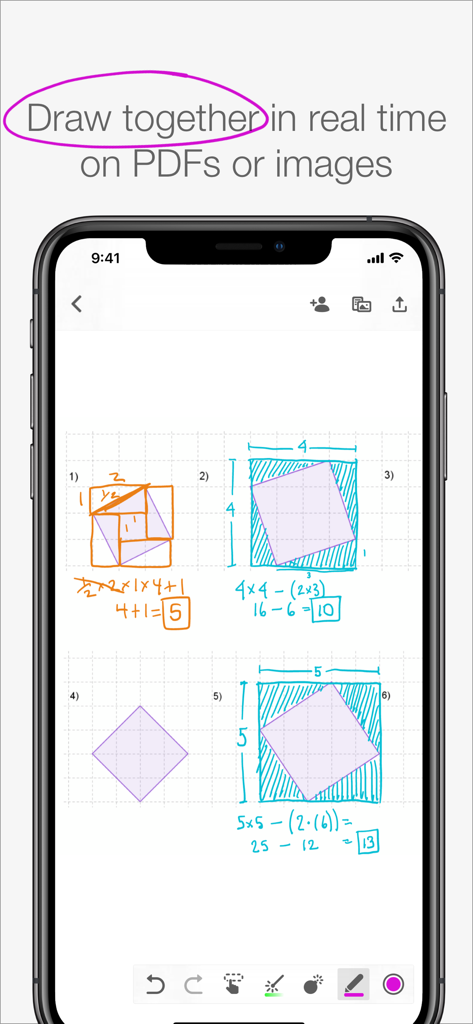
Collaborative whiteboard app showing hand drawn math calculations and geometry diagrams on a smartphone screen

Collaborative whiteboard app showing hand drawn math calculations and geometry diagrams on a smartphone screen

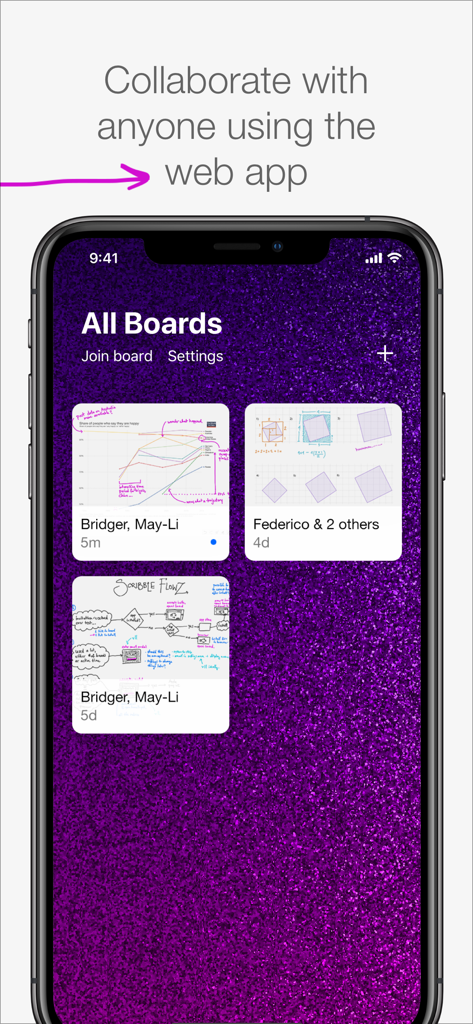
Interface of Scribble Together Whiteboard app on a phone showing different collaborative boards.

Interface of Scribble Together Whiteboard app on a phone showing different collaborative boards.

The most frictionless way to collaborate visually

The tools that make this app stand out, trusted by 412K+ users.

Instant Guest Access

Get on the same page in seconds. Share a link or code and your guests join for free, with no accounts or messy sign-up forms required.

🪄

Point and Perfect

Use the disappearing laser pointer to guide attention and watch your rough sketches magically snap into perfect geometric shapes and lines.

📄

Real-Time PDF Markup

Import documents, homework, or photos and annotate them together live. Export your collaborative sessions as high-quality PDFs when finished.

Loved by users worldwide

Trusted by 412K+ people who love this app.

"

"Scribble has completely changed how I tutor math online. I just snap a photo of a worksheet, send a link to my student, and we are solving problems together in seconds. The best part is that my students do not even need to create an account or pay to join me on the board. It is the most frictionless tool I have found for remote teaching."

Sarah M., Private Math Tutor
"

"As a UX designer working remotely, explaining complex flows over a video call used to be a nightmare. Now, I just open Scribble, use the virtual laser pointer to guide my team, and we brainstorm on the infinite canvas. The Apple Pencil responsiveness is incredible—it feels just like using a real whiteboard in a conference room."

David L., Senior Product Designer

About the app

Everything you need to know about Scribble Together Whiteboard.

Description

Draw to­geth­er in real time, from any­where! In seconds, any­one can follow along with your drawing or draw with you from the app or on the web. Use Scrib­ble along­side a call; talk with Face­Time or any other app you like. DRAW ON ANY­THING Draw over pdfs and im­ages. Snap a pic­ture of home­work and draw on it, or re­view a pdf to­geth­er. Once you are fin­ished, you can save out a new pdf with your an­no­ta­tions. WEB OR APP Work with any­one, even your guests who don’t have an iPad or iPhone. The web app can be used to draw us­ing a tablet, touch screen com­put­er, or sty­lus. Display your live drawing on a big screen in a classroom or conference room using any browser and a convenient link. SET UP IN A SNAP Get­ on the same white­board to­geth­er in seconds. No reg­is­ter­ing for an ac­count or adding con­tacts in yet an­oth­er app. Once you’ve con­nect­ed in Face­Time or by phone you can tell your guests to join you using a link or a code, for free, with no messy sign ups. IN­FI­NITE SPACE, UN­LIM­IT­ED BOARDS Control scrolling of the infinite drawing space so that everyone sees the same area at the same time. Whiteboards are unlimited, so you can start fresh for each topic. Unlike a real whiteboard, many people can draw in the same space at the same time! POINT AND GES­TURE Point­ things out as you’re speaking with Scribble’s vir­tu­al laser point­er. No more clumsy describing of which part of a pic­ture you're re­fer­ring to – just use the mag­i­cal dis­ap­pear­ing laser ink. Designate different colors if you and your guests both need to point. PEN­CIL SUP­PORT If you’ve got an iPad Pro and Apple Pen­cil, drawing feels especially great in Scrib­ble. It’s like us­ing pa­per, but you can draw with any­one, any­where in the world. You can also use Settings to decide what you’d like your finger to do while you have the Pencil in hand. NEAT SHAPES, STRAIGHT LINES Can’t draw in a straight line? Neither can we! Scribble helps you draw perfect lines and shapes. Draw and pause without lifting your marker: you’ll see your shape pop magically into a rectangle, circle, ellipse, parallelogram, trapezoid, triangle or straight line. FREE FOR GUESTS Invit­ing peo­ple re­quires Scribble membership, but your guests join you for free. The membership subscription comes free for 2 weeks per monthly subscription, or 1 month per annual subscription. Drawing on your own is also free, and you can keep your whiteboards if you decide you don’t want to invite others anymore. Pay­ment will be charged to your iTunes ac­count at con­fir­ma­tion of pur­chase. The sub­scrip­tion auto-re­news at the same price un­less dis­abled in iTunes Ac­count Set­tings 24 hours be­fore the end of the pe­ri­od each month. You can go to scribble.cool/cancel for instructions to cancel your subscription and turn auto-renew off. Terms of Ser­vice: https://scrib­ble­to­geth­er.­com/terms

Latest Version

3.6

Size

14.1 MB

First Released

Aug 3, 2017

Ready to bring your ideas to life together?

Join thousands of professionals and educators who sketch, teach, and brainstorm in real time. Start your whiteboard in seconds and invite guests to draw with you for free—no sign-ups required.

Download on App Store