Shutter - Canon Camera Remote

Shutter - Canon Camera Remote

Download on App Store
Spark by MWM logo
Logo of Shutter - Canon Camera Remote
Shutter - Canon Camera Remote: Professional Control at Your Fingertips

The reliable, feature-packed alternative for Canon EOS and PowerShot users. Master solo shoots, capture stunning time-lapses, and download high-res photos instantly with the professional tools your camera deserves.

Publisher

Camera Control Apps sp. z o.o.

Category

Photo & Video

Downloads

237K+

User Rating

4.5/5

Total Ratings

800

Locales

9

The Ultimate Viewfinder

Discover the interface used by 237K+ users.
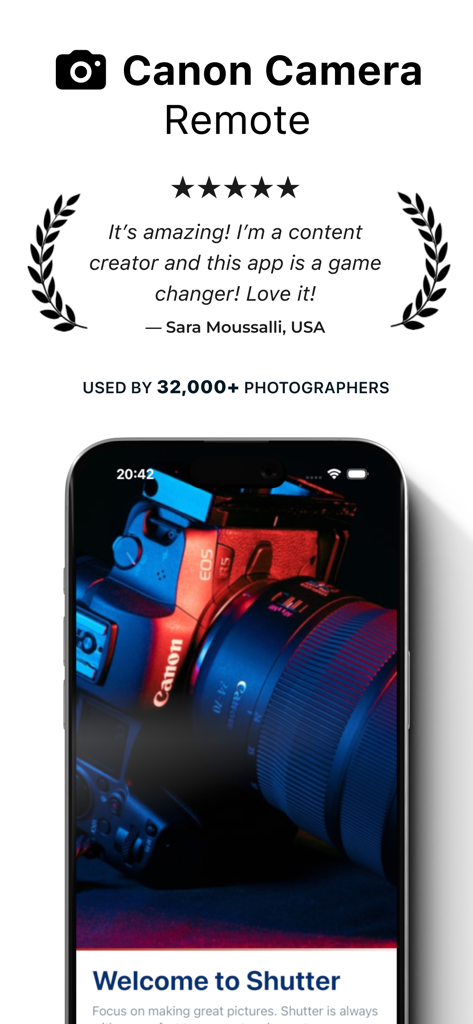
Five star review and testimonial for the Shutter Canon Camera Remote app with a smartphone showing the camera connection

Five star review and testimonial for the Shutter Canon Camera Remote app with a smartphone showing the camera connection

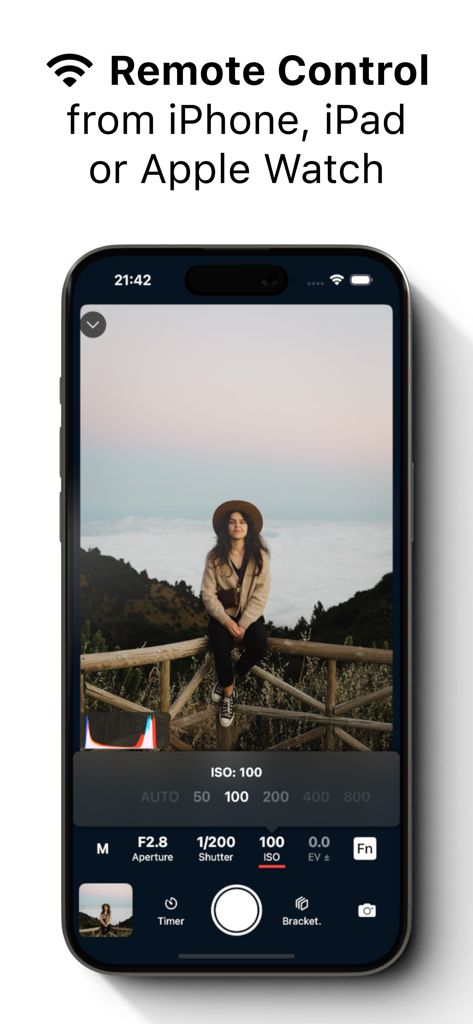
Shutter app on an iPhone showing remote Canon camera control interface with live view and exposure settings

Shutter app on an iPhone showing remote Canon camera control interface with live view and exposure settings

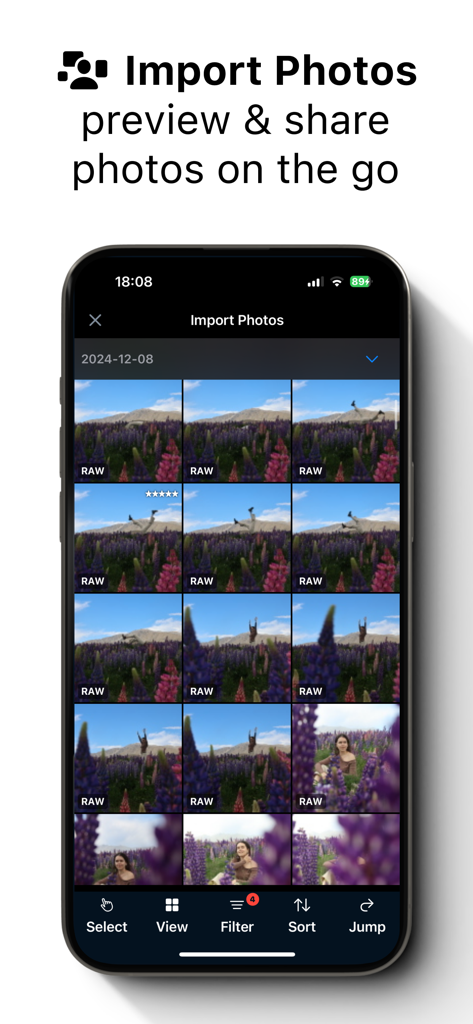
A smartphone displaying a grid of RAW photos for import and preview in the Shutter Canon camera remote app

A smartphone displaying a grid of RAW photos for import and preview in the Shutter Canon camera remote app

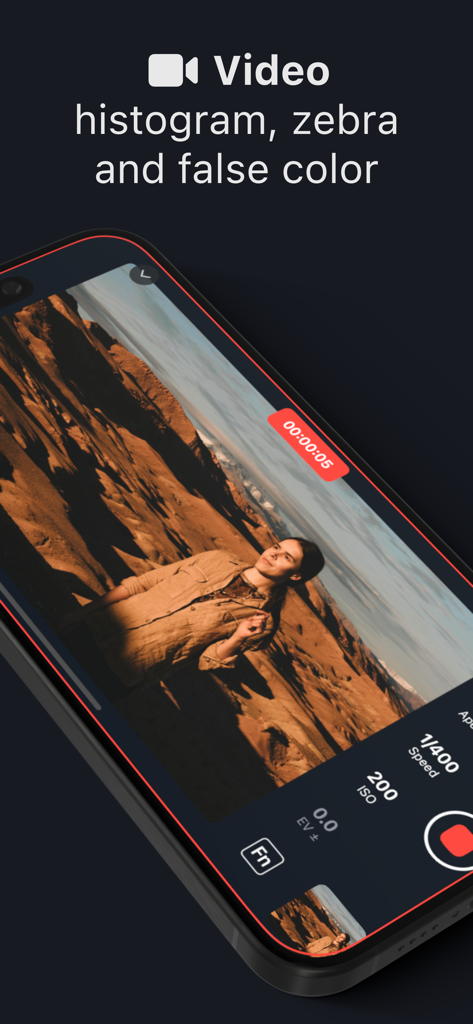
Shutter app video recording interface on iPhone showing exposure tools including histogram and zebras

Shutter app video recording interface on iPhone showing exposure tools including histogram and zebras

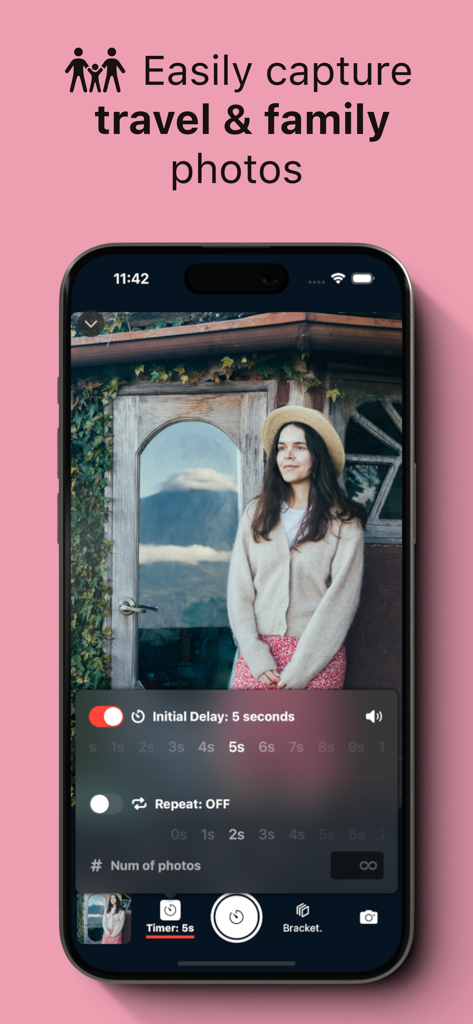
Shutter app interface showing remote timer settings for capturing travel photos with a Canon camera.

Shutter app interface showing remote timer settings for capturing travel photos with a Canon camera.

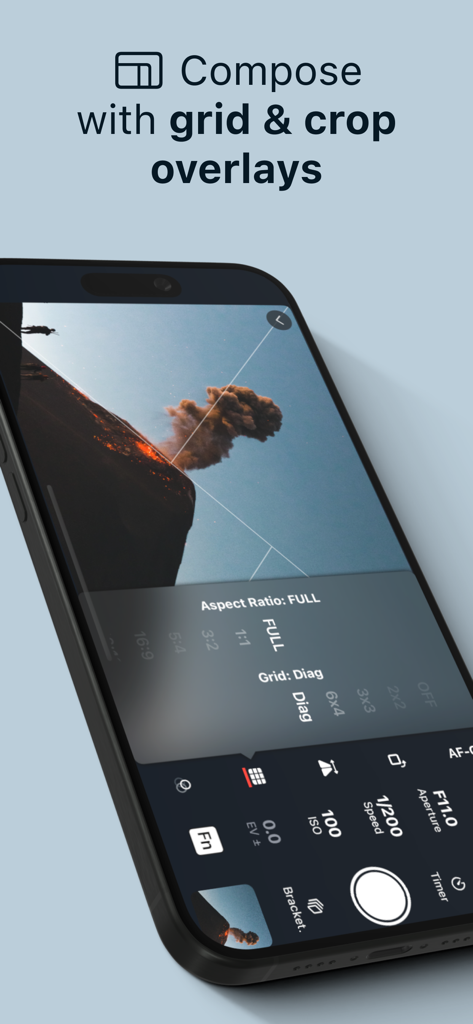
Interface of Shutter app showing composition tools like grid and crop overlays for Canon cameras

Interface of Shutter app showing composition tools like grid and crop overlays for Canon cameras

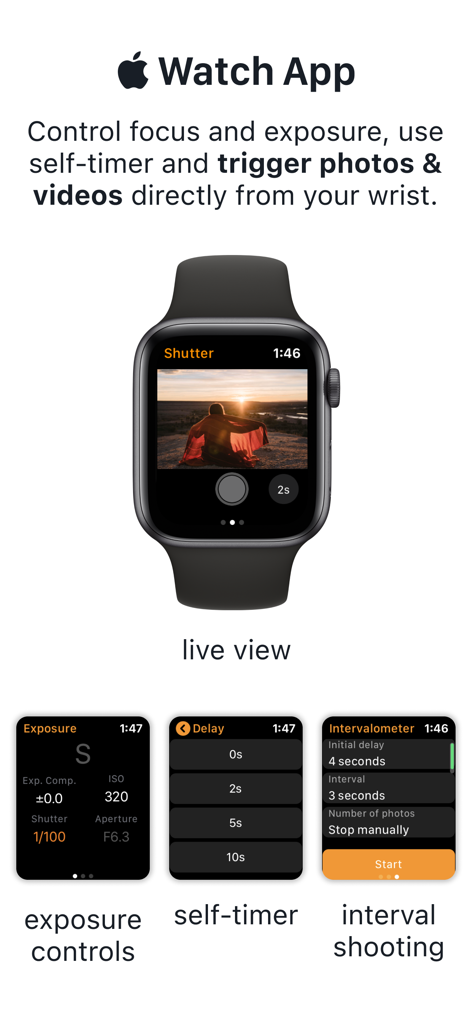
Apple Watch app interface for Shutter remote control showing live view and exposure settings

Apple Watch app interface for Shutter remote control showing live view and exposure settings

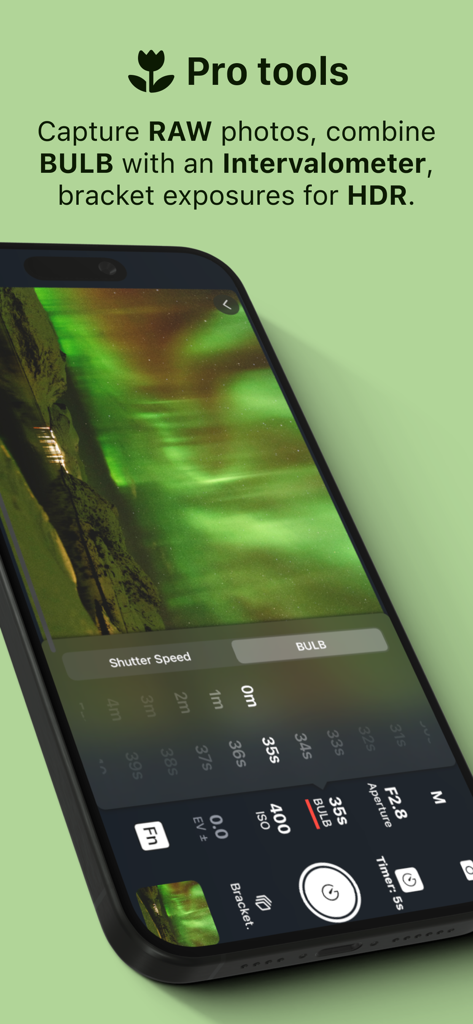
Shutter app interface showing professional long exposure and BULB mode controls for Canon cameras.

Shutter app interface showing professional long exposure and BULB mode controls for Canon cameras.

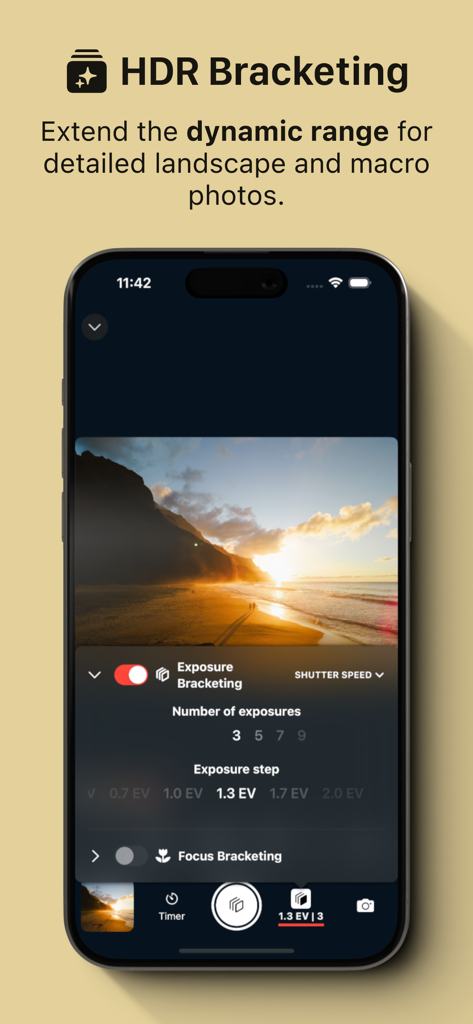
iPhone displaying the HDR Bracketing feature of the Shutter Canon Remote app for a sunset landscape photo

iPhone displaying the HDR Bracketing feature of the Shutter Canon Remote app for a sunset landscape photo

List of supported Canon EOS and PowerShot camera models for the Shutter app

List of supported Canon EOS and PowerShot camera models for the Shutter app

Take Total Control of Your Canon Camera

The tools that make this app stand out, trusted by 237K+ users.

📶

Reliable Wireless Freedom

Skip the frustration of clunky manufacturer apps. Connect instantly via Wi-Fi or USB for a rock-solid remote control experience.

🎯

Pro-Grade Exposure Tools

Nail every shot with RGB histograms, zebras, and false color monitoring. See exactly what your sensor sees on a high-res mobile screen.

🤳

The Ultimate Solo Workflow

Be your own photographer. Use the intervalometer or Apple Watch remote to capture perfect self-portraits and travel shots without a second shooter.

Loved by users worldwide

Trusted by 237K+ people who love this app.

"

"As a solo traveler, I used to rely on strangers or the awkward 10-second timer sprint. Shutter changed everything for me. The Apple Watch integration and audio cues make it so easy to frame myself and get the perfect shot every time. It is significantly more reliable and intuitive than the official Canon app."

Chloe Bennett, Lifestyle Creator
"

"I use Shutter for all my real estate and interior photography. The exposure bracketing and focus tools like zebras and the histogram give me professional-grade control right on my iPad. It has streamlined my workflow and replaced several expensive accessories in my kit. A must-have for any serious Canon shooter."

Marcus Chen, Professional Photographer

About the app

Everything you need to know about Shutter - Canon Camera Remote.

Description

Remote control for Canon EOS and PowerShot cameras. Capture flawless self-portraits, breathtaking travel shots, professional real-estate photos, stunning time-lapses, and more. (See a list of supported camera models at the end of this description.) WHY YOU’LL LOVE SHUTTER • Connect wirelessly or use a USB cable. • Easily browse, filter and download photos from the camera. • Compose perfect shots with aspect ratios and grid overlays. • Nail down exposure with tools like RGB, histogram, zebras and false color. • Exposure bracketing & BULB support. • Include yourself in the photo - configurable delay and interval for repeated capture (intervalometer). • Audio cues for countdown and shutter. • Optimized for low battery usage. PERFECT FOR EVERY PHOTOGRAPHER Self-portraits & group shots Set the timer, join the scene, and let Shutter take multiple frames so everyone looks their best. Travel photography Capture sunrises, sunsets, and landmark shots — no strangers, no cut-off limbs. Real-estate & interiors Use composition tools to line up the shot, and exposure bracketing to preserve detail in bright and dark areas. Astrophotography Stack multiple exposures for sharp, noise-free images of the Milky Way and Northern Lights. Social media & lifestyle Compose, pose, and shoot as many takes as you want — without relying on anyone else. SUPPORTED CAMERAS Canon EOS R-series: R, Ra, RP, R1, R3, R5 (I, II), R5 C, R6 (I, II, III), R7, R8, R10, R50, R50 V, R100 Canon EOS M-series: M10, M100, M200, M5, M50 (I, II), M6 (I, II) Canon EOS Rebel: SL2, SL3, T100, T6, T6i, T6s, T7, T7i, T8i Canon EOS DSLRs 5D IV, 6D (I, II), 70D, 77D, 80D, 90D, 200D (I, II), 250D, 750D, 760D, 800D, 850D, 1300D, 1500D, 2000D, 3000D, 4000D, 8000D, 9000D Canon EOS Kiss: M, M2, X10, X10i, X80, X8i, X9, X90, X9i Canon PowerShot V1, G1 X III, G5 X II, G7X (II, III), G9X II SX420 HS, SX430 IS, SX432 IS, SX540 HS, SX620 HS SX70 HS, SX720 HS, SX730 HS, SX740 HS Terms of use: https://shutter.dev/legal/terms Canon, EOS R, EOS M, EOS Kiss, EOS Rebel, PowerShot are registered trademarks of Canon, Inc.

Latest Version

3.32

Size

75.8 MB

First Released

May 4, 2021

Elevate Your Canon Experience Today

Join 237,000+ creators who have ditched clunky connections for professional remote control, seamless wireless pairing, and flawless solo shots.

Download on App Store
FAQ

Frequently Asked Questions

Everything you need to know about Shutter - Canon Camera Remote

What is Shutter - Canon Camera Remote?

Shutter is an application for remote control of Canon EOS and PowerShot cameras. It enables users to capture diverse photos, including self-portraits, travel shots, and time-lapses, using advanced photographic tools.

Which Canon camera models are supported by Shutter?

Shutter supports Canon EOS R-series, M-series, Rebel, DSLR, Kiss, and PowerShot cameras. A detailed list of supported models is available in the app's description and screenshots.

How does Shutter connect to Canon cameras?

Shutter connects to Canon cameras wirelessly or via a USB cable. This flexibility allows users to choose the most convenient connection method for their photography setup.

Can I import and manage photos with the Shutter app?

Yes, Shutter allows users to easily browse, filter, and download photos directly from their connected camera. This feature simplifies photo management on the go.

Does Shutter offer tools for shot composition?

Yes, Shutter provides composition tools including aspect ratios and grid overlays. These features help users compose perfect shots for various photographic scenarios.

What exposure tools does Shutter provide for photographers?

Shutter provides advanced exposure tools such as RGB, histogram, zebras, and false color. These features help photographers nail down exposure for optimal image quality.

Can Shutter control BULB mode and exposure bracketing?

Yes, Shutter offers support for exposure bracketing and BULB mode. This functionality is ideal for advanced techniques like HDR photography and long exposures.

Does Shutter include an intervalometer for repeated capture?

Yes, Shutter includes a configurable intervalometer for repeated capture. This feature is useful for self-portraits or time-lapses, with options for delay and interval.

Does Shutter have an Apple Watch app?

Yes, Shutter has a dedicated Apple Watch app. It allows users to control focus, exposure, self-timer, and trigger photos and videos directly from their wrist.

Can I capture RAW photos with Shutter?

Yes, Shutter allows users to capture RAW photos. It also offers advanced features like combining BULB with an Intervalometer and bracketing exposures for HDR.

What kind of customer support does Shutter offer?

Shutter guarantees satisfaction with customer support. All support requests are handled directly by engineers within 24 hours.