The Clock by seense

The Clock by seense

Download on App Store
Spark by MWM logo
Logo of The Clock by seense

The Clock by seense: The Professional Time Zone & Meeting Planner for Global Teams

Eliminate time zone math and master your global workflow. Effortlessly coordinate meetings, track international business hours, and stay productive with the most advanced clock designed for the Apple ecosystem.

Publisher

Fabrice Leyne

Category

Productivity

Downloads

24K+

User Rating

4.1/5

Total Ratings

0

Locales

18

Precision at a Glance

Discover the interface used by 24K+ users.
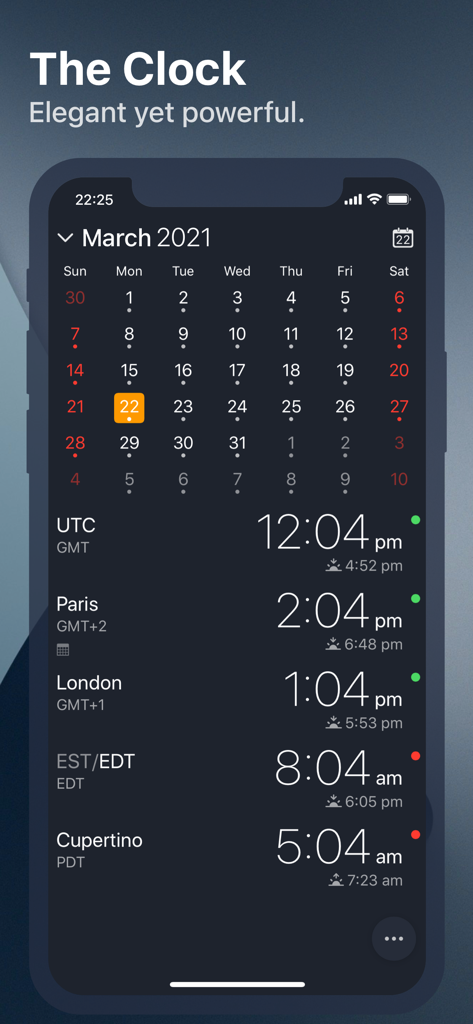
Interface of The Clock app showing a monthly calendar and multiple world clocks for Paris London and Cupertino with business hour indicators

Interface of The Clock app showing a monthly calendar and multiple world clocks for Paris London and Cupertino with business hour indicators

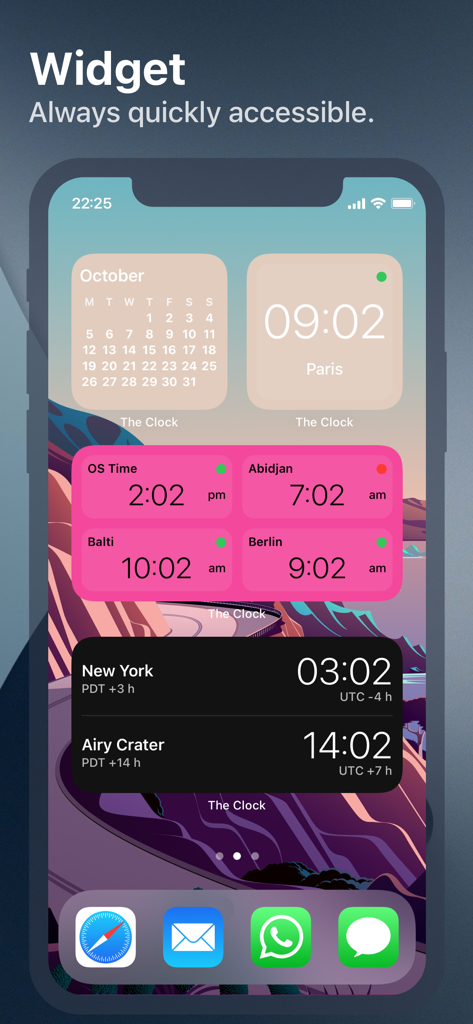
iPhone home screen displaying multiple world clock and calendar widgets for tracking international time zones.

iPhone home screen displaying multiple world clock and calendar widgets for tracking international time zones.

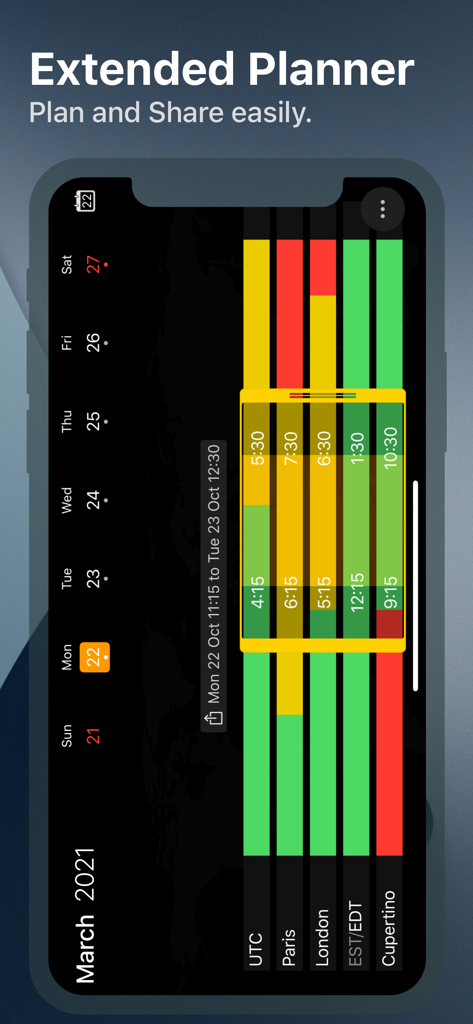
Extended meeting planner interface visualizing business hours across multiple time zones like Paris London and Cupertino

Extended meeting planner interface visualizing business hours across multiple time zones like Paris London and Cupertino

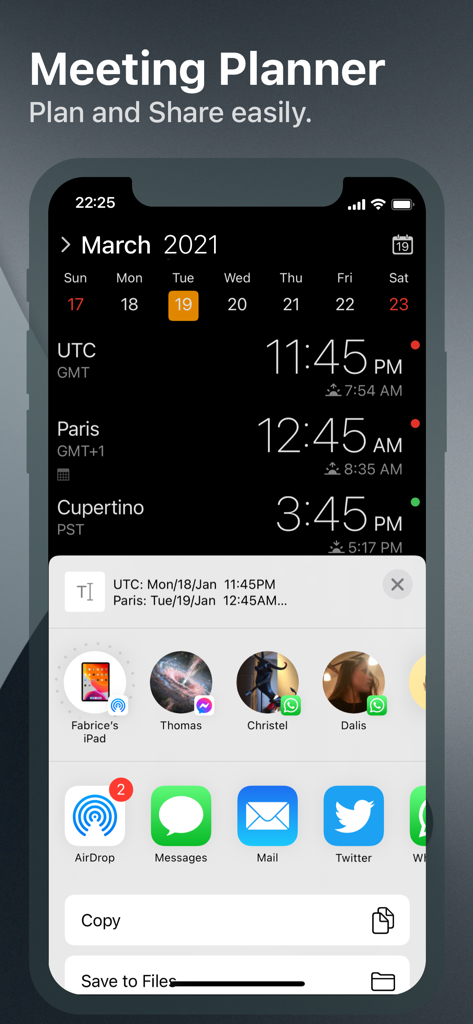
iPhone screenshot showing The Clock app meeting planner with multiple time zones and the iOS share menu open

iPhone screenshot showing The Clock app meeting planner with multiple time zones and the iOS share menu open

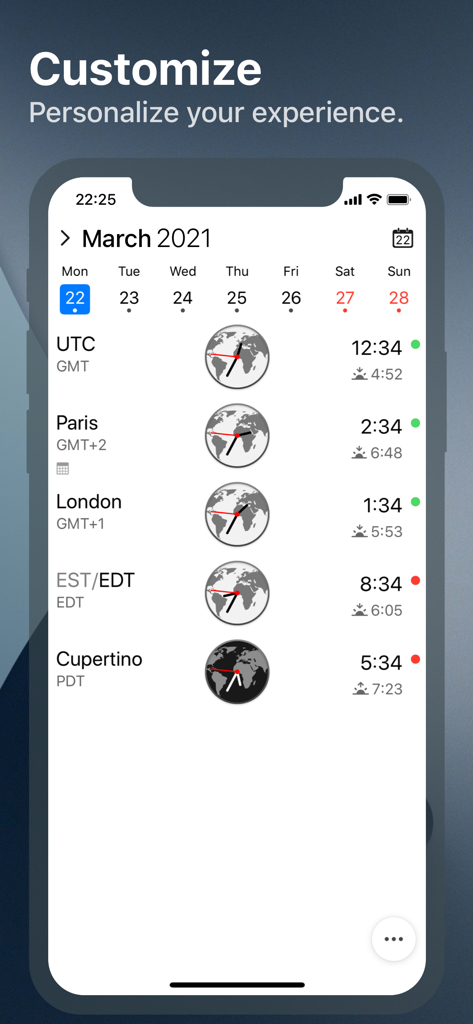
The Clock app interface on an iPhone displaying world clocks with time zones business hours indicators and a monthly calendar

The Clock app interface on an iPhone displaying world clocks with time zones business hours indicators and a monthly calendar

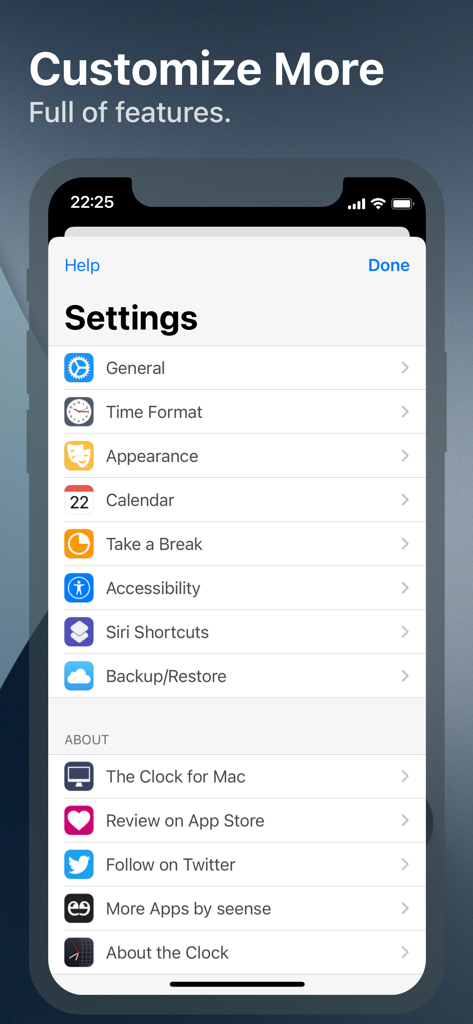
Settings menu of The Clock app showing customization and productivity options

Settings menu of The Clock app showing customization and productivity options

Graphic showing iPhone Mac and iPad silhouettes representing a consistent app experience across all Apple devices

Graphic showing iPhone Mac and iPad silhouettes representing a consistent app experience across all Apple devices

Master Time Across Every Border

The tools that make this app stand out, trusted by 24K+ users.

🗓️

Visual Meeting Planner

Swipe through time to instantly find the perfect slot where your global team is actually awake and ready to work.

🏢

Professional Etiquette First

Stay informed on international business hours and local holidays to ensure you never interrupt a client or subcontractor during their time off.

💻

Pro-Grade Customization

From Handoff support between Mac and iOS to detailed time complications, tailor every detail to fit your specific professional workflow.

Loved by users worldwide

Trusted by 24K+ people who love this app.

"

"Managing a distributed engineering team across San Francisco, London, and Bangalore used to be a scheduling nightmare. The Meeting Planner and Business Hours highlights have made my workflow incredibly smooth. It is the most professional time management tool I have found on iOS, and the Handoff feature with my Mac is seamless."

James Miller, Senior Project Manager
"

"As a digital nomad balancing clients in multiple time zones, I need more than just a basic clock. The deep customization, Siri Shortcuts, and widget options keep me organized without the cognitive load of mental math. The 'Take a Break' feature is also a fantastic addition to help me avoid burnout during long workdays."

Elena Rodriguez, Global Design Consultant

About the app

Everything you need to know about The Clock by seense.

Description

After 10 years on the Mac and tens of thousands of happy users, The Clock now on your iPhone/iPad. The Clock • Keep track, easily and efficiently of your contacts in different time zones. • Have a quick view on a Calendar, which can be integrated with the iOS Calendar • Easily setup meetings with the Meeting Planner. • Have a highlight on the Business Hours and Holidays of your subcontractors, customers, ... • Highly customizable. • Be reminded when to Take a Break and relax. • Widget ready for your convenience. • Siri Shortcuts available. • Responsive design to adapt to portrait/landscape view. • HandOff with The Clock on your Mac. The World Clocks • AM/PM or 24Hours. • Analog or Digital Clock view. • Choose among a wide range of complications • Business Hours. • Time offset. • Sunrise/Sunset. • Country. • Time Zone offset (PDT, CDT, UTC…). • Yesterday, Today, Tomorrow. • AM/PM, 24H. • Drag&Drop the world clocks to order them. • Beautiful clock face displaying day and night. • Personalize the world clock time format per cities. • Change the city name. • PDT, CDT, MDT, GMT… and more automatically adapting during daylight saving period. Meeting Planner • Meeting Planner swipe the screen to travel through time. • Business Hours led to check if your contact is in the working hours time frame. • Select a date in the calendar for an accurate Daylight Saving adjustment. • With the iOS Calendar integration into The Clock have a quick look on your schedule • With the Calendar Complication, automatically know if you are busy while planning a meeting. • Export easily your schedule information with the share menu or Drag & Drop (iPad). • Slider automatically round the time to 15/30 min. Calendar • Navigate the months with a tap, or keyboard shortcuts (iPad Pro). • Show/Hide the Calendar. • Toggle week/month view. • Show/Hide the weeks number. • Select your referenced calendar for the week number. (Regional settings, or ISO 8601). • Select a day in Meeting Planner for an accurate Daylight Saving adjustment. • Highlight days off per city. • Follow the iOS setting for Calendar first day of the week or set your own... • Choose to integrate or not with the iOS Calendar. • Have a quick view on your calendar events. • Calendar complication to immediately see what is coming next on your schedule. Accessibility • Voice Over. • Dynamic Type for font size to adapt to your need. • Color blind friendly. • Haptic feedback (for device supporting it). Other • Choose between 4 beautiful themes (White/Dark/Daisy Blue/Deep Dark). • Select clock faces. • Keyboard Shortcuts for most common actions (on iPad Pro with keyboard). • Backup/Restore your settings easily (Local, Dropbox, iCloud). • Enjoy the Take a Break feature, and relax. • And more … • And with a real user manual to go deeper in the discovery of all the features.

Latest Version

4.9.9

Size

14.6 MB

First Released

Nov 1, 2018

Ready to Master Your Global Schedule?

Join tens of thousands of professionals who have ditched the time zone math. Experience the 10-year Mac legacy, now perfectly optimized for your iPhone and iPad.

Download on App Store