
Timestamp Camera Enterprise



Protect your work and reputation with tamper-proof, network-synced timestamps. Automatically overlay GPS, address, and custom branding on every photo and video for construction, logistics, and legal reports.
Publisher
Category
Photo & VideoDownloads
2M+User Rating
Total Ratings
26K+Locales
23Discover the interface used by 2M+ users.
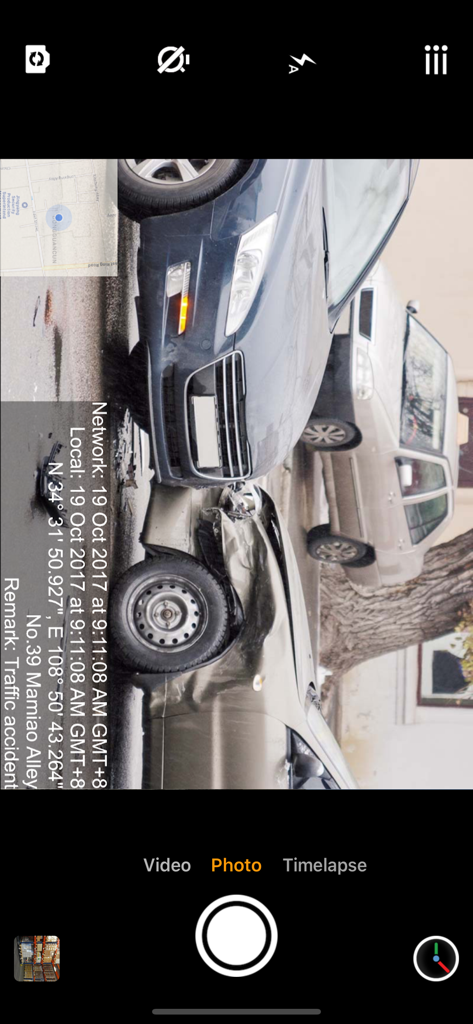
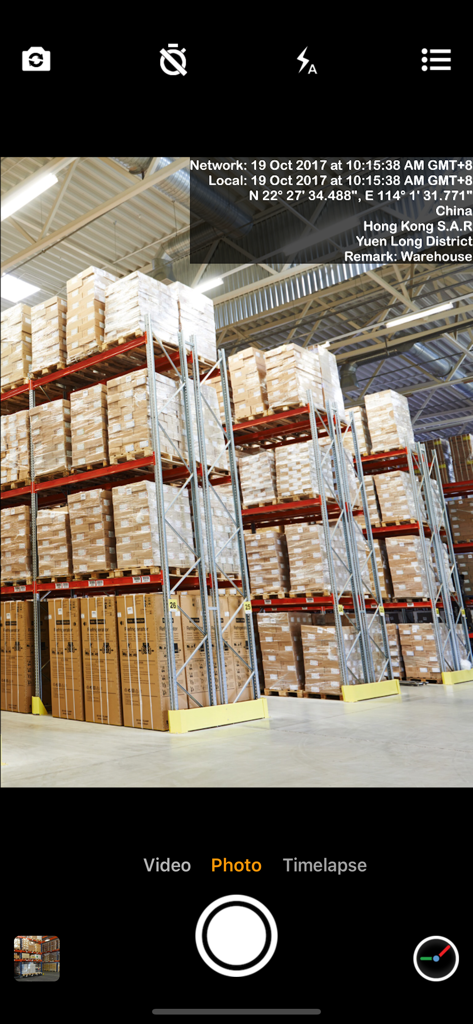
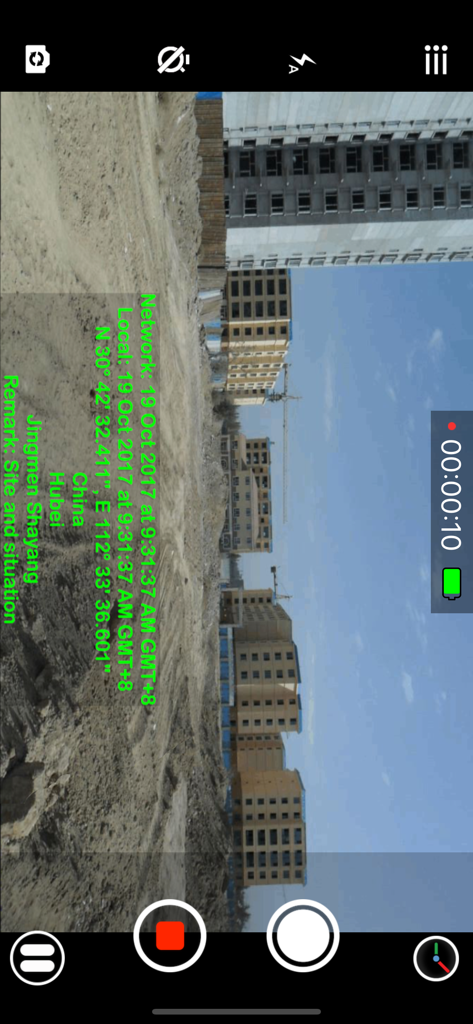
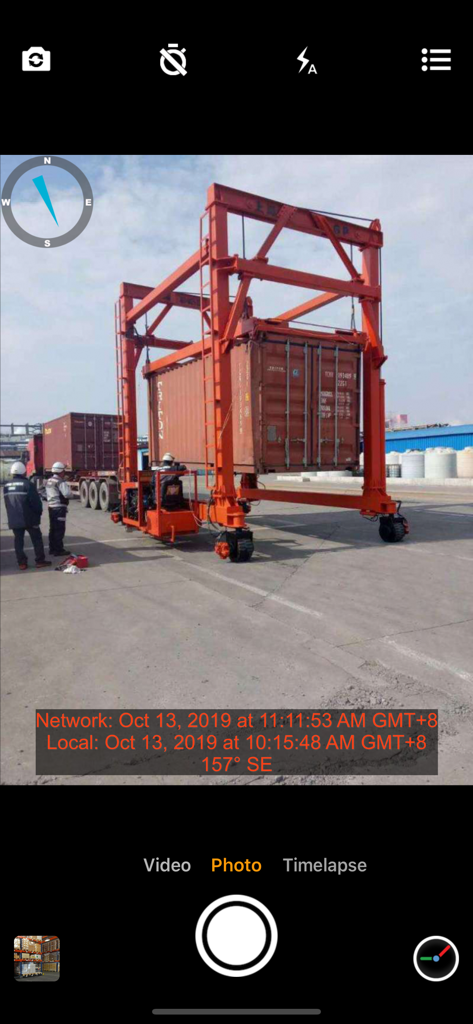
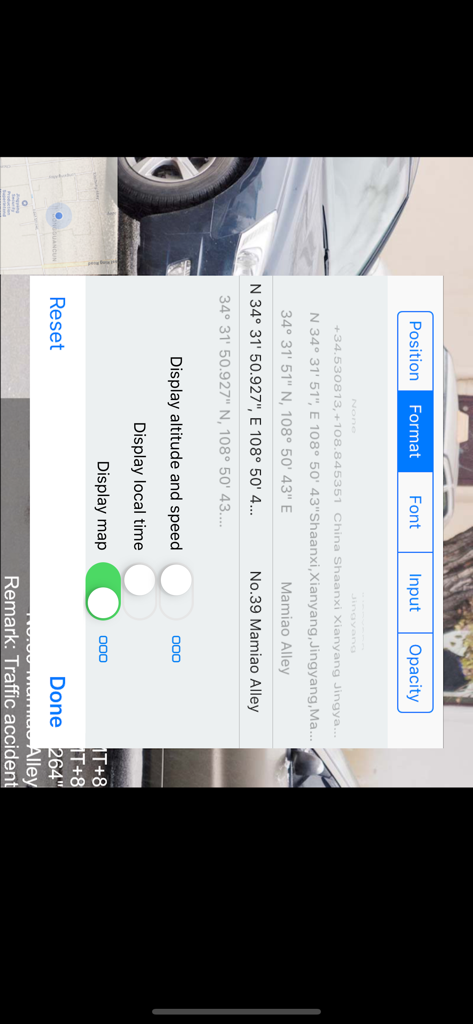
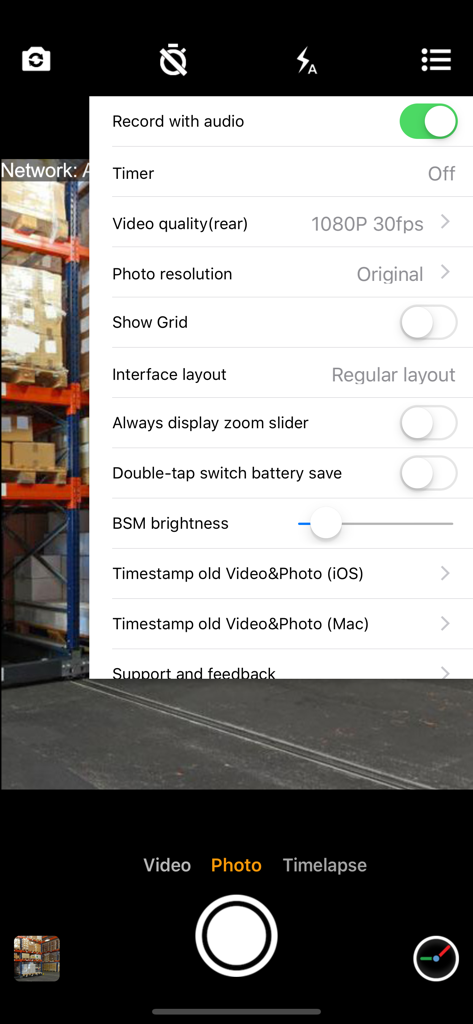
The tools that make this app stand out, trusted by 2M+ users.
Sync with network time to ensure your photo evidence is 100% authentic and legally defensible, even if device settings are altered.
Instantly overlay precise GPS coordinates, street addresses, and altitude on your media to eliminate manual data entry in the field.
Import your corporate logo and custom project notes to generate professional, audit-ready reports that protect your business reputation.
Trusted by 2M+ people who love this app.
"This app has become an essential tool for our construction sites. Being able to provide unalterable timestamps and GPS coordinates in our daily work reports has completely eliminated disputes with subcontractors and clients. It is the most reliable way to document project milestones accurately."
"As a property inspector, I need photos that are professional and self-documenting. The ability to overlay my company logo and the exact address automatically saves me hours of paperwork every week. The network-synced time gives my evidence the credibility it needs."
Everything you need to know about Timestamp Camera Enterprise.
Description
Latest Version
1.136
Size
23.5 MB
First Released
Nov 8, 2017
Join over 2 million professionals who trust the industry standard for tamper-proof, verifiable evidence. Download Timestamp Camera Enterprise and let your photos speak the truth.
Everything you need to know about Timestamp Camera Enterprise
The Timestamp Camera Enterprise app adds non-forged date, time, location, and GPS watermarks to photos and videos. It obtains time from the network, ensuring accurate timestamps.
Yes, Timestamp Camera Enterprise adds non-forged date, time, location, and GPS watermarks to both photos and videos. This capability is a core feature for verifying media authenticity.
Yes, Timestamp Camera Enterprise users can customize timestamps by changing font, font color, and font size. It also supports setting the timestamp in six different positions.
Yes, Timestamp Camera Enterprise automatically adds address and GPS details to watermarks. Users can also input and display custom text directly on the camera view.
Timestamp Camera Enterprise supports video resolutions of 540P, 720P, 1080P, and 4K. It also allows recording at 30fps and 60fps frame rates.
Yes, Timestamp Camera Enterprise can display both a map and a compass directly on the camera screen. This assists users with contextual location and directional information.
Yes, Timestamp Camera Enterprise allows users to record video without audio. This feature is useful for situations requiring silent video capture with accurate timestamps.
Yes, Timestamp Camera Enterprise includes a timer feature for taking photos. Users can select countdown options of 3, 5, or 10 seconds before image capture.
Yes, Timestamp Camera Enterprise is compatible with both iPhone and iPad devices. The app also supports both portrait and landscape orientations for flexible use.
Yes, Timestamp Camera Enterprise allows users to import and display their own logo image on the camera. The logo's position, size, margins, and transparency are customizable.
Timestamp Camera Enterprise addresses needs for true time and location evidence in situations like construction work reports, traffic accidents, goods transfers, private detective work, and evidence of borrowed items.
Timestamp Camera Enterprise ensures accurate timestamps by obtaining the current time from the network. This prevents users from manipulating the recorded time by changing phone settings.
Yes, Timestamp Camera Enterprise supports displaying altitude and speed information on the camera. This feature can be toggled on or off in the app's settings.
Yes, Timestamp Camera Enterprise supports pausing and continuing video recording to combine multiple fragments into a single video file. This offers flexible video capture.
Yes, Timestamp Camera Enterprise features a power-saving mode that utilizes a black screen. This helps conserve battery life during extended use.
Apps with similar features and user experience

Keep Curiosity, Inc.

OCEAN GALAXY PTE. LTD.

Beidou Hanglu Technology Co.,Ltd.

CompanyCam, Inc

Keep Curiosity, Inc.

Shuzhuo Network Technology Guangzhou Co., Ltd.

Chengdu Chongbianli Science and Technology Ltd.

佳铭 游

源泽 高