Trace Table - Light Box

Trace Table - Light Box

Download on App Store
Spark by MWM logo
Logo of Trace Table - Light Box

Trace Table - Light Box: The Ultimate Tracing Tool for Artists and Creators

Transform your device into a high-brightness professional light table with a secure touch-lock screen. Perfect for tattoo stencils, lettering, and sketching, featuring an innovative AR projector and digital paint tools to bring your creativity to life.

Publisher

WHATSTICKER APPS SRL

Category

Photo & Video

Downloads

1M+

User Rating

4.4/5

Total Ratings

15K+

Locales

13

From Screen to Sketch

Discover the interface used by 1M+ users.
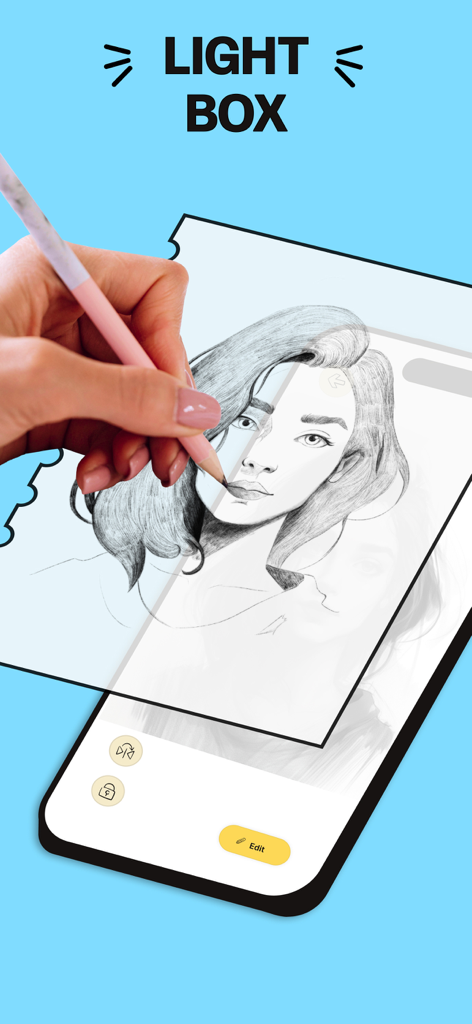
Hand tracing a portrait on a smartphone screen using the Trace Table light box app

Hand tracing a portrait on a smartphone screen using the Trace Table light box app

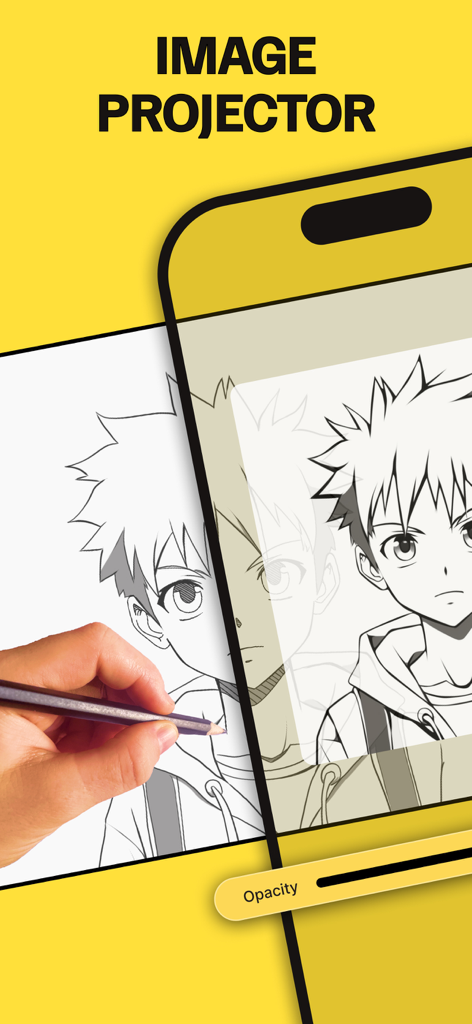
A hand drawing an anime character using the AR image projector feature of the Trace Table app on a smartphone

A hand drawing an anime character using the AR image projector feature of the Trace Table app on a smartphone

A smartphone interface displaying a library of categorized stock images including flowers portraits and landscapes for tracing.

A smartphone interface displaying a library of categorized stock images including flowers portraits and landscapes for tracing.

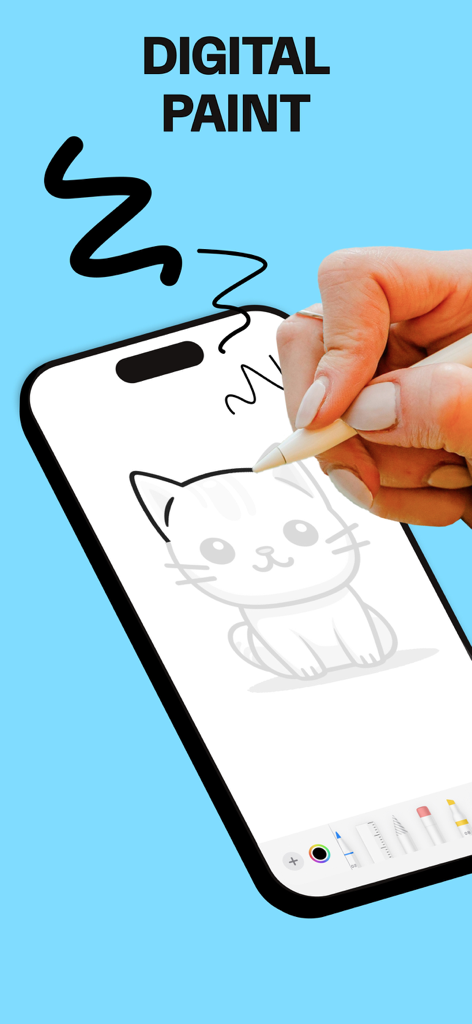
A hand using a digital pen to draw a cat on a smartphone screen using the digital paint feature

A hand using a digital pen to draw a cat on a smartphone screen using the digital paint feature

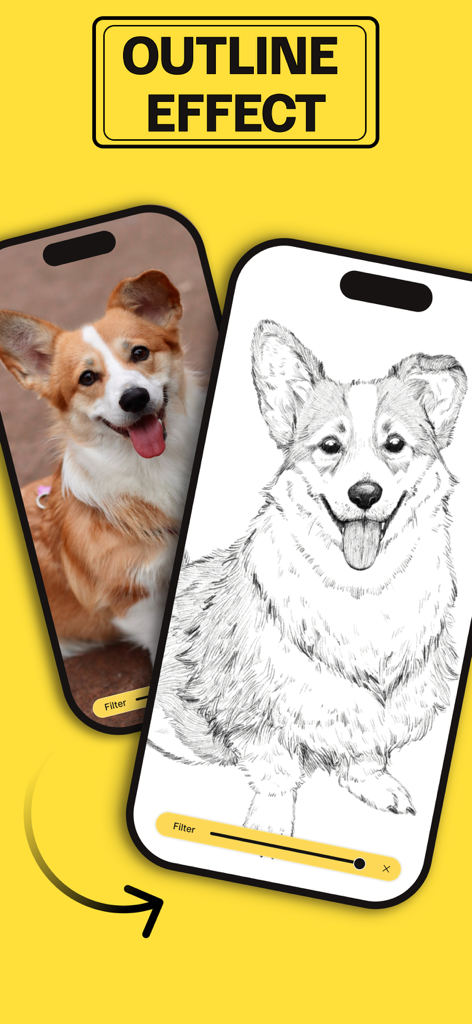
A mobile screen showing the conversion of a corgi dog photo into a line drawing using the outline effect feature.

A mobile screen showing the conversion of a corgi dog photo into a line drawing using the outline effect feature.

Drawing lessons interface in Trace Table app showing fairy character sketches

Drawing lessons interface in Trace Table app showing fairy character sketches

Elevate Your Artistry with Precision Tools

The tools that make this app stand out, trusted by 1M+ users.

🔒

Rock-Solid Screen Lock

Trace with total confidence. Lock your artwork in place to prevent accidental moves, zooms, or touches while your hand is on the screen.

💡

MAX Brightness & Outline Mode

See every line clearly through any paper. Maximize your screen's illumination and use Outline Mode to instantly simplify complex photos.

🚀

AR Image Projector

Think bigger than your screen. Use Augmented Reality to project digital images directly onto canvas, walls, or thick materials for easy sketching.

Loved by users worldwide

Trusted by 1M+ people who love this app.

"

"As a tattoo apprentice, carrying a physical light box was such a hassle. This app is a game-changer. The screen lock feature is perfect because it lets me trace my stencils without the image shifting every time my hand touches the glass. It has made my prep work so much faster and more portable."

Marcus R., Illustrator
"

"I love making hand-drawn notes for my daughter's school projects, but I've always struggled with proportions. The Outline Mode is a total lifesaver—it turns any photo into a clear guide that I can trace in seconds. It's simple, brilliant, and has honestly made me feel like a much better artist."

Sarah L., DIY Hobbyist

About the app

Everything you need to know about Trace Table - Light Box.

Description

A simple, effective light box for tracing drawings and artwork. Trace drawings, photos, tattoos, flash, lettering, inking, line work, comics, homework, anything! Trace Table maximizes your screen brightness, so the lines are easy to see. Lock your artwork in place, so your hand doesn’t accidentally move it while you are drawing.* Outline Mode easily adjusts photos to help you see lines more clearly. Trace table now comes equipped with our new AR Image Projector. Simply position your device above the canvas and view both the image and canvas directly on the screen. Tracing has never been so easy. You can also unleash your creativity with our Digital Paint feature. Choose from a different tools such as brushes, pencils, and more. Watch as your creative thoughts take shape on our digital canvas, transforming into a masterpiece before your eyes. Features: - MAX brightness management. - Trace artwork from Photos or Camera. - Outline Mode makes it easy. - Resize, move, and rotate artwork. - Flip the artwork for reverses and transfers. - Lock the screen so nothing moves while you’re tracing!* - Home screen swipe protection on iPhone X, XR, XS. - AR projector. - Digital paint. “I originally made Trace Table to help my wife draw cartoons on notes to put in our son’s lunchbox. It really helped her drawing confidence and speed. I hope it can help you with your art.” — Trace Table Developer Subscribe to access to premium app features; subscription details are the following: • Length: weekly, monthly, yearly • Your payment will be charged to your iTunes Account as soon as you confirm your purchase • You can manage your subscriptions and turn off auto-renewal from your Account Settings after the purchase • Your subscription will renew automatically, unless you turn off auto-renew at least 24 hours before the end of the current period • The cost of renewal will be charged to your account in the 24 hours prior to the end of the current period • When cancelling a subscription, your subscription will stay active until the end of the period. Auto-renewal will be disabled, but the current subscription will not be refunded • Any unused portion of a free trial period, if offered, will be forfeited when purchasing a subscription Terms of Use: https://www.apple.com/legal/internet-services/itunes/dev/stdeula/

Latest Version

2.6

Size

168.3 MB

First Released

Mar 28, 2017

Ready to Bring Your Creative Vision to Life?

Join over 1 million artists and hobbyists who trust Trace Table to perfect their drawings. Download now and start creating with the ultimate digital light box.

Download on App Store
FAQ

Frequently Asked Questions

Everything you need to know about Trace Table - Light Box

What is Trace Table - Light Box?

Trace Table - Light Box is an app that functions as a light box for tracing drawings, photos, and various artworks. It helps users trace by maximizing screen brightness and locking artwork in place.

Can I use my own photos for tracing in Trace Table?

Yes, Trace Table allows users to trace artwork directly from their photos or camera. The app also offers options to resize, move, and rotate the imported artwork.

Does Trace Table offer an augmented reality (AR) feature for tracing?

Yes, Trace Table includes an AR Image Projector. This feature allows users to position their device above a canvas and view both the image and canvas directly on the screen for tracing.

Can I draw directly within the Trace Table app?

Yes, Trace Table features a Digital Paint function. Users can unleash creativity with various digital tools like brushes and pencils on a digital canvas within the app.

How does the Outline Mode work in Trace Table?

Outline Mode in Trace Table easily adjusts photos to help users see lines more clearly for tracing. This simplifies the process of creating clear line art from existing images.

Does Trace Table offer drawing lessons or guides?

Yes, Trace Table provides drawing lessons. These lessons present layered images to guide users step-by-step through the process of creating various drawings.

Is a subscription required to access premium features in Trace Table?

Yes, subscribing is necessary to access premium app features in Trace Table. Subscriptions are available in weekly, monthly, and yearly lengths.

How do I manage my Trace Table subscription?

Users can manage their Trace Table subscriptions and turn off auto-renewal from their iTunes Account Settings after purchase. Auto-renewal must be turned off 24 hours before the current period ends.

Does Trace Table prevent accidental screen movement during tracing?

Yes, Trace Table allows users to lock their artwork in place. This feature prevents accidental movement from a hand while tracing, ensuring stability and precision.

What types of art can I trace with Trace Table - Light Box?

Trace Table - Light Box supports tracing various art forms including drawings, photos, tattoos, flash, lettering, inking, line work, comics, and homework. It offers versatility for artists.