Web Video Cast | Browser to TV

Web Video Cast | Browser to TV

Download on App StoreDownload on Google Play
Spark by MWM logo
Logo of Web Video Cast | Browser to TV

Web Video Cast | Browser to TV: The ultimate way to stream any web video to your big screen

Stop settling for small screens or laggy mirroring. Cast movies, live sports, and news directly from your browser to Roku, Chromecast, Fire TV, and more—all while saving your battery and enjoying full subtitle support.

Publisher

InstantBits Inc

Category

Photo & Video

Downloads

8M+

User Rating

4.8/5

Total Ratings

131K+

Locales

35

Your Content, Super-Sized

Discover the interface used by 8M+ users.

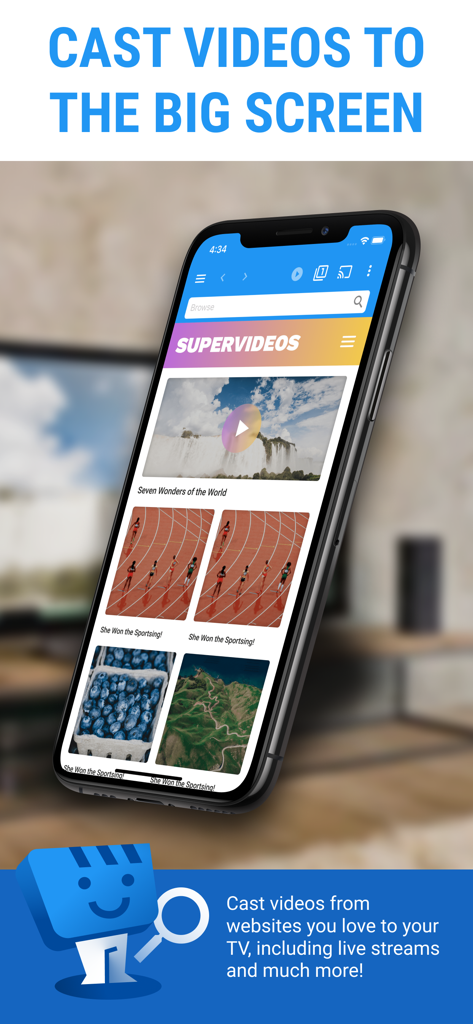
Web Video Cast app interface on an iPhone displaying options to stream web videos to a TV.

Web Video Cast app interface on an iPhone displaying options to stream web videos to a TV.

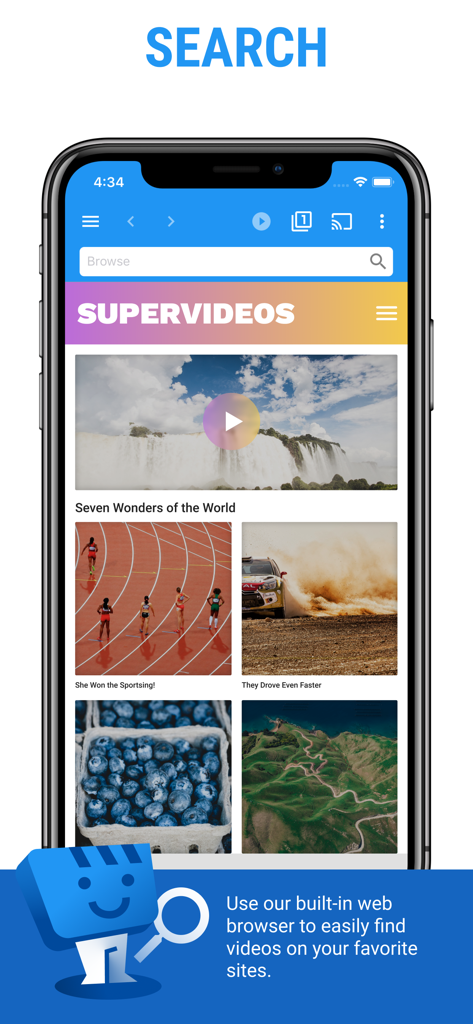
Smartphone displaying the Web Video Cast app search screen with its built-in browser for discovering online videos.

Smartphone displaying the Web Video Cast app search screen with its built-in browser for discovering online videos.

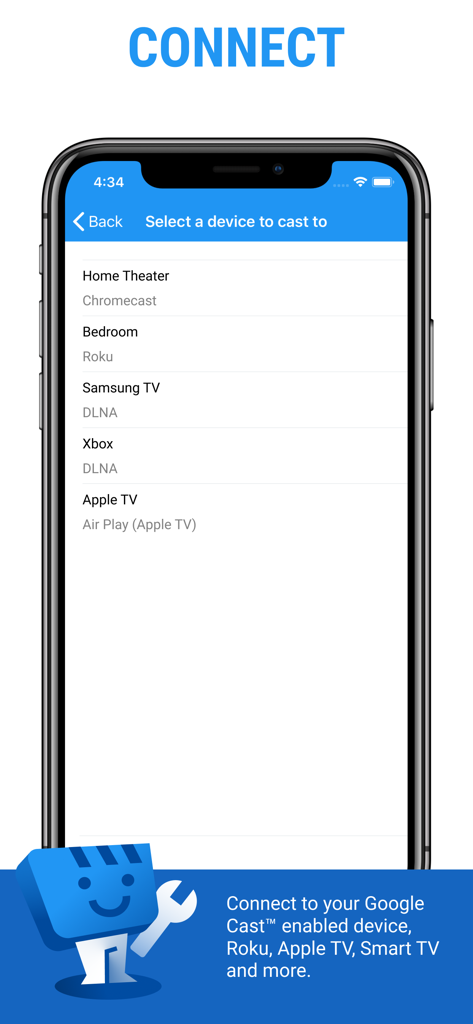
Web Video Cast app interface showing a list of available streaming devices including Chromecast Roku and Apple TV

Web Video Cast app interface showing a list of available streaming devices including Chromecast Roku and Apple TV

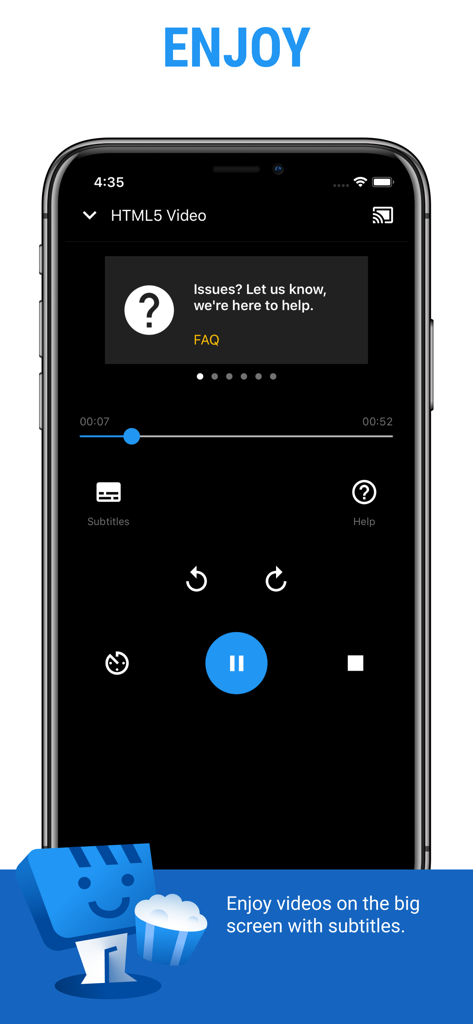
Mobile screen showing Web Video Cast playback controls with subtitle and casting options

Mobile screen showing Web Video Cast playback controls with subtitle and casting options

Unlock Your TV’s Full Potential

The tools that make this app stand out, trusted by 8M+ users.

📱

True Universal Connectivity

Bridge the gap between your iPhone and any TV. We support Roku, Fire TV, Chromecast, and DLNA devices, making hardware compatibility issues a thing of the past.

🔋

Smart Battery Saving

Don't drain your phone with screen mirroring. Our technology sends the video URL directly to the TV, allowing you to lock your screen or use other apps while watching.

🌐

Stream Anything, Anywhere

Perfect for live sports, niche movies, and international news. Our built-in subtitle detection ensures you never miss a word, even on the most obscure web players.

Loved by users worldwide

Trusted by 8M+ people who love this app.

"

"Finally, a way to watch my favorite international soccer matches on the big screen without needing a dedicated app for every single league. I love that it doesn't drain my phone's battery like screen mirroring does because it sends the link directly to my Roku. It's a must-have for any sports fan looking to cut the cord."

Mark S., Weekend Sports Enthusiast
"

"This app is a game-changer for my movie nights. I can find any documentary or international series on the web and send it straight to my smart TV in seconds. The subtitle detection is incredibly accurate, which was always my biggest frustration with other casting methods. It works flawlessly every time."

Elena R., Independent Film Lover

About the app

Everything you need to know about Web Video Cast | Browser to TV.

Description

Web Video Caster® allows you to watch on your TV videos from your favorite websites including movies, TV shows, live streams of news, sports. SUPPORTED STREAMING DEVICES Web Video Caster® supports the most popular streaming devices, allowing your TV to stream videos directly from the web. • Google Cast (Chromecast, Android TV, Chromecast built-in) • DLNA devices like Xbox, Samsung TVs, LG TVs, etc. • Roku, Roku stick and Roku TVs • Apple TV 4 • Fire TV and Fire TV stick • PlayStation 4 - by using its web browser • Most web browsers by visiting http://cast2tv.app (PS4, Smart TVs, other consoles and set top boxes) *If you experience a compatibility issues, contact us and include the brand and model number. SUPPORTED MEDIA • HLS live streams in M3U8 format (Chromecast, most DLNA devices lack support for it) • Authenticated videos including movies and TV shows • MP4 videos • Live news and sports • Any HTML5 videos* *Your streaming device must be capable of decoding the video you are playing. Web Video Caster doesn't perform any video/audio decoding or transcoding. HOW IT WORKS Web Video Cast™ is a browser, which allows you to stream videos of movies, TV shows, and other media from the internet to a streaming device or smart tv. Web Video Caster grabs the video URL inside the web page, sends it to the streaming device (i.e. Chromecast or DLNA device), and then plays the video directly from the content provider. This ultimately saves your mobile device’s battery. It also detects subtitles on the web page. Web Video Cast™ does not host these videos. This is not a mirroring app. GET STARTED Follow these simple step-by-step instructions to start streaming: 1. Find a video online that you want to watch. 2. Make sure this video can play on mobile browsers without Flash. 3. Connect to your streaming device. 4. Play the video as you normally would. Or, click the play button on the toolbar. PREMIUM FEATURES** • No in-app advertising • Most visited sites • Bookmarks • Set homepage **This functionality does not apply universally to all streaming devices. LIMITATIONS & DISCLOSURES As with all apps, there are some limitations we are aware of and want you to know about up front. • We are in no way associated with any web media providers and we do not have control over the content they provide. • Web Video Caster does not support nor play Flash or FLV videos. • The app does not support tab casting, like the Chromecast extension for the PC web browser. • We cannot do anything to fix issues that arise on the server side (media content provider) such as failure to play or buffering, which is especially common during heavy load times and weekends. SHARE YOUR FEEDBACK We are committed to open communication with our users. Please contact us first with any questions or support issues before leaving a review. We will respond and address your concern promptly. Contact us through our website http://www.webvideocaster.com/contactForm

Latest Version

2.50

Size

161.7 MB

First Released

Nov 19, 2018

Take Your Web Videos to the Big Screen

Join over 8 million cord-cutters streaming live sports, movies, and news directly to their TV. Compatible with Roku, Fire TV, Chromecast, and more—no battery drain, just pure entertainment.

Download on App StoreDownload on Google Play
FAQ

Frequently Asked Questions

Everything you need to know about Web Video Cast | Browser to TV
How does Web Video Cast™ work?

Web Video Cast™ functions as a browser, streaming videos from websites to a streaming device. It captures the video URL, sends it to the device, and plays it directly from the content provider.

What streaming devices does Web Video Cast™ support?

Web Video Caster™ supports Google Cast (Chromecast, Android TV), DLNA devices (Xbox, Samsung TVs, LG TVs), Roku, Apple TV 4, Fire TV, PlayStation 4, and most web browsers.

What types of media can Web Video Cast™ stream?

Web Video Caster™ streams HLS live streams in M3U8 format, authenticated videos, MP4 videos, live news and sports, and any HTML5 videos. The streaming device must decode the video.

Does Web Video Cast™ support subtitles?

Yes, Web Video Cast™ detects subtitles on the web page. Users can enjoy videos on the big screen with detected subtitles.

What premium features does Web Video Caster™ offer?

Web Video Caster™ Premium offers no in-app advertising, access to most visited sites, bookmarks, and the ability to set a homepage. This functionality has specific device limitations.

Does Web Video Cast™ support Flash or FLV videos?

No, Web Video Caster™ does not support Flash or FLV videos. The app also does not support tab casting, unlike a PC web browser extension.

Is Web Video Caster™ a mirroring app?

No, Web Video Caster™ is not a mirroring app. It obtains the video URL and transmits it to the streaming device, which then plays the video directly.

Does Web Video Caster™ host the videos it streams?

No, Web Video Caster™ does not host these videos. It streams content directly from the original content provider.