WPD Reader - for WordPerfect

WPD Reader - for WordPerfect

Download on App Store
Spark by MWM logo
Logo of WPD Reader - for WordPerfect

WPD Reader - for WordPerfect: Professional document access for legal and government experts.

Securely open, search, and convert Corel® WordPerfect® files on your iPhone and iPad. Preserve complex layouts, tables, and formatting with local, offline processing designed for professionals who demand precision.

Download on App Store

Publisher

RootRise Technologies Private Limited

Category

Productivity

Downloads

12K+

User Rating

4.5/5

Total Ratings

100

Locales

1

Professional Clarity

Discover the interface used by 12K+ users.
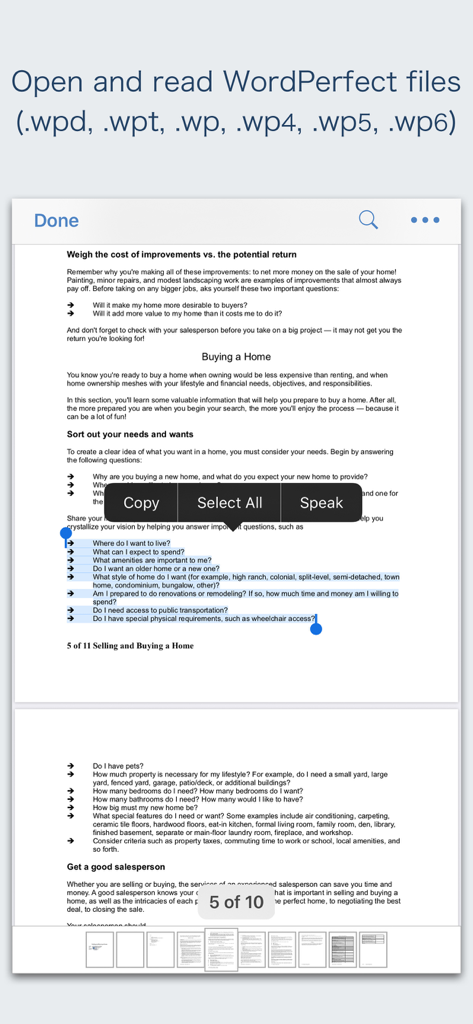
WPD Reader app interface displaying a WordPerfect document with text selection and page thumbnails

WPD Reader app interface displaying a WordPerfect document with text selection and page thumbnails

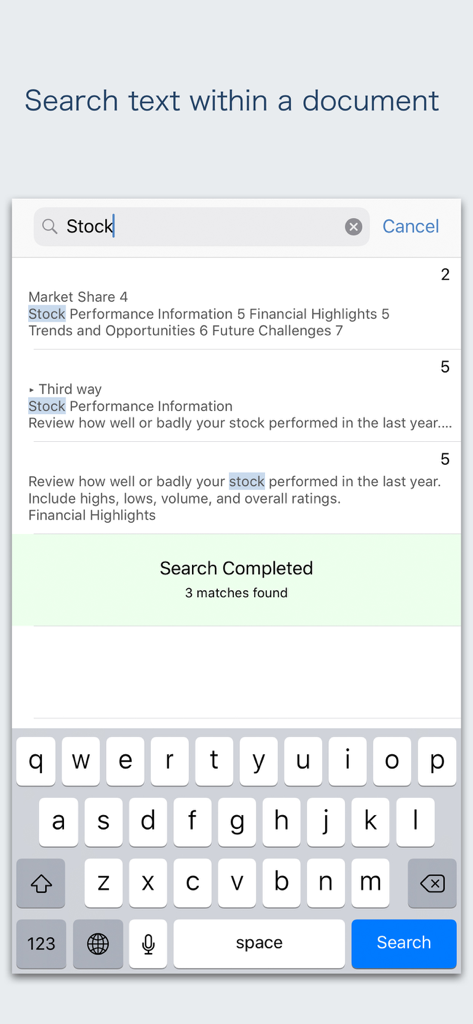
Mobile app screenshot showing the text search feature for a WordPerfect document on an iPhone

Mobile app screenshot showing the text search feature for a WordPerfect document on an iPhone

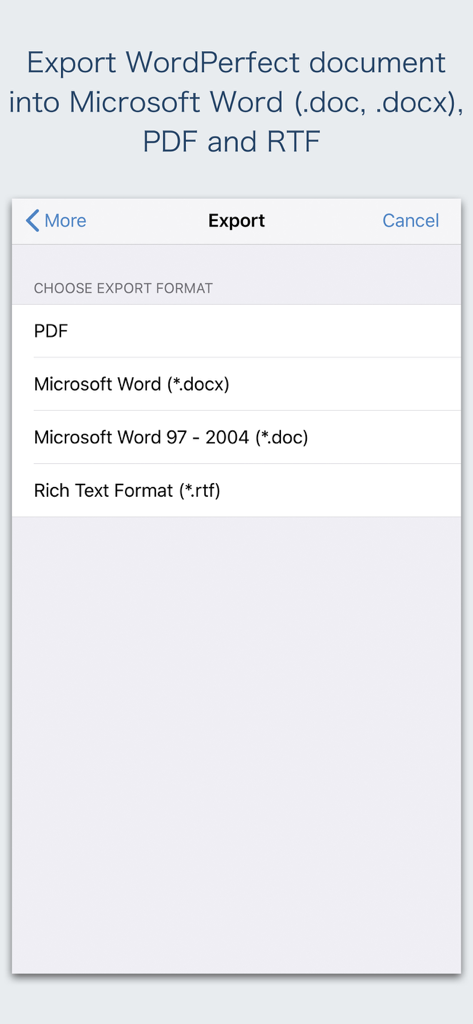
Export screen of the WPD Reader app showing options to convert WordPerfect files to PDF, Microsoft Word docx, and RTF formats.

Export screen of the WPD Reader app showing options to convert WordPerfect files to PDF, Microsoft Word docx, and RTF formats.

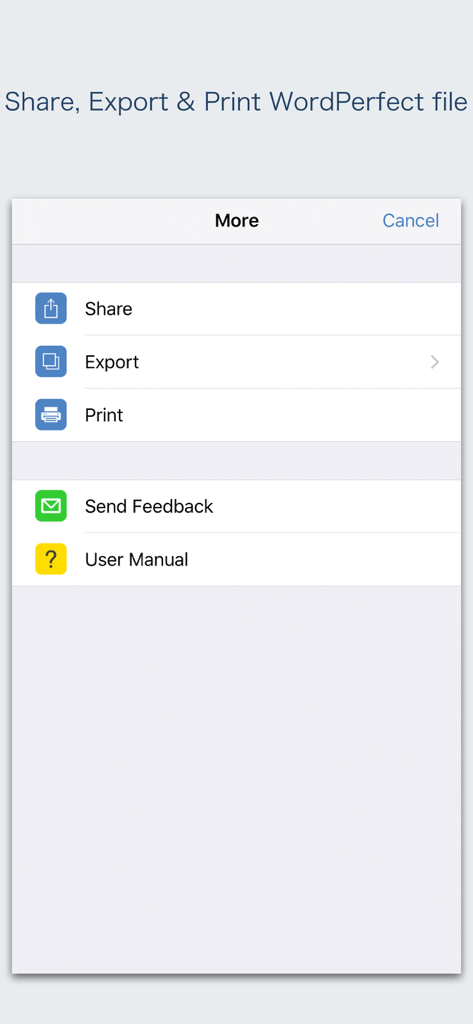
A menu in the WPD Reader app showing options to share, export, and print WordPerfect files.

A menu in the WPD Reader app showing options to share, export, and print WordPerfect files.

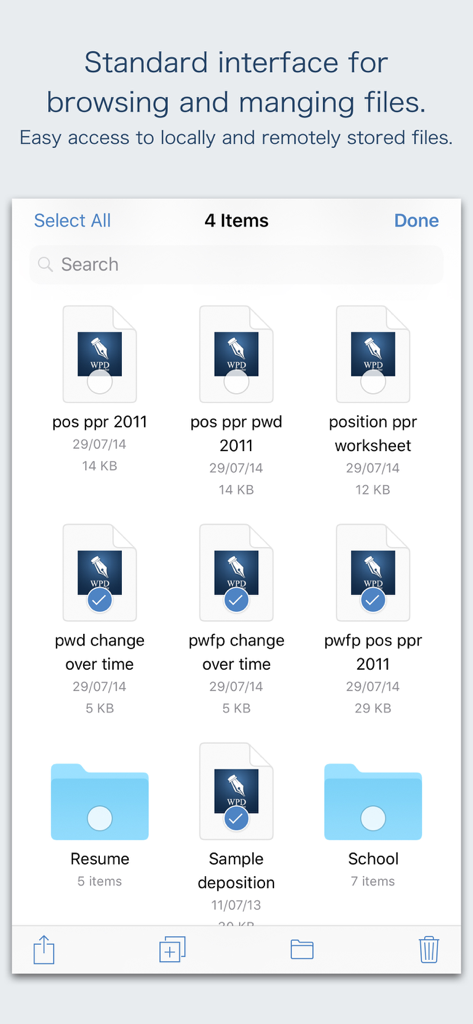
WPD Reader interface for browsing and managing WordPerfect documents and folders

WPD Reader interface for browsing and managing WordPerfect documents and folders

Master Your WordPerfect Documents on the Go

The tools that make this app stand out, trusted by 12K+ users.

🔄

Seamless Word & PDF Export

Convert legacy .wpd files into modern .docx or .pdf formats while perfectly preserving your original layout, tables, and formatting.

🛡️

Private & Secure Processing

Handle sensitive legal and government documents with confidence. All file conversions happen natively on your device without cloud uploads.

🔍

Efficient Document Navigation

Easily browse complex briefs and records using intuitive document outlines, page thumbnails, and powerful full-text search.

Loved by users worldwide

Trusted by 12K+ people who love this app.

"

"As a legal consultant, I often receive legacy WordPerfect files that are impossible to open on the go. This app is a lifesaver for reviewing briefs on my iPad during court recesses. It preserves the complex formatting and tables perfectly, and the fact that it converts to Word locally without needing a cloud server gives me the security I need for sensitive client data."

David Sterling, Senior Legal Consultant
"

"I have over thirty years of research and manuscripts stored in .wpd format. This reader has made my entire archive accessible again. I can browse my files directly from iCloud, search for specific terms in long documents, and export everything to PDF for my colleagues. It is an essential productivity tool for anyone transitioning legacy work to a modern mobile workflow."

Dr. Margaret Chen, Academic Researcher

About the app

Everything you need to know about WPD Reader - for WordPerfect.

Description

Do you receive Corel® WordPerfect® documents (.wpd, .wpt, .wp, .wp4, .wp5, .wp6) as email attachments on you iPhone and iPad? Are you having plenty of WordPerfect files that no decent viewer available to open on your iPhone and iPad? The easiest way to circumvent these problems is WPD Reader. “WPD Reader” allows you to open and read WordPerfect (version 1-11) documents on iOS device. It offers you fantastic reading experience using document outlines, page thumbnails and text search features. In addition, “WPD Reader” allows you to export WordPerfect document into Microsoft Word(.docx, .doc) and RTF to make it available for editing in other Word processing software. Converts the text, text characteristics, paragraphs, text frames linking, text frame columns, tables, graphics and other document objects and properties to the matching Microsoft Word format objects and properties by preserving layout. - It also allows to convert WordPerfect document into PDF. - Standard document interaction interface to share, send and save exported documents. READING FEATURES: - Fully selectable and searchable text contents. Select and copy text to clipboard for further use. - Pinch out and Pinch in to ZoomIn and ZoomOut view. - Navigate through topics by document outlines, if exist. - Search text feature to find a character, word or sentence any where in a document. - Scroll through your document by Page Thumbnails or Go to page feature. DOCUMENT MANAGEMENT - The inbuilt document browse view automatically gives you the option to share documents using the Share button or a drag-and-drop action. It also provides a standard interface for browsing and managing documents. - Automatically handles access to iCloud for you within the app. It also provides access to documents managed by third-party storage service extensions installed on your device. - Browse, find and sort documents to help you locate the document you want. Tap the file that you want to open. - You can move, delete, duplicate and rename a document with document manager in browser view. - In the document manager, you can group related documents into folders so they’re easy to find. - Support to open and convert Corel WordPerfect (version 1-11) format files. Note: “WPD Reader” is standalone application running natively to open and convert WordPerfect document securely right on your iOS device. You can refer User Manual for any assistance Or Contact Support. Microsoft® is a registered trademark of Microsoft Corporation, registered in the U.S. and other countries. Corel® and WordPerfect® are registered trademarks of Corel Corporation or Corel Corporation Limited.

Latest Version

3.0

Size

163.5 MB

First Released

Feb 24, 2018

Don't Let Legacy Formats Slow You Down

Join thousands of legal and government professionals who trust WPD Reader for secure, high-fidelity viewing and conversion on your iPhone and iPad.

Download on App Store